如何匹配图形大小,字体大小和dpi
|
该页面正在翻译中。 |
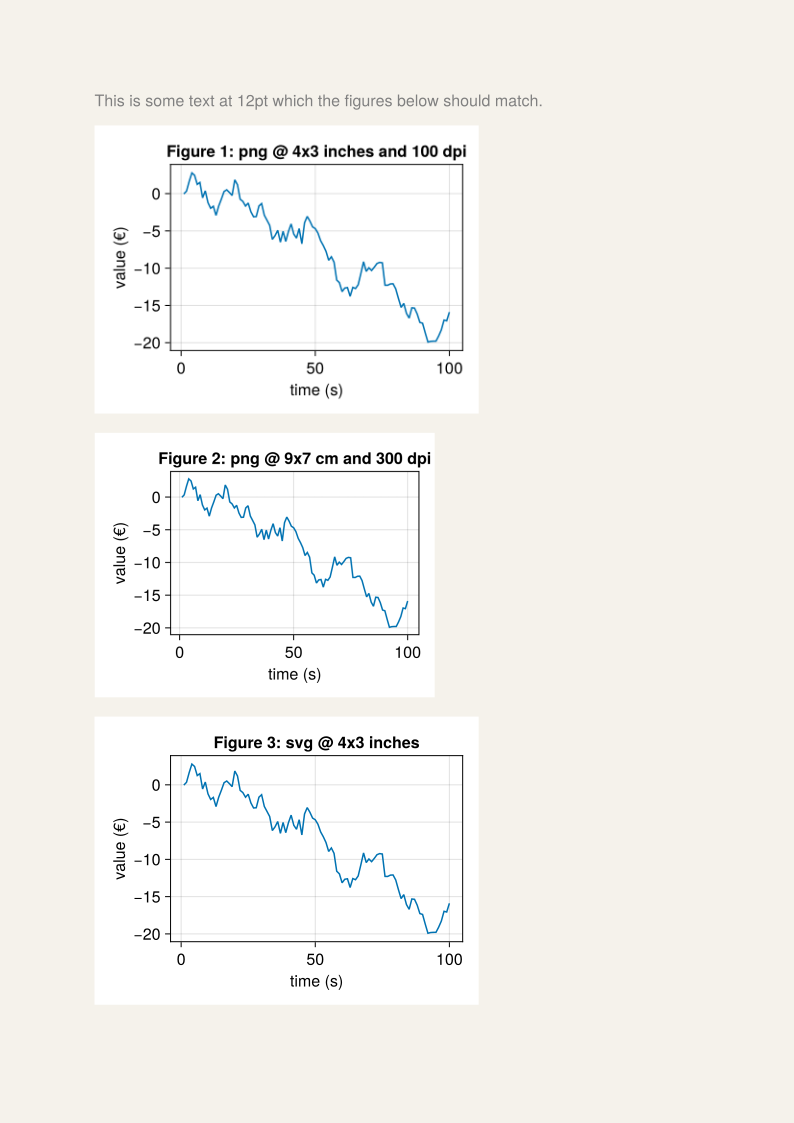
我们要创建三个图以包含在文档中。 这些是要求:
-
图1:png@4x3英寸和100dpi
-
图2:png@9x7cm和300dpi
-
图3:svg@4x3英寸
所有这三个的字体大小应该匹配文档的12pt设置。
我们假设Makie的无单位图形大小实际上等同于CSS像素的约定。 有关更深入的解释,请查看部分 图尺寸和分辨率。
我们在这里使用Typst,但该技术同样适用于所有允许您设置包含图像尺寸的创作工具。
using CairoMakie
using Typst_jll

# these are relative to 1 CSS px
inch = 96
pt = 4/3
cm = inch / 2.54

f1 = Figure(size = (4inch, 3inch), fontsize = 12pt)
f2 = Figure(size = (9cm, 7cm), fontsize = 12pt)
f3 = Figure(size = (4inch, 3inch), fontsize = 12pt)

titles = [
    "Figure 1: png @ 4x3 inches and 100 dpi",
    "Figure 2: png @ 9x7 cm and 300 dpi",
    "Figure 3: svg @ 4x3 inches",
]

data = cumsum(randn(100))

for (f, title) in zip([f1, f2, f3], titles)
    ax = Axis(f[1, 1]; title, xlabel = "time (s)", ylabel = "value (€)")
    lines!(ax, data)
end

save("figure1.png", f1, px_per_unit = 100/inch)
save("figure2.png", f2, px_per_unit = 300/inch)
save("figure3.svg", f3)

typst_code = """
    #set page(fill: rgb("#f5f2eb"))
    #set text(font: "TeX Gyre Heros Makie", size: 12pt, fill: luma(50%))

    This is some text at 12pt which the figures below should match.

    #image("figure1.png", width: 4in, height: 3in)
    #image("figure2.png", width: 9cm, height: 7cm)
    #image("figure3.svg") // vector graphics have physical dimensions
"""

open(io -> println(io, typst_code), "document.typ", "w")

cp(Makie.assetpath("fonts", "TeXGyreHerosMakie-Regular.otf"), "./texgyre.otf")

run(`$(Typst_jll.typst()) compile --font-path . document.typ output.svg`)