Raised Cosine Receive Filter
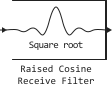
The unit collapses the input signal with an impulse response, represented as a function of an elevated cosine.
blockType: SubSystem
|
Path in the library: |
Description
Block Raised Cosine Receive Filter filters the input signal using a conventional FIR filter with a raised cosine.
Filter Characteristics
Features Raised Cosine Receive Filter the same as in the block Raised Cosine Transmit Filter, except that the length of the input response of the filter has a slightly different expression: the filter range in characters , where — parameter value Input samples per symbol (not Output samples per symbol, as in the case of a block Raised Cosine Transmit Filter).
The unit normalizes the filter coefficients to unit energy. If for the parameter Linear amplitude filter gain set to a value other than 1.0 The block scales the normalized filter coefficients using the gain value you specify.
Reducing the filtered signal
In order for the block to thin out the filtered signal, set the parameter Decimation factor the value is greater than 1.
If represents the value of the parameter Decimation factor, then the block saves samples, selecting them as follows:
-
If the parameter value is Decimation offset If the value is equal to zero, then the block selects samples of the filtered signal, indexed as etc.
-
If the parameter value is Decimation offset is a positive integer, less than , then the block initially discards this number of samples from the filtered signal and downsamples the remaining data, as in the previous case.
To save the entire filtered signal and avoid thinning, set the parameter Decimation factor value 1. This setting is appropriate, for example, when the output signal of the filter unit generates an input signal for the time phase recovery unit, such as Symbol Synchronizer. In this case, the time phase recovery unit performs a reduction in the sampling rate.
Input signals and output signals
This unit receives input signals in the form of a column vector or matrix.
-
If for the parameter Decimation factor the value is set
1, then the input and output signals share the same sampling mode, calculation step, and vector length. -
If for the parameter Decimation factor the value is set
K, which is larger1,Kand the input sampling mode determines the characteristics of the output signal.
Ports
Input
#
IN_1
—
The input signal
column vector | the matrix
Details
Input signal in the form of a column vector or matrix on , where is the number of input samples per signal channel, and — the number of signal channels.
For the input signal in the form of a matrix on the block processes the columns of the input matrix as independent channels.
| Data types |
|
| Complex numbers support |
No |
Output
#
OUT_1
—
The output signal
column vector | the matrix
Details
The output signal is in the form of a column vector or matrix on , where It is defined as a relation and parameter values Decimation factor, is the number of input samples per channel, and — the number of signal channels.
The block filters each channel by time and generates an output matrix. on . The output signal has the same data type as the input signal.
| Data types |
|
| Complex numbers support |
No |
Parameters
Main group
# Rolloff factor — smoothing ratio
Details
Set the smoothing coefficient of the filter. Use a real number between 0 and 1.
| Default value |
|
| Program usage name |
|
| Tunable |
No |
| Evaluatable |
Yes |
# Filter span in symbols — filtering range in characters
Details
Set the number of characters that the filter covers as an even, positive integer scalar. Default value 10. Since the ideal raised cosine filter has an infinite impulse response, the block truncates the impulse response to the number of characters that this parameter specifies.
| Default value |
|
| Program usage name |
|
| Tunable |
No |
| Evaluatable |
Yes |
# Input samples per symbol — input samples per character
Details
An integer greater than 1, meaning the number of samples representing one character in the input signal.
| Default value |
|
| Program usage name |
|
| Tunable |
No |
| Evaluatable |
Yes |
# Decimation factor — The decimation factor
Details
Set the thinning factor that the unit applies to the input signal. The output samples per symbol are equal to the value of the input samples per symbol divided by the decimation factor. If the thinning coefficient is equal to one, then the block applies only filtering. There is no decimation.
| Default value |
|
| Program usage name |
|
| Tunable |
No |
| Evaluatable |
Yes |
# Decimation offset — decimation bias
Details
Set the decimation offset in the samples. Use the value between 0 and Decimation factor − 1.
| Default value |
|
| Program usage name |
|
| Tunable |
No |
| Evaluatable |
Yes |
# Linear amplitude filter gain — amplification of the linear amplitude filter
Details
Set a positive scalar value that the block uses to scale the filter coefficients. By default, the unit normalizes the filter coefficients to provide modular energy gain. If you set a gain other than 1 the block scales the normalized filter coefficients using the gain value that you specify.
| Default value |
|
| Program usage name |
|
| Tunable |
No |
| Evaluatable |
Yes |