Repeat
Resampling of the input signal at a higher rate by repeating the values.
blockType: Repeat
|
Path in the library: |
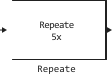
Description
Block Repeat increases the sampling rate of each input channel (by the size of on ) up to the frequency, in times the sampling rate of the input signal. To do this, the block repeats each consecutive input sample at the output. once. An integer is set in the parameter Repetition count, L or via the input port L.
Ports
Output
#
out
—
The output signal
scalar | vector | the matrix
Details
The output signal is with a sampling rate that is in times the sampling rate at the input.
Block output signal Repeat it has the same data type as the input signal.
The size of the output signal depends on the value of the number of repetitions and the parameter setting. Rate options.
If for the parameter Repetition count, L the value is set , and for the parameter Rate options the value is set:
-
Enforce single-rate processing— the unit supports the sampling rate at the input, increasing the size of the output frame in once. -
Allow multirate processing— the unit will resample the signal in such a way that the sampling frequency at the output is It exceeds the entrance value by several times. The output signal has the same frame size as the input signal.
When entering the number of repetitions via the input port L parameter Rate options It is automatically set to Enforce single-rate processing. In this case, the unit supports the sampling rate of the input signal at the output, increasing the size of the output frame in once.
The output signal is a variable-size signal if one or both conditions are met.:
-
A variable-size signal is applied to the input.
-
The number of repetitions is supplied via the L port.
| Data types |
|
| Complex numbers support |
Yes |
Input
#
in
—
The input signal
scalar | vector | the matrix
Details
The input signal is in the form of a scalar, vector, or matrix.
This port does not have a name until you set the parameter Repetition count source meaning Input port.
| Data types |
|
| Complex numbers support |
Yes |
#
L
—
number of repetitions
a positive integer less than Lmax
Details
Number of repetitions , set as a positive integer, less than or equal to the value specified in the parameter Maximum repetition count, Lmax.
Dependencies
To use this port, set the parameter Repetition count source meaning Input port.
| Data types |
|
| Complex numbers support |
No |
Parameters
Main
#
Repetition count source —
the source of the number of repetitions
Dialog parameter | Input port
Details
The source of the number of repetitions:
-
Dialog parameter— the number of repetitions is set in the parameter Repetition count, L. -
Input port— The number of repetitions will be received via the input port L.
| Values |
|
| Default value |
|
| Program usage name |
|
| Tunable |
No |
| Evaluatable |
No |
#
Repetition count, L —
number of repetitions
Real number
Details
The number of repetitions is L as a positive integer. This value represents the number of repetitions of the input value by the block. This is the factor by which the block increases the output frame size or sampling rate.
Dependencies
To use this parameter, set for the parameter Repetition count source meaning Dialog parameter.
| Default value |
|
| Program usage name |
|
| Tunable |
No |
| Evaluatable |
Yes |
#
Maximum repetition count, Lmax —
maximum number of repetitions
Real number
Details
Maximum number of repetitions as a positive integer, greater than or equal to 1. The number of repetitions set via the input port L must be less than or equal to .
Dependencies
To use this parameter, set for the parameter Repetition count source meaning Input port.
| Default value |
|
| Program usage name |
|
| Tunable |
No |
| Evaluatable |
Yes |
#
Input processing —
input signal processing method
Columns as channels (frame based) | Elements as channels (sample based)
Details
- Specify how the block should handle the input. You can set one of the following options for this parameter
-
-
Columns as channels (frame based)— When you select this option, the block treats each input column as a separate channel. In this mode, the unit can perform single-speed or multi-speed processing. -
Elements as channels (sample based)— When you select this option, the block processes each input element as a separate channel. In this mode, the block always performs multi-speed processing.
-
For more information, see Signal processing by frames and counts.
| Values |
|
| Default value |
|
| Program usage name |
|
| Tunable |
No |
| Evaluatable |
No |
#
Rate options —
the method by which the unit increases the sampling rate of the input
Enforce single-rate processing | Allow multirate processing
Details
Specify the method by which the block increases the sampling rate of the input. You can choose one of the following options:
-
Enforce single-rate processing— the unit supports the input sampling rate, increasing the size of the output frame in once. To select this option, you must set the parameter Input processing meaning Columns as channels (frame based). -
Allow multirate processing— the unit will resample the signal in such a way that the sampling frequency at the output will be in times more than at the entrance.
| Values |
|
| Default value |
|
| Program usage name |
|
| Tunable |
No |
| Evaluatable |
No |
#
Initial conditions —
initial value
Scalar / matrix of real numbers
Details
Specify the value that initializes the block for cases of non-zero waiting time in the form of a scalar or matrix.
| Default value |
|
| Program usage name |
|
| Tunable |
No |
| Evaluatable |
Yes |