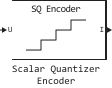
Scalar Quantizer Encoder
Encoding of each input value by matching with the index of the quantization domain.
blockType: Scalar Quantizer Encoder
|
Path in the library: |
Description
Block Scalar Quantizer Encoder maps each input value to the quantization domain, comparing this value with the boundary points of the quantizer specified by the parameter Boundary points. The block outputs the index of the corresponding area starting from zero.
Ports
Input
#
U
—
input data values
vector | the matrix
Details
Input data values specified as a vector or matrix.
The input data, boundary points, codebook values, quantized output values, and quantization error must have the same data type if the corresponding data is present.
If the input data is of a fixed-point type, it must be signed integers or signed values with a fixed point, a scaling factor of a power of two and a zero offset.
| Data types |
|
| Complex numbers support |
No |
#
B
—
boundary points
vector
Details
Boundary points defined as a length vector . The boundary points must be arranged in ascending order.
The input data, boundary points, codebook values, quantized output values, and quantization error must have the same data type if the corresponding data is present.
Dependencies
To use this port, set the parameter Source of quantizer parameters meaning Input port.
| Data types |
|
| Complex numbers support |
No |
#
C
—
codebook values
vector
Details
A vector of quantized output values corresponding to each index value. If for the parameter Partitioning the value is set Bounded, then the length of the codebook vector should be equal to ; and if for the parameter Partitioning the value is set Unbounded, then the length of the codebook vector should be equal to , where — the length of the vector of boundary points.
The input data, boundary points, codebook values, quantized output values, and quantization error must have the same data type if the corresponding data is present.
Dependencies
To use this port, set the parameter Source of quantizer parameters meaning Input port and check the box Output codeword or Output quantization error.
| Data types |
|
| Complex numbers support |
No |
Output
#
I
—
index values
vector | the matrix
Details
Index values returned as a vector or matrix of the same size as the input data.
The data type of this port depends on the parameter value. Index output data type.
| Data types |
|
| Complex numbers support |
No |
#
Q(U)
—
quantized output values
vector | the matrix
Details
Quantized output values returned as a vector or matrix of the same size as the input data. These are the codeword values corresponding to each index value.
The input data, boundary points, codebook values, quantized output values, and quantization error must have the same data type if the corresponding data is present.
Dependencies
To use this port, check the box Output codeword.
| Data types |
|
| Complex numbers support |
No |
#
Err
—
quantization error
vector | the matrix
Details
The quantization error returned as a vector or matrix of the same size as the input data. The quantization error is equal to the difference between the input and the quantized output values.
The input data, boundary points, codebook values, quantized output values, and quantization error must have the same data type if the corresponding data is present.
Dependencies
To use this port, check the box Output quantization error.
| Data types |
|
| Complex numbers support |
No |
#
S
—
restriction status
vector | the matrix
Details
Constraint state values returned as a vector or matrix of boolean values of the same size as the input data. When the input value is outside the range specified by the parameter Boundary points, the block outputs 1 to port S. When the value is inside the range, the block outputs 0.
Dependencies
To use this port, check the box Output clipping status.
| Data types |
|
| Complex numbers support |
No |
Parameters
Main
#
Source of quantizer parameters —
the source of the quantizer parameters
Specify via dialog | Input port
Details
Specify the source of the quantizer parameters:
-
Specify via dialog— enter the boundary points and values of the codebook using the parameters in the block settings window. -
Input port— set the parameters using the input ports of the unit. Transmit the boundary points and codebook values via ports B and C respectively.
| Values |
|
| Default value |
|
| Program usage name |
|
| Tunable |
No |
| Evaluatable |
No |
#
Partitioning —
the partitioning method
Bounded | Unbounded
Details
Specify one of the following partitioning methods for interpreting the specified boundary points:
-
Bounded— creation of a limited quantizer.For example, if the boundary points are set
[0 0.5 3.7 5.8 6.0 11], the block assigns input values from0before0.5index0, input values from0.5before3.7— index1and so on to values less than0the block assigns the lowest index0, and the values are more11— the highest index4. -
Unbounded— creation of an unlimited quantizer.For example, if the boundary points are set
[0 0.5 3.7 5.8 6.0 11], the block assigns input values from0before0.5index1, input values from0.5before3.7— index2and so on to values less than0the block assigns an index0, and the values are more11— index6.
| Values |
|
| Default value |
|
| Program usage name |
|
| Tunable |
No |
| Evaluatable |
No |
#
Boundary points —
boundary points
Array of real numbers
Details
Enter a vector of values representing the boundary points of the quantizer regions, in ascending order. These values divide the set of input numbers into regions. Each area is specified by an index number.
Let — the number of quantization regions, the codebook is set as [c1 c2 c3 … cN], and the parameter Boundary points — how [p0 p1 p2 p3 … pN]. For an ordinary quantizer, the inequality holds p0 < c1 < p1 < c2 … p(N−1) < cN < pN.
For a limited quantizer, set for the parameter Partitioning meaning Bounded. It is necessary to set N + 1 boundary points: [p0 p1 p2 p3 … pN].
For an unlimited quantizer, set the parameter Partitioning meaning Unbounded. It is necessary to set N − 1 boundary points: [p1 p2 p3 … p(N−1)]. The block assigns p0 meaning −Inf, and pN — value Inf.
Dependencies
To use this parameter, set for the parameter Source of quantizer parameters meaning Specify via dialog.
| Default value |
|
| Program usage names |
|
| Tunable |
No |
| Evaluatable |
Yes |
#
Searching method —
search method
Linear | Binary
Details
Specify the search method that the block uses to determine the area containing the input value, i.e. the quantizer index.:
-
Linear— the block compares the input value with the first area defined by the first two boundary points. If the input value does not fall within this area, the block compares it with the next area. The process continues until the block determines the area containing the input value and assigns the corresponding index to the value. The computational complexity of this process is of the order of , where — the number of boundary points. -
Binary— the block compares the input value with the average value of the vector of boundary points. If the input value is greater than this boundary point, the block discards the boundary points located below the average value. The block then compares the input value with the average boundary point of the new range defined by the remaining boundary points. The process continues until the block matches the corresponding index to the input value. The computational complexity of this process is of the order of , where — the number of boundary points.
In most cases, the value is Binary provides a faster search than the value Linear.
| Values |
|
| Default value |
|
| Program usage name |
|
| Tunable |
No |
| Evaluatable |
No |
#
Tie-breaking rule —
action when the input value matches the boundary point
Choose the lower index | Choose the higher index
Details
Specify the action to be performed when the input value matches the boundary point. This parameter defines the area to which the value will correspond.:
-
Choose the lower index— the block assigns the input value to an area with a lower index. -
Choose the higher index— the block assigns the input value to an area with a large index.
| Values |
|
| Default value |
|
| Program usage name |
|
| Tunable |
No |
| Evaluatable |
No |
#
Output codeword —
code word output
Logical
Details
Select this option to output the codeword values corresponding to each index value to the Q(U) port.
| Default value |
|
| Program usage name |
|
| Tunable |
No |
| Evaluatable |
No |
#
Output quantization error —
quantization error output
Logical
Details
Select this option to output a quantization error on the Err port for each input value. The quantization error is equal to the difference between the input and the quantized output values.
| Default value |
|
| Program usage name |
|
| Tunable |
No |
| Evaluatable |
No |
#
Codebook —
quantized output values
Scalar / array of real numbers
Details
Enter a vector of quantized output values corresponding to each index value.
If for the parameter Partitioning the value is set Bounded, and the length of the vector of boundary points is , it is necessary to specify a codebook of length . If for the parameter Partitioning the value is set Unbounded, and the length of the vector of boundary points is , it is necessary to specify a codebook of length .
Dependencies
To use this parameter, set for the parameter Source of quantizer parameters meaning Specify via dialog and check the box Output codeword or Output quantization error.
| Default value |
|
| Program usage name |
|
| Tunable |
No |
| Evaluatable |
Yes |
#
Output clipping status —
output of the restriction status
Logical
Details
Select this checkbox to display the status of the restriction on the S port. When the input value is outside the range specified by the parameter Boundary points, the block outputs 1 to this port. When the value is inside the range, the block outputs 0.
Dependencies
To use this parameter, set for the parameter Partitioning meaning Bounded.
| Default value |
|
| Program usage name |
|
| Tunable |
No |
| Evaluatable |
No |
#
Action for out of range input —
action for an input value outside the range
Clip | Clip and warn | Error
Details
Specify one of the following actions that the block should perform when the input value is outside the range specified by the parameter Boundary points:
-
Clip; -
Clip and warn; -
Error.
Let the boundary points of a bounded quantizer be given as [p0 p1 p2 p3 … pN], and the possible index values are as [i0 i1 i2 … i(N−1)], where i0 = 0 and i0 < i1 < i2 < … < i(N−1). To assign any input value less than p0 index i0, and any input value is greater than pN — index i(N−1), select a value Clip. To also receive a warning when restricted, select the value Clip and warn. To stop the simulation and display an error message when the input value is out of range, select the value Error.
Dependencies
To use this parameter, set for the parameter Partitioning meaning Bounded.
| Values |
|
| Default value |
|
| Program usage name |
|
| Tunable |
No |
| Evaluatable |
No |
#
Index output data type —
output index data type
Int8 | UInt8 | Int16 | UInt16 | Int32 | UInt32
Details
Specify the type of index data output by the block on port I:
-
Int8; -
UInt8; -
Int16; -
UInt16; -
Int32; -
UInt32.
| Values |
|
| Default value |
|
| Program usage name |
|
| Tunable |
No |
| Evaluatable |
Yes |
Data Types
Fixed-point operational parameters
#
Rounding mode —
rounding mode
Ceiling | Convergent | Floor | Nearest | Round | Zero
Details
Specify the rounding mode for fixed point operations:
-
Floor; -
Ceiling; -
Convergent; -
Nearest; -
Round;
-
Zero.
For more information about rounding modes, see the article Fixed-Point arithmetic in Engee.
| Values |
|
| Default value |
|
| Program usage name |
|
| Tunable |
No |
| Evaluatable |
No |
#
Saturate on integer overflow —
saturation when an integer overflows
Logical
Details
When this option is selected, the block applies saturation to the result of a fixed-point operation. When the checkbox is unchecked, the block returns the result of a fixed-point operation.
For more information about overflow modes, see the article Fixed-Point arithmetic in Engee.
| Default value |
|
| Program usage name |
|
| Tunable |
No |
| Evaluatable |
No |