Pressure Compensator Valve (TL)
Pressure compensation valve in the thermal liquid network.
blockType: EngeeFluids.ThermalLiquid.Valves.PressureControl.Compensator
|
Path in the library: |
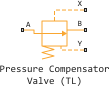
Description
The Pressure Compensator Valve (TL) unit is a pressure compensation valve in a thermal liquid network, such as a pressure relief valve or pressure reducing valve. Use this unit to maintain pressure at the valve based on signals from another part of the system.
The differential pressure between ports X and Y is the control pressure . When the control pressure value reaches or exceeds the set pressure, the valve opens or closes depending on the value of the parameter Valve specification. The pressure control range starts at the set pressure .
Pressure control
The unit regulates the pressure when exceeds . The unit continues to regulate pressure up to the value , defined as , where is the pressure control range.
Mass conservation
Mass conservation equation for mass conservation during valve passage:
The mass flow rate through the valve is calculated as follows:
where
-
- flow coefficient, the value of parameters Discharge coefficient;
-
- is the instantaneous opening area of the valve;
-
- parameter value Cross-sectional area at ports A and B;
-
- average density of the liquid;
-
- pressure difference in the valve .
Critical pressure drop, - pressure drop associated with the value of critical Reynolds number , set by the parameter Critical Reynolds number, the point of regime transition between laminar and turbulent flow. The block calculates the critical pressure drop as:
where is the dynamic viscosity of thermal liquid.
The pressure loss describes the pressure drop in the valve due to the reduced valve area and is calculated as:
Pressure recovery describes a positive change in valve pressure due to an increase in area. To disregard the pressure recovery, uncheck the box Pressure recovery. In this case the pressure loss .
The block calculates , using the opening parameterization and the valve opening dynamics.
Valve opening parameterization
If the parameter Opening parameterization is set to Linear, the valve area for normally open valves is:
where
-
- is the value of parameters Leakage area;
-
- the value of the parameters Maximum opening area.
This figure shows how the block controls the opening area of a normally open valve using linear parameterization.

The valve area for normally closed valves is as follows
This figure shows how the block controls the opening area of a normally closed valve using linear parameterization.

The normalised pressure is
When the valve is in the nearly open or nearly closed position in the linear parameterization, it is possible to maintain numerical stability in the simulation by adjusting the parameter Smoothing factor. If the parameter Smoothing factor is non-zero, the block smoothly maintains the control pressure between and .
If the parameter Opening parameterization is set to a value of Tabulated data, then and are the first and last values of the Opening area vector parameters, respectively. The block calculates the opening area as
where
-
- control pressure, pressure drop between ports X and Y;
-
;
-
- the value of the parameter Pressure differential vector;
-
- is the change in internal pressure that causes the valve to start closing when ;
-
- value of the Opening area vector parameters.
This figure shows how the block controls the opening area of a normally open valve using tabular parameterization.

This figure shows how the block controls the opening area of a normally closed valve using a table parameterization.

Opening dynamics
If the check box Opening dynamics is selected, a delay is introduced in the flow response to the modelled control pressure. The pressure becomes the dynamic control pressure . The instantaneous change in the dynamic control pressure is calculated from the Opening time constant :
By default, the check box Opening dynamics is unchecked. For linear parameterization, a non-zero value for the parameter Smoothing factor provides additional numerical stability when the hole is in the nearly closed or nearly open position.
The block calculates the steady-state dynamics according to the parameter Opening parameterization based on the control pressure value .
Ports
Conserving
#
A
—
thermal liquid port
thermal liquid
Details
Thermal liquid port, corresponding to the A side of the valve.
| Program usage name |
|
#
B
—
thermal liquid port
thermal liquid
Details
Thermal liquid port, corresponding to the B side of the valve.
| Program usage name |
|
#
X
—
thermal liquid pressure
thermal liquid
Details
The thermal liquid port associated with determining the pressure at the X point, .
| Program usage name |
|
#
Y
—
thermal liquid pressure
thermal liquid
Details
Thermal liquid port associated with determining the pressure at the Y point, .
| Program usage name |
|
Parameters
Parameters
#
Opening area vector —
vector of valve opening area values for tabular parameterization
m^2 | um^2 | mm^2 | cm^2 | km^2 | in^2 | ft^2 | yd^2 | mi^2 | ha | ac
Details
The vector of values of the valve opening area for tabular parameterization. The elements of this vector must match the elements of the vector from the parameter Pressure differential vector. For normally open valves, the elements are listed in descending order. For normally closed valves, the elements are listed in ascending order.
Vector Opening area vector must have the same number of elements as Pressure differential vector. The block uses linear interpolation between data points in the data table.
Dependencies
To use this parameter, set for the parameter Valve specification meaning Normally open, and for the parameter Opening parameterization meaning Tabulated data.
| Units |
|
| Default value |
|
| Program usage names |
|
| Evaluatable |
Yes |
#
Opening parameterization —
parameterization of the opening
Linear | Tabulated data
Details
A method for parameterizing the valve opening process.
| Values |
|
| Default value |
|
| Program usage name |
|
| Evaluatable |
No |
# Pressure recovery — should the pressure increase be taken into account when expanding the area
Details
Should the pressure increase be taken into account when liquid flows from an area with a smaller cross-sectional area to an area with a larger cross-sectional area.
| Default value |
|
| Program usage name |
|
| Evaluatable |
No |
# Discharge coefficient — expense ratio
Details
A correction factor that takes into account discharge losses in theoretical flows.
| Default value |
|
| Program usage name |
|
| Evaluatable |
Yes |
#
Maximum opening area —
the area of the fully open valve
m^2 | um^2 | mm^2 | cm^2 | km^2 | in^2 | ft^2 | yd^2 | mi^2 | ha | ac
Details
The cross-sectional area of the valve opening in the fully open position.
Dependencies
To use this parameter, set for the parameter Opening parameterization meaning Linear.
| Units |
|
| Default value |
|
| Program usage name |
|
| Evaluatable |
Yes |
# Critical Reynolds number — upper limit of the Reynolds number for laminar flow
Details
The upper limit of the Reynolds number for laminar flow through the valve.
| Default value |
|
| Program usage name |
|
| Evaluatable |
Yes |
#
Leakage area —
valve clearance area in fully closed position
m^2 | um^2 | mm^2 | cm^2 | km^2 | in^2 | ft^2 | yd^2 | mi^2 | ha | ac
Details
The sum of all clearances when the valve is in the fully closed position. Any area less than this value is equal to the specified leakage area. This parameter contributes to the stability of the numerical solution by maintaining the continuity of the flow.
Dependencies
To use this parameter, set for the parameter Opening parameterization meaning Linear.
| Units |
|
| Default value |
|
| Program usage name |
|
| Evaluatable |
Yes |
#
Cross-sectional area at ports A and B —
the area at the inlet or outlet of the valve
m^2 | um^2 | mm^2 | cm^2 | km^2 | in^2 | ft^2 | yd^2 | mi^2 | ha | ac
Details
The cross-sectional area at the inlet and outlet of the holes A and B. This area is used in calculating the mass flow rate.
| Units |
|
| Default value |
|
| Program usage name |
|
| Evaluatable |
Yes |
#
Pressure differential vector —
valve differential pressure values for tabular parameterization
Pa | uPa | hPa | kPa | MPa | GPa | kgf/m^2 | kgf/cm^2 | kgf/mm^2 | mbar | bar | kbar | atm | ksi | psi | mmHg | inHg
Details
A vector of differential pressure values for tabular parameterization of the valve opening area. The elements of this vector must match the elements of the vector from the parameter Opening area vector. The items are listed in ascending order.
Dependencies
To use this parameter, set for the parameter Valve specification meaning Normally open, and for the parameter Opening parameterization meaning Tabulated data.
| Units |
|
| Default value |
|
| Program usage names |
|
| Evaluatable |
Yes |
#
Opening time constant —
valve opening time constant
s | ns | us | ms | min | hr | d
Details
The time constant used to calculate the delay in the opening dynamics.
Dependencies
To use this option, check the box Opening dynamics.
| Units |
|
| Default value |
|
| Program usage name |
|
| Evaluatable |
Yes |
# Opening dynamics — should the reaction of the flow to the opening of the valve be taken into account
Details
Is it necessary to take into account the transient effects in the fluid system caused by the opening of the valve? Check the box Opening dynamics approximates the opening conditions by introducing a first-order delay into the flow response. The Opening time constant parameter also affects the simulated opening dynamics.
| Default value |
|
| Program usage name |
|
| Evaluatable |
No |
#
Set pressure differential —
the pressure drop at which the pressure compensation is triggered
Pa | uPa | hPa | kPa | MPa | GPa | kgf/m^2 | kgf/cm^2 | kgf/mm^2 | mbar | bar | kbar | atm | ksi | psi | mmHg | inHg
Details
The value of the pressure drop at which the pressure compensation is triggered.
| Units |
|
| Default value |
|
| Program usage name |
|
| Evaluatable |
Yes |
# Smoothing factor — numerical smoothing factor
Details
The continuous smoothing coefficient, which ensures smooth opening by correcting the valve characteristics in the almost open and almost closed positions. Set a non-zero value less than one to increase the stability of the simulation in these modes.
Dependencies
To use this parameter, set for the parameter Opening parameterization meaning Linear.
| Default value |
|
| Program usage name |
|
| Evaluatable |
Yes |
#
Valve specification —
valve displacement
Normally open | Normally closed
Details
The normal operating condition of the pressure compensator valve. For the pressure reducing valve, select Normally open. For the pressure relief valve, select Normally closed.
| Values |
|
| Default value |
|
| Program usage name |
|
| Evaluatable |
No |
#
Pressure regulation range —
valve operating pressure range
Pa | uPa | hPa | kPa | MPa | GPa | kgf/m^2 | kgf/cm^2 | kgf/mm^2 | mbar | bar | kbar | atm | ksi | psi | mmHg | inHg
Details
Operating pressure range of the valve. The pressure control range determines the difference between the parameter Set pressure differential and the maximum operating pressure of the valve.
Dependencies
To use this parameter, set for the parameter Opening parameterization meaning Linear.
| Units |
|
| Default value |
|
| Program usage name |
|
| Evaluatable |
Yes |