Makie Blocks Explanation
|
The page is in the process of being translated. |
Blocks are objects which can be added to a Figure or Scene and have their location and size controlled by a GridLayout. In of itself, a Block is an abstract type. A Figure has its own internal GridLayout and therefore offers simplified syntax for adding blocks to it. If you want to work with a bare Scene, you can attach a GridLayout to its pixel area.
|
Note A layout only controls an object’s position or bounding box. A |
Specifying a boundingbox directly
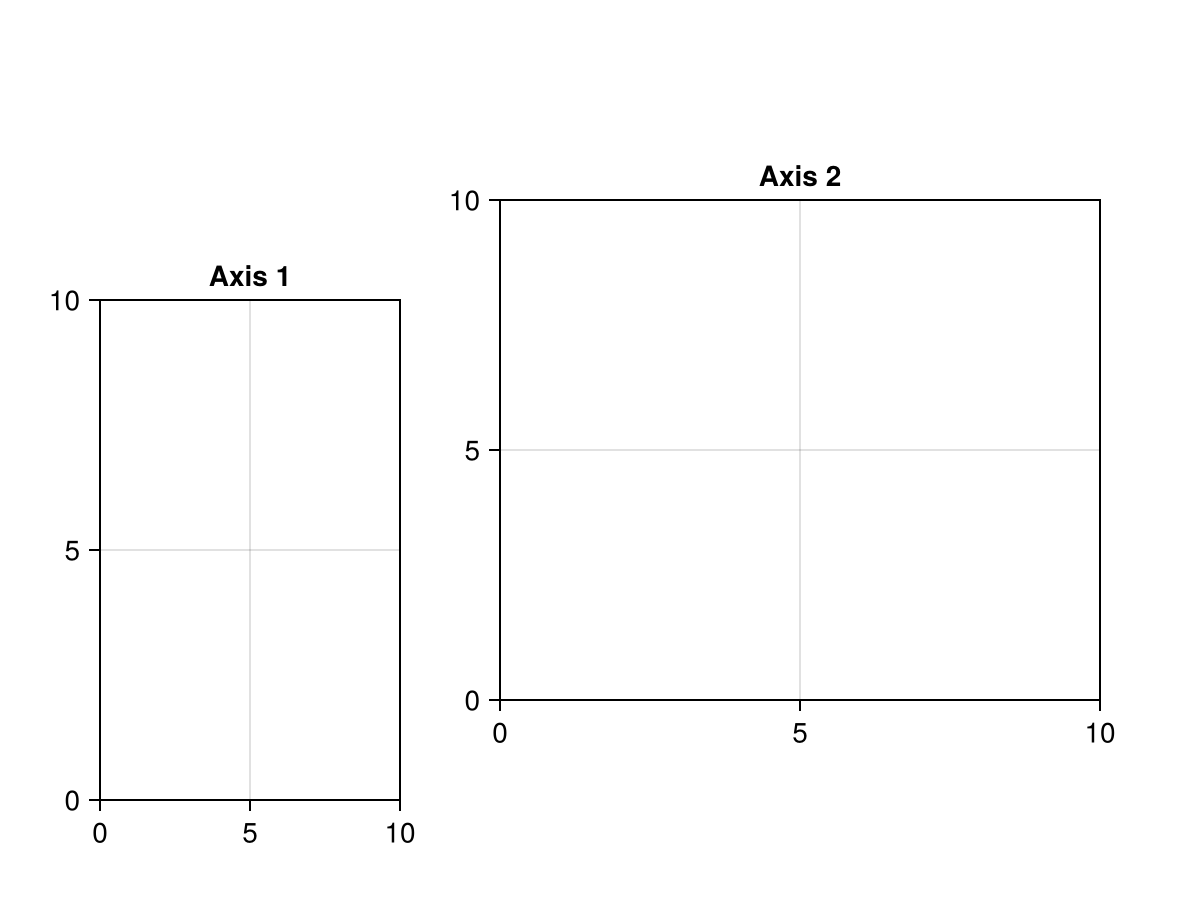
Sometimes you just want to place a Block in a specific location, without it being controlled by a dynamic layout. You can do this by setting the bbox parameter, which is usually controlled by the layout, manually. The boundingbox should be a 2D Rect, and can also be an Observable if you plan to change it dynamically. The function BBox creates an Rect2f, but instead of passing origin and widths, you pass left, right, bottom and top boundaries directly.
using CairoMakie
f = Figure()
Axis(f, bbox = BBox(50, 200, 50, 300), title = "Axis 1")
Axis(f, bbox = BBox(250, 550, 100, 350), title = "Axis 2")
f