GPS Waveform Generator
GPS signal generator (traditional L1 and L2, upgraded L1C, L2C and L5).
blockType: GPSWaveformGenerator
|
Path in the library: |
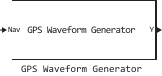
Description
Block GPS Waveform Generator It is a Global Positioning System (GPS) signal generator that supports the following GPS signals:
-
Traditional L1 and L2 — used when for the parameter Signal Type the value is specified
legacy. -
Upgraded L1C — used when for the parameter Signal Type the value is specified
l1c. -
Upgraded L2C — used when for the parameter Signal Type the value is specified
l2c. -
Upgraded L5 — used when for the parameter Signal Type the value is specified
l5.
Ports
Output
#
Y
—
generated GPS signal
the matrix
Details
The generated GPS signal returned as a matrix. The number of columns of the output signal is the same as the number of columns in the input signal. The number of lines of the output signal is defined as , where
-
— the duration of the input bits, which depends on the type of signal being generated:
-
0.01— if the parameter Signal Type it mattersl1corl5; -
0.02— if the parameter Signal Type it matterslegacyorl2c;
-
-
— the sampling rate set in the parameter Sample Rate.
| Data types |
|
| Complex numbers support |
Yes |
Input
Details
Navigation data set by one of the options:
-
The data matrix is sent to the input port Nav — the number of columns must be equal to the length of the parameter PRNID since each column corresponds to PRNID. The number of rows represents the number of bits of navigation data.
-
The data matrices are sent to the input ports LNav and CNav — use this option if for the parameter Signal Type the value is set
l2cand the checkbox is set Enable civil navigation message. Port LNav — bits of the traditional navigation message, port CNav — bits of the civil navigation message. The data sizes in these ports must be the same.
If for the parameter Signal Type the value is set l2c and a flag Enable civil navigation message If not set, the block assigns the same value to both LNAV and CNAV.
|
| Data types |
|
| Complex numbers support |
No |
Parameters
Main
#
Signal Type —
the type of baseband signal being generated
legacy | l1c | l2c | l5
Details
The type of baseband signal generated, set as:
-
legacy— Use this value to generate a traditional L1 or L2 signal.; -
l1c— use this value to generate an upgraded L1 signal; -
l2c— use this value to generate an upgraded L2 signal; -
l5— Use this value to generate an upgraded L5 signal.
| Values |
|
| Default value |
|
| Program usage name |
|
| Tunable |
No |
| Evaluatable |
No |
Details
Enable the civilian navigation message port.
When this option is selected, two input ports are used: LNav and CNav.
Dependencies
To use this parameter, set for the parameter Signal Type meaning l2c.
| Default value |
|
| Program usage name |
|
| Tunable |
No |
| Evaluatable |
No |
#
PRNID —
satellite pseudorandom code index
Scalar / array of Int64
Details
The satellite’s PRN index, set as:
-
An integer in the range
[1, 210]— Use this value to enter the PRN index for an individual satellite. -
A vector of integers in the range
[1, 210]— Use this value to enter PRN indexes for multiple satellites.
If for the parameter Signal Type the value is set l2c, then the PRN indexes should be in the range [1, 63] or [159, 210].
|
| Default value |
|
| Program usage name |
|
| Tunable |
No |
| Evaluatable |
Yes |
#
Is L2C In Phase Quadrature —
enabling quadrature sealing for L2C and L2P
Logical
Details
Enabling phase quadrature for L2C and L2P:
-
the box is checked — use this option to set the accuracy code (P-code) for the common-mode branch (I-branch), as well as the civil code of medium duration (CM) and the civil long code (CL) for the quadrature branch (Q-branch);
-
unchecked, use this option to install all the codes in the I-branch.
Dependencies
To use this parameter, set for the parameter Signal Type meaning l2c.
| Default value |
|
| Program usage name |
|
| Tunable |
No |
| Evaluatable |
No |
#
Enable PCode —
The P-code indicator
Logical
Details
The P-code indicator.
In cases where the P-code is not needed, uncheck this box to increase the speed of execution.
If the checkbox is unchecked, the P-code in the I-branch is set to 0.
Dependencies
To use this parameter, set for the parameter Signal Type meaning legacy or l2c.
| Default value |
|
| Program usage name |
|
| Tunable |
No |
| Evaluatable |
No |
#
Has Data With PCode —
the ability to transfer data using a P-code
Logical
Details
The ability to transmit data using a P-code, specified as a numeric or logical value. If this option is selected, the data is transmitted along with the P-code.
Dependencies
To use this parameter, set for the parameter Signal Type meaning legacy or l2c, and check the box Enable PCode.
| Default value |
|
| Program usage name |
|
| Tunable |
No |
| Evaluatable |
No |
#
Has Data With CA Code —
the ability to transmit data with a coarse capture code (C/A code)
Logical
Details
The ability to transmit data with a coarse capture code (C/A code), set as a numeric or logical value. If the box is checked, the data is transmitted along with the C/A code.
Dependencies
To use this parameter, set for the parameter Signal Type meaning legacy.
| Default value |
|
| Program usage name |
|
| Tunable |
No |
| Evaluatable |
No |
#
Initial Time —
the initial time is within one week, from
Real number
Details
The initial time for one week in seconds, set as a real scalar in the range [0, 604800].
Dependencies
To use this parameter:
-
set for the parameter Signal Type meaning
l1c,l2corl5; -
set for the parameter Signal Type meaning
legacyand check the box Enable PCode.
| Default value |
|
| Program usage name |
|
| Tunable |
No |
| Evaluatable |
Yes |
#
Sample Rate —
sampling rate of the signal, Hz
Real number
Details
The sampling frequency of the signal in Hz, set as a scalar, is greater than 1e6.
| Default value |
|
| Program usage name |
|
| Tunable |
No |
| Evaluatable |
Yes |