Colorbar
|
Страница в процессе перевода. |
Для блока Colorbar требуются цветовая карта и кортеж нижних и верхних пределов. Ось цветовой карты будет проходить от нижнего до верхнего предела по визуальному представлению цветовой карты. Деления можно задавать аналогично Axis.
using CairoMakie

fig = Figure()

Axis(fig[1, 1])

# вертикальные панели цветов
Colorbar(fig[1, 2], limits = (0, 10), colormap = :viridis,
    flipaxis = false)
Colorbar(fig[1, 3], limits = (0, 5),
    colormap = cgrad(:Spectral, 5, categorical = true), size = 25)
Colorbar(fig[1, 4], limits = (-1, 1), colormap = :heat,
    highclip = :cyan, lowclip = :red, label = "Temperature")

# горизонтальные панели цветов
Colorbar(fig[2, 1], limits = (0, 10), colormap = :viridis,
    vertical = false)
Colorbar(fig[3, 1], limits = (0, 5), size = 25,
    colormap = cgrad(:Spectral, 5, categorical = true), vertical = false)
Colorbar(fig[4, 1], limits = (-1, 1), colormap = :heat,
    label = "Temperature", vertical = false, flipaxis = false,
    highclip = :cyan, lowclip = :red)

fig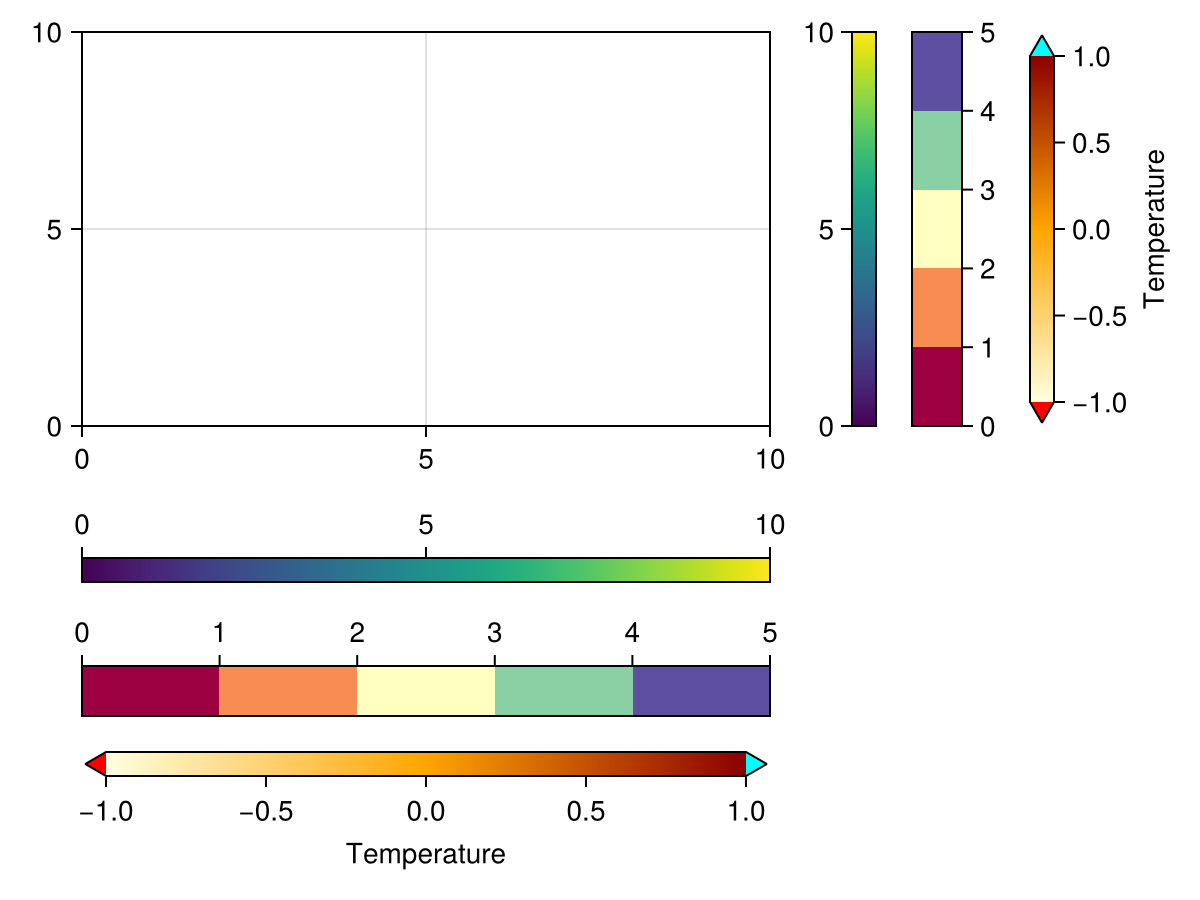
При передаче plotobject, heatmap или contourf панель цветов будет автоматически настроена так, чтобы отслеживать соответствующие атрибуты этих объектов, такие как colormap, colorrange, highclip и lowclip. Чтобы впоследствии настроить эти атрибуты, измените их в объекте графика, иначе панель цветов и объект графика будут рассинхронизированы.
using CairoMakie

xs = LinRange(0, 20, 50)
ys = LinRange(0, 15, 50)
zs = [cos(x) * sin(y) for x in xs, y in ys]

fig = Figure()

ax, hm = heatmap(fig[1, 1][1, 1], xs, ys, zs)
Colorbar(fig[1, 1][1, 2], hm)

ax, hm = heatmap(fig[1, 2][1, 1], xs, ys, zs, colormap = :grays,
    colorrange = (-0.75, 0.75), highclip = :red, lowclip = :blue)
Colorbar(fig[1, 2][1, 2], hm)

ax, hm = contourf(fig[2, 1][1, 1], xs, ys, zs,
    levels = -1:0.25:1, colormap = :heat)
Colorbar(fig[2, 1][1, 2], hm, ticks = -1:0.25:1)

ax, hm = contourf(fig[2, 2][1, 1], xs, ys, zs,
    colormap = :Spectral, levels = [-1, -0.5, -0.25, 0, 0.25, 0.5, 1])
Colorbar(fig[2, 2][1, 2], hm, ticks = -1:0.25:1)

fig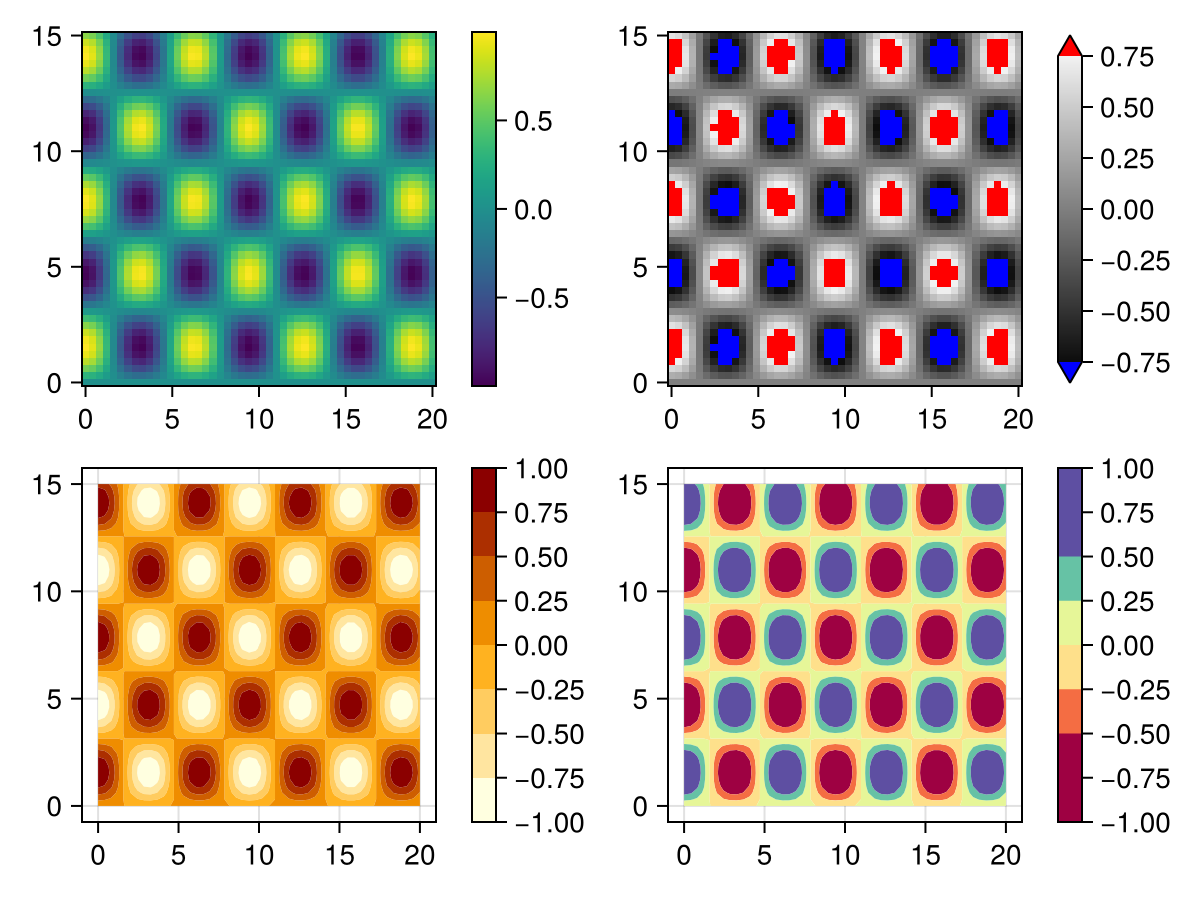
Экспериментальная категориальная поддержка
|
Warning Эта возможность может меняться вне критических выпусков, так как API еще не доработан. |
Вы можете создать настоящую категориальную карту с удачно подобранными делениями по умолчанию, заключив цветовую карту в Makie.Categorical(cmap):
using CairoMakie
fig, ax, pl = barplot(1:3; color=1:3, colormap=Makie.Categorical(:viridis))
Colorbar(fig[1, 2], pl)
fig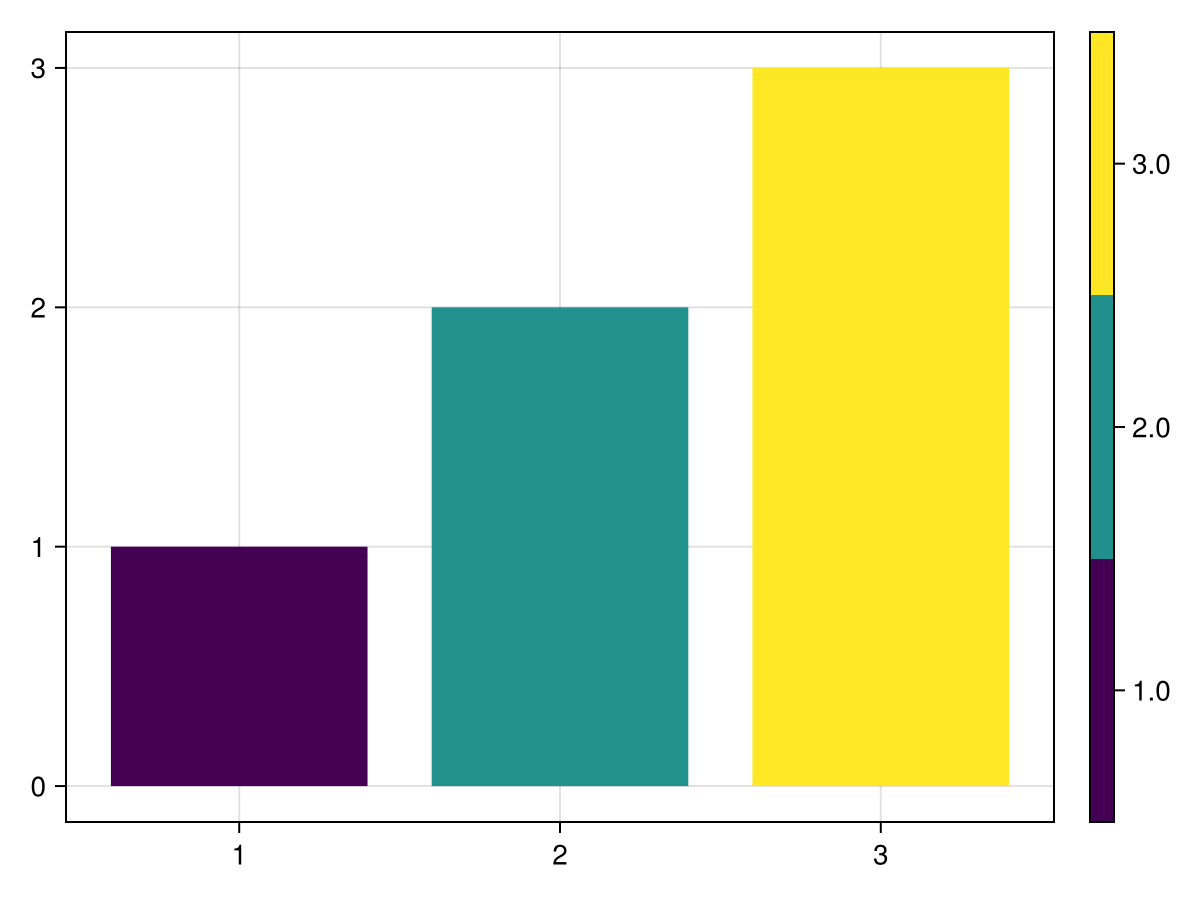
Здесь невозможно использовать cgrad(...; categorical=true), так как возникнет неоднозначная трактовка истинно категориальных значений.
Атрибуты
alignmode
Значение по умолчанию: Inside()
Режим выравнивания цветовой панели в ее родительской сетке.
colormap
Значение по умолчанию: @inherit :colormap :viridis
Цветовая карта, используемая в цветовой панели.
flip_vertical_label
Значение по умолчанию: false
Переворачивает метку цветной панели, если ось расположена вертикально.
flipaxis
Значение по умолчанию: true
Поворачивает ось вправо, если она вертикальная, и вверх, если горизонтальная.
halign
Значение по умолчанию: :center
Горизонтальное выравнивание цветовой панели в предполагаемой ограничивающей рамке.
nsteps
Значение по умолчанию: 100
Количество шагов в тепловой карте, лежащей в основе градиента цветовой панели.
size
Значение по умолчанию: 12
Ширина или высота цветовой панели, в зависимости от того, вертикальная она или горизонтальная, если только она не переопределена width / height
tellheight
Значение по умолчанию: true
Определяет, может ли родительский макет подстраиваться под высоту этого элемента
tellwidth
Значение по умолчанию: true
Определяет, может ли родительский макет подстраиваться под ширину этого элемента
tickalign
Значение по умолчанию: 0.0
Выравнивание делений относительно оси вращения (0 = наружу, 1 = внутрь).
ticklabelalign
Значение по умолчанию: Makie.automatic
Выравнивание меток галочек по горизонтали и вертикали.
ticklabelspace
Значение по умолчанию: Makie.automatic
Пространство, зарезервированное для меток с отметками. Может быть установлено в значение Makie.automatic для автоматического определения необходимого пространства, :max_auto может увеличиваться только в соответствии с текущими метками или определенным значением.