Axis3
|
Страница в процессе перевода. |
Взаимодействия с Axis3
Как и Axis, Axis3 поддерживает несколько предопределенных механизмов взаимодействия.
Поворот
Вы можете повернуть представление, щелкнув левой кнопкой мыши и перетащив его. Это взаимодействие зарегистрировано как :dragrotate и использует тип DragRotate.
Масштабирование
Вы можете изменять масштаб оси, используя прокрутку для его увеличения и уменьшения. По умолчанию режим масштабирования сфокусирован на центре оси. Чтобы сфокусировать режим масштабирования на курсоре, задайте zoommode = :cursor. Если во время прокрутки нажать x, y или z, изменение масштаба будет ограничено этим измерением. При одновременном нажатии двух клавиш масштабирование будет ограничено соответствующей плоскостью. Эти клавиши можно изменить с помощью атрибутов xzoomkey, yzoomkey и zzoomkey. Вы всегда можете ограничивать измерения масштаба, задавая атрибутам оси xzoomlock, yzoomlock или zzoomlock значение true.
При viewmode = :free поведение режима масштабирования меняется. Вместо того чтобы влиять только на содержимое оси, масштабирование затрагивает ось в целом. Оно также отключает zoommode = :cursor. Это взаимодействие зарегистрировано как :scrollzoom и использует тип ScrollZoom.
Перемещение
Чтобы переместить представление Axis3, щелкните правой кнопкой мыши и перетащите его. Если во время перемещения нажать x, y или z, оно будет ограничено этим измерением. При одновременном нажатии двух клавиш перемещение будет ограничено соответствующей плоскостью. Эти клавиши можно изменить с помощью атрибутов xtranslationkey, ytranslationkey и ztranslationkey. Вы всегда можете ограничивать перемещение, задавая атрибутам оси xtranslationlock, ytranslationlock или ztranslationlock значение true.
При viewmode = :free добавляется еще один вариант перемещения. Если нажать control при перетаскивании с щелчком правой кнопки мыши, перемещение повлияет на размещение оси в окне, а не на содержимое внутри оси. Это взаимодействие зарегистрировано как :translation и использует тип DragPan.
Сброс ограничений
Для сброса ограничений, например для масштабирования и перемещения, используйте ctrl + left click. Это равносильно вызову reset_limits!(ax). В этом случае ограничения сбрасываются до значений, сохраненных в ax.limits. Если ограничения равны nothing, они вычисляются автоматически. Если вы ранее вызывали limits!, xlims!, ylims! или zlims!, в этом взаимодействии будет задан и сохранен ax.limits. Сбросить режим поворота оси можно с помощью shift + left click. Если viewmode = :free, перемещение оси (а не только его содержимого), также будет сброшено. При одновременном использовании обоих вариантов, т. е. нажатии сочетания ctrl + shift + leftclick, параметры оси будут сброшены полностью. Сюда входят ax.limits, которые сбрасываются до значения nothing с помощью autolimits!(ax). Это взаимодействие зарегистрировано как :limitreset и использует тип LimitReset.
Центрирование на точке
С помощью alt + left click можно отцентрировать ось на курсоре. Учтите, что в зависимости от типа графика можно получить разные результаты. В большинстве случаев используется точка на поверхности графика. Для meshscatter, scatter и производных графиков используется положение рассеянной сетки или маркера. Это взаимодействие зарегистрировано как :cursorfocus и использует тип FocusOnCursor.
Атрибуты
aspect
Значение по умолчанию: (1.0, 1.0, 2 / 3)
Управляет длиной трех осей относительно друг друга.
Возможны следующие варианты:
-
Набор из трех чисел, который непосредственно задает относительные длины осей x, y и z
-
:dataкоторый устанавливает соотношения длин, равные предельным соотношениям осей. В результате получается "неподатливый" вид, при котором куб в пространстве данных выглядит как куб, а не как кубоид. -
:equalчто является сокращением от(1, 1, 1)
using CairoMakie
fig = Figure()

Axis3(fig[1, 1], aspect = (1, 1, 1), title = "aspect = (1, 1, 1)")
Axis3(fig[1, 2], aspect = (2, 1, 1), title = "aspect = (2, 1, 1)")
Axis3(fig[2, 1], aspect = (1, 2, 1), title = "aspect = (1, 2, 1)")
Axis3(fig[2, 2], aspect = (1, 1, 2), title = "aspect = (1, 1, 2)")

fig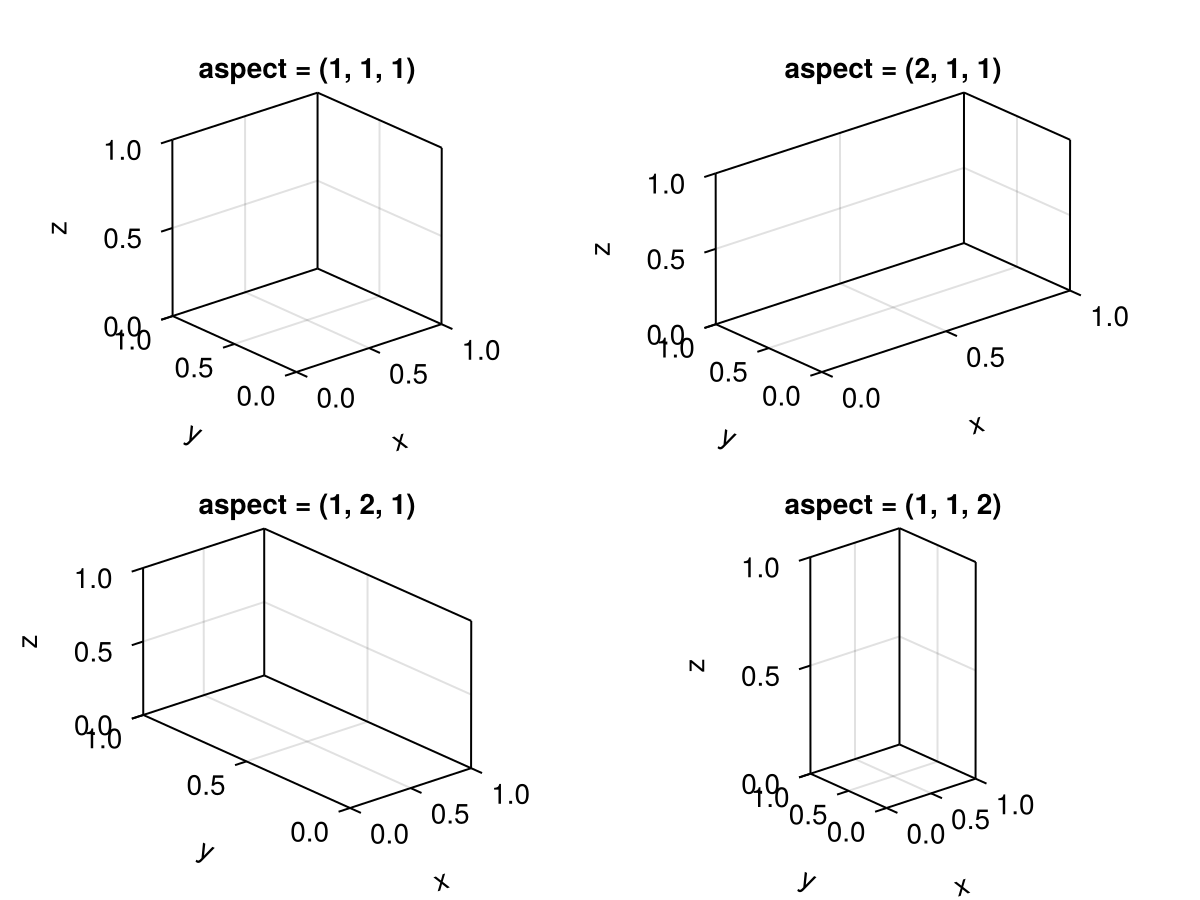
using CairoMakie
using FileIO

fig = Figure()

brain = load(assetpath("brain.stl"))

ax1 = Axis3(fig[1, 1], aspect = :equal, title = "aspect = :equal")
ax2 = Axis3(fig[1, 2], aspect = :data, title = "aspect = :data")

for ax in [ax1, ax2]
    mesh!(ax, brain, color = :gray80)
end

fig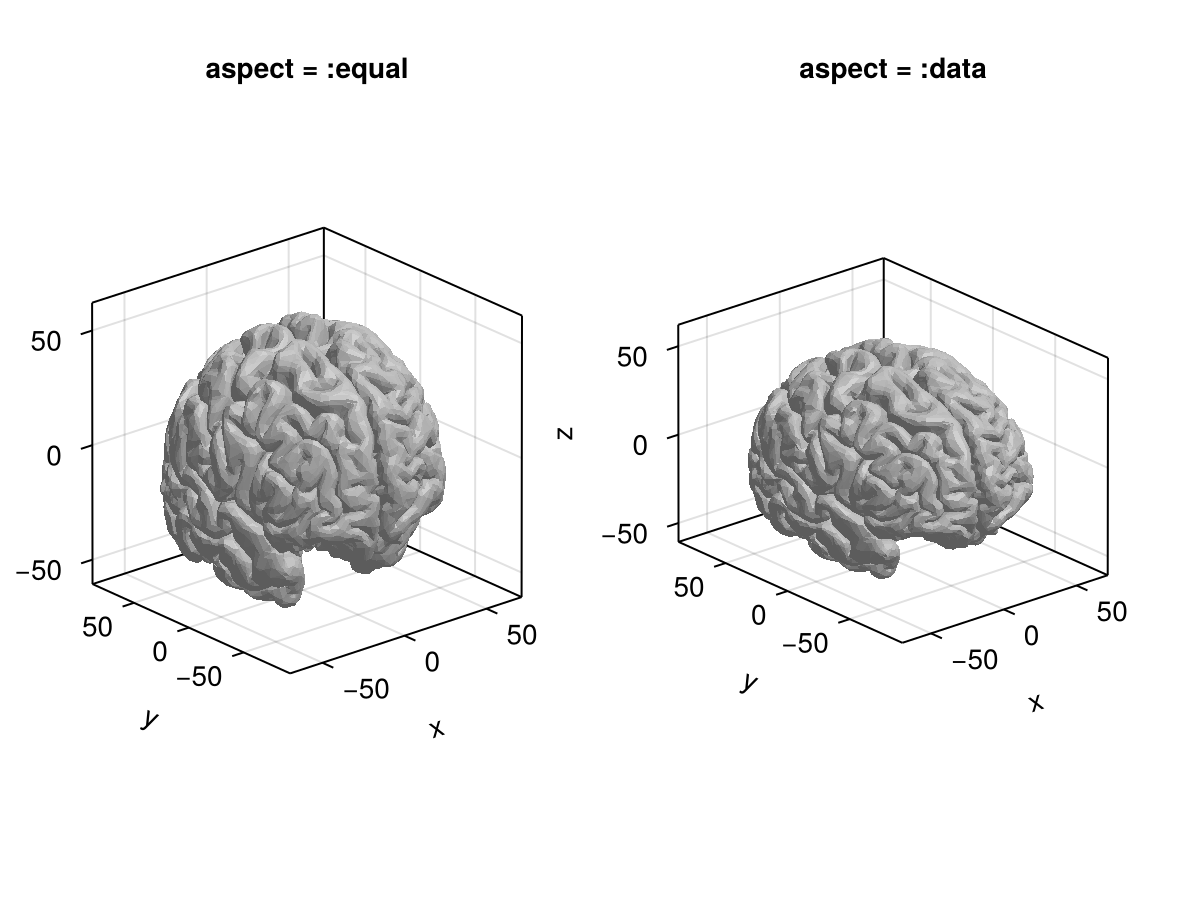
axis_translation_mod
Значение по умолчанию: Keyboard.left_control | Keyboard.right_control
Устанавливает клавишу, которую необходимо нажать для перемещения всей оси (в отличие от содержимого) с помощью viewmode = :free.
azimuth
Значение по умолчанию: 1.275pi
Азимутальный (левый / правый) угол наклона камеры.
Около azimuth = 0, камера смотрит на ось из точки на положительной оси x и оттуда поворачивается вправо с увеличением значений. При значении по умолчанию 1,275π ось x перемещается вправо, а ось y - влево.
using CairoMakie
fig = Figure()

for (i, azimuth) in enumerate([0, 0.1, 0.2, 0.3, 0.4, 0.5])
    Axis3(fig[fldmod1(i, 3)...], azimuth = azimuth * pi,
        title = "azimuth = $(azimuth)π", viewmode = :fit)
end

fig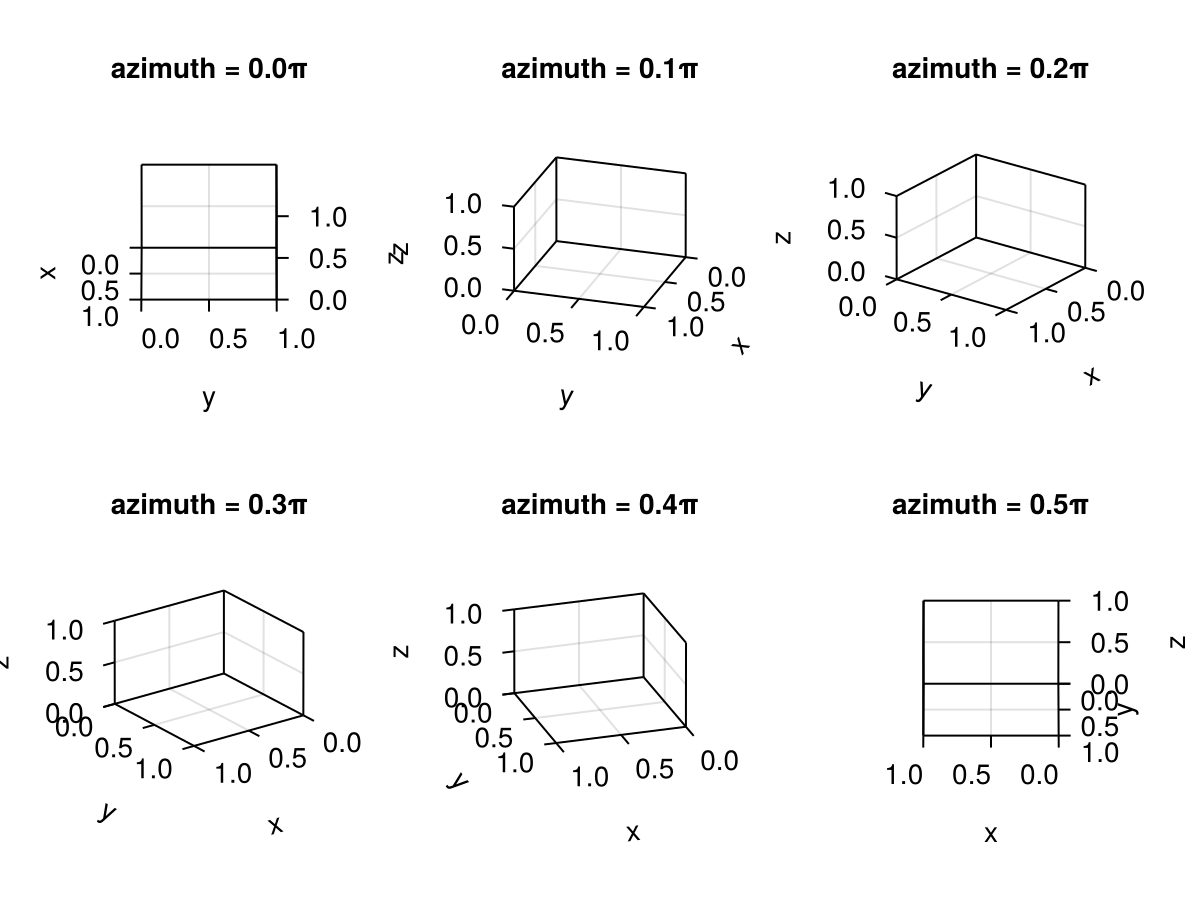
clip
Значение по умолчанию: true
Определяет, будет ли содержимое обрезано по оси кадра. Обратите внимание, что вы также можете перезаписать обрезку для каждого участка, установив clip_planes = Plane3f[].
clip_decorations
Значение по умолчанию: false
Определяет, будут ли украшения вырезаны за пределами области макета, назначенной оси.
cursorfocuskey
Значение по умолчанию: Keyboard.left_alt & Mouse.left
Устанавливает клавишу/кнопку для центрирования оси 3 в текущем наведенном положении.
dim3_conversion
Значение по умолчанию: nothing
Глобальное состояние для преобразования измерения z .
elevation
Значение по умолчанию: pi / 8
Угол возвышения (вверх/ вниз) камеры. Возможные значения находятся в диапазоне от -pi/2 (при взгляде снизу вверх) до +pi/2 (при взгляде сверху вниз).
using CairoMakie
fig = Figure()

for (i, elevation) in enumerate([0, 0.05, 0.1, 0.15, 0.2, 0.25])
    Axis3(fig[fldmod1(i, 3)...], elevation = elevation * pi,
        title = "elevation = $(elevation)π", viewmode = :fit)
end

fig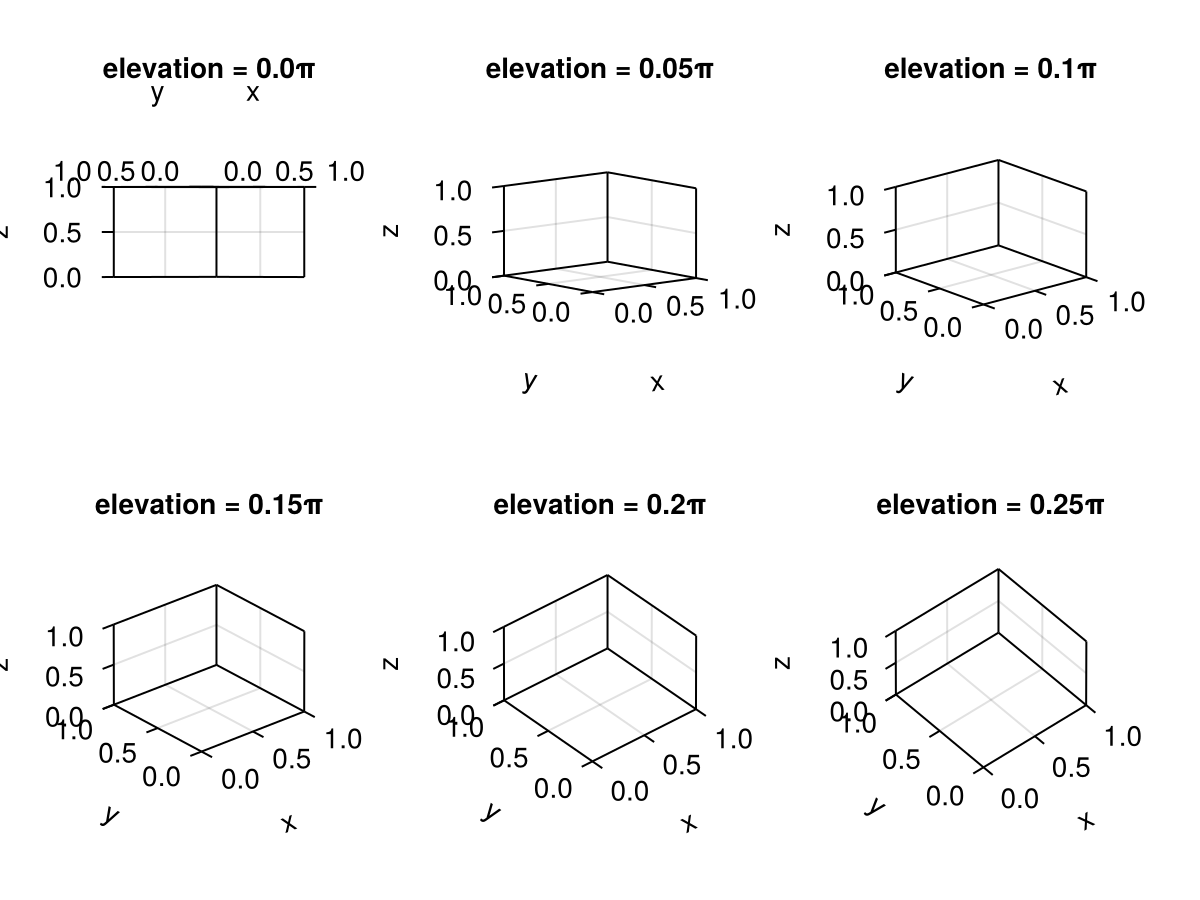
halign
Значение по умолчанию: :center
Горизонтальное выравнивание сцены в предполагаемой ограничивающей рамке.
limits
Значение по умолчанию: (nothing, nothing, nothing)
Ограничения, установленные пользователем вручную. Они восстанавливаются при вызове reset_limits! и обнуляются пользователем autolimits!. Может быть либо кортежем (xlow, xhigh, ylow, yhigh, zlow, zhigh), либо кортежем (nothing_or_xlims, nothing_or_ylims, nothing_or_zlims). Устанавливаются xlims!, ylims!, zlims! и limits!.
near
Значение по умолчанию: 0.001
Устанавливает минимальное значение для near. Увеличение этого значения приведет к тому, что объекты окажутся ближе к кадру камеры. Слишком большое уменьшение этого значения приведет к неточным значениям глубины. Должно быть > 0.
perspectiveness
Значение по умолчанию: 0.0
Эта настройка предлагает простой масштаб от 0 до 1, где 0 выглядит как ортогональная проекция (без перспективы), а 1 - как изображение в четкой перспективе. В большинстве приложений для визуализации данных следует избегать использования перспективы, поскольку это затрудняет правильную интерпретацию данных. Однако это может быть полезно, если эстетика важнее нейтрального представления.
using CairoMakie
fig = Figure()

for (i, perspectiveness) in enumerate(range(0, 1, length = 6))
    ax = Axis3(fig[fldmod1(i, 3)...]; perspectiveness, protrusions = (0, 0, 0, 15),
        title = ":perspectiveness = $(perspectiveness)")
    hidedecorations!(ax)
end

fig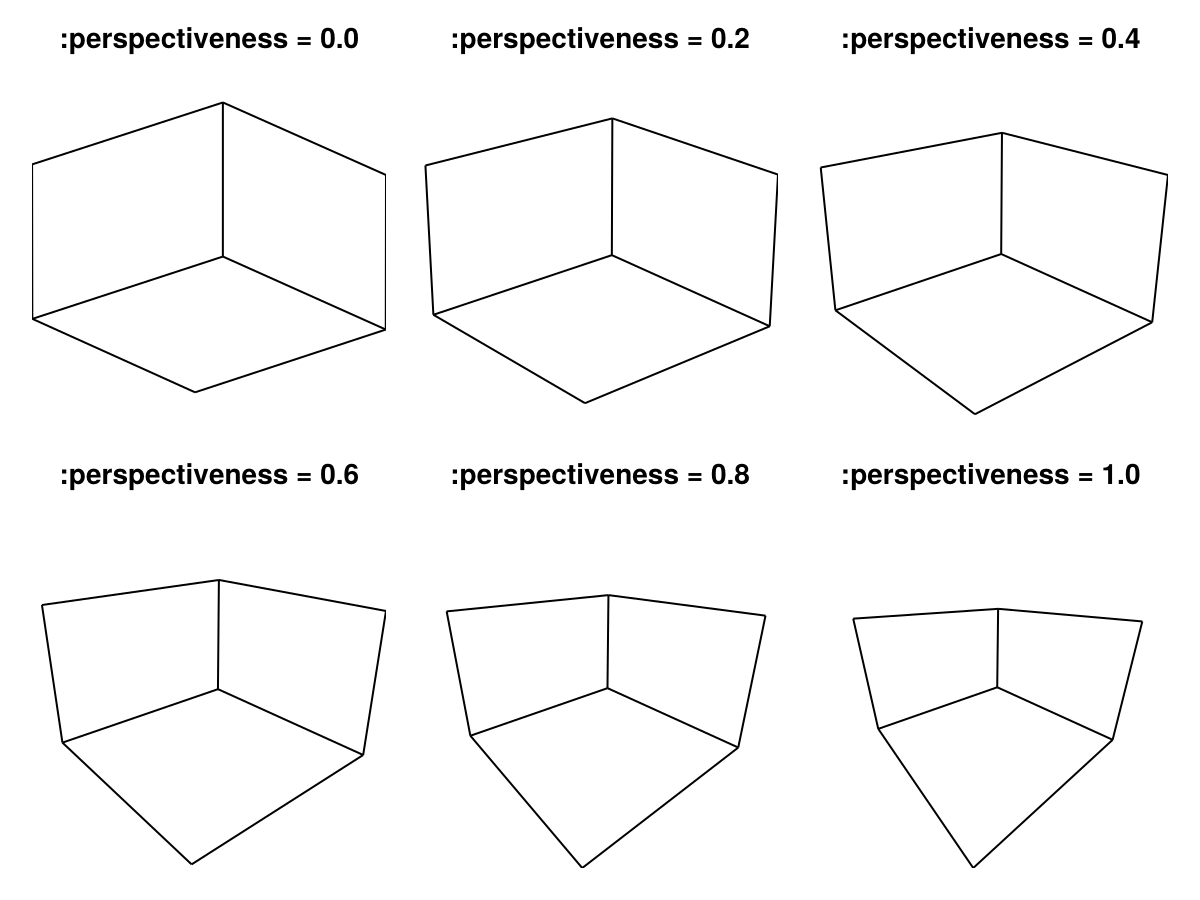
protrusions
Значение по умолчанию: 30
Выступы определяют, сколько места зарезервировано для меток и т.д. по бокам экрана Axis3. В отличие от Axis, Axis3 в настоящее время эти значения не устанавливаются автоматически в зависимости от свойств галочек и меток. Это связано с тем, что эффективные выступы также зависят от поворота и масштабирования оси cuboid, которые меняются всякий раз, когда Axis3 перемещается в макете. Таким образом, автоматическое обновление выступов может привести к бесконечному циклу обновления макета.
Значение по умолчанию для 30 для всех сторон - это просто эвристический параметр, который может привести к столкновению оформления осей с Figure границей или другими элементами графика. Если это так, вы можете попробовать увеличить значение (значения).
То protrusions атрибут принимает одно число для всех сторон или кортеж из (left, right, bottom, top).
using CairoMakie
    fig = Figure(backgroundcolor = :gray97)
    Box(fig[1, 1], strokewidth = 0) # visualizes the layout cell
    Axis3(fig[1, 1], protrusions = 100, viewmode = :stretch,
        title = "protrusions = 100")
    fig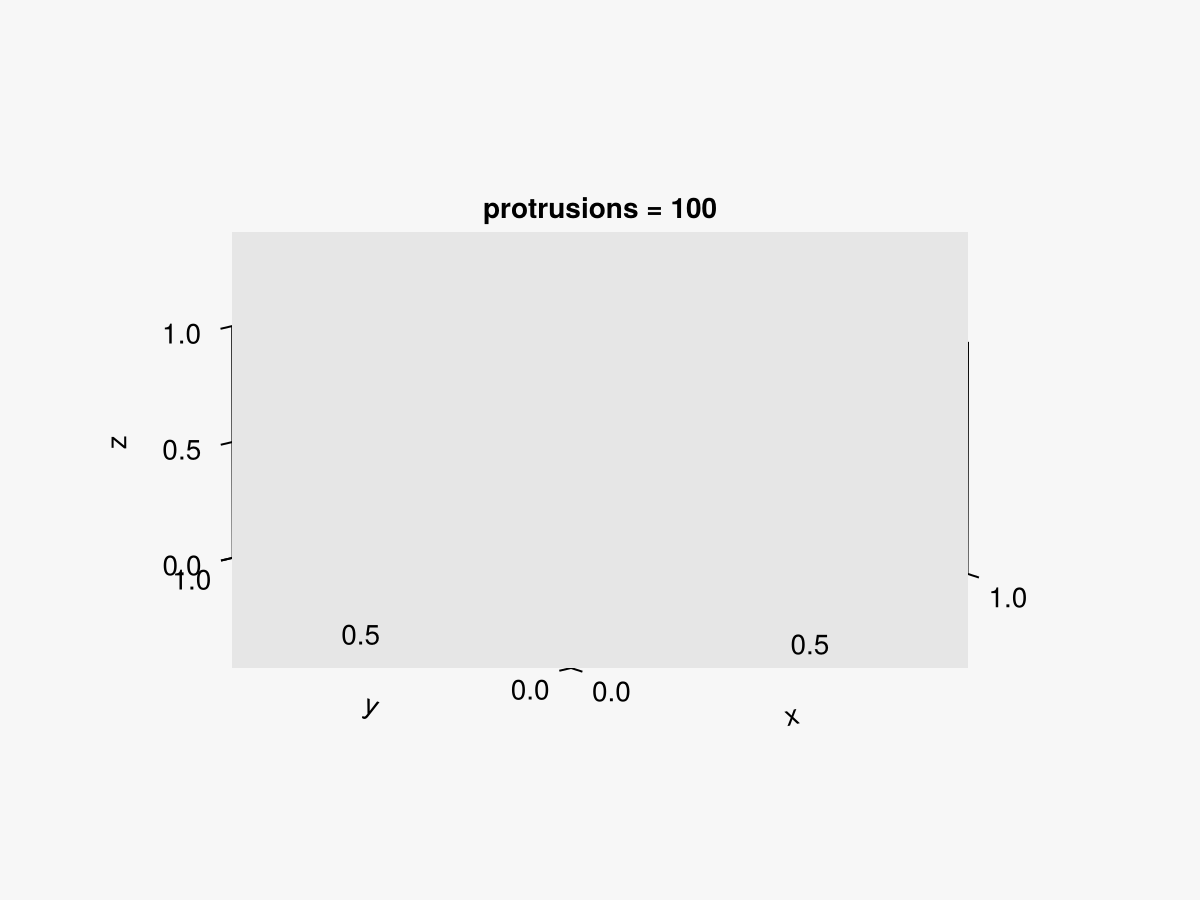
using CairoMakie
    fig = Figure(backgroundcolor = :gray97)
    Box(fig[1, 1], strokewidth = 0) # visualizes the layout cell
    ax = Axis3(fig[1, 1], protrusions = (0, 0, 0, 20), viewmode = :stretch,
        title = "protrusions = (0, 0, 0, 20)")
    hidedecorations!(ax)
    fig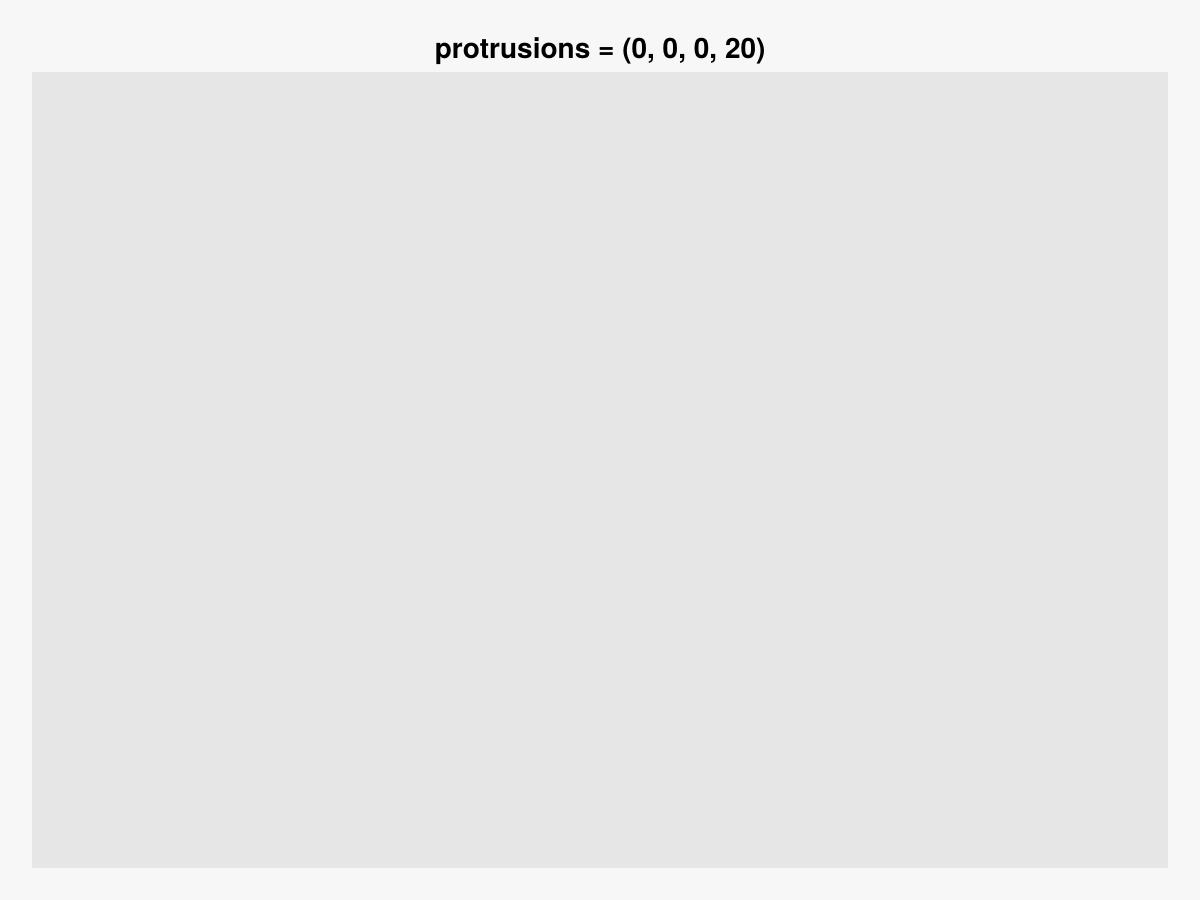
targetlimits
Значение по умолчанию: Rect3d(Vec3d(0), Vec3d(1))
Ограничения, которые пытается установить axis, задаются другими ограничениями, такими как aspect. Не устанавливайте это напрямую, используйте xlims!, ylims! или limits! вместо.
tellheight
Значение по умолчанию: true
Определяет, может ли родительский макет подстраиваться под высоту этого элемента
tellwidth
Значение по умолчанию: true
Определяет, может ли родительский макет подстраиваться под ширину этого элемента
valign
Значение по умолчанию: :center
Вертикальное выравнивание сцены в предполагаемой ограничивающей рамке.
viewmode
Значение по умолчанию: :fitzoom
Режим просмотра влияет на конечную проекцию оси, по-разному размещая кубовидную ось в доступном пространстве.
-
:fitиспользуется фиксированное масштабирование, при котором плотная сфера вокруг кубоида касается края рамки. Это означает, что масштабирование не меняется при повороте оси (видимый размер оси остается неизменным), но используется не все доступное пространство. Выбранное значениеaspectподдерживается с помощью этой настройки. -
:fitzoomиспользуется переменное масштабирование, при котором ближайший угол прямоугольной формы касается края рамки. При повороте оси видимый размер оси изменяется, что может привести к визуальному эффекту "накачки". Выбранный параметрaspectтакже поддерживается с помощью этой настройки. -
:stretchуглы прямоугольника подтягиваются к краям рамки таким образом, чтобы полностью заполнить доступное пространство. Выбранный параметрaspectне поддерживается с помощью этой настройки, поэтому:stretchне следует использовать, если требуется определенный аспект. -
:freeведет себя как:fit, но изменяет некоторые взаимодействия. Масштабирование влияет на всю ось, а не только на содержимое. Это позволяет вам увеличивать масштаб содержимого, не ограничивая его трехмерной рамкой оси 3.zoommode = :cursorотключено. Переводы также не могут повлиять на ось в целом с помощьюcontrol + right drag.
using CairoMakie
fig = Figure()

for (i, viewmode) in enumerate([:fit, :fitzoom, :stretch])
    for (j, elevation) in enumerate([0.1, 0.2, 0.3] .* pi)

        Label(fig[i, 1:3, Top()], "viewmode = $(repr(viewmode))", font = :bold)

        # show the extent of each cell using a box
        Box(fig[i, j], strokewidth = 0, color = :gray95)

        ax = Axis3(fig[i, j]; viewmode, elevation, protrusions = 0, aspect = :equal)
        hidedecorations!(ax)

    end
end

fig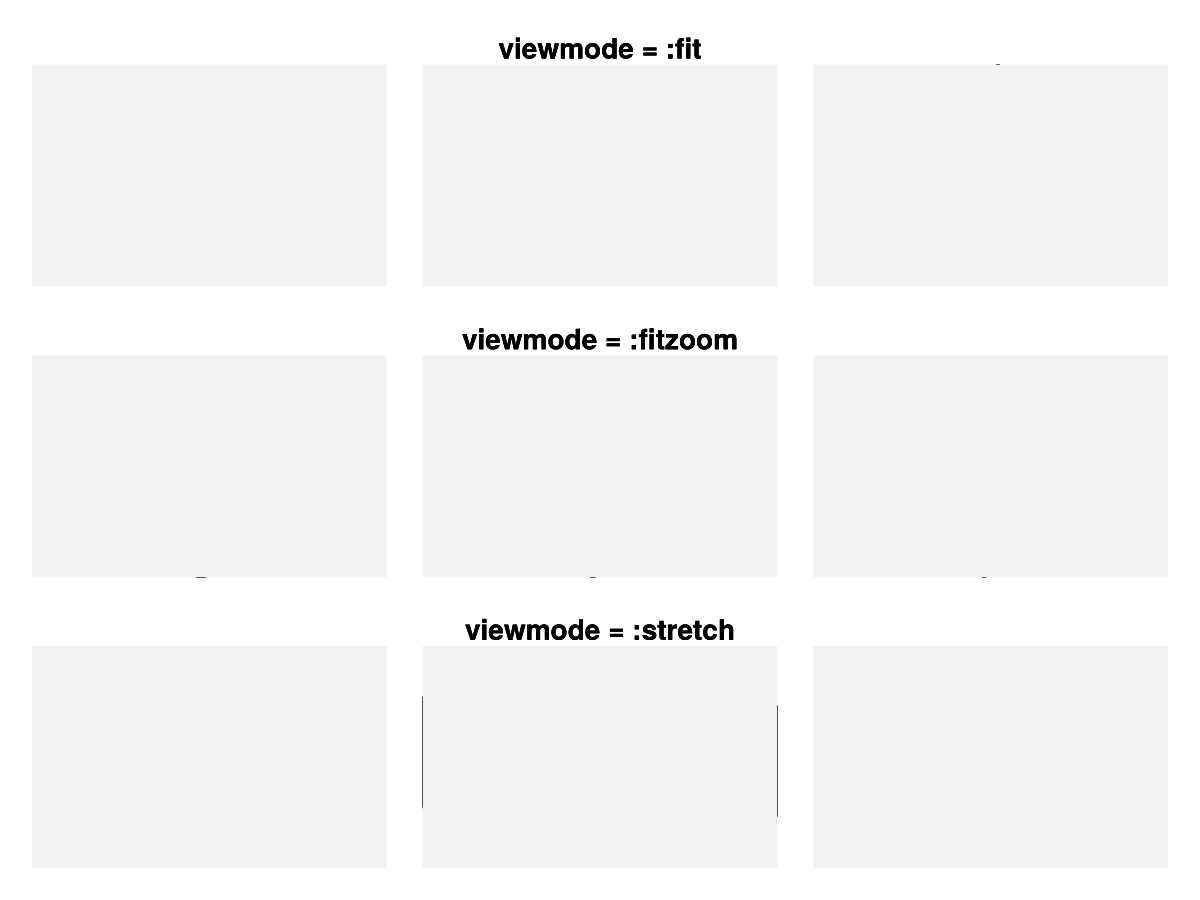
xautolimitmargin
Значение по умолчанию: (0.05, 0.05)
Относительные границы, добавленные к автоматическим ограничениям в направлении x.
xreversed
Значение по умолчанию: false
using CairoMakie
using FileIO

fig = Figure()

brain = load(assetpath("brain.stl"))

ax1 = Axis3(fig[1, 1], title = "xreversed = false")
ax2 = Axis3(fig[2, 1], title = "xreversed = true", xreversed = true)
for ax in [ax1, ax2]
    mesh!(ax, brain, color = getindex.(brain.position, 1))
end

fig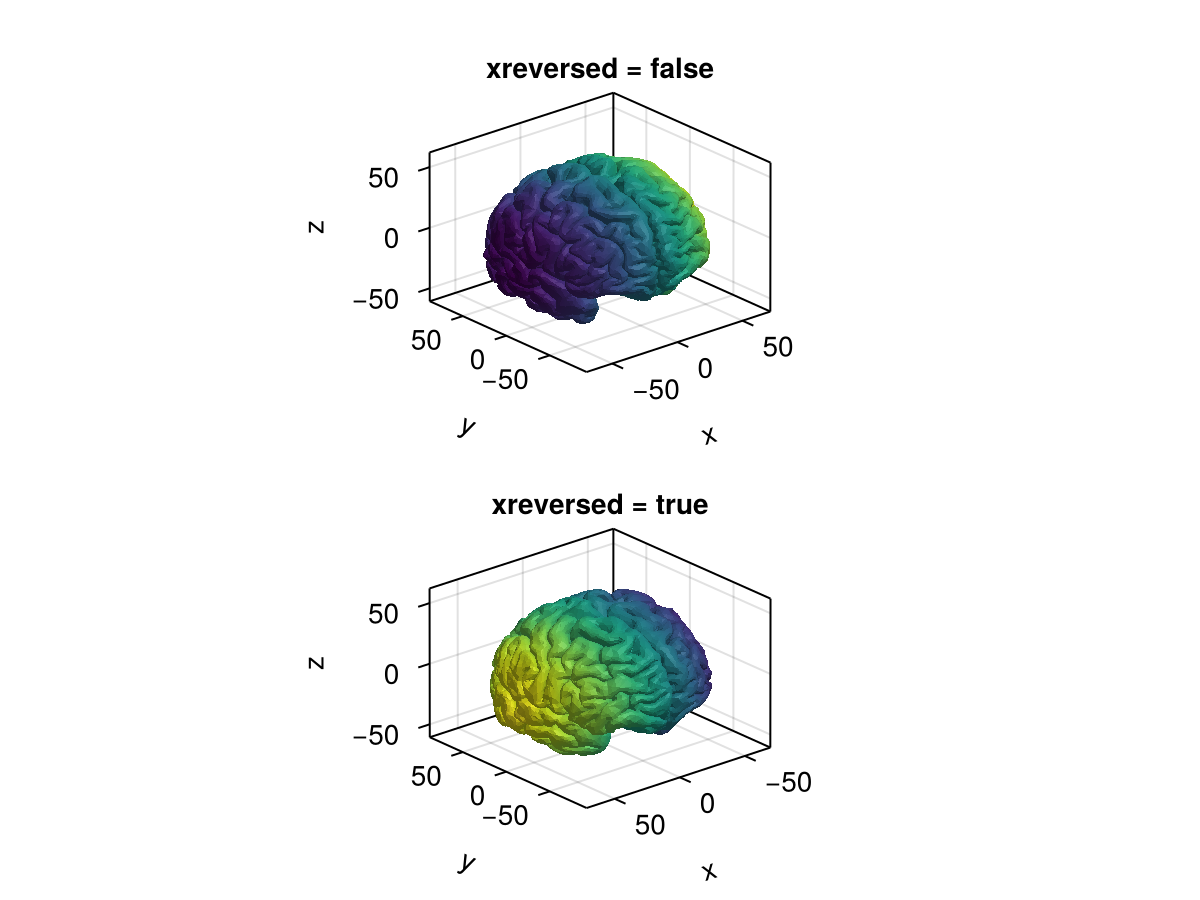
xtranslationkey
Значение по умолчанию: Keyboard.x
Клавиша для ограничения перемещения в направлении x.
yautolimitmargin
Значение по умолчанию: (0.05, 0.05)
Относительные границы, добавленные к автоматическим ограничениям в направлении y.
yreversed
Значение по умолчанию: false
Определяет направление оси y влево (значение false) или вправо (значение true) в ориентации камеры по умолчанию.
using CairoMakie
using FileIO

fig = Figure()

brain = load(assetpath("brain.stl"))

ax1 = Axis3(fig[1, 1], title = "yreversed = false")
ax2 = Axis3(fig[2, 1], title = "yreversed = true", yreversed = true)
for ax in [ax1, ax2]
    mesh!(ax, brain, color = getindex.(brain.position, 2))
end

fig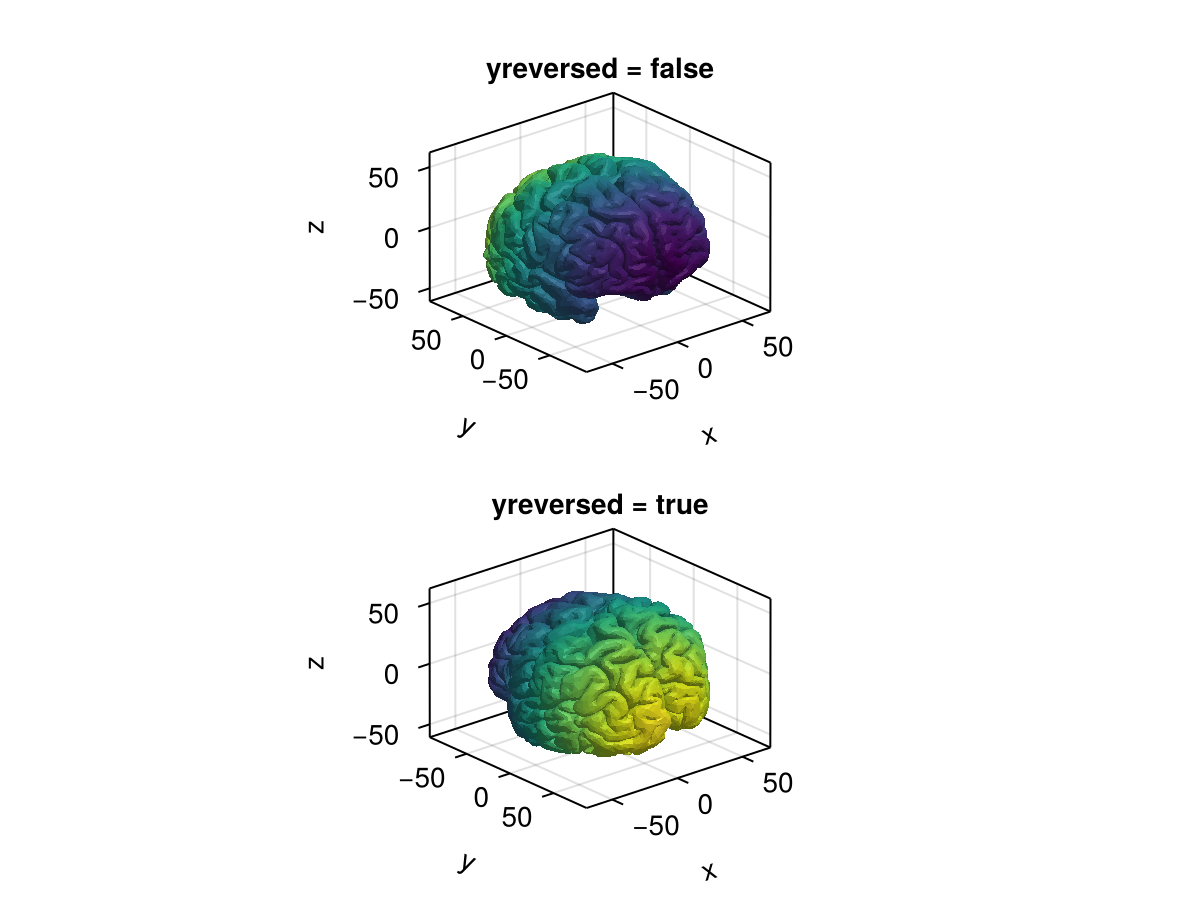
zautolimitmargin
Значение по умолчанию: (0.05, 0.05)
Относительные границы, добавленные к автоматическим ограничениям в направлении z.
zoommode
Значение по умолчанию: :center
Определяет, какая точка отсчета используется при масштабировании. Может быть :center для масштабирования по центру или :cursor для масштабирования примерно по центру, где находится курсор. Эта функция отключена с помощью viewmode = :free.
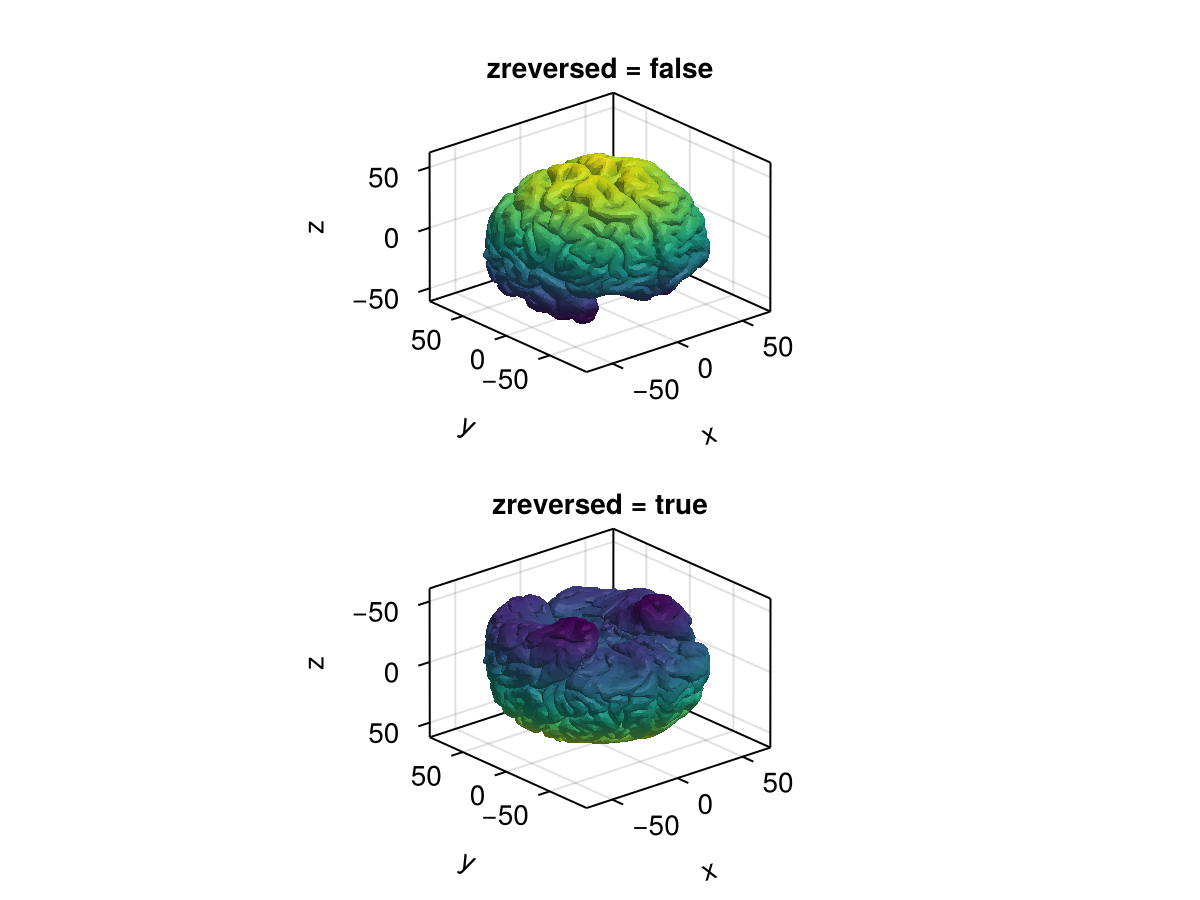
zreversed
Значение по умолчанию: false
using CairoMakie
using FileIO

fig = Figure()

brain = load(assetpath("brain.stl"))

ax1 = Axis3(fig[1, 1], title = "zreversed = false")
ax2 = Axis3(fig[2, 1], title = "zreversed = true", zreversed = true)
for ax in [ax1, ax2]
    mesh!(ax, brain, color = getindex.(brain.position, 3))
end

fig