Find Delay
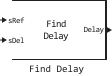
Finds the delay between two signals.
blockType: SubSystem
|
Path in the library: |
Description
Block Find Delay finds the delay between the signal and its delayed and possibly distorted version. This is useful if there is a need to compare the transmitted and received signal to find the error rate, but the delay of the received signal is not known. This block accepts an input signal in the form of a column vector or matrix. For the input signal in the form of a matrix, the block outputs a row vector and finds the delay in each channel of the matrix independently.
Ports
Input
#
sRef
—
the reference signal
vector, the matrix
Details
The initial reference signal, specified as a vector or matrix. The dimension and sampling period of sRef and sDel must match.
| Data types |
|
| Complex numbers support |
No |
#
sDel
—
delayed signal
vector, the matrix
Details
A delayed or distorted version of the reference signal, specified as a vector or matrix. The dimension and sampling period of sRef and sDel must match.
| Data types |
|
| Complex numbers support |
No |
Output
#
delay
—
delay
scalar, vector
Details
The delay output port outputs the delay in units of samples.
For the input signal in the form of a matrix, the block outputs a row vector and finds the delay in each channel of the matrix independently.
The output delay value is a non—negative integer less than Correlation window length (samples).
| Data types |
|
| Complex numbers support |
No |
Parameters
Main group
# Correlation window length (samples) — number of counts
Details
The number of samples that the block uses to calculate the cross-correlations of the two signals.
When the value is increased Correlation window length (samples) the reliability of the calculated delay increases. However, the processing time for calculating the delay also increases.
| Default value |
|
| Program usage name |
|
| Tunable |
No |
| Evaluatable |
Yes |
Additional Info
Determining the signal delay before calculating the error rate
A typical use of this block is to determine the correct Receive delay parameter in the block. Error Rate Calculation.
Finding the delay for word alignment
Another typical use of this block is to determine how to align frame boundaries with the boundaries of codewords or other types of data blocks.
Recommendations
-
If the cross-correlation between the two signals is large, then the value Correlation window length (samples) there must be much more than the expected delay, otherwise the algorithm may stabilize at an incorrect value. For example, the CPM signal has a wide autocorrelation, so it has a wide cross-correlation with the delayed version of itself. In this case, the value is Correlation window length (samples) it should be much longer than the expected delay.
-
If the block calculates a delay that is more than
75%from Correlation window length (samples), then the signalsRefprobably delayed relative to the signalsDel. In this case, the signal lines leading to the two input ports should be swapped.