Error Rate Calculation
Calculates the bit or character error in the input data.
blockType: ErrorRateCalculation
|
Path in the library: |
Description
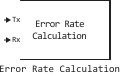
Block Error Rate Calculation compares the input data from the transmitter with the input data from the receiver. The block calculates the error rate as a running statistic by dividing the total number of unequal pairs of data elements by the total number of input data elements from a single source.
You can use this block to calculate the error rate by characters or bits, as it does not take into account the difference between the input data elements. If the input parameters are bits, the block calculates the bit error rate. If the input parameters are characters, the block calculates the error rate of the characters.
Ports
Input
#
Tx
—
transmitted data
scalar | column vector
Details
The transmitted data is in the form of a scalar or column vector.
| If you set the Tx or Rx port as a scalar, the block compares this value with all the elements of the other port. If you specify both ports as vectors, they must have the same size and data type. |
| Data types |
|
| Complex numbers support |
No |
#
Rx
—
received data
scalar | column vector
Details
The received data is in the form of a scalar or column vector.
| Data types |
|
| Complex numbers support |
No |
Output
#
OUT_1
—
the difference between transmitted and received data
column vector
Details
The difference between the transmitted and received data returned in the form of a column vector , where
-
— error rate;
-
— number of errors;
-
— the number of samples being compared.
Dependencies
To use this port, set the parameter Output data meaning Port.
| Data types |
|
| Complex numbers support |
No |
Parameters
Main
#
Recieve delay —
received signal delay
Int64 integer
Details
The number of samples by which the received data lags behind the transmitted data in the form of a non-negative integer. Use this parameter to align the samples for comparison in the transmitted and received input data vectors.
| Default value |
|
| Program usage name |
|
| Tunable |
No |
| Evaluatable |
Yes |
#
Computation delay —
calculation delay
Int64 integer
Details
The number of data samples that the object ignores at the beginning of the comparison as a non-negative integer. Use this parameter to ignore the transient behavior of both input signals.
| Default value |
|
| Program usage name |
|
| Tunable |
No |
| Evaluatable |
Yes |
#
Computation mode —
The comparison method
Entire frame
Details
Specify a method for comparing data samples:
-
Entire frame— comparison of all samples of the received data with samples of the transmitted frame.
| Values |
|
| Default value |
|
| Program usage name |
|
| Tunable |
No |
| Evaluatable |
No |
#
Output data —
data output method
Port
Details
Specify the data output method:
-
Port— sending output data to the output port of the block.
| Values |
|
| Default value |
|
| Program usage name |
|
| Tunable |
No |
| Evaluatable |
No |