Multiport Selector
Allocator of arbitrary subsets of input rows or columns across multiple output ports.
blockType: Multiport Selector
|
Path in the library: |
Description
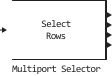
Block Multiport Selector extracts multiple subsets of rows or columns from the input matrix size on and distributes each new submatrix to a separate output port. For more information, see description of parameters Select and Indices to output.
Ports
Input
#
IN_1
—
Input signal
scalar | vector | the matrix
Details
Input signal , given as a scalar, is a vector of length or a matrix of size on .
| Data types |
|
| Complex numbers support |
Yes |
Output
#
OUT_N
—
subsets of rows or columns of input data
scalar | vector | the matrix
Details
Subsets of rows or columns of the input signal transmitted to each output port. Each cell in the array Indices to output defines the subset of rows or columns of the input signal that will be transmitted to the corresponding output port.
Total number of cells in the array Indices to output specifies the number of output ports in the block.
| Data types |
|
| Complex numbers support |
Yes |
Parameters
Main
#
Select —
the dimension of the input
Rows | Columns
Details
Select the input dimension:
-
Rows— The block uses the specified indexes to select the rows of the matrix, and all the elements in the selected rows are included. -
Columns— The block uses the specified indexes to select the columns of the matrix, and all the elements in the selected columns are included.
The selected input row or column can appear any number of times in any of the outputs or not at all.
If the index refers to a non-existent row or column of the input, the block reacts with the action specified in the parameter Invalid index.
| Values |
|
| Default value |
|
| Program usage name |
|
| Tunable |
No |
| Evaluatable |
No |
# Indices to output — indexes for output
Details
Specify sets of rows or columns to be distributed to each of the output ports as an array of cells.
Cell contains a one-dimensional indexing expression indicating the subset of input rows or columns to be passed to -th output port. The total number of cells in the array determines the number of output ports in the block.
Example: (4, [1:2; 5], [7; 8], 10:-1:6)
This is an array of four cells that requires the unit to generate four independent outputs (each to a separate port). The table shows the dimensions of these outputs when for the parameter Select value selected Rows, and the dimension of the input on .
| Cell | Expression | Description | Output signal dimension |
|---|---|---|---|
1 |
|
Line 4 of the input data |
on |
2 |
|
Lines 1, 2, and 5 of the input data |
on |
3 |
|
Lines 7 and 8 of the input data |
on |
4 |
|
Lines 10, 9, 8, 7 and 6 of the input data |
on |
| Default value |
|
| Program usage name |
|
| Tunable |
No |
| Evaluatable |
Yes |
#
Invalid index —
action in case of incorrect index
Clip index | Generate error
Details
Specify the action to be taken if there is an invalid index value. You can choose one of the following options:
-
Clip index— the block reduces the index to the nearest acceptable value and does not issue a warning.For example, if the block receives a matrix as input
64on4and for the parameter Select the value is specifiedRows, then the block truncates the index from72before64. For the same input, if for the parameter Select the value is specifiedColumns, the block truncates the index from72before4. In both cases, the block cuts the index from-2before1. -
Generate error— The block displays an error dialog box and ends the simulation.
| Values |
|
| Default value |
|
| Program usage name |
|
| Tunable |
No |
| Evaluatable |
No |