Inport FIR Decimation
Polyphase thinning with FIR filter. FIR filter coefficients are set via the input port.
blockType: SubSystem
|
Path in the library: |
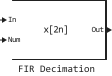
Description
Block Inport FIR Decimation performs effective polyphase decimation with the usage of an integer sampling rate reduction factor according to the first dimension.
Conceptually, the FIR decimator (as shown in the diagram) consists of a smoothing FIR filter, followed by a decrease in the sampling rate.
The FIR filter filters the data in each channel of the input signal using a direct-form FIR filter. The subsequent lowering of the sampling rate reduces the samples of each channel of filtered data, taking each -Counting down and discarding the counts following it, where — this is the value of the thinning coefficient, which is set in the parameter Decimation factor. The resulting discrete-time signal has a sampling frequency in times less than the original one.

Block Inport FIR Decimation differs from the block Dialog FIR Decimation only by the fact that the FIR filter coefficients are set via the input port. For more information about the operation of the block and the implemented algorithms, see the sections Optional and Algorithms.
Ports
Input
#
In
—
input data
scalar | vector | the matrix
Details
The input data for the block, specified as a scalar, vector, or matrix.
| Data types |
|
| Complex numbers support |
Yes |
#
Num
—
coefficients of the numerator of the filter transfer function
vector
Details
The input port of the coefficients of the FIR filter numerator in the form of a vector.
Transfer function The FIR filter is set as:
To work as an effective smoothing filter, the coefficients usually correspond to a low-pass filter with a normalized cutoff frequency value of no more than , where — decimation coefficient.
| Data types |
|
| Complex numbers support |
Yes |
Output
#
Out
—
output after thinning
scalar | vector | the matrix
Details
The output data after thinning, returned in the form of a scalar, vector or matrix.
The block behavior depends on the parameter value Rate options:
-
Enforce single-rate processing— when this value is selected, the unit saves the input sampling rate and decimates the signal, reducing the size of the output frame in once. -
Allow multirate processing— when this value is selected, the unit decimates the signal in such a way that the output sampling rate in times less than the input sampling rate.
The size of the output frame is the same as the size of the input frame.
| Data types |
|
| Complex numbers support |
Yes |
Parameters
Main
# Decimation factor — decimation coefficient
Details
Specify the integer coefficient . The block reduces the sampling rate of the input sequence by this factor.
| Default value |
|
| Program usage name |
|
| Tunable |
No |
| Evaluatable |
Yes |
#
Filter structure —
FIR filter structure
Direct form | Direct form transposed
Details
Specify the structure of the FIR filter: Direct form or Direct form transposed.
| Values |
|
| Default value |
|
| Program usage name |
|
| Tunable |
No |
| Evaluatable |
Yes |
#
Input processing —
input signal processing type
Columns as channels (frame based) | Elements as channels (sample based)
Details
Specify whether the block performs processing based on a reference or frame. Options to choose from:
-
Elements as channels (sample based)— each element of the input signal is considered as an independent channel (sample-based processing). -
Columns as channels (frame based)— Each column of the input signal is considered as an independent channel (frame-based processing).
For more information, see Signal processing by frames and counts.
| Values |
|
| Default value |
|
| Program usage name |
|
| Tunable |
No |
| Evaluatable |
Yes |
#
Rate options —
the method by which the block decimates the input data
Enforce single-rate processing | Allow multirate processing
Details
Specify the method by which the block should thin out the input data. Options to choose from:
-
Enforce single-rate processing— when choosing this method, the unit saves the sampling rate of the input signal and decays the signal, reducing the size of the output frame in once. To select this method, the parameter Input processing must have a valueColumns as channels (frame based).If for the parameter Rate options the value is set
Enforce single-rate processing, then you can use the block Inport FIR Decimation inside trigger subsystems. -
Allow multirate processing— when this method is selected, the unit decays the signal in such a way that the output sampling frequency in times less than the entrance one.
Dependencies
To use this parameter, set for the parameter Input processing meaning Columns as channels (frame based).
| Values |
|
| Default value |
|
| Program usage name |
|
| Tunable |
No |
| Evaluatable |
Yes |
#
Rate options —
the method by which the block decimates the input data
Allow multirate processing
Details
The block thinns the data using the method Allow multirate processing — the output sampling rate in times less than the entrance one.
Dependencies
To use this parameter, set for the parameter Input processing meaning Elements as channels (sample based).
| Values |
|
| Default value |
|
| Program usage name |
|
| Tunable |
No |
| Evaluatable |
Yes |
# Allow arbitrary frame length for fixed-size input signals — allow arbitrary frame size for fixed-size input signals
Details
Specify whether fixed-size input signals (whose size does not change during simulation) can have an arbitrary frame size, and the frame size does not have to be a multiple of the decimation factor. The block uses this parameter only for fixed-size input signals and ignores it if the input signal has a variable size.
For fixed-size input signals:
-
If the check box is selected Allow arbitrary frame length for fixed-size input signals, then the size of the signal frame does not have to be a multiple of the decimation factor. If the input signal is not a multiple of the decimation factor, then the output is usually a variable-size signal. Therefore, in order to support an arbitrary input size, the block must also support variable-size operations, which can be enabled by checking the box. Allow arbitrary frame length for fixed-size input signals.
-
If the check box is Allow arbitrary frame length for fixed-size input signals If the image is captured, the input frame size must be a multiple of the decimation factor.
Dependencies
To use this parameter, set for the parameter Input processing meaning Columns as channels (frame based), and for the parameter Rate options meaning Enforce single-rate processing.
| Default value |
|
| Program usage name |
|
| Tunable |
No |
| Evaluatable |
Yes |