NCO
Generates real or complex sinusoidal signals.
blockType: NCO
|
Path in the library: |
Description
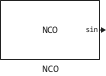
The NCO unit generates a multi-channel real or complex sinusoidal signal with independent frequency and phase in each output channel. The amplitude of the generated signal is always 1. All outputs are real, except for exp - the output signal generated in the mode `Complex exponential`which is enabled by selecting the appropriate item in the drop-down list Output signal. For more information on how the unit calculates the output signal, see . Algorithms.
To get a multi-channel output, set the parameters Phase increment and Phase offset as vectors. Both parameters must have the same dimensionality, which determines the number of output channels. Each element of each vector is applied to a different output channel.
Ports
Output
#
sin
—
sinusoidal output
Scalar | Vector | Matrix
Details
A sinusoidal output signal specified as a scalar, vector or matrix. You can specify the signal data type using the parameters Data type.
Dependencies
To use this port, set the Output signal parameters to Sine or Sine and cosine.
| Data types |
|
| Complex numbers support |
No |
#
Qerr
—
phase quantisation error
scalar | vector | matrix
Details
Phase quantisation error specified as a scalar, vector or matrix.
Dependencies
To use this port, select the checkbox Show phase quantization error port.
| Data types |
|
| Complex numbers support |
No |
#
cos
—
cosine output
scalar | vector | matrix
Details
A cosine output signal specified as a scalar, vector or matrix. You can specify the signal data type using the parameters Data type.
Dependencies
To use this port, set the Output signal parameters to the value of Cosine or Sine and cosine.
| Data types |
|
| Complex numbers support |
No |
#
exp
—
complex exponential output
scalar | vector | matrix
Details
A complex exponential output specified as a scalar, vector or matrix. You can specify the signal data type using the parameters Data type.
Dependencies
To use this port, set Output signal to Complex exponential.
| Data types |
|
| Complex numbers support |
Yes |
Input
#
offset
—
phase shift
scalar | vector | matrix
Details
A phase shift signal specified as a real scalar, vector or full matrix. The input data must be of integer or fixed-point data type with zero fraction length. The block treats each column of the shift port input data as an independent channel. The number of channels in the phase shift signal must match the number of channels in the input data. For each frame of input data, the block can apply different phase shifts to each sample and channel.
Dependencies
To use this port, set the parameters Phase offset source to Input port.
| Data types |
|
| Complex numbers support |
No |
#
inc
—
phase increment
scalar | vector
Details
A phase increment signal specified as a scalar or vector with a real value. The input must have an integer data type or a fixed-point data type with zero fraction length. The size of the phase increment signal depends on how you choose to specify the parameters Phase offset:
-
When you specify Phase offset in the block dialogue box, the parameter Phase increment must be a scalar or vector with the same length as the value Phase offset. The block applies each element of the vector to a different channel, so the length of the vector determines the number of output channels.
-
When you specify Phase offset through an input port, the offset port treats each input column as an independent channel. The length of Phase increment must be equal to the number of columns in the input to the offset port.
Dependencies
To use this port, set the Phase increment source parameters to Input port.
| Data types |
|
| Complex numbers support |
No |
Parameters
Phase adder parameters
#
Phase increment source —
the method of setting the phase increment
Specify via dialog | Input port
Details
Choose a method for setting the phase increment:
-
Input port— the phase increment value will be sent to the input port inc; -
Specify via dialog— the value of the phase increment can be set in the parameter Phase increment.
| Values |
|
| Default value |
|
| Program usage name |
|
| Tunable |
No |
| Evaluatable |
No |
# Phase increment — the value of the phase increment
Details
Specify the phase increment as a scalar or vector with an integer value. Only integer data types are allowed, including fixed-point and zero-fraction data types. The dimension of the phase increment depends on the dimension of the phase shift:
-
When you specify the phase shift in the block parameter Phase offset the phase increment must be a scalar or vector with the same dimension as the phase shift. The block applies each element of the vector to a separate channel, so the length of the vector determines the number of output channels.
-
When you specify a phase shift via the offset input port, the shift port treats each input column as an independent channel. The length of the phase increment must be equal to the number of columns at the input of the shift port.
Dependencies
To use this parameter, set for the parameter Phase increment source meaning Specify via dialog.
| Default value |
|
| Program usage name |
|
| Tunable |
No |
| Evaluatable |
Yes |
#
Phase offset source —
the method of setting the phase shift
Specify via dialog | Input port
Details
Select a method for setting the phase shift:
-
Input port— the phase shift value will be sent to the input port offset; -
Specify via dialog— the phase shift value can be set in the parameter Phase offset.
| Values |
|
| Default value |
|
| Program usage name |
|
| Tunable |
No |
| Evaluatable |
No |
# Phase offset — the value of the phase shift
Details
Specify the phase shift as a scalar or vector with an integer value. Only integer data types are allowed, including fixed-point and zero-fraction data types. When you specify the phase shift using this parameter, it must be a scalar or vector with the same dimension as the phase increment. Scalars are expanded into a vector with the same dimension as the phase increment. Each element of the phase shift vector is applied to a separate input channel, so the length of the vector determines the number of output channels.
Dependencies
To use this parameter, set for the parameter Phase offset source meaning Specify via dialog.
| Default value |
|
| Program usage name |
|
| Tunable |
No |
| Evaluatable |
Yes |
#
Add internal dither —
add internal noise
Logical
Details
Select this option to add smoothing to the NCO algorithm. Smoothing is added using the algorithm used in the block PN Sequence Generator.
| Default value |
|
| Program usage name |
|
| Tunable |
No |
| Evaluatable |
No |
#
Number of dither bits —
number of smoothing bits
Real number
Details
Specify the number of smoothing bits as a positive integer.
Dependencies
To use this port, check the box Add internal dither.
| Default value |
|
| Program usage name |
|
| Tunable |
No |
| Evaluatable |
Yes |
#
Quantize phase —
enable quantization of the accumulated phase
Logical
Details
To enable quantization of the accumulated phase, select this option.
| Default value |
|
| Program usage name |
|
| Tunable |
No |
| Evaluatable |
No |
#
Number of quantized accumulator bits —
the number of quantized bits of the drive
Real number
Details
Specify the number of quantized bits of the drive as an integer scalar that is greater than one and less than the length of the drive word. This value determines the number of records in the search table.
Dependencies
To use this option, check the box Quantize phase.
| Default value |
|
| Program usage name |
|
| Tunable |
No |
| Evaluatable |
Yes |
#
Show phase quantization error port —
phase quantization error output
Logical
Details
Select the phase quantization error output. When you check this box, the Qerr port appears on the block icon.
Dependencies
To use this option, check the box Quantize phase.
| Default value |
|
| Program usage name |
|
| Tunable |
No |
| Evaluatable |
No |
Output parameters
#
Output signal —
The output signal
Sine | Cosine | Complex exponential | Sine and cosine
Details
Select which signal the block outputs.: Sine, Cosine, Complex exponential or two signals Sine and cosine. If you choose Sine and cosine, then the signals will be output to different ports.
| Values |
|
| Default value |
|
| Program usage name |
|
| Tunable |
No |
| Evaluatable |
No |
#
Sample time —
sampling period
Real number
Details
If the block acts as a source, specify the sampling period in seconds as a positive scalar.
Dependencies
To use this parameter, for both parameters Phase increment source and Phase offset source the value must be set to Specify via dialog. When a phase increment or phase shift is received through the input port of the unit, the sampling period is inherited and this parameter is not used.
| Default value |
|
| Program usage name |
|
| Tunable |
No |
| Evaluatable |
Yes |
#
Samples per frame —
counts per frame
Real number
Details
Specify the number of samples per frame as a positive integer. If this value is greater than one, then the phase increment and phase shift may vary from channel to channel and from frame to frame, but they are constant for each channel in a given frame.
When the offset phase shift input port is used, it has the same frame status as any output port. When the phase increment input port inc is used, frames are not supported.
Dependencies
To use this parameter, set for the parameter Phase increment source and/or for the parameter Phase offset source meaning Specify via dialog.
| Default value |
|
| Program usage name |
|
| Tunable |
No |
| Evaluatable |
Yes |
Data Types
Fixed-point operational parameters
#
Rounding mode —
the rounding method
Floor
Details
This parameter is read-only.
When the input is a fixed-point data type, the block NCO always uses the rounding method. Floor.
| Values |
|
| Default value |
|
| Program usage name |
|
| Tunable |
No |
| Evaluatable |
No |
#
Overflow mode —
overflow method
Wrap
Details
This parameter is read-only.
When the input is a fixed-point data type, the block NCO always uses the method when overflowing Wrap.
| Values |
|
| Default value |
|
| Program usage name |
|
| Tunable |
No |
| Evaluatable |
No |
Accumulator
#
Data type —
storage data type
Binary point scaling
Details
Specifies the data type of the drive.
| Values |
|
| Default value |
|
| Program usage name |
|
| Tunable |
No |
| Evaluatable |
No |
#
Signed —
the signed data type of the drive
yes
Details
Indicates that the data type of the drive is signed.
| Values |
|
| Default value |
|
| Program usage name |
|
| Tunable |
No |
| Evaluatable |
No |
#
World length —
storage word length
Real number
Details
Specify the length of the accumulator word as a positive integer from 2 before 128.
| Default value |
|
| Program usage name |
|
| Tunable |
No |
| Evaluatable |
Yes |
#
Fraction length —
fraction length of the storage data
0
Details
Specifies that the storage data type always has a fractional part length equal to 0.
| Values |
|
| Default value |
|
| Program usage name |
|
| Tunable |
No |
| Evaluatable |
No |
Output
#
Data type —
type of output data
Binary point scaling | Float64 | Float32
Details
Specify the type of output data:
-
Choose
Float64orFloat32for a floating-point implementation. -
When you choose
Binary point scalingyou can specify the length of the word and the length of the fraction for the output data, in bits.
Note
The search table for this block is built from double-precision floating-point values. So the maximum precision you can achieve in the output is 53 bits. Setting the length of a data type word Output values exceeding 53 bits will not improve the accuracy of the output.
| Values |
|
| Default value |
|
| Program usage name |
|
| Tunable |
No |
| Evaluatable |
No |
#
Signed —
signed type of output data
yes
Details
Indicates whether the output data type is signed.
Dependencies
To use this parameter, set for the parameter Data type meaning Binary point scaling.
| Values |
|
| Default value |
|
| Program usage name |
|
| Tunable |
No |
| Evaluatable |
No |
#
World length —
length of the output data word
Real number
Details
Specify the length of the output data word as a positive integer from 2 before 128.
Dependencies
To use this parameter, set for the parameter Data type meaning Binary point scaling.
| Default value |
|
| Program usage name |
|
| Tunable |
No |
| Evaluatable |
Yes |
#
Fraction length —
length of the fraction of the output data
Real number
Details
Specify the length of the fraction of the output data as a scalar integer.
Dependencies
To use this parameter, set for the parameter Data type meaning Binary point scaling.
| Default value |
|
| Program usage name |
|
| Tunable |
No |
| Evaluatable |
Yes |
Algorithms
The diagram below shows the algorithm that implements the block.

The implementation of a numerically controlled oscillator (NCO) consists of two separate parts. Firstly, the phase accumulator accumulates the phase increment and adds a phase shift. At this stage, an additional internal smoothing signal (noise) can also be added. The output NCO is then calculated by quantising the results of the phase accumulator section and usage to select values from the lookup table. Since the lookup table contains a finite set of entries, in normal operation the NCO block allows the numeric values in the adder to overflow and allows them to close within the available range.
Given the desired output frequency , calculate the parameter value of the Phase increment block as follows:
where is the word length of the drive, and
The frequency resolution of the NCO in Hz is defined as:
Given the desired phase shift (in radians), calculate the block parameter Phase offset as follows:
The spurious free dynamic range (SFDR) for a lookup table with entries, where is the number of quantised bits of the drive, is estimated as follows:
-
dB, noise free;
-
dB, with noise.
The NCO block uses the quarter-wave lookup table method, which stores values from 0 to π/2. The block calculates other values on demand using the storage data type and then translates them into the output data type. This can lead to quantisation effects at the range boundaries of this data type. For example, consider the case where the value of a sine wave is expected to be -1 at the point π. Since the lookup table value at that point must be calculated, the block may give a value other than -1 depending on the accuracy of the drive data types and the output signal type.