SPST Switch
Single-pole single-position switch.
blockType: AcausalElectricPowerSystems.Switches.SPSTSwitch
|
Path in the library: |
Description
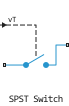
Block SPST Switch simulates a single-phase single-position switch:
-
With a control signal not exceeding Threshold, the switch is open. In this case, port p is connected to port n through the conductivity specified by the parameter Open conductance.
-
When the control signal exceeds Threshold, the switch is closed. In this case, port p is connected to port n through the resistance set by the parameter Closed resistance.
If the parameter value is non-zero Threshold width The conductivity of the switch changes smoothly between the values of the closed and open states. Parameter value Threshold width determines the sharpness of the transition between switch states according to the formulas:
The block uses the function since its derivative is zero at and .
Setting a small positive value Threshold width It can contribute to solver convergence in some models, especially if the signal of the control port vT continuously changes depending on other parts of the circuit. However, setting a non-zero value Threshold width It does not allow the use of linear optimization with switching in the solver. Therefore, if the rest of the chain is linear, set the parameter value Threshold width equal to zero.
Type of switch shutter control
In the component, it is possible to select the type of control of the switch shutter using the option Modeling option:
-
Signal — A control signal is received from the vT port.
-
Electrical — the potential difference at the additional electrical ports + and − is taken as the value of the control signal.
Ports
Conserving
#
1
—
positive port
electricity
Details
The electrical port.
| Program usage name |
|
#
n
—
negative port
electricity
Details
The electrical port.
| Program usage name |
|
#
+
—
positive port
electricity
Details
The electrical port connected to the positive terminal. It is used in the voltage control mode.
Dependencies
To use this port, set the parameter Modeling option meaning Electrical.
| Program usage name |
|
#
−
—
negative port
electricity
Details
The electrical port connected to the negative terminal. It is used in the voltage control mode.
Dependencies
To use this port, set the parameter Modeling option meaning Electrical.
| Program usage name |
|
Input
#
vT
—
control port
scalar
Details
A signal that controls the status of the switch.
Dependencies
To use this port, install Modeling option on Signal.
| Data types |
|
| Complex numbers support |
No |
Parameters
Main
#
Modeling option —
setting the scalar or electrical control port
Signal | Electrical
Details
Determines what is used to control the state of the switch: a signal or a potential difference on the control legs.
| Values |
|
| Default value |
|
| Program usage name |
|
| Evaluatable |
No |
#
Closed resistance —
resistance of a closed circuit breaker
Ohm | mOhm | kOhm | MOhm | GOhm
Details
Resistance between ports p and n when the switch is closed.
| Units |
|
| Default value |
|
| Program usage name |
|
| Evaluatable |
Yes |
#
Open conductance —
open circuit breaker conductivity
S | nS | uS | mS
Details
The conductivity between ports p and n when the switch is open.
| Units |
|
| Default value |
|
| Program usage name |
|
| Evaluatable |
Yes |
#
Threshold —
Threshold voltage
V | uV | mV | kV | MV
Details
The threshold voltage above which the switch turns on.
| Units |
|
| Default value |
|
| Program usage name |
|
| Evaluatable |
Yes |
#
Threshold width —
threshold width
V | uV | mV | kV | MV
Details
The minimum voltage increase is above the threshold value, which will switch the switch from a fully open state to a fully closed one.
| Units |
|
| Default value |
|
| Program usage name |
|
| Evaluatable |
Yes |