Ardupilot Setup
|
Page in progress. |
Configuring a UDP bridge with Ardupilot SITL.
blockType: EngeeFunction
|
Path in the library: |
Description
| To work with the block, install/update the support package. equipment. |
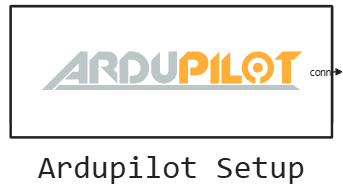
Block Ardupilot Setup creates a UDP bridge with the Ardupilot autopilot running in SITL mode with JSON physics: opens a UDP socket on the port 9002, starts listening to the autopilot’s PWM frames and outputs the connection descriptor. The descriptor is fed to the input of conn blocks Ardupilot RX and Ardupilot TX — so they work across one common bridge.
The block waits for the first PWM frame from the Ardupilot during 5 seconds after the model is started, so the container (or other SITL source) must be started before the simulation starts. If visualization is enabled (parameter Ретрансляция данных для визуализации:), the unit additionally sends the position of the device to the specified visualization port.
At the end of the simulation, the bridge closes automatically.
Ports
Output
#
conn
—
connection descriptor
scalar
Details
| Data types |
|
| Complex numbers support |
No |
Parameters
Параметры сетевого подключения
# IP адрес шлюза для Ardupilot: — the address where the block opens the UDP socket
Details
| Default value |
|
| Program usage name |
|
| Tunable |
No |
| Evaluatable |
Yes |
Параметры визуализации
# Ретрансляция данных для визуализации: — enabling device position transmission
Details
| Default value |
|
| Program usage name |
|
| Tunable |
No |
| Evaluatable |
Yes |
# Порт визуализации: — UDP port for visualization data
Details
| Default value |
|
| Program usage name |
|
| Tunable |
No |
| Evaluatable |
Yes |
Параметры моделирования
# Шаг расчёта, с: — block calculation step
Details
| Default value |
|
| Program usage name |
|
| Tunable |
No |
| Evaluatable |
Yes |