Sampling Clock Source
Generation of a clock signal with an aperture shake.
blockType: SubSystem
|
Path in the library: |
Description
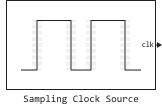
Block Sampling Clock Source generates a sinusoidal or rectangular clock signal with distortion caused by aperture shake.
Ports
Output
#
clk
—
output clock signal with aperture jitter
scalar
Details
Output clock signal with aperture jitter, returned as a scalar. The clock signal is a periodic sequence of sinusoidal or rectangular pulses, depending on the parameter value. Clock type.
| Data types |
|
| Complex numbers support |
No |
Parameters
Parameters
Main
#
Clock type —
the shape of the output clock signal
Square wave | Sine wave
Details
The shape of the output clock signal:
-
Square wave— returns a rectangular signal with an amplitude of1In and with the specified frequency; -
Sine wave— returns a sinusoidal signal with an amplitude of1In and with the specified frequency.
| Values |
|
| Default value |
|
| Program usage name |
|
| Tunable |
No |
| Evaluatable |
Yes |
# Clock frequency (Hz) — required frequency of the output clock signal
Details
The required frequency of the output clock signal, set as a scalar in Hz.
| Default value |
|
| Program usage name |
|
| Tunable |
No |
| Evaluatable |
Yes |
Clock output range
# Min (V) — minimum output voltage of the clock signal
Details
The minimum voltage of the output clock signal, specified as a real scalar in volts.
| Default value |
|
| Program usage name |
|
| Tunable |
No |
| Evaluatable |
Yes |
# Max (V) — maximum output voltage of the clock signal
Details
The maximum voltage of the output clock signal, set as a real scalar in volts.
| Default value |
|
| Program usage name |
|
| Tunable |
No |
| Evaluatable |
Yes |
Impairment
# RMS aperture jitter (s) — standard deviation of the clock edge positions
Details
The standard deviation of the clock edge positions generated by the faulty clock signal relative to the ideal clock signal, given as a non-negative real scalar in seconds.
The aperture delay is the delay between the sampling clock signal and the actual sampling moment. The aperture shake is a change in the delay of the aperture from count to count. The shaking of the aperture leads to an error voltage in the ADC, proportional to the magnitude of the shaking and the rate of rise of the ADC input signal.
| Default value |
|
| Program usage name |
|
| Tunable |
No |
| Evaluatable |
Yes |
Advanced
Main
# Specify custom seed — setting the initial value
Details
Select this checkbox to set a custom initial value for clock generation. The checkbox is unchecked by default.
Dependencies
To use this parameter, set for the parameter Clock type meaning Sine wave.
| Default value |
|
| Program usage name |
|
| Tunable |
No |
| Evaluatable |
Yes |
# Seed — the initial value for clock generation
Details
The initial value for clock signal generation, set as a non-negative real scalar.
Dependencies
To use this option, check the box Specify custom seed on the tab Advanced.
| Default value |
|
| Program usage name |
|
| Tunable |
No |
| Evaluatable |
Yes |
# Specify custom initial output — setting the initial output value
Details
Select this option to set a custom initial output value for the sampling clock source. The checkbox is unchecked by default.
| Default value |
|
| Program usage name |
|
| Tunable |
No |
| Evaluatable |
Yes |
# Initial output — the initial output value of the sampling clock
Details
The initial output value of the sampling clock source, set as a real scalar.
Dependencies
To use this option, check the box Specify custom initial output on the tab Advanced.
| Default value |
|
| Program usage name |
|
| Tunable |
No |
| Evaluatable |
Yes |
# Enable increased buffer size — enabling buffer size increase
Details
Select this option to enable buffer size increase during simulation. This will increase the block buffer size. Variable Pulse Delay inside the block Sampling Clock Source. The checkbox is unchecked by default.
| Default value |
|
| Program usage name |
|
| Tunable |
No |
| Evaluatable |
Yes |
# Buffer size — the number of input buffer samples available during the simulation
Details
The number of input buffer samples available during the simulation, set as a positive integer scalar. The parameter sets the block buffer size Variable Pulse Delay inside the block Sampling Clock Source.
Choosing different simulation solvers or sampling strategies can change the number of input samples needed to obtain an accurate output sample. Set for the parameter Buffer size the value is large enough that the input buffer contains all the necessary input samples.
Dependencies
To use this option, check the box Enable increased buffer size on the tab Advanced.
| Default value |
|
| Program usage name |
|
| Tunable |
No |
| Evaluatable |
Yes |