Slew Rate
Modeling of amplitude, rise and fall time, as well as signal propagation delay of logic elements.
blockType: SubSystem
|
Path in the library: |
Description
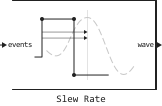
Block Slew Rate converts the logic signal into a signal with a user-defined terminal rise rate and propagation delay.
Ports
Input
#
events
—
Input signal
scalar
Details
An input signal with variable pitch, event-driven, specified as a scalar. The signal arrives at the events port from the output of a logic element, for example, a block Variable Pulse Delay.
| Data types |
|
| Complex numbers support |
I don’t |
Output
#
wave
—
Output signal
scalar
Details
The output signal with a fixed step and uniform sampling, returned as a scalar. You can set the final rise rate and propagation delay of the signal on the wave port.
| Data types |
|
| Complex numbers support |
I don’t |
Parameters
Main group
#
Output step size calculation —
determining the method of calculating the output signal step
Default | Advanced
Details
Determining the method of calculating the output signal step:
-
Default— calculate the parameter value Output step size calculation based on the rise/fall time; the sampling interval of the output signal is determined by the formula -
Advanced— calculate the parameter value Output step size calculation based on the maximum frequency of interest; the sampling interval of the output signal is determined by the formula
program usage
Use get_param(gcb,"DefaultOrAdvanced") to determine how the output step size is calculated.
| Values |
|
| Default value |
|
| Program usage name |
|
| Tunable |
No |
| Evaluatable |
Yes |
# Maximum frequency of interest (Hz) — maximum output frequency of interest
Details
The maximum output frequency of interest, set as a scalar in Hz.
Dependencies
To use this parameter, set for the parameter Output step size calculation meaning Advanced.
program usage
-
Use
get_param(gcb,"MaxFreqInterest")to view the current parameter value Maximum frequency of interest (Hz). -
Use
set_param(gcb,"MaxFreqInterest",value)to set for the parameter Maximum frequency of interest (Hz) a certain value.
| Default value |
|
| Program usage name |
|
| Tunable |
No |
| Evaluatable |
Yes |
#
Rise/fall time (s) —
rise/fall time 20%–80% for the output port
Details
The time it takes to change the signal from 20% up to 80% at the full edge of the amplitude at the output port, set as a scalar in seconds.
program usage
-
Use
get_param(gcb,"RiseTime")to view the current parameter value Rise/fall time (s). -
Use
set_param(gcb,"RiseTime",value)to set for the parameter Rise/fall time (s) a certain value.
| Default value |
|
| Program usage name |
|
| Tunable |
No |
| Evaluatable |
Yes |
# Propagation delay (s) — delay in propagation of the rising edge of the signal
Details
The propagation delay of the rising edge of the signal, set as a scalar in seconds. Parameter Propagation delay (s) It is measured at a threshold value equal to half the amplitude.
program usage
-
Use
get_param(gcb,"RisepropDelay")to view the current parameter value Propagation delay (s). -
Use
set_param(gcb,"RisepropDelay",value)to set for the parameter Propagation delay (s) a certain value.
| Default value |
|
| Program usage name |
|
| Tunable |
No |
| Evaluatable |
Yes |
# Enable increased buffer size — enabling buffer size increase
Details
Select this option to enable buffer size increase during simulation. This will increase the buffer size of all the blocks in the PLL model that relate to the library. Utilities. The checkbox is unchecked by default.
| Default value |
|
| Program usage name |
|
| Tunable |
No |
| Evaluatable |
Yes |
# Buffer size — block buffer size
Details
The buffer size of all blocks in the PLL model included in the library Utilities.
Choosing different simulation solvers or sampling strategies can change the number of input samples needed to obtain an accurate output sample. Set for the parameter Buffer size the value is large enough that the input buffer contains all the necessary input samples.
Dependencies
To use this option, check the box Enable increased buffer size.
program usage
-
Use
get_param(gcb,"NBuffer")to view the current parameter value Buffer size. -
Use
set_param(gcb,"NBuffer",value)to set for the parameter Buffer size a certain value.
| Default value |
|
| Program usage name |
|
| Tunable |
No |
| Evaluatable |
Yes |