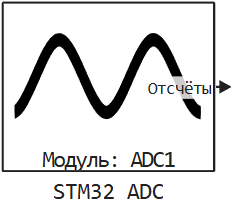
STM32 ADC
Output of samples from the microcontroller’s ADC.
blockType: CFunction
|
Path in the library: |
Description
| To work with the block, install/update the support package. equipment. |
Block STM32 ADC It is used to output samples from the microcontroller’s ADC.
Ports
Output
#
The counts
—
samples from the ADC
scalar | vector
Details
The vector of samples in the case of channels, a scalar in the case of a single channel. Dimension: () if there is only one channel, or (n,), where n — the number of ADC channels.
| Data types |
|
| Complex numbers support |
No |
Parameters
Main group
#
Модуль: —
the microcontroller ADC module selected in CubeMX
1 | 2 | 3
Details
| Values |
|
| Default value |
|
| Program usage name |
|
| Tunable |
No |
| Evaluatable |
Yes |
# Количество каналов — the number of logical ADC channels selected in CubeMX
Details
The number of logical ADC channels selected in CubeMX. For example, if the channels IN0, IN1, and IN2 are selected, specify 3 channels.
| Default value |
|
| Program usage name |
|
| Tunable |
No |
| Evaluatable |
Yes |
Configuring CubeMX to read analog inputs
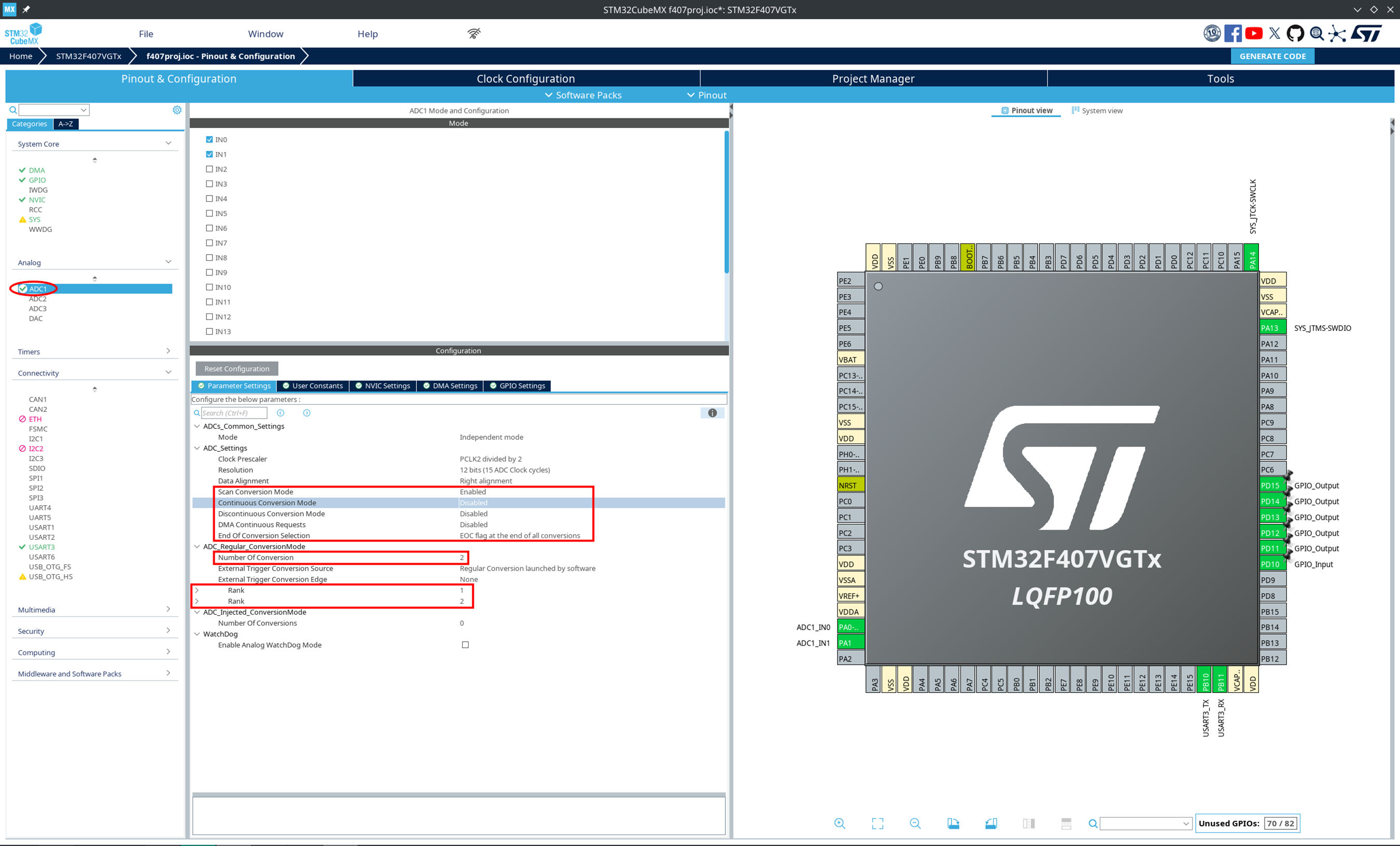
Select the desired ADC module. In the Parameter Settings tab, select:
-
Scan Conversion Mode — Enabled if you need to work with multiple channels;
-
Continuous Conversion Mode — Disabled;
-
Number Of Conversion — specify a number equal to the number of channels to be polled for this ADC module;
-
End Of Conversion Selection — select the EOC flag at the end of all conversions.
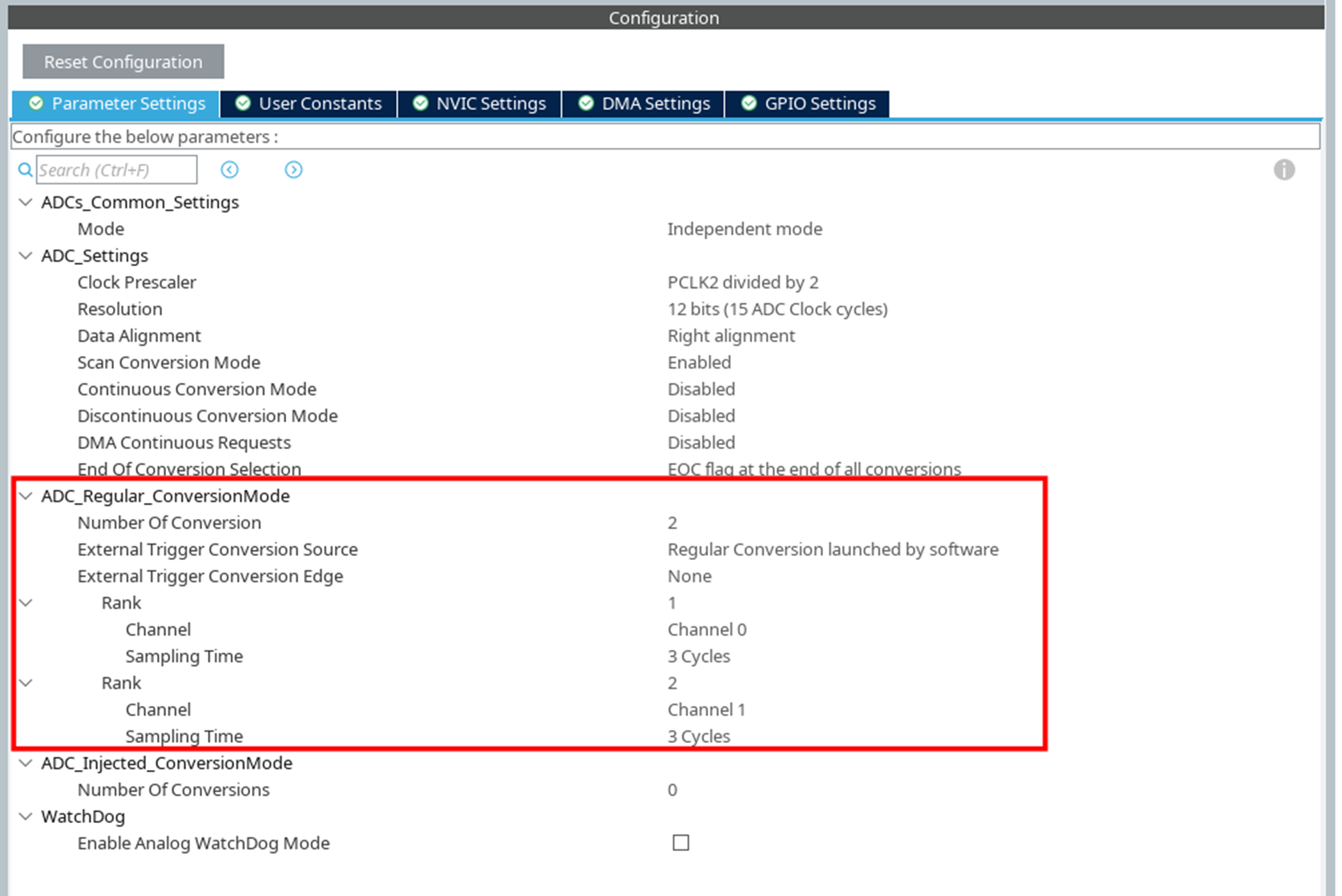
In the "Rank" fields, select the appropriate channels in the order of polling and the required sampling for each:
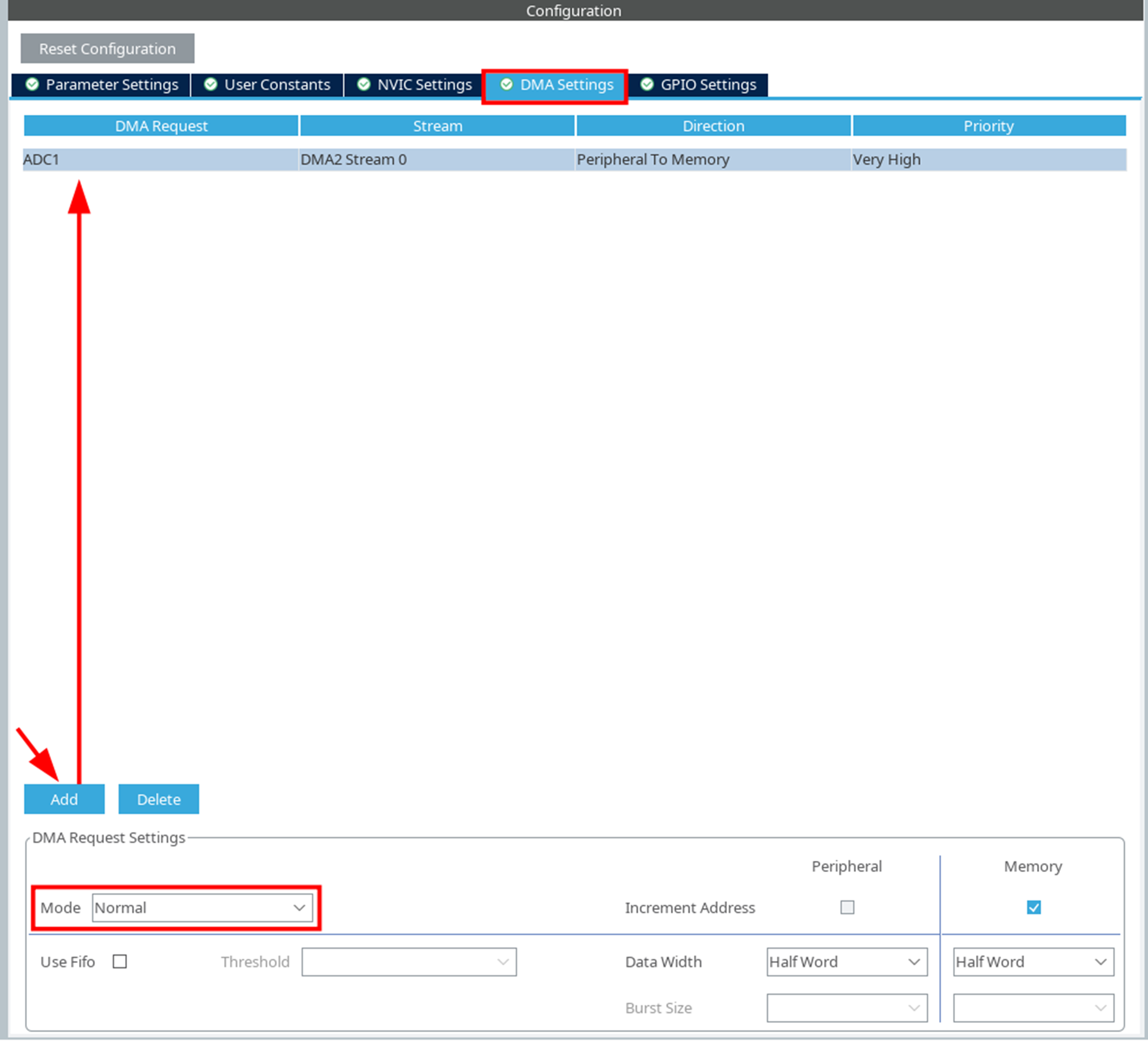
In the "DMA Settings" tab, click the Add button to add the DMA Request for the desired ADC channel, Mode Normal: