UM Cosimulation
Transferring data to a Universal Mechanism and obtaining simulation results from a Universal Mechanism.
blockType: EngeeFunction
|
Path in the library: |
Description
| To work with the block, install/update the support package. equipment. |
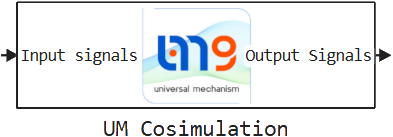
Block UM Cosimulation it is intended for the organization of cosimulation between Engee and the Universal Mechanism (MIND) software package. It provides the transmission of input signals to the model of the MIND and the receipt of output data at each step of the simulation.
Cosimulation configuration
The configuration for the block can be configured in two ways:
-
Manually — by filling in the block parameters in its settings.
-
Automatically (via software control) — by generating a configuration file.
For automatic generation, a call is used:
using Main.EngeeDeviceManager.INTEGRATIONS_API.UM
UM.generate_cfg_file("/user/example_UM.engee")
When executing this command:
-
The script finds a model with a block on the canvas UM Cosimulation;
-
Retrieves parameters from the block;
-
Automatically generates a configuration file;
-
Places it in the directory specified in the parameter «The path to the MIND».
The bin folder of the installed Universal Mechanism corresponding to the specific version used by the user must be specified as the path.
Parameters
Parameters
# IP адрес UM: — The IPv4 address where the Universal Mechanism server is located
Details
| Default value |
|
| Program usage name |
|
| Tunable |
No |
| Evaluatable |
Yes |
# Порт приёма UM: — UDP port for receiving UM signals
Details
| Default value |
|
| Program usage name |
|
| Tunable |
No |
| Evaluatable |
Yes |
# Порт передачи UM: — UDP is the UM signal transmission port
Details
| Default value |
|
| Program usage name |
|
| Tunable |
No |
| Evaluatable |
Yes |
# Размер буфера приёма: — the sum of the dimensions of the receiver’s input signals in a Universal Mechanism
Details
| Default value |
|
| Program usage name |
|
| Tunable |
No |
| Evaluatable |
Yes |
# Имена входных сигналов: — names of the signals in the input bus
Details
| Default value |
|
| Program usage name |
|
| Tunable |
No |
| Evaluatable |
Yes |
# Имена выходных сигналов: — names of the signals in the output bus
Details
| Default value |
|
| Program usage name |
|
| Tunable |
No |
| Evaluatable |
Yes |
# Начальные параметры — a string with the initial values of the parameters passed to the Universal Mechanism
Details
A string with the initial values of the parameters passed to the Universal Mechanism when starting the simulation. It is used to set the initial parameters of the Universal Mechanism model. The values are transmitted when the connection is established and applied before the calculation begins. It represents the contents of the configuration file, specified in text form.
| Default value |
|
| Program usage name |
|
| Tunable |
No |
| Evaluatable |
Yes |
# Путь к УМ — the path to the installed executable file or directory of the Universal Mechanism
Details
The path to the installed executable file or directory of the Universal Mechanism. It is used to specify the location of the Universal Mechanism in the file system. This path is used to launch or connect to the UM executable environment to organize simulation.
It is recommended to specify the path to the folder. bin the installed Universal Mechanism of the corresponding version. Example: C:\Program Files\UM Software Lab\Universal Mechanism\10\bin.
|
| Default value |
|
| Program usage name |
|
| Tunable |
No |
| Evaluatable |
Yes |
# Шаг расчёта, с: — block calculation step
Details
The block calculation step in seconds. Cannot be Inherited (−1).
| Default value |
|
| Program usage name |
|
| Tunable |
No |
| Evaluatable |
Yes |
# Включить профилирование — collecting data on the performance and parameters of the simulation execution
Details
It includes the collection of data on the performance and parameters of the simulation execution. When the option is active, a file is created in the bin folder of the Universal Mechanism. engee_logs.txt.
The following is written to the file:
-
Invoked procedures in a Universal Mechanism;
-
Current model time Engee at every step;
-
Current model time MIND;
-
The input and output parameters of the exchange.
| The contents of the file exist until the user clicks the button in the Universal Mechanism. «Abort». After that, the file is cleared and the logs become unavailable. |
This mechanism is primarily intended for diagnosis. If problems occur, it is recommended to transfer the log file to technical support for accelerated troubleshooting.
| Default value |
|
| Program usage name |
|
| Tunable |
No |
| Evaluatable |
Yes |
#
Сгенерировать конфигурационный файл —
generates a file settings.cfg for cosimulation
Details
Read more about working with the generated file in the article Support package Universal mechanism.
| Default value |
|
| Program usage name |
|
| Tunable |
No |
| Evaluatable |
No |