Binary Vector Conversion
Converting an integer to a binary logical vector and vice versa.
blockType: SubSystem
|
Path in the library: |
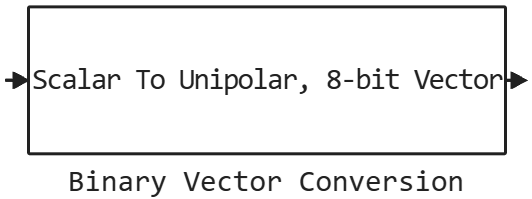
Description
Block Binary Vector Conversion encodes, decodes, and processes binary-encoded vectors. The block allows you to convert a scalar input signal into a logical vector signal using binary code or additional code, and vice versa. You can also change the size and order of the bit indexes of binary logical vectors.
Ports
Input
#
IN_1
—
Input signal
scalar | logical vector
Details
An input signal specified as a scalar or a logical vector.
-
When encoding, the input signal is a scalar.
-
When decoding, the input signal is a logical vector.
When converting a bitstream to a scalar value, any input signal is larger 1 it is considered logical 1 (true). Similarly, any input bit is less than 0 it is considered logical 0 (false).
|
| Data types |
|
| Complex numbers support |
I don’t |
Output
#
OUT_1
—
Output signal
scalar | logical vector
Details
An output signal specified as a scalar or a logical vector.
-
When encoding, the output signal is a logical vector.
-
When decoding, the output signal is a scalar.
| Data types |
|
| Complex numbers support |
I don’t |
Parameters
Main group
#
Convert —
type of conversion
Scalar to binary-coded vector | Binary-coded vector to scalar | Resize binary-coded vector | Reverse binary-coded vector
Details
The type of conversion specified by one of the following values:
-
Scalar to binary-coded vector— encoding of a scalar input signal into a logical vector. -
Binary-coded vector to scalar— decoding of a logical vector signal into a scalar. -
Resize binary-coded vector— changing the size of the logical vector while preserving the sign using the additional code method. -
Reverse binary-coded vector— changing the order of the bit indexes of the logical vector to the reverse.
When converting a bit stream to a scalar value, any input signal is larger 1 it is considered logical 1 (true). Similarly, any input bit is less than 0 (i.e., any negative number) is considered logical. 0 (false).
|
| Values |
|
| Default value |
|
| Program usage name |
|
| Tunable |
No |
| Evaluatable |
Yes |
#
Logical vector encoding —
logical vector encoding method
Unipolar (magnitude) | Bipolar (2’s complement)
Details
The logical vector encoding method, defined as Unipolar (magnitude) or Bipolar (2’s complement).
Dependencies
To use this parameter, set for the parameter Convert meaning Scalar to binary-coded vector, Binary-coded vector to scalar or Resize binary-coded vector.
| Values |
|
| Default value |
|
| Program usage name |
|
| Tunable |
No |
| Evaluatable |
Yes |
# Output vector length — number of elements in the output vector
Details
The number of elements in the output vector, set as a positive real scalar.
Dependencies
To use this parameter, set for the parameter Convert meaning Scalar to binary-coded vector or Resize binary-coded vector.
| Default value |
|
| Program usage name |
|
| Tunable |
No |
| Evaluatable |
Yes |
#
Output bit order —
the order of the output bits
LSB at index 1 | MSB at index 1
Details
By default, the least Significant Bit (LSB) is the first element of the vector (index 1). But you can also set the Most Significant Bit (MSB) as the first element of the vector.
Dependencies
To use this parameter, set for the parameter Convert meaning Scalar to binary-coded vector or Resize binary-coded vector.
| Values |
|
| Default value |
|
| Program usage name |
|
| Tunable |
No |
| Evaluatable |
Yes |
# Input vector length — number of elements in the input vector
Details
The number of elements in the input vector, set as a positive real scalar.
Dependencies
To use this parameter, set for the parameter Convert meaning Binary-coded vector to scalar, Resize binary-coded vector or Reverse binary-coded vector.
| Default value |
|
| Program usage name |
|
| Tunable |
No |
| Evaluatable |
Yes |
#
Input bit order —
the order of the bits in the input
LSB at index 1 | MSB at index 1
Details
By default, the least Significant Bit (LSB) is the first element of the vector (index 1). But you can also set the Most Significant Bit (MSB) as the first element of the vector.
Dependencies
To use this parameter, set for the parameter Convert meaning Binary-coded vector to scalar or Resize binary-coded vector.
| Values |
|
| Default value |
|
| Program usage name |
|
| Tunable |
No |
| Evaluatable |
Yes |
#
Output data type —
the signed data type of the output scalar signal
Inherit: Inherit via back propagation | float64 | float32 | int8 | int16 | int32
Details
The signed data type of the output scalar signal. You can choose data type inheritance or set it directly.
Dependencies
To use this parameter, set for the parameter Convert meaning Binary-coded vector to scalar, and for the parameter Logical vector encoding meaning Bipolar (2’s complement).
| Values |
|
| Default value |
|
| Program usage name |
|
| Tunable |
No |
| Evaluatable |
Yes |
#
Output data type —
unsigned scalar output data type
Inherit: Inherit via back propagation | float64 | float32 | uint8 | uint16 | uint32
Details
An unsigned scalar output data type. You can choose data type inheritance or set it directly.
Dependencies
To use this parameter, set for the parameter Convert meaning Binary-coded vector to scalar, and for the parameter Logical vector encoding meaning Unipolar (magnitude).
| Values |
|
| Default value |
|
| Program usage name |
|
| Tunable |
No |
| Evaluatable |
Yes |