Assertion
Checking for a zero signal value.
blockType: Assertion
|
Path in the library: |
Description
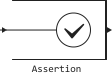
Block Assertion detects values 0 in the input signal. If all elements are nonzero, the statement is executed true (1) and the block does nothing. If not, the block stops the simulation and returns an error message by default.
Ports
Input
#
IN
—
The input signal
scalar | vector | the matrix
Details
An input signal for verifying statements.
| Data types |
|
| Complex numbers support |
No |
Parameters
Parameters
#
Enable assertion —
enabling verification
Logical
Details
Uncheck this box to disable the block.
| Default value |
|
| Program usage name |
|
| Tunable |
No |
| Evaluatable |
No |
#
Simulation callback when assertion fails —
an expression for evaluating a calculation
String
Details
Specify the expression to evaluate the calculation.
Dependencies
To use this option, select the option checkbox. Enable assertion.
| Default value |
|
| Program usage name |
|
| Tunable |
No |
| Evaluatable |
No |
#
Stop simulation when assertion fails —
stopping the simulation in case of an unsuccessful check
Logical
Details
Check this box to stop the simulation if the check fails.
Uncheck this box to display a warning and continue the simulation.
| Default value |
|
| Program usage name |
|
| Tunable |
No |
| Evaluatable |
No |