GNU Radio UHD
To ensure the interaction of GNU Radio with RITM SDR USRP, you need to perform several actions.
-
Create a new flow graph (flowgraph).
-
Create a receiver. To do this, drag the block
UHD: USRP SourcefromCore/UHD/go to the graph and set it up:-
for
"Device Address"set the SDR IP address; -
for
"Ch0: Antenna"set the value"TX/RX"; -
to control the flow in real time, you need to transfer the parameters
"Ch0: Center Freq (Hz)","Ch0: Gain Value"in slidersQT GUI RangefromCore/GUI Widgets/QT.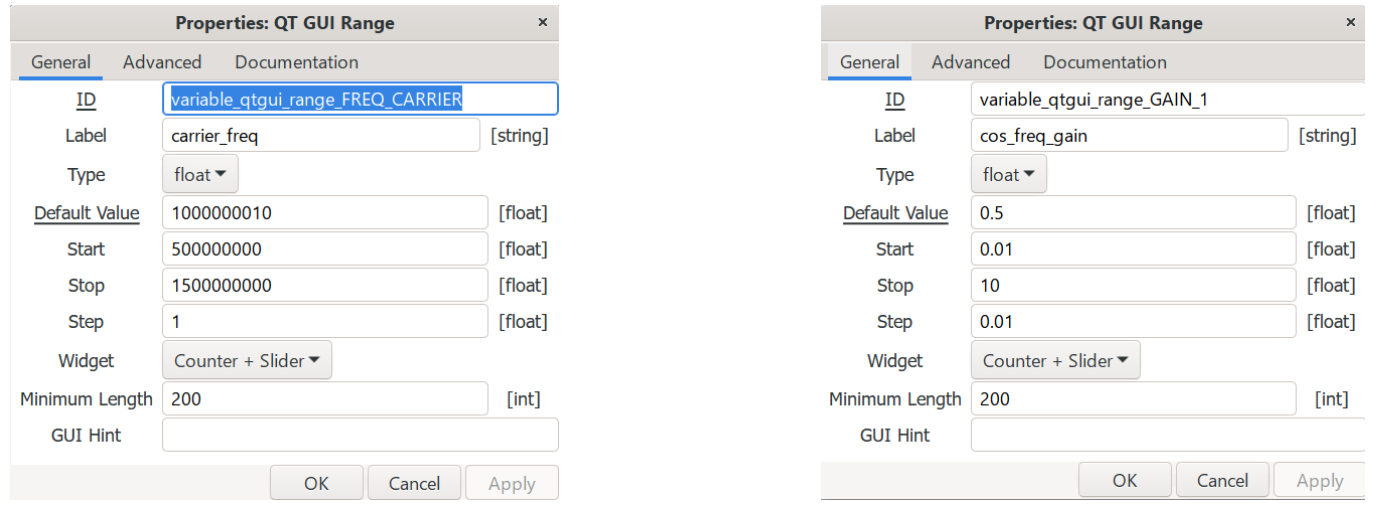
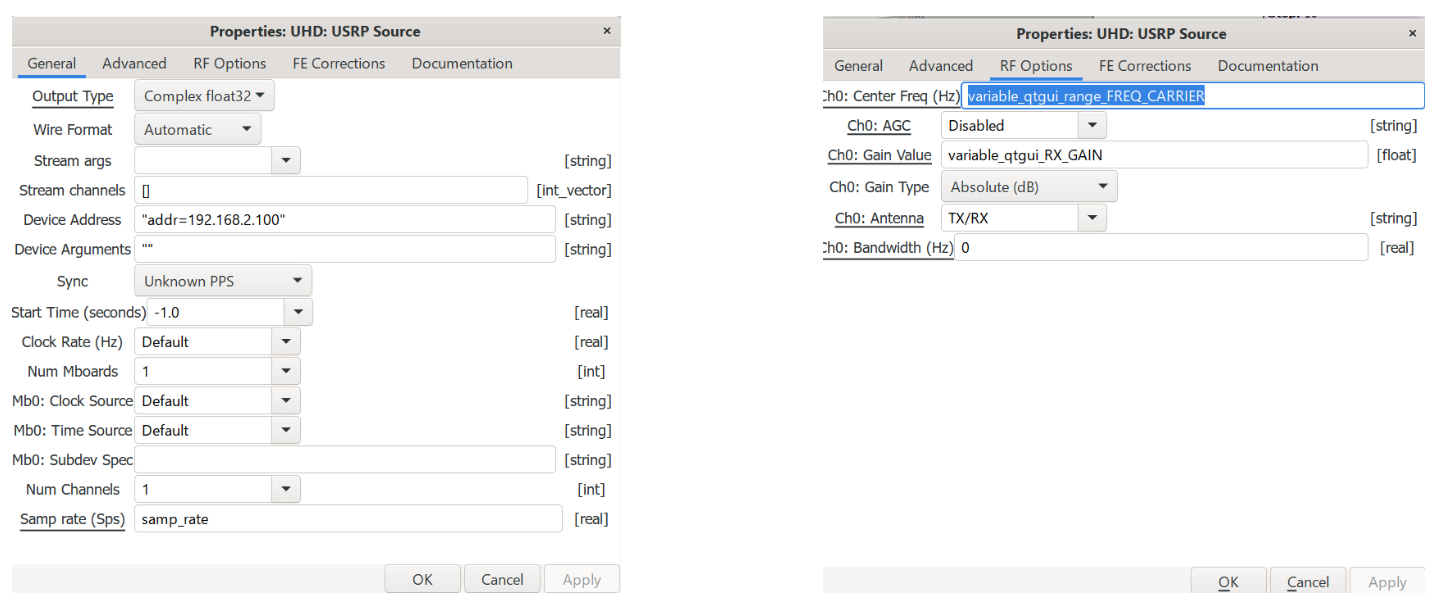
As a result, the block
UHD: USRP Sourceshould look something like this:
-
-
Add a signal output in the time domain
QT GUI Time Sinkand frequencyQT GUI Frequency SinkAlong the wayInstrumentation/QT/QT GUI Frequency Sink. Connect the outputoutblockUHD: USRP Sourceand the inputsQT GUI Time SinkandQT GUI Frequency Sink.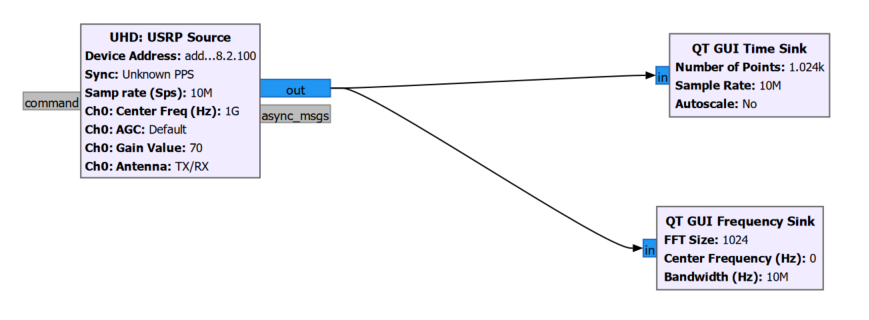
-
Create a transmitter. To do this, drag the block
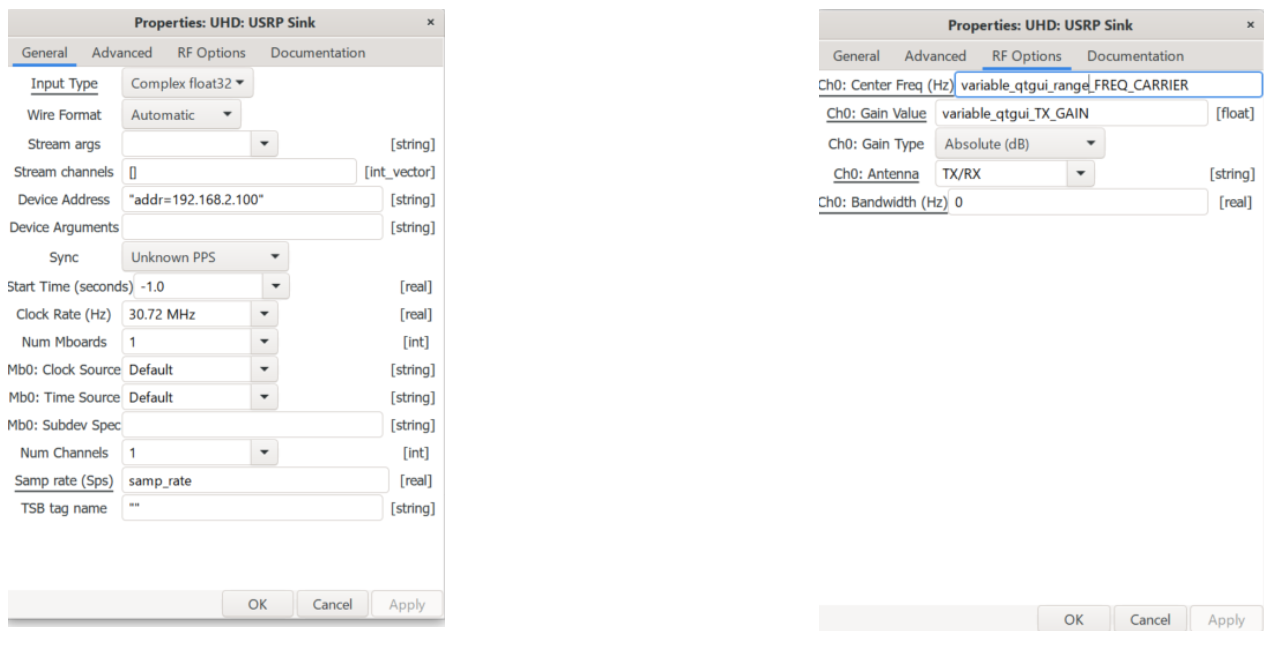
UHD: USRP SinkfromCore/UHD/go to the graph and set it up:-
for
"Device Address"set the SDR IP address; -
for
"Clock Rate"set the value30.72 MHz -
create
variable_qtgui_TX_GAINHowQT GUI Rangeand specify it in"Ch0: Gain Value"; -
In
"Ch0: Cenetr Freq (Hz)"specifyvariable_qtgui_range_FREQ_CARRIER.
-
-
Create a sinusoidal signal source
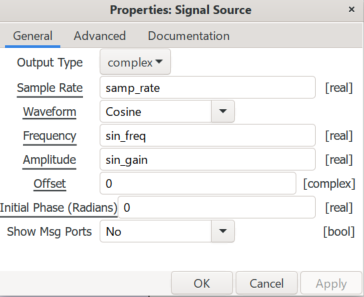
Signal SourceAlong the wayCore/Waveform Generatorsand set it up:-
for
Output Typeset the valuecomplex; -
for
Sample Rateset the value10M; -
for
Waveformset the valueCosine; -
to adjust the frequency
Frequencyneed to createsin_freqHowQT GUI Range; -
to adjust the amplitude
Amplitudeneed to createsin_gainHowQT GUI Range.
-
-
Connect the output (
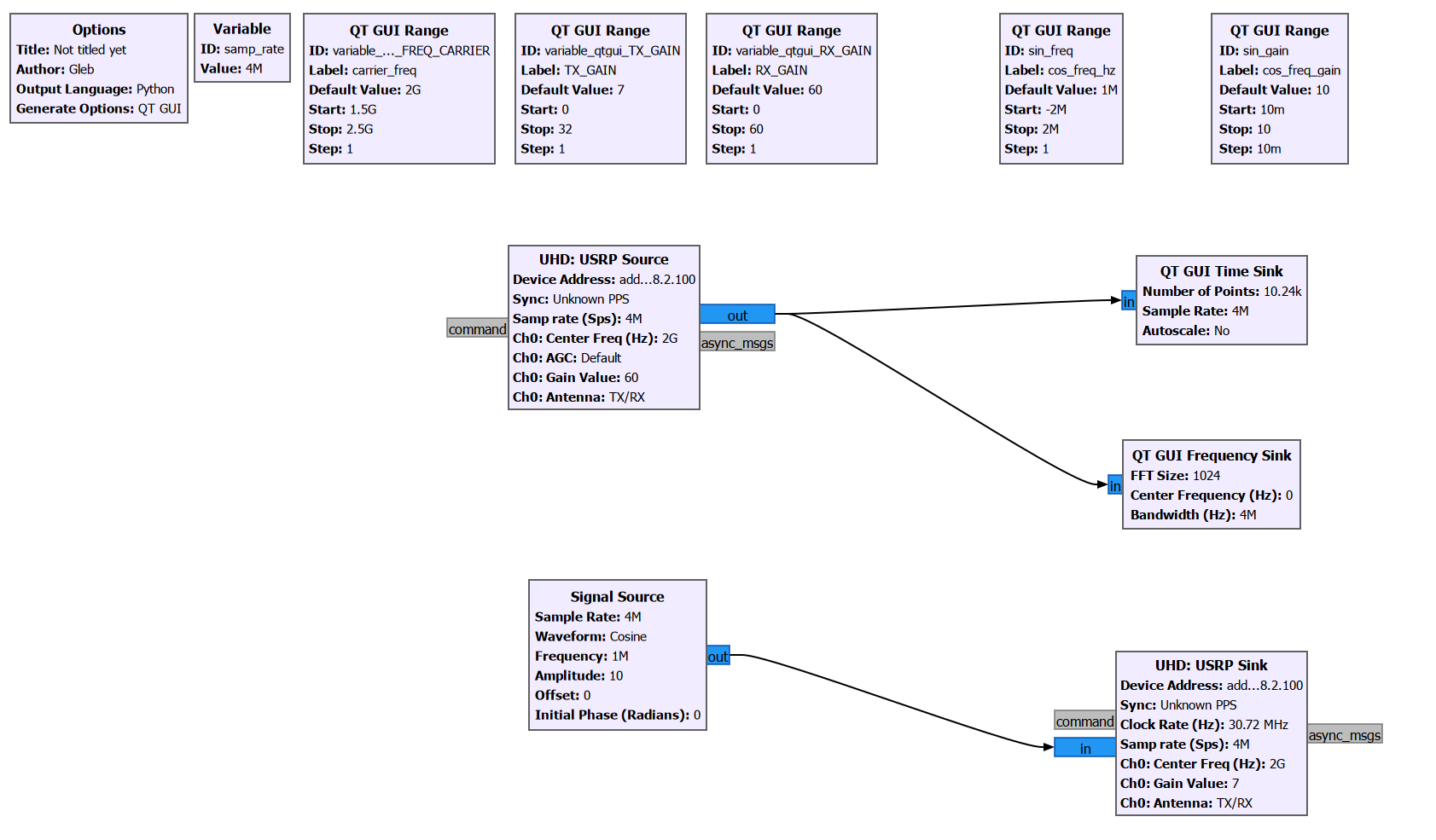
out) sourceSignal Sourceand the entrance (in) transmitterUHD: USRP Sink.An approximate view of the receiver and transmitter circuit is shown in the figure.
-
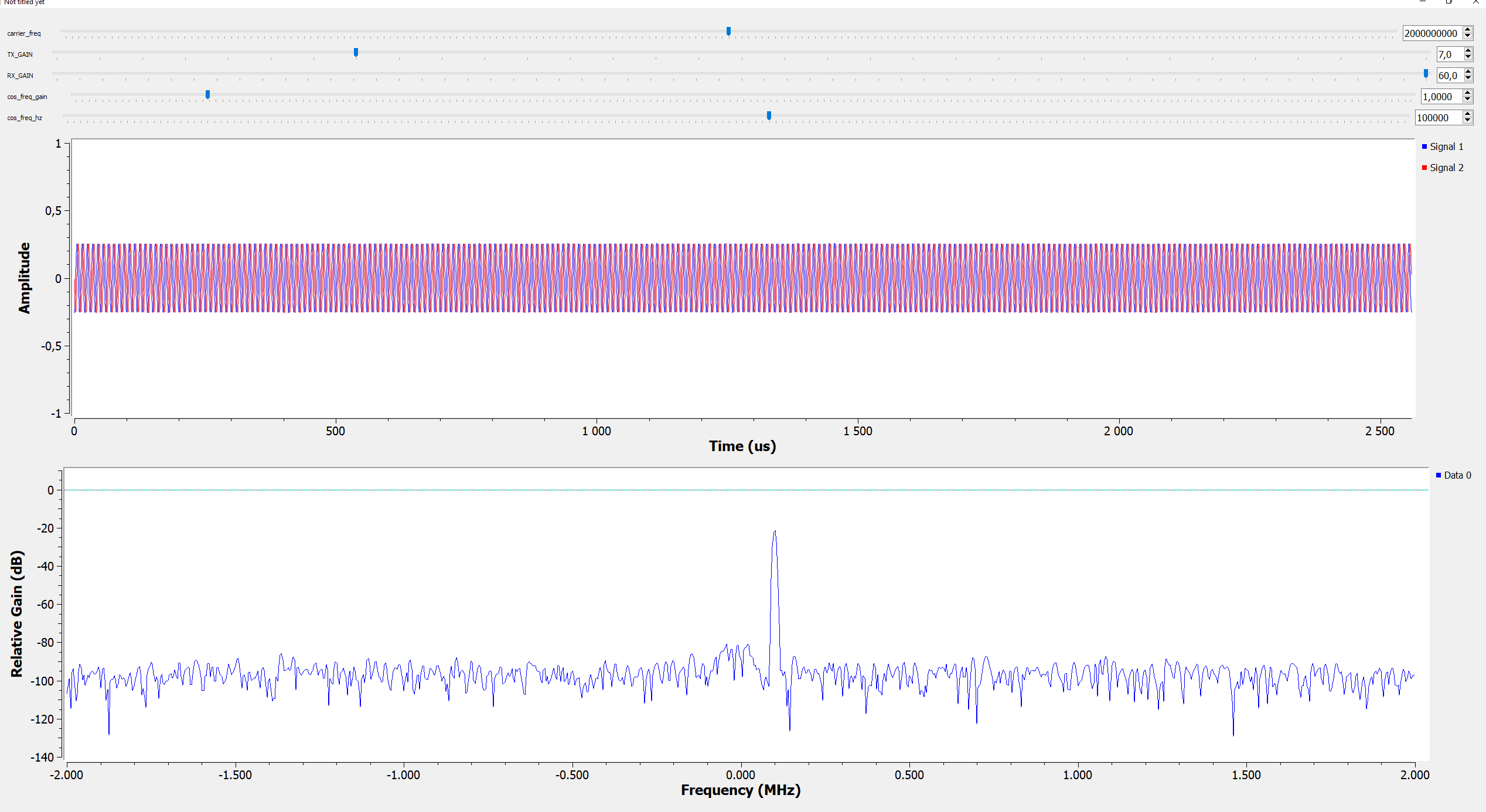
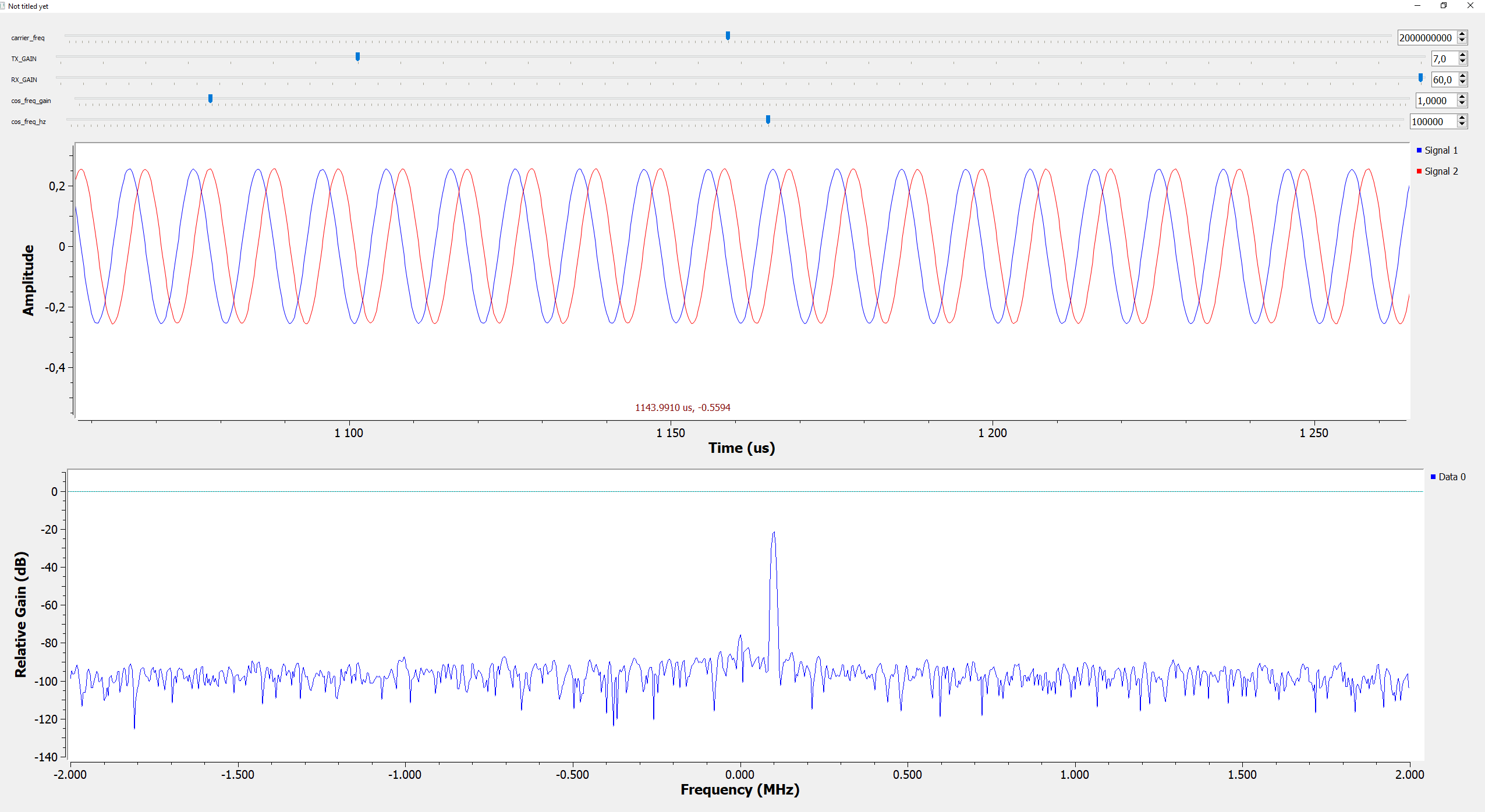
Press start and GNU Radio starts transmitting and receiving the signal. At the top there are sliders with which you can change the parameters of the signal, as well as the parameters
RITM SDR USRP.