Nonlinear Translational Spring
Translational spring based on polynomial or tabular parameterization.
blockType: Engee1DMechanical.Elements.Translational.NonlinearSpring
|
Path in the library: |
Description
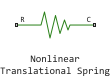
Block Nonlinear Translational Spring It is a spring with a nonlinear dependence of the elastic force on displacement. The magnitude of the elastic force is an arbitrary function of displacement and does not necessarily have to satisfy Hooke’s law. You can parameterize the force dependence on displacement using a polynomial or a lookup table. The elastic force can be symmetrical or asymmetrical with respect to zero deformation.
The symmetric polynomial parameterization determines the elastic force according to the expression:
where
-
— spring elasticity force;
-
— spring coefficients;
-
— relative offset between ports R and C:
where
-
— the initial offset, at the beginning of the simulation ;
-
— absolute position of the port R;
-
— the absolute position of port C.
-
To avoid zero crossings that slow down the simulation, eliminate the sign function from the polynomial expression by specifying an odd polynomial ( ).
The two-way polynomial parameterization determines the elastic force in accordance with the expression:
where
-
— the coefficients of tension of the spring;
-
— compression ratios of the spring.
Both polynomial parameterizations use a fifth-order polynomial. To use a lower-order polynomial, set the higher-order coefficients to zero. For polynomials of order greater than five, perform an approximation with a polynomial of order no higher than the fifth, or use parameterization according to the search table.
Parameterization according to the search table determines the elastic force based on the specified displacement and force vectors. If a point with zero velocity and zero force is not included in the specified vectors, the block automatically adds it as a data point at the origin.
Variables
Use the parameter group Initial Targets to set the priority and initial target values for the block parameter variables before modeling. For more information, see Configuring physical blocks using target values.
Ports
Conserving
#
C
—
base port
translational mechanics.
Details
A non-directional progressive mechanical port associated with the base end of a spring.
| Program usage name |
|
#
R
—
slave port
translational mechanics
Details
A non-directional progressive mechanical port connected to the driven end of a spring.
| Program usage name |
|
Parameters
Parameters
# Symmetry — symmetry of spring behavior
Details
The symmetry of the behavior of the spring relative to the point of zero deformation. If this option is selected, the block applies one polynomial symmetrically with respect to the zero deformation point. If this option is unchecked, the block applies unique polynomials for stretching and compressing.
Dependencies
To use this parameter, set for the parameter Parameterization meaning By polynomial.
| Default value |
|
| Program usage name |
|
| Evaluatable |
No |
#
Vector of spring coefficients —
coefficients of a polynomial in symmetric deformation
N/m | mN/m | kN/m | MN/m | GN/m | kgf/m | lbf/ft | lbf/in
Details
Spring elasticity coefficients for the polynomial dependence. The largest element of nonzero order must be positive. The vector should consist of 5 elements.
Dependencies
To use this parameter, set for the parameter Parameterization meaning By polynomial and check the box Symmetry.
| Units |
|
| Default value |
|
| Program usage name |
|
| Evaluatable |
Yes |
#
Vector of spring compression coefficients —
coefficients of the polynomial for spring compression
N/m | mN/m | kN/m | MN/m | GN/m | kgf/m | lbf/ft | lbf/in
Details
Coefficients of the polynomial for spring compression. The vector should consist of 5 elements.
Dependencies
To use this parameter, set for the parameter Parameterization meaning By polynomial and uncheck the box Symmetry.
| Units |
|
| Default value |
|
| Program usage name |
|
| Evaluatable |
Yes |
#
Force vector —
force values for tabular parameterization
N | nN | uN | mN | kN | MN | GN | dyn | lbf | kgf
Details
Force values for the corresponding displacements specified in the parameter Deformation vector. This vector must have the same dimension as Deformation vector. The minimum number of vector elements depends on the chosen interpolation method. If for the parameter Interpolation method the value is set:
-
Linear, then the minimum number of elements of the vector is two. -
Smooth, then the minimum number of elements of the vector is three.
If you do not specify a reference point for the origin, the block will automatically add a reference point to the origin, that is, at the intersection of zero displacement and zero force.
Dependencies
To use this parameter, set for the parameter Parameterization meaning By table lookup.
| Units |
|
| Default value |
|
| Program usage name |
|
| Evaluatable |
Yes |
#
Interpolation method —
the method of interpolation between the values of the reference points
Linear | Smooth
Details
The method used to interpolate between the reference points of the search table:
-
Linear— choose this value for the lowest computational cost; -
Smooth— select this value to get a continuous curve with continuous first-order derivatives.
For more information about the search tables, see Methods for approximating function values.
Dependencies
To use this parameter, set for the parameter Parameterization meaning By table lookup.
| Values |
|
| Default value |
|
| Program usage name |
|
| Evaluatable |
No |
#
Vector of spring tension coefficients —
coefficients of the polynomial for spring tension
N/m | mN/m | kN/m | MN/m | GN/m | kgf/m | lbf/ft | lbf/in
Details
Coefficients of the polynomial for spring tension. The vector should consist of 5 elements.
Dependencies
To use this parameter, set for the parameter Parameterization meaning By polynomial and uncheck the box Symmetry.
| Units |
|
| Default value |
|
| Program usage name |
|
| Evaluatable |
Yes |
#
Extrapolation method —
extrapolation method for points outside the range specified by the reference points
Linear | Nearest | Error
Details
The method used to extrapolate breakpoints in the search table. This method determines the output value when the input value is outside the range specified in the argument list.:
-
Linear— select this value to obtain a curve with continuous first-order derivatives in the extrapolation region and on the boundary with the interpolation region. -
Nearest— Select this value to use an extrapolation that does not rise above the largest value in the data or fall below the smallest value in the data. -
Error— select this value to avoid extrapolation when you want the data to be within the range of the table. If the input signal is outside the range of the table, the simulation stops and outputs an error.
Dependencies
To use this parameter, set for the parameter Parameterization meaning By table lookup.
| Values |
|
| Default value |
|
| Program usage name |
|
| Evaluatable |
No |
#
Deformation vector —
relative offset for tabular parameterization
m | um | mm | cm | km | in | ft | yd | mi | nmi
Details
Relative displacement values for the corresponding values of the elastic forces specified in the parameter Force vector. This vector must have the same dimension as Force vector.
The minimum number of vector elements depends on the chosen interpolation method. If for the parameter Interpolation method the value is set:
-
Linear, then the minimum number of elements of the vector is two. -
Smooth, then the minimum number of elements of the vector is three.
If you do not specify a reference point for the origin, the block will automatically add a reference point to the origin, that is, at the intersection of zero displacement and zero force.
Dependencies
To use this parameter, set for the parameter Parameterization meaning By table lookup.
| Units |
|
| Default value |
|
| Program usage name |
|
| Evaluatable |
Yes |
#
Parameterization —
spring parameterization method
By polynomial | By table lookup
Details
Choose the type of spring parameterization: a polynomial or a search table.
| Values |
|
| Default value |
|
| Program usage name |
|
| Evaluatable |
No |