Genie-applications based on the example of calculating the logarithm
Introduction
This example shows the simplest interactive applications for calculating logarithms.:
Where:
- — the base of the logarithm
- — the logarithm argument
- — the value of the logarithm.
In other words, the condition is fulfilled:
The reactive interface
Consider an application script with a reactive interface.
using GenieFramework, Stipple

@genietools
@app begin
    @in x = 2.0
    @in y = 8.0
    @out a = 3.0
    @onchange x, y begin
            a = log(x, y)
    end
end

function ui()
    row([column([ textfield("Основание:", :x, type="number", min=0),
                  textfield("Число:", :y, type="number", min=0),
                  textfield("Значение логарифма:", :a, readonly=true) ])])
end

@page("/", ui)
Let's launch the app.
genie_app1 = engee.genie.start("$(@__DIR__)/log_app1.jl")
display("text/html", """<a href="$(string(genie_app1.url))" target="_blank">Open in a new tab</a>""")
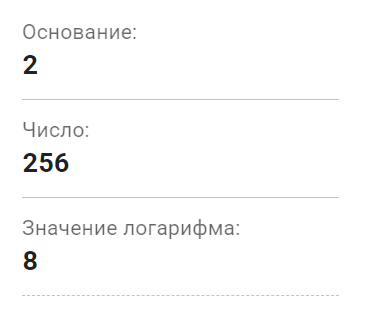
It is enough for the user to enter the base in the first line, and the logarithm argument in the second. The value of the logarithm is calculated automatically after input of the initial data.
Starting from a button
Let's consider an application script in which calculations occur with a click of a button.
using GenieFramework, Stipple

@genietools
@app begin
    @in x = 2.0
    @in y = 8.0
    @in кнопка = false
    @out a = 3.0
    @onchange кнопка begin
        if кнопка
            a = log(x, y)
            кнопка = false

        end
    end
end

function ui()
    row([ column([ textfield("Основание:", :x, type="number", min=0),
                   textfield("Число:", :y, type="number", min=0),
                   textfield("Значение логарифма:", :a, readonly=true),
                   btn("Вычислить", @click(:кнопка)) ])])
end

@page("/", ui)
Let's launch the app.
genie_app2 = engee.genie.start("$(@__DIR__)/log_app2.jl")
display("text/html", """<a href="$(string(genie_app2.url))" target="_blank">Open in a new tab</a>""")
.png)
As in the previous application, the user needs to enter the source data in the first two lines. However, here the calculation takes place after clicking the "Calculate" button.
Stop the applications.
engee.genie.stop("$(@__DIR__)/log_app1.jl");
engee.genie.stop("$(@__DIR__)/log_app2.jl");
Conclusion
The examples provided clearly demonstrate Genie's flexibility in creating interactive tools. From reactive instantaneous calculation to classic button control. This approach opens up great opportunities for rapid prototyping of engineering calculators, educational widgets, and enterprise utilities right in the Engee environment. You can use the presented applications as a basis for your future projects.