Simulink Model Converter
In this example, the process of converting the Simulink model into the Engee model is clearly and step-by-step considered.
Introduction
This is the simplest example of how the Engee model converter works. It shows the working capacity of the tool and gives step-by-step instructions for operation. The converter can also work with more complex models, for example AB-фильтром. This example is more difficult to understand and get started with the converter.
1. The Simulink model
Getting the example path
example_path = @__DIR__
Checking the contents of the directory
readdir(example_path)
Getting the path of the original simulink model
simulink_model_name = "test_source"
simulink_model_path = joinpath(example_path, simulink_model_name*".slx")
Let's open the source model, examine its contents, and remember the model and block settings.
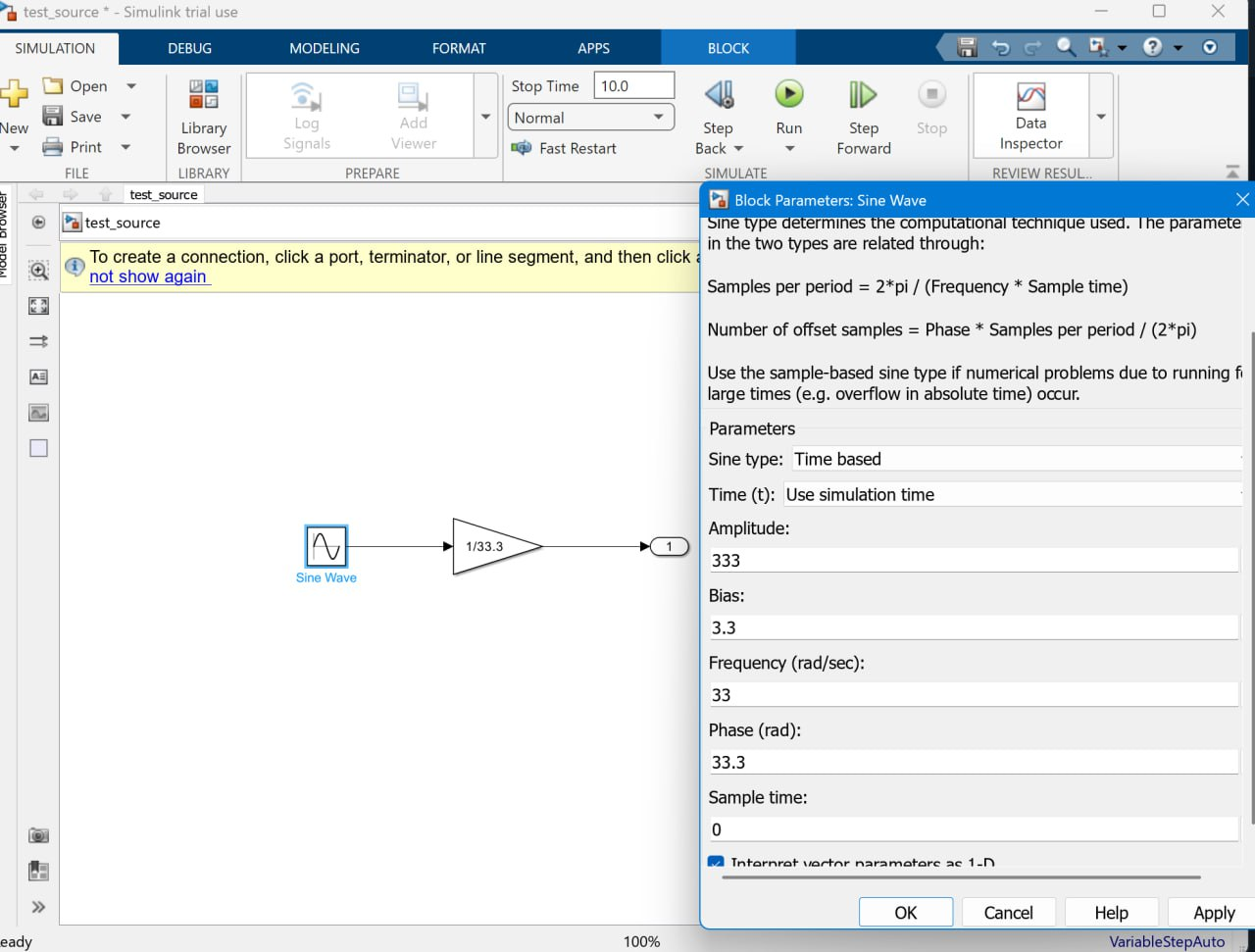
2. Converting the model into a script
Setting the path of the script that we want to get
jl_script_name = "convert_script"
jl_script_path = joinpath(example_path, jl_script_name*".jl")
Next, we generate a script with [program control ] functions (https://engee.com/helpcenter/stable/en/modeling/programmatic-modeling-editing.html )to create a new Engee model. The script is generated automatically using the function engee.convert_model().
engee.convert_model(simulink_model_path, jl_script_path);
We check the contents of the directory again to make sure that the expected Julia script has appeared.
readdir(example_path)
3. Creating a model from a script
Now it is enough to execute the received script:
include(jl_script_path)
After executing the script, we will check the contents of the sample directory: now it has been updated with a new file - the Engee model file.
list = readdir(example_path)
Let's open the resulting model. For this example, the model file is the third in the list of files, so list[3]
engee.open(list[3])
We get a model with the contents that we previously saw in the original Simulink model.
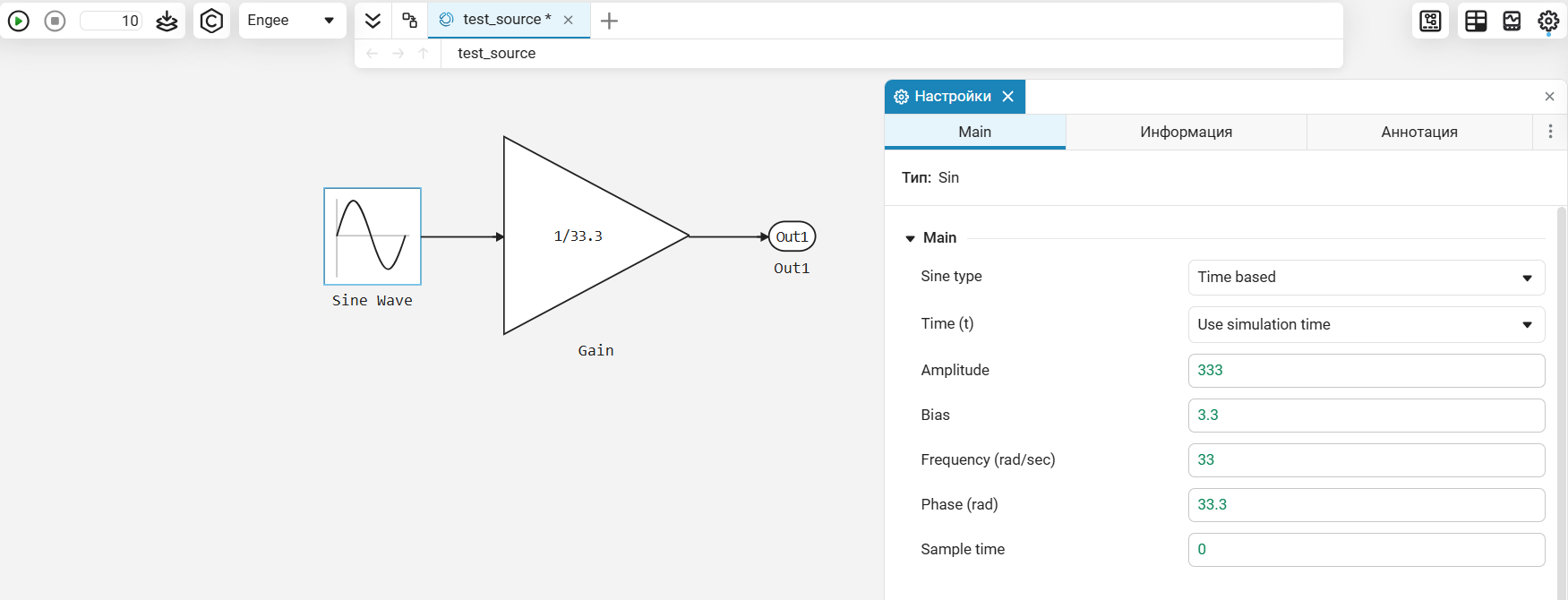
4. Modeling
Let's run this model to make sure it's working.:
engee.run(engee.gcm())
The cell is running successfully, and the expected status of the model is displayed in the status bar.:
.png)
Therefore, the model was converted without any problems.
Conclusion
In this example, we looked at the process of transferring the simplest Simulink model to the Engee model to make sure that the mechanism is working properly and to master the steps for reproducing it. Now you can move on to transferring [more complex ones]. моделей](https://engee.com/community/ru/catalogs/projects/konvertirovanie-modeli-simulink-v-model-engee).