EngeeDSP.gpsWaveformGenerator
GPS signal generator (traditional L1 and L2, upgraded L1C, L2C and L5).
| Library |
|
| Block |
Description
An object EngeeDSP.gpsWaveformGenerator creates a Global Positioning System (GPS) signal generator that supports the following GPS signals:
-
Traditional L1 and L2 — used when for the property SignalType value specified
"legacy". -
Upgraded L1C — used when for the property SignalType value specified
"l1c". -
Upgraded L2C — used when for the property SignalType value specified
"l2c". -
Upgraded L5 — used when for the property SignalType value specified
"l5".
To create a GPS signal generator object, follow these steps:
-
Create an object EngeeDSP.gpsWaveformGenerator and set its properties.
-
Call the object with arguments as if it were a function.
To learn more about how to work with system objects, see Engee System Objects.
Syntax
Creation
-
gpsWaveObj = gpsWaveformGenerator()— creates a system object EngeeDSP.gpsWaveformGenerator with default properties. -
gpsWaveObj = gpsWaveformGenerator("Name",value)— creates a system object EngeeDSP.gpsWaveformGenerator with the specified property"Name", set to the specified valueValue. You can specify additional arguments as a name-value pair in any order ("Name1",Value1,…,"NameN",ValueN).
Arguments
Input arguments
navdata — navigation data
+
the binary matrix
Details
Navigation data set as a binary matrix — the number of columns must be equal to the length of the property PRNID, since each column corresponds to PRNID. The number of rows represents the number of bits of navigation data.
Dependencies
To use this argument, set the property to SignalType value "legacy", "l1c" or "l5".
| Data types |
|
LNAV — bits of the traditional navigation message
+
the binary matrix
Details
Bits of a traditional navigation message, specified as a binary matrix.
If for the property SignalType value set "l2c" if one input argument is given, then gpsWaveObj assigns the same value to LNAV and CNAV.
|
Dependencies
To use this argument, set the property to SignalType value "l2c".
| Data types |
|
CNAV — civil navigation message bits
+
the binary matrix
Details
The bits of the civil navigation message are set as a binary matrix, of the same dimension as LNAV
If for the property SignalType value set "l2c" if one input argument is given, then gpsWaveObj assigns the same value to LNAV and CNAV.
|
Dependencies
To use this argument, set the property to SignalType value "l2c".
| Data types |
|
Output arguments
waveform — generated GPS signal
+
the matrix
Details
Each column represents a signal corresponding to the value of the property PRNID.
The number of lines is equal to the product BitDuration × SampleRate × numBits, where numBits is the number of input bits and is equal to size(navdata,1).
The sampling frequency of the signal corresponds to the value specified in the property SampleRate.
| Data types |
|
Features
# SignalType — the type of baseband signal generated
+
"legacy" (by default) | "l1c" | "l2c" | "l5"
Details
The type of baseband signal generated, set as:
-
"legacy"— Use this value to generate a traditional L1 or L2 signal. -
"l1c"— use this value to generate an upgraded L1 signal. -
"l2c"— Use this value to generate an upgraded L2 signal. -
"l5"— Use this value to generate an upgraded L5 signal.
# PRNID is the index of the pseudorandom satellite code
+
1 (by default) | an integer in the range [1, 210] | a vector of integers in the range [1, 210]
Details
The satellite Pseudorandom code Index (PRN) of the satellite, set as:
-
An integer in the range
[1, 210]— Use this value to enter the PRN index for an individual satellite. -
A vector of integers in the range
[1, 210]— Use this value to enter PRN indexes for multiple satellites.
If for the property SignalType value set "l2c", then the PRN indexes should be in the range [1, 63] or [159, 210].
|
# IsL2CInPhaseQuadrature — enabling quadrature sealing for L2C and L2P
+
true or 1 (by default) | false or 0
Details
A property for enabling phase quadrature for L2C and L2P, set as a numeric or logical value:
-
true— use this option to set the precision code (P-code) for the in-phase branch (I-branch), as well as the civil code of medium duration (CM) and the civil long code (CL) for the quadrature branch (Q-branch); -
false— use this option to install all the codes in the I-branch.
Dependencies
To use this property, set the property to SignalType value "l2c".
# EnablePCode — P-code indicator
+
true or 1 (default) | false or 0
Details
The P-code indicator, set as a numeric or logical value.
In cases where the P-code is not needed, set this property to false to increase the execution speed.
If the value is set to false, The P-code in the I-branch is set to 0.
Dependencies
To use this property, set the property to SignalType value "legacy" or "l2c".
# HasDataWithPCode — the ability to transfer data using a P-code
+
true or 1 (by default) | false or 0
Details
The ability to transmit data using a P-code, specified as a numeric or logical value. If the value is set to true, then the data is transmitted along with the P-code.
Dependencies
To use this property, set the property to SignalType value "legacy" or "l2c", and for the [Argument property:EnablePCode] value true.
# HasDataWithCACode — the ability to transfer data with a coarse capture code (C/A code)
+
true or 1 (default) | false or 0
Details
The ability to transmit data with a coarse capture code (C/A code), set as a numeric or logical value. If the value is set to true, then the data is transmitted along with the C/A code.
Dependencies
To use this property, set the property to SignalType value "legacy".
# InitialTime — the starting time for one week, from
+
0 (by default) | a real scalar in the range [1, 604800]
Details
The initial time for one week in seconds, set as a real scalar in the range [0, 604800].
Dependencies
To use this property, set the property to SignalType value "legacy", and for the [Argument property:EnablePCode] value false.
# SampleRate is the sampling frequency of the signal, Hz
+
10.23e6 (by default) | the scalar is greater than 1e6
Details
The sampling frequency of the signal in Hz, set as a scalar, is greater than 1e6. This property determines the sampling frequency of the signal.
# BitDuration — duration of input bits
+
"0.01" | "0.02"
Details
This property is read-only. The duration of the input bits, represented as one of these values:
-
"0.01"— if the property SignalType has a value"l1c"or"l5". -
"0.02"— if the property SignalType has a value"legacy"or"l2c".
# ChipRate — processing speed of the slowest code in the signal
+
"1.023e6" | "511.5e3" | "10.23e6"
Details
This property is read-only. The processing speed of the slowest code in the signal, represented as one of these values:
-
"1.023e6"— if the property SignalType has a value"legacy"or"l1c". -
"511.5e3"— if the property SignalType has a value"l2c". -
"10.23e6"— if the property SignalType has a value"l5".
Examples
Generating a traditional GPS signal
Details
We will generate random fragments of navigation data.
using EngeeDSP, EngeeSatellites

navdata = rand(0:1, 2, 1)
Creating an object EngeeDSP.gpsWaveformGenerator and set its properties.
gpswaveobj = gpsWaveformGenerator()
gpswaveobj.EnablePCode = true
gpswaveobj.SampleRate = 4*10.23e6
Let’s generate a traditional GPS signal and plot its spectrum.
waveform = gpswaveobj(navdata)
txscope = spectrumAnalyzer(SampleRate=gpswaveobj.SampleRate)
txscope(waveform)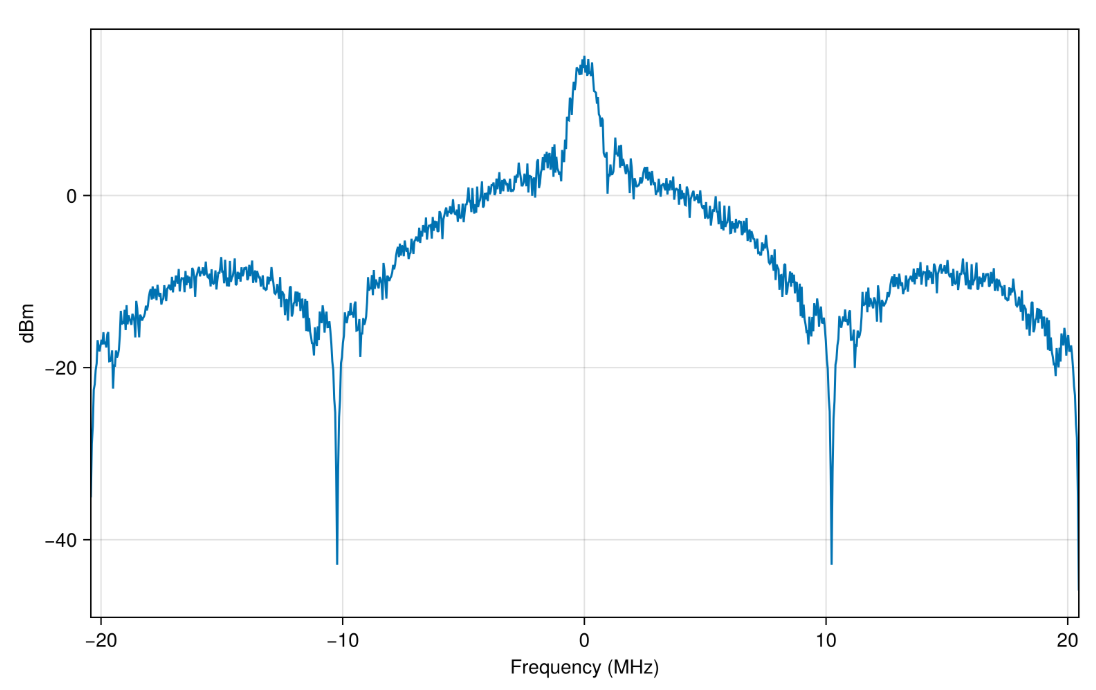
GPS L1C signal generation
Details
Let’s set the PRN indexes and generate random bits of navigation data.
prn = [4 70]
numsat = length(prn)
numbits = 100
msg = rand(0:1, numbits, numsat)
Creating an object EngeeDSP.gpsWaveformGenerator and set its properties.
fs = 25e6
gpswaveobj = gpsWaveformGenerator(
    "SignalType","l1c",
    "PRNID",prn,
    "SampleRate",fs
)
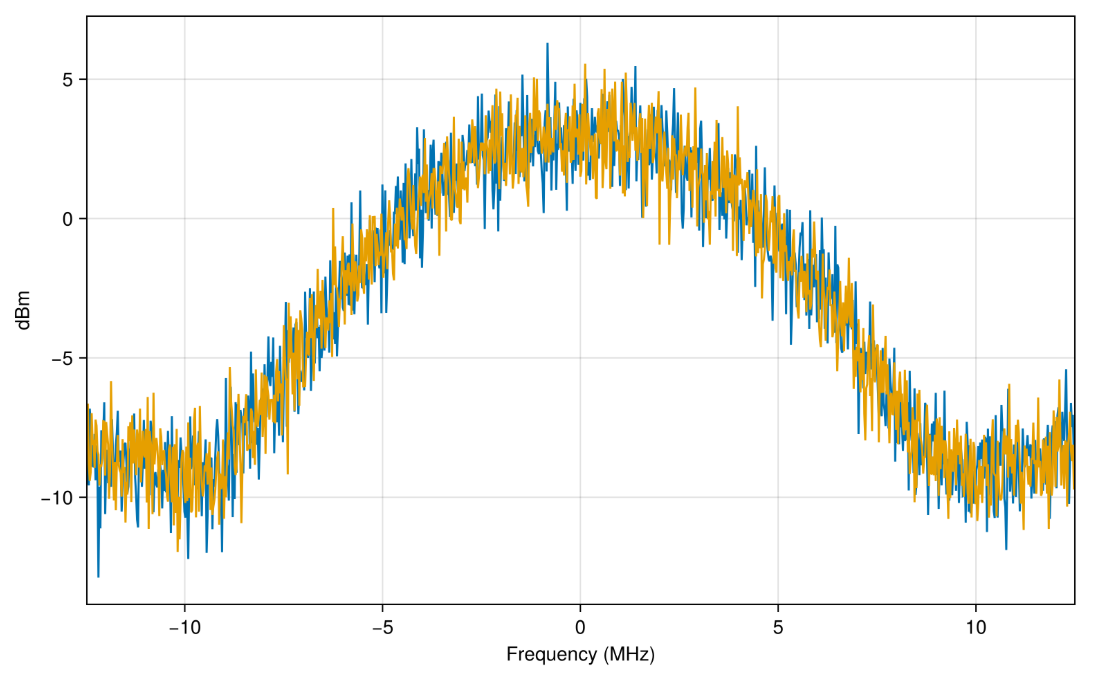
Let’s generate the GPS L1C signal and plot its spectrum.
waveform = gpswaveobj(msg)
txscope = spectrumAnalyzer(SampleRate=fs)
txscope(waveform)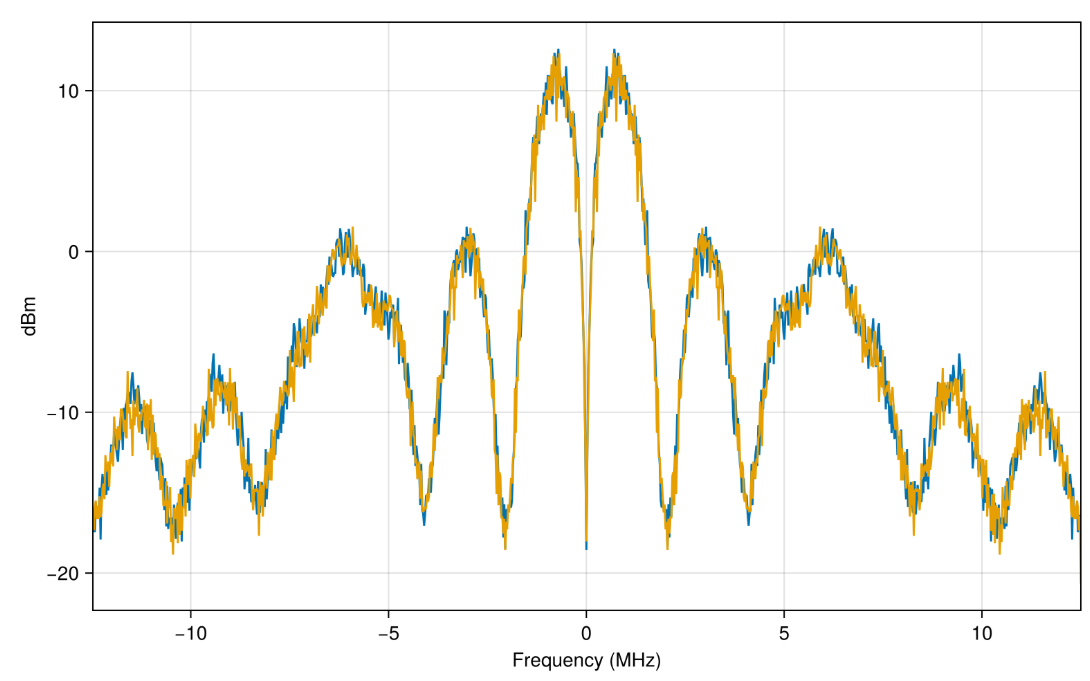
GPS L2C signal generation
Details
We will generate an L2C GPS signal with random LNAV and CNAV data for four GPS satellites.
Let’s set the PRN indexes and generate random LNAV and CNAV data.
prn = [7 11 20 28]
numsat = length(prn)
numbits = 10
lnavdata = rand(0:1, numbits, numsat)
cnavdata = rand(0:1, numbits, numsat)
Creating an object EngeeDSP.gpsWaveformGenerator and set its properties.
gpswaveobj = gpsWaveformGenerator()
gpswaveobj.SignalType = "l2c"
gpswaveobj.PRNID = prn
gpswaveobj.SampleRate = 15e6
gpswaveobj.EnablePCode = true
Let’s generate a GPS L2C signal and plot its spectrum.
waveform = gpswaveobj([lnavdata, cnavdata])
txscope = spectrumAnalyzer()
txscope(waveform)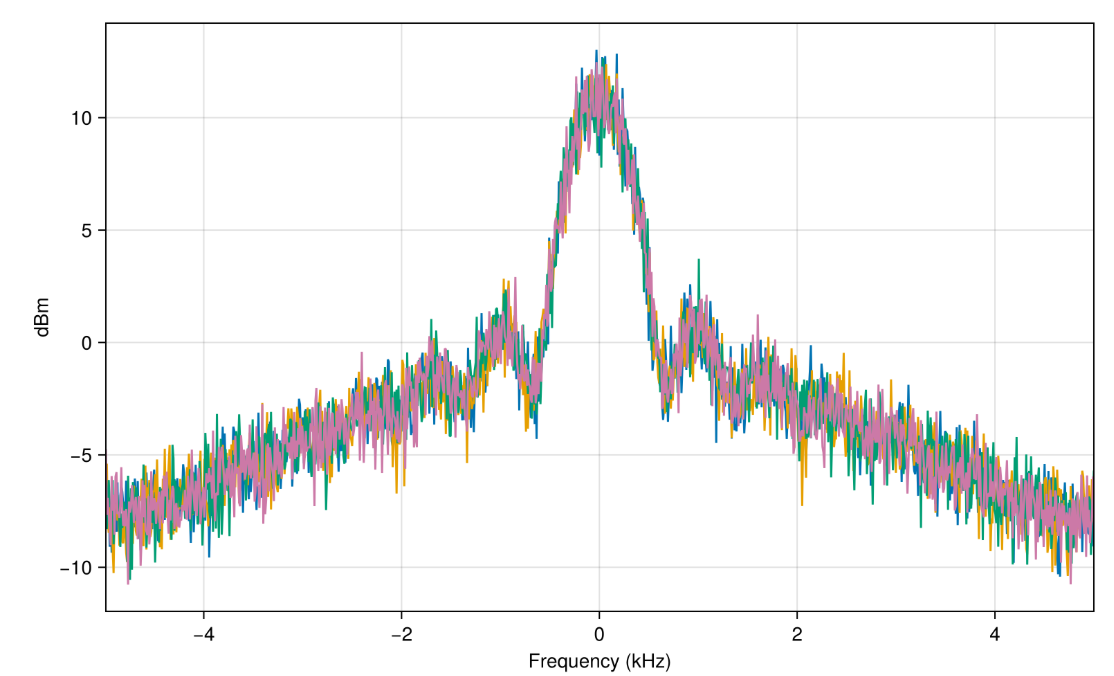
GPS L5 signal generation
Details
Let’s set the PRN indexes and generate random navigation data.
prn = [185, 189]
numsat = length(prn)
numbits = 40
msg = rand(0:1, numbits, numsat)
Creating an object EngeeDSP.gpsWaveformGenerator and set its properties.
fs = 25e6
gpswaveobj = gpsWaveformGenerator(
    "SignalType", "l5",
    "PRNID", prn,
    "InitialTime", 42123,
    "SampleRate", fs
)
Let’s generate a GPS L2C signal and plot its spectrum.
waveform = gpswaveobj(msg)
txscope = spectrumAnalyzer(SampleRate=fs)
txscope(waveform)