EDM-Target-Arduino
Setting up and determining whether a model belongs to a target.
blockType: SubSystem
|
Path in the library: |
Description
| To work with the block, install/update the support package. equipment. |
Block EDM-Target-Arduino It is used to configure and determine whether the model belongs to the target.
The block is necessary to determine which hardware (target) to run the model on. The block only works when the platform is selected Target Hardware:
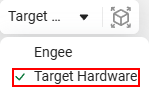
Read more about the Target Hardware platform and how to work with it in the article Running models on target hardware.
The name of the board is specified in the parameter group Full name of the board. The name of the board, which is a unique identifier, has the format VENDOR:ARCHITECTURE:BOARD_ID (for example, arduino:avr:mega).
The general behavior of the client program when working with the card is configured in the Environment parameter group.
Parameters
Основные настройки
Полное имя платы
#
Производитель —
select the manufacturer’s name
STMicroelectronics | arduino | esp8266
Details
Select the manufacturer’s name (VENDOR in the name of the board).
| Values |
|
| Default value |
|
| Program usage name |
|
| Tunable |
No |
| Evaluatable |
Yes |
#
Архитектура —
choose an architecture
avr
Details
Choose an architecture (ARCHITECTURE in the name of the board).
| Values |
|
| Default value |
|
| Program usage name |
|
| Tunable |
No |
| Evaluatable |
Yes |
# Идентификатор платы: — specify the payment ID
Details
Specify the payment ID (BOARD_ID in the name of the board).
| Default value |
|
| Program usage name |
|
| Tunable |
No |
| Evaluatable |
Yes |
Окружение
# Путь к ArduinoCLI: — the path to the Arduino blockchain executable file
Details
There is an automatic toolchain search mode for this parameter: to do this, enter the value in the field auto. In this case, the executable file will be searched in the following order: PATH environment variable, current directory, "C:\Program Files" (Windows), "C:\Program Files (x86)" (Windows). If the file is not found, then you must enter the full path to the file.
|
| Default value |
|
| Program usage name |
|
| Tunable |
No |
| Evaluatable |
Yes |
# COM порт: — the name of the COM port where the Arduino-compatible card is located
Details
There is an automatic port search mode for this parameter: to do this, enter the value in the field auto. In this case, the only available port will be selected, which is determined using the ArduinoCLI toolchain. If the toolchain could not detect the only available port, then it is necessary to enter the name of the COM port through which the interaction with the board will take place.
|
| Default value |
|
| Program usage name |
|
| Tunable |
No |
| Evaluatable |
Yes |
# Директория моделей — the path where the model directories will be stored
Details
Defines the storage directory for the source code of the models relative to the Engee client program.Integration.
| This tab may not be available for all cards. |
| Default value |
|
| Program usage name |
|
| Tunable |
No |
| Evaluatable |
Yes |