Arduino-digitalWrite
Setting the voltage level.
blockType: CFunction
|
Path in the library: |
Description
| To work with the block, install/update the support package. equipment. |
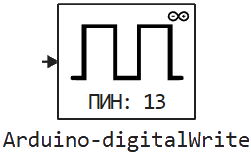
Block Arduino-digitalWrite It is used to set the voltage level.
The block sets high (HIGH — 5 In or 3.3 C) or low (LOW — 0 C) the logical voltage level at the specified pin.
Ports
Input
#
IN_1
—
logical voltage level
scalar
Details
Logical voltage level:
-
0— low (LOW); -
otherwise, it’s HIGH.
| Data types |
|
| Complex numbers support |
No |
Parameters
Main group
# Номер канала — pin number to change
Details
The pin to which the voltage is applied.
| Default value |
|
| Program usage name |
|
| Tunable |
No |
| Evaluatable |
Yes |
# Шаг расчёта: — the period for invoking the block
Details
Specify the interval between the calculation steps as a non-negative number. To inherit the calculation step, set this parameter to −1.
| Default value |
|
| Program usage name |
|
| Tunable |
No |
| Evaluatable |
Yes |