Arduino-servoWrite
Control of the position of the servo shaft.
blockType: CFunction
|
Path in the library: |
Description
| To work with the block, install/update the support package. equipment. |
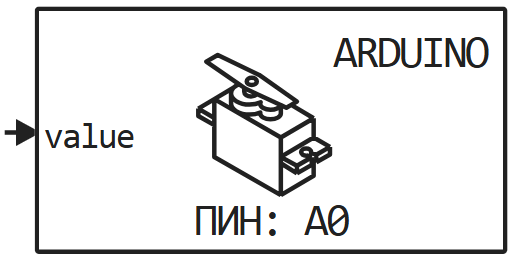
Block Arduino-servoWrite It is used to control the position of the servo shaft.
Ports
Input
#
value
—
angle value or pulse duration
scalar
Details
The angle value. In pulse mode — the pulse duration.
| Data types |
|
| Complex numbers support |
No |
Parameters
Main group
# Номер канала — analog pin
Details
An analog pin connected to the servo signal.
| Default value |
|
| Program usage name |
|
| Tunable |
No |
| Evaluatable |
Yes |
# Импульсный режим — input interpretation mode
Details
A checkbox that defines how to interpret the input signal: as an angle (value from 0 before 180) or as the pulse duration — the values will depend on the servo (by default, the pulse corresponds to the minimum angle 1000 iss, maximum — 2000 iss).
| Default value |
|
| Program usage name |
|
| Tunable |
No |
| Evaluatable |
Yes |
# Шаг расчёта: — the period from which the block will be called
Details
Specify the interval between the calculation steps as a non-negative number. To inherit the calculation step, set this parameter to −1.
| Default value |
|
| Program usage name |
|
| Tunable |
No |
| Evaluatable |
Yes |