Matched Filter
A consistent filter.
blockType: MatchedFilter
|
Path in the library: |
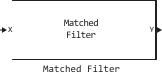
Description
Block Matched Filter implements consistent filtering of the input signal. Matched filtering is a FIR filtering operation with coefficients equal to the time—reversed samples of the transmitted signal. The filter can improve the SNR before detection.
Ports
Entrance
X — input signal
the complex matrix M by N
The input signal is in the form of a complex matrix M by N. Consistent filtering is applied over the first dimension. The input X and the output Y have the same dimensions. The initial transient is removed from the filtered result.
The size of the first dimension of the input matrix can be varied to simulate a changing signal length. A change in size may occur, for example, in the case of a pulse signal with a variable pulse repetition rate.
Data types: Float16, Float32, Float64, Int8, Int16, Int32, Int64, UInt8, UInt16, UInt32, UInt64
Coeff — coefficients of the matched pass filter:q[<br>] a complex column vector of length M
Coefficients of the matched filter in the form of a complex column vector of length M.
Data types: Float16, Float32, Float64, Int8, Int16, Int32, Int64, UInt8, UInt16, UInt32, UInt64
Dependencies
To use this port, set Source of coefficients to Input port.
Output
Y is the output of the matched pass filter:q[<br>] the complex matrix M by N
The output signal of the matched filter, returned as a complex matrix M by N. The dimensions of the output Y are the same as the dimensions of the input X.
Data types: Float16, Float32, Float64, Int8, Int16, Int32, Int64, UInt8, UInt16, UInt32, UInt64
G — gain of the matched pass filter:q[<br>] a valid matrix of size N
The matched filter gain returned as a valid matrix of size N. The gain is calculated for each column X. Units in dB.
Dependencies
To use this port, select the Enable SNR gain output checkbox.
Data types: Float16, Float32, Float64, Int8, Int16, Int32, Int64, UInt8, UInt16, UInt32, UInt64
Parameters
Source of coefficients — the source of coefficients of the matched pass:q filter[<br>] Property (by default) | Input port
Specify whether the coefficients of the matched filter come from the Coefficients parameter or from the input port.
-
Property— the coefficients of the matched filter are set by the Coefficients parameter. -
Input port— the coefficients of the matched filter are set via the input port Coeff.
Coefficients — coefficients of the matched pass filter:q[<br>] [1;1] (default)
Set the coefficients of the matched filter as a column vector. This parameter is used when you set the value Property for the Source of coefficients parameter.
Spectrum window — window for spectral weighting
None (by default) | Hamming | Chebyshev | Hann | Kaiser | Taylor
Specify the window used for spectral weighting using one of the options:
-
None -
Hamming -
Chebyshev -
Hann -
Kaiser -
Taylor
Spectral weighting is often used with linear FM signals to reduce side lobe levels in the time domain. The block calculates the length of the window internally to match the length of the FFT.
Spectrum window range (Hz) — the coverage area of the pass spectrum window:q[<br>] [0, 1e5] (default)
Specify the area of the spectrum in hertz to which the Spectrum window is applied as a 1 by 2 vector in the form [StartFrequency, EndFrequency].
Note that both parameters are StartFrequency and EndFrequency They are measured in the baseband. That is, they are within [−Fs/2,Fs/2], where Fs — the sampling frequency specified in any of the blocks of the signal library. Parameter StartFrequency must be smaller EndFrequency.
Dependencies
This parameter is used when you set the Spectrum window parameter to any value other than None.
Inherit sample rate — inherit the sample rate of
enabled (by default) | turned off
Check the box to inherit the sampling rate from higher-level blocks. Otherwise, set the sampling rate using the Sample rate (Hz) parameter.
Sample rate (Hz) — pass sampling rate:q[<br>] 1e6 (default) | positive scalar
The sampling frequency of the signal in the form of a positive scalar. The units of measurement are Hz.
Ratio Sample rate (Hz) k Pulse repetition frequency (Hz) must be an integer. This restriction is equivalent to requiring that the pulse repetition interval be an integer multiple of the sampling interval.
Dependencies
To use this option, uncheck the Inherit sample rate checkbox.
Data types: Float16, Float32, Float64, Int8, Int16, Int32, Int64, UInt8, UInt16, UInt32, UInt64
Sidelobe attenuation level — attenuation level of the side lobes of the
30 (default)
Set the attenuation level of the side lobes (in dB) of the Chebyshev or Taylor window as a positive scalar value.
Dependencies
This parameter is used when you set the Spectrum window parameter to Chebyshev or Taylor.
Kaiser shape parameter — Kaiser shape parameter
0.5 (default)
Set the parameter that affects the attenuation of the side lobe of the Kaiser window as a non-negative scalar.
Dependencies
This parameter is used when you set the Spectrum window parameter to Kaiser.
Number of constant level sidelobes — the number of almost constant side lobes in the Taylor window
4 (default)
Set the number of almost constant-level side lobes adjacent to the main lobe in the Taylor window as a positive integer.
Dependencies
This parameter is used when you set the Spectrum window parameter to Taylor.
Enable SNR gain output — enable SNR gain output
disabled (by default) | enabled
Select this option to get the SNR gain of the matched filter through the output port G. The output port is used if this option is selected.