Root WSF DOA
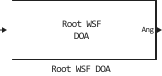
Estimation of the signal arrival direction for ULA spatial weight smoothing (Root WSF).
blockType: RootWSFDOA
|
Path in the library: |
Description
Block Root WSF DOA evaluates the direction of arrival of a certain number of narrowband signals incident on a uniform linear array (ULA) using the root weighted subspace selection algorithm (Root WSF).
Ports
Entrance
X — input signal
a complex matrix of size M by N
The input signal is set as on a complex matrix, where — this is the number of samples in the signals. Columns of the matrix they correspond to different signals.
Data types: Float32, Float64
Support for complex numbers: Yes
Output
Ang — angles determining the directions of arrival of signals in the transverse direction of radiation
a real vector is a string of length P
The angles determining the directions of arrival of the signals (DOA) in the transverse direction of the radiation , returned as a vector of length with real values. The units of measurement are degrees.
Data types: Float64
Parameters
Main
Signal propagation speed — signal propagation speed, m/s
3e8 (default) | positive scalar
The propagation velocity of the signal in the form of a real positive scalar. The default value is the speed of light.: 3e8 m/s.
The units of measurement are m/s.
Operating frequency (Hz) — carrier frequency of the pass sy\$
\$ 3e8 (default) | positive scalar
The carrier frequency of the system, set as a positive scalar. The units of measurement are Hz.
Number of signals — number of pass signals:q[<br>] 1 (default) | positive integer scalar
The number of signals in the form of a positive integer scalar.
Iterative method — iterative method
IMODE (default) | IQML
Specify the iterative method IMODE or IQML.
Maximum number of iterations — maximum number of iterations of
Inf (default) | positive integer scalar
Specify the maximum number of iterations as a positive integer or Inf.
Sensor Array
Specify sensor array as — method for setting the antenna array element
Array (no subarrays) (default)
The method of setting the antenna array element.
Element
Element type — types of elements of the antenna array
Isotropic Antenna (default) | Cardioid Antenna | Cosine Antenna | Custom Antenna | Gaussian Antenna | Sinc Antenna | Omni Microphone | Custom Microphone
The type of antenna array element.
Available values:
-
Isotropic Antenna -
Cardioid Antenna -
Cosine Antenna -
Custom Antenna -
Gaussian Antenna -
Sinc Antenna -
Omni Microphone -
Custom Microphone
Operating frequency range (Hz) — operating frequency range of the antenna array element
[0 1e20] (default) | A real vector is a 1 by 2 row
The range of operating frequencies of the antenna array element in the form of a vector row 1 by 2 in the form of [LowerBound,UpperBound]. Outside of this frequency range, the element has no response. The units of frequency measurement are Hz.
Dependencies
To use this parameter, set the Element type parameter to Isotropic Antenna, Cosine Antenna or Omni Microphone.
Baffle the back of the element — accounting for radiation from the radiation pattern into the rear hemisphere of the element Isotropic Antenna or Omni Microphone
disabled (by default) | enabled
Select this option to exclude radiation into the rear hemisphere. The response from the rear hemisphere at all azimuth angles outside the ±90° range from the wide side is set to zero. The wide-angle direction is defined as the azimuth angle of 0° and the elevation angle of 0°.
Dependencies
To use this parameter, set the Element type parameter to Isotropic Antenna or Omni Microphone.
Null axis direction — the direction of the axis along the zero radiation
-x (default) | +x | +y | -y | +z | -z
The direction of the axis is along the zero radiation.
Dependencies
To use this parameter, set the Element type parameter to Cardioid Antenna.
Exponent of cosine pattern — exponent exponent when defining the shape of a cosine radiation pattern
[1.5, 1.5] (default) | a non-negative scalar | a real matrix of non-negative values of 1 by 2
The exponent of the exponent of the cosine model in the form of a non-negative scalar or a 1 by 2 real matrix of non-negative values. If the Exponent of cosine pattern is a 1 by 2 vector, then the first element is the exponent in the direction of the azimuth, and the second is in the direction of the angle of the place. With a scalar value of this parameter, the cosines in the azimuthal and elevation directions are raised to one power.
Dependencies
To use this parameter, set the Element type parameter to Cosine Antenna.
Operating frequency vector (Hz) — array of operating frequencies of the antenna array element
[0,1e20] (default) | A real vector is a string
The array of operating frequencies of the antenna array element is set as a vector row 1 on increasing actual values. The element has no response beyond the frequency range specified by the minimum and maximum elements of this vector. The units of frequency measurement are Hz.
Dependencies
To use this parameter, set the Element type parameter to Custom Antenna or Custom Microphone. To set the responses at these frequencies, use the Frequency responses (dB) parameter.
Frequency responses (dB) — frequency responses of the elements of the antenna array
[0,0] (default)| A real vector is a string
The frequency response of the user elements of the antenna array is determined by the parameter Operating frequency vector (Hz). The dimensions of the Frequency responses (dB) vector must match the dimensions of the vector specified by the Operating frequency vector (Hz) parameter.
Dependencies
To use this parameter, set the Element type parameter to Custom Antenna or Custom Microphone.
Input Pattern Coordinate System — selection of the coordinate system of the radiation pattern of the user antenna
az-el (default) | phi-theta
The choice of the coordinate system of the radiation pattern of the user antenna is indicated az-el or phi-theta. When choosing az-el The Azimuth angles (deg) and Elevation angles (deg) parameters are used to set the coordinates of the directional pattern points. When specifying a parameter phi-theta The Phi angle (deg) and Theta angles (deg) parameters are used to set the coordinates of the part points.
Dependencies
To use this parameter, set the Element type parameter to Custom Antenna.
Azimuth angles (deg) — values of azimuth angles of the radiation pattern of the antenna
[-180:180] (default) | A real vector is a string
The value of the azimuth angles, which will be used to calculate the radiation pattern of the antenna in the form of a vector row 1 on P. P must be greater than 2. The azimuth angles should be in the range of −180° up to 180° inclusive and arranged in strictly ascending order.
Dependencies
To use this parameter, set the Element type parameter to Custom Antenna, and for the parameter Input Pattern Coordinate System — az-el.
Elevation angles (deg) — values of the angles of the radiation pattern of the antenna
[-90:90] (default) | A real vector is a string
The values of the angles of the location at which it is necessary to calculate the radiation pattern in the form of a vector 1 on . it must be more than 2. The units of measurement of angles are degrees. The values of the angles of the place should be in the range of −90° to 90° inclusive and arranged in strictly ascending order.
Dependencies
To use this parameter, set the Element type parameter to Custom Antenna, and for the Input Pattern Coordinate System parameter — az-el.
Phi Angles (deg) — the value of the angles Phi radiation patterns of the pass antenna:q[<br>] [0:360] (default) | the real vector is row 1 on P
The value of angles Phi the points where the antenna radiation pattern is set. They are defined as a real vector-row 1 on . it must be more than 2. The units of measurement of angles are degrees. The value of angles Phi They should be in the range from 0° to 360° and arranged in strictly ascending order.
Dependencies
To use this parameter, set the Element type parameter to Custom Antenna, and for the parameter Input Pattern Coordinate System — phi-theta.
Theta Angles (deg) — the value of the angles Theta radiation patterns of the pass antenna:q[<br>] [0:180] (default) | the real vector is row 1 on Q
The value of angles Theta the points where the antenna radiation pattern is set. They are defined as a real vector-row 1 on . it must be more than 2. The units of measurement of angles are degrees. The value of angles Theta They should be in the range from 0° to 180° and arranged in strictly ascending order.
Dependencies
To use this parameter, set the Element type parameter to Custom Antenna, and for the parameter Input Pattern Coordinate System — phi-theta.
Magnitude pattern (dB) is the magnitude of the antenna radiation pattern
zeros(181,361) (default) | the real matrix Q on P | a real array of Q by P by L
The value of the radiation pattern of the combined antenna, set as a matrix on or an array on on .
-
If the Input Pattern Coordinate System parameter is set to
az-el, then Q is equal to the length of the vector specified by the Elevation angles (deg) parameter, and P is the length of the vector specified by the Azimuth angles (deg) parameter. -
If the Input Pattern Coordinate System parameter is set to
phi-thetaThen is equal to the length of the vector specified by the Theta Angles (deg) parameter, and — the length of the vector specified by the Phi Angles (deg) parameter.
Value is equal to the value of the Operating frequency vector (Hz) parameter.
-
If the value of this parameter is a matrix on , then the same scheme is applied for all frequencies specified in the parameter Operating frequency vector (Hz).
-
If the parameter is an array on on , then each page on The array defines a template for the corresponding frequency specified in the parameter Operating frequency vector (Hz).
Dependencies
To use this parameter, set the Element type parameter to Custom Antenna.
Phase pattern (deg) is the phase of the radiation pattern of the user antenna
zeros(181,361) (default) | the real matrix Q on P | a real array of Q by P by L
The phase of the radiation pattern of the combined antenna, set as a matrix on or an array on on .
-
If the Input Pattern Coordinate System parameter is set to
az-elThen is equal to the length of the vector specified by the Elevation angles (deg) parameter, and — the length of the vector specified by the Azimuth angles (deg) parameter. -
If the Input Pattern Coordinate System parameter is set to
phi-thetaThen is equal to the length of the vector specified by the Theta Angles (deg) parameter, and — the length of the vector specified by the Phi Angles (deg) parameter.
Value is equal to the value of the Operating frequency vector (Hz) parameter.
-
If the value of this parameter is a matrix on , then the same scheme is applied for all frequencies specified in the parameter Operating frequency vector (Hz).
-
If the parameter is an array on on , then each page on The array defines a template for the corresponding frequency specified in the parameter Operating frequency vector (Hz).
Dependencies
To use this parameter, set the Element type parameter to Custom Antenna.
Align element normal with array normal — align the normal of the antenna array element relative to the grid normal
enabled (by default) | turned off
If the parameter value is enabled, then the radiation pattern of the antenna element is rotated to align with the normal of the array. If turned off, then the drawing of the element does not rotate.
If the antenna is used in an antenna array and the parameter Input Pattern Coordinate System is set to az-el If this flag is selected, the radiation pattern rotates so that the x-axis of the element’s coordinate system points along the normal of the array. If there is no selection, the element template is used without rotation.
If the antenna is used in an antenna array and the parameter Input Pattern Coordinate System is set to phi-theta If this flag is selected, the radiation pattern rotates so that the z axis of the element’s coordinate system points along the normal of the array.
Use this parameter together with the Array Normal parameter of the URA and UCA arrays.
Dependencies
To use this parameter, set the Element type parameter to Custom Antenna.
Radiation pattern beamwidth (deg) — the beam width of the antenna pattern
[10, 10] (default) | the real scalar | A real vector is a 1 by 2 row
The beam width of the antenna pattern in degrees.
Dependencies
To use this parameter, set the Element type parameter to Gaussian Antenna.
Polar pattern frequencies (Hz) — frequency values for the polar radiation pattern of the microphone
1e3 (default) | the real scalar | the real vector is row 1 on L
The frequency values for the polar radiation pattern are set as a real scalar or a real vector-row 1 on . The frequencies are in the range specified by the parameter Operating frequency vector (Hz).
Dependencies
To use this parameter, set the Element type parameter to Custom Microphone.
Polar pattern angles (deg) — angle values for the polar radiation pattern of the microphone
[-180:180] (default) | the real vector is row 1 on P
The angle values for the polar radiation pattern of the microphone are set as a vector 1 on . The angles are measured from the central axis of the microphone and should be in the range of −180° to 180° inclusive.
Dependencies
To use this parameter, set the Element type parameter to Custom Microphone.
Polar pattern (dB) — polar directional pattern of the microphone
zeros(1,361) (default) | the real vector is row 1 on L
Set the value of the polar radiation pattern of the user microphone as a real vector-row 1 on , where — the number of frequencies specified in the parameter Polar pattern frequencies (Hz). The string represents the value of the polar radiation pattern measured at the corresponding frequency specified in the Polar pattern frequencies (Hz). The radiation pattern is measured in the azimuthal plane. In the azimuthal plane, the elevation angle is 0°, and the central axis is 0° in azimuth and 0° in elevation. The polar radiation pattern is symmetrical around the central axis. Based on the polar diagram, it is possible to construct a microphone directional pattern in three-dimensional space.
Dependencies
To use this parameter, set the Element type parameter to Custom Microphone.
ULA Parameters
Number of elements — the number of elements of the pass array:q[<br>] 2 (default) | an integer greater than or equal to 2
The number of array elements for ULA arrays, set as an integer greater than or equal to 2.
Element spacing (m) — the distance between the elements of the antenna array
0.5 (default) | positive scalar
The distance between adjacent elements of the antenna array is set as a positive scalar. Dimension in meters.
Array axis — direction of the linear axis ULA
y (default) | x | z
The direction of the ULA linear axis, defined as y, x or z. All elements of the ULA array are evenly distributed along this axis in the local coordinate system of the array.
Dependencies
To enable this parameter, set the Geometry parameter to ULA. This option is also enabled when the block supports only ULA arrays.
Taper — complex weighting coefficients for amplitude weighing
1 (default) | the complex scalar | A complex vector is a row of 1 by N | The complex column vector is N by 1
Complex weighting coefficients for antenna array elements, given as a complex scalar, a complex string vector on or a complex column vector on , where It represents the number of antenna array elements. Weighting factors are applied to each antenna element of the antenna array and change the amplitude and phase of the received data.
-
If Taper is a scalar, the same coefficient value is applied to all elements of the antenna array.
-
If Taper is a vector, its own coefficient value is applied to each element of the antenna array.