What’s new in 0.6.0
Mathematical Computing environment
Lots of small improvements in working with files and texts
-
Added the ability to save the state using Ctrl+S combination not only in interactive scripts, but also when editing text files and functions.
-
Improved code highlighting in complex designs. Now the editor will not get confused and will always highlight functions even in complex scenarios.
-
Fixed vertical scrolling — the slider now does not turn into a dot when viewing very long files.
-
For .md files, the view only, edit only, and edit with view modes have been added.
Improved and optimized the logic of Ctrl+C/Ctrl+V in the command line
Expanded the number of keyboard shortcuts for working with the command line. The following new combinations are now available:
-
Copying:
-
Ctrl+Shift+C
-
Ctrl+C
-
Cmd+C
-
-
Insert:
-
Ctrl+Shift+V
-
Ctrl+V
-
Cmd+V
-
| If the text is not highlighted, the current command is interrupted by pressing Ctrl+C. Copy/paste commands have also become available through the standard browser context menu. |
New terminal improvements
-
We have improved the stability of the Ctrl+V command in different browsers for inserting commands into the command prompt.
-
We have made automatic adjustments to the terminal content, it adjusts to the size of the window.
-
Fixed incorrect output of multidimensional arrays as a result of the method
get_results.
Improvements in data visualization and graphs
-
Changed the behavior of double-clicking on the graph with smart zoom. Now it allows you to quickly return to the original scale of the graph if you have zoomed it in or selected a specific range for data analysis.
-
Eliminated zeroing of the simulation progress bar when changing the type or position of the chart.
The modeling environment
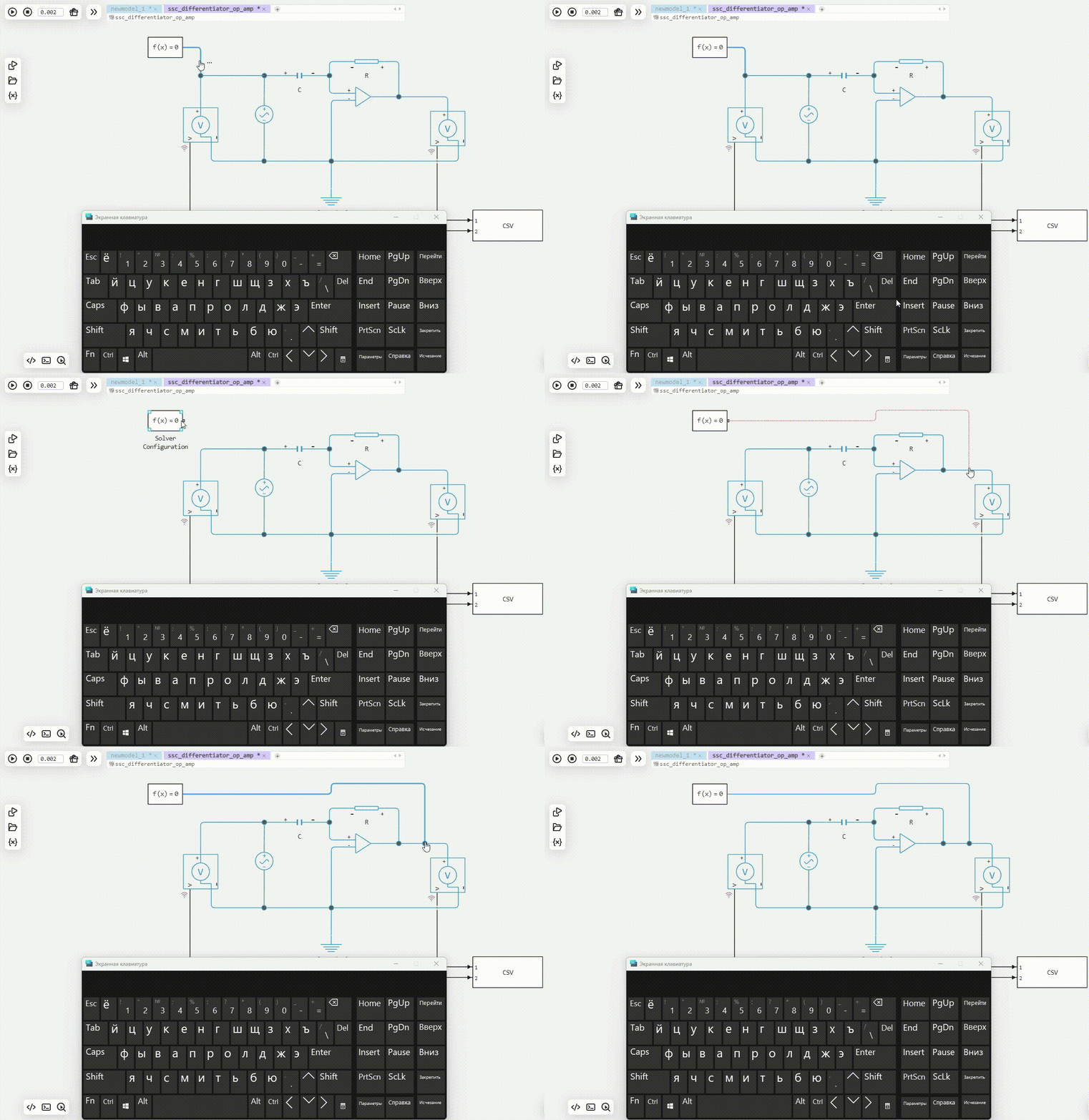
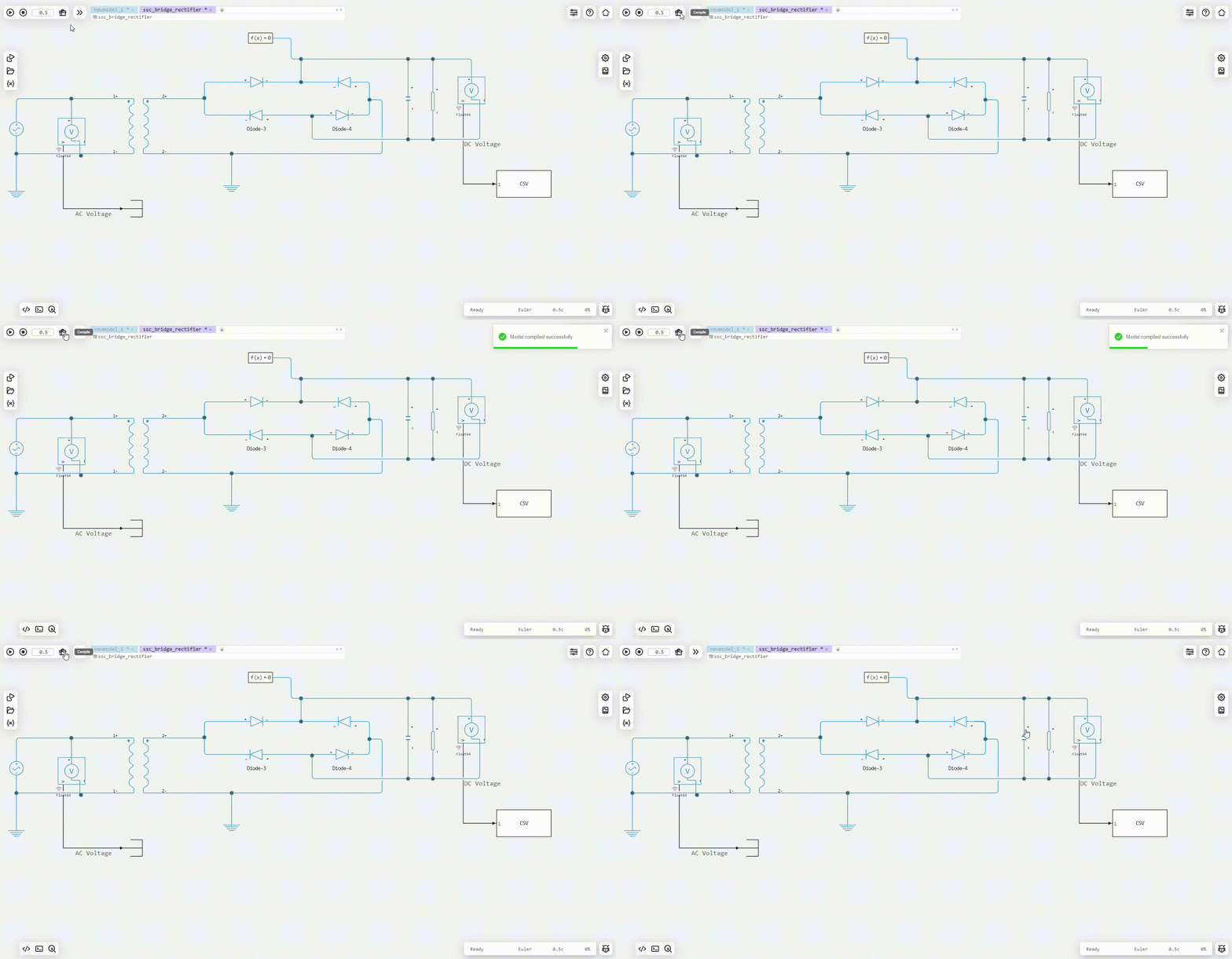
Improved the appearance of lines and their behavior when working with blocks of physical modeling
We have made the physical modeling more beautiful and understandable:
-
Rounded corners and connection points of blocks and lines appeared.
-
The lines are now attached exactly in the center of the connectors.
-
And the best part is that you can partially delete segments of physical networks, and then connect blocks to other parts of the network without redrawing all the connections.
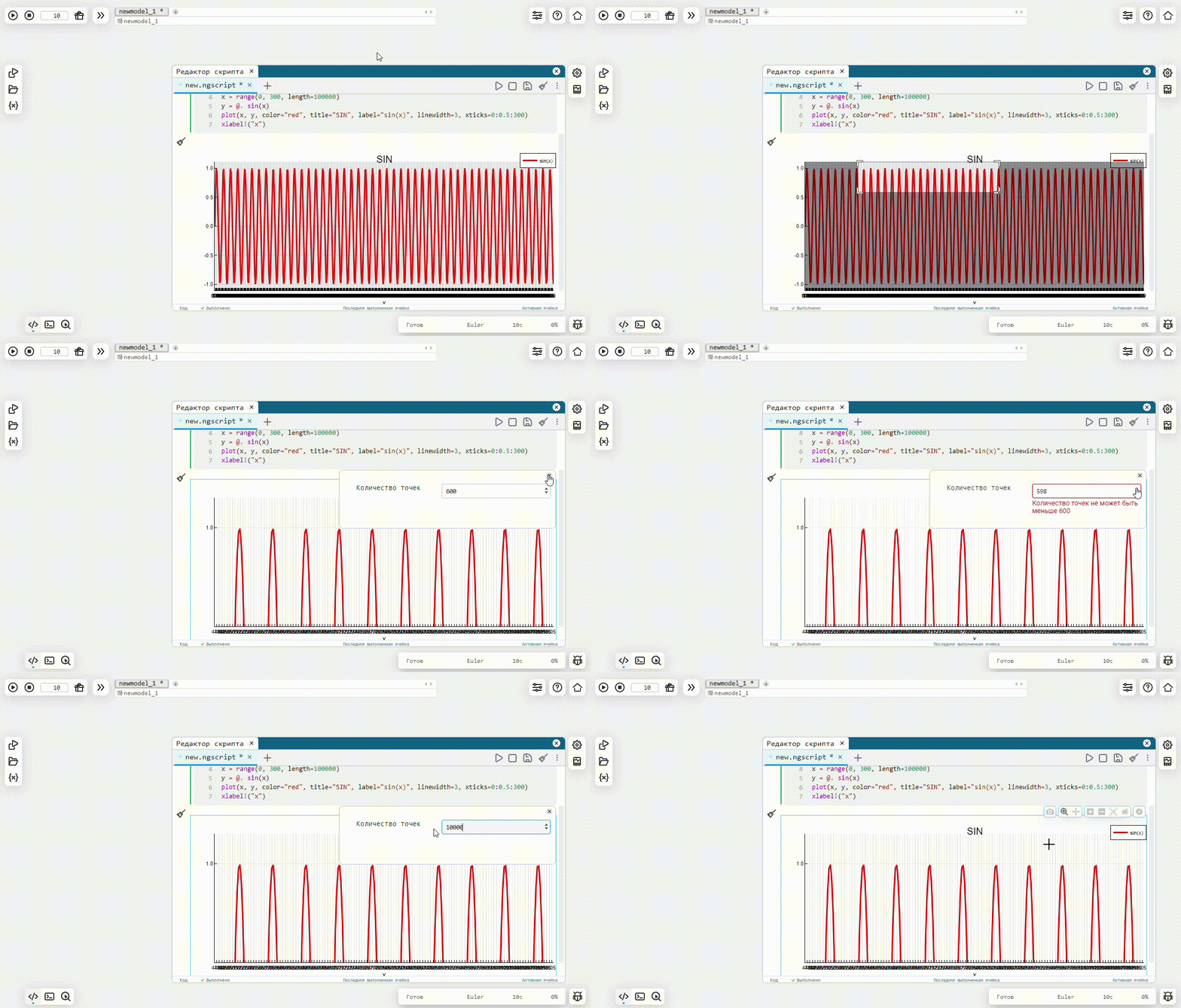
Smart zoom in simulation
Gigabytes of model data will no longer disrupt the stable operation of the graph module in the browser. In the new version Engee only the amount of data that can be displayed correctly by the browser is visualized. Zoom in on the graph if more detail is needed. We also taught the smart zoom how to work with vectorized data.
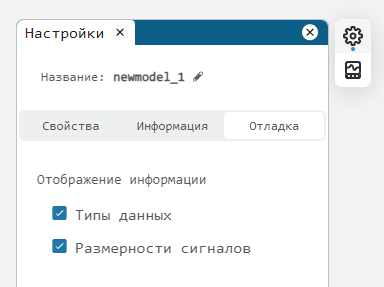
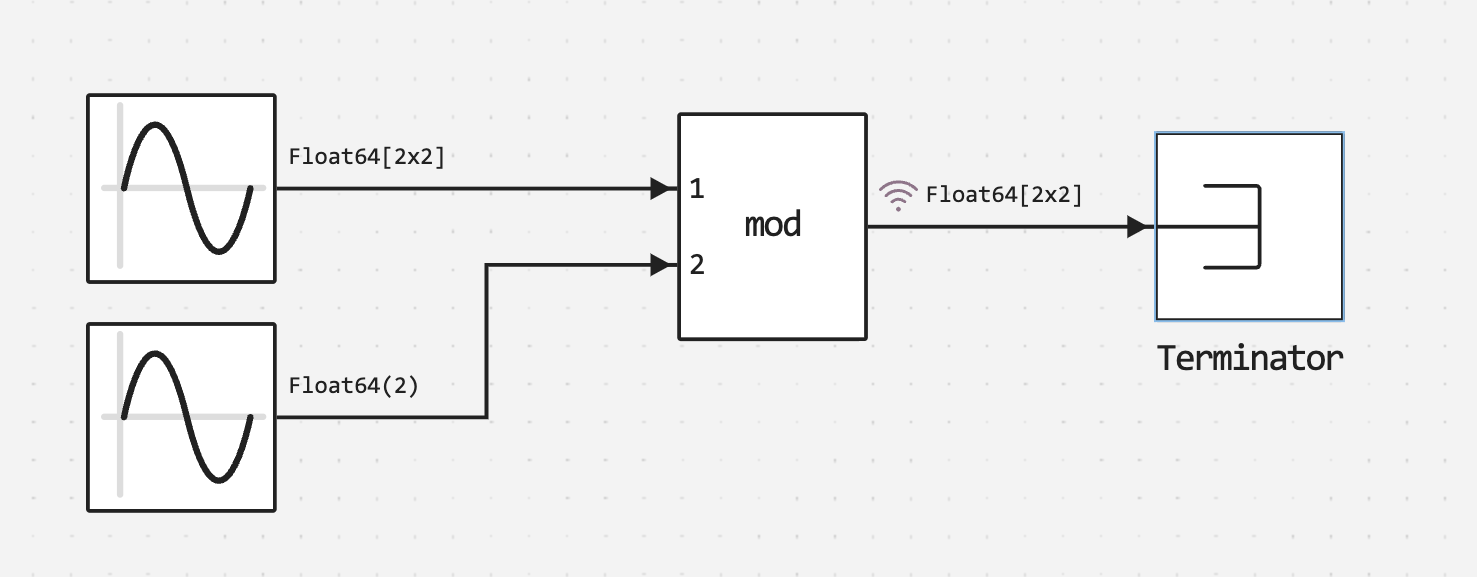
Output of data types and dimensions on signals
Now, in the model settings, you can enable the display of data types and/or the dimension of signals on the lines. This is necessary to simplify visual debugging, and is especially important for models from which you need to get C code for embedding on embedded platforms.
Code generation
Added support for C code generation for the following blocks:
Services Engee ID and Personal Account
The Documentation has added the ability to highlight text and suggest improvements or corrections.
Now you can influence the documentation of our product yourself and offer your text formulation directly to technical writers, thereby helping all users and making the environment better. We have added a special button that allows you to send us your suggestions for improvement as quickly and easily as possible.
| Clean the page by pressing Ctrl+Shift+R before using it. |
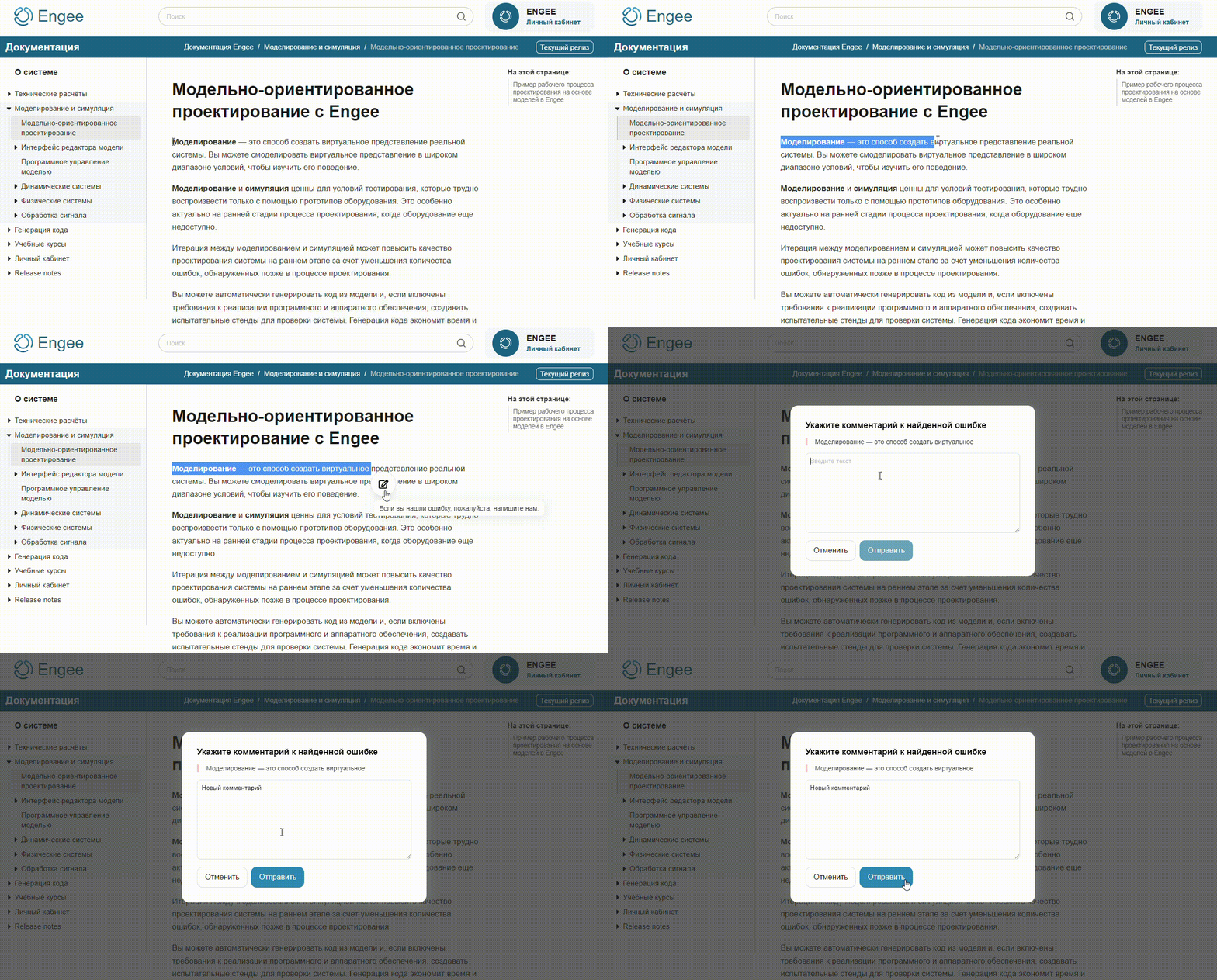
All edits and suggestions come directly to those who translate the documentation into the ones used in Engee programming languages and technical writers. No edit will go out of sight! We hope that you will not have to use this feature often, but if you are a perfectionist, then we are waiting for your suggestions.
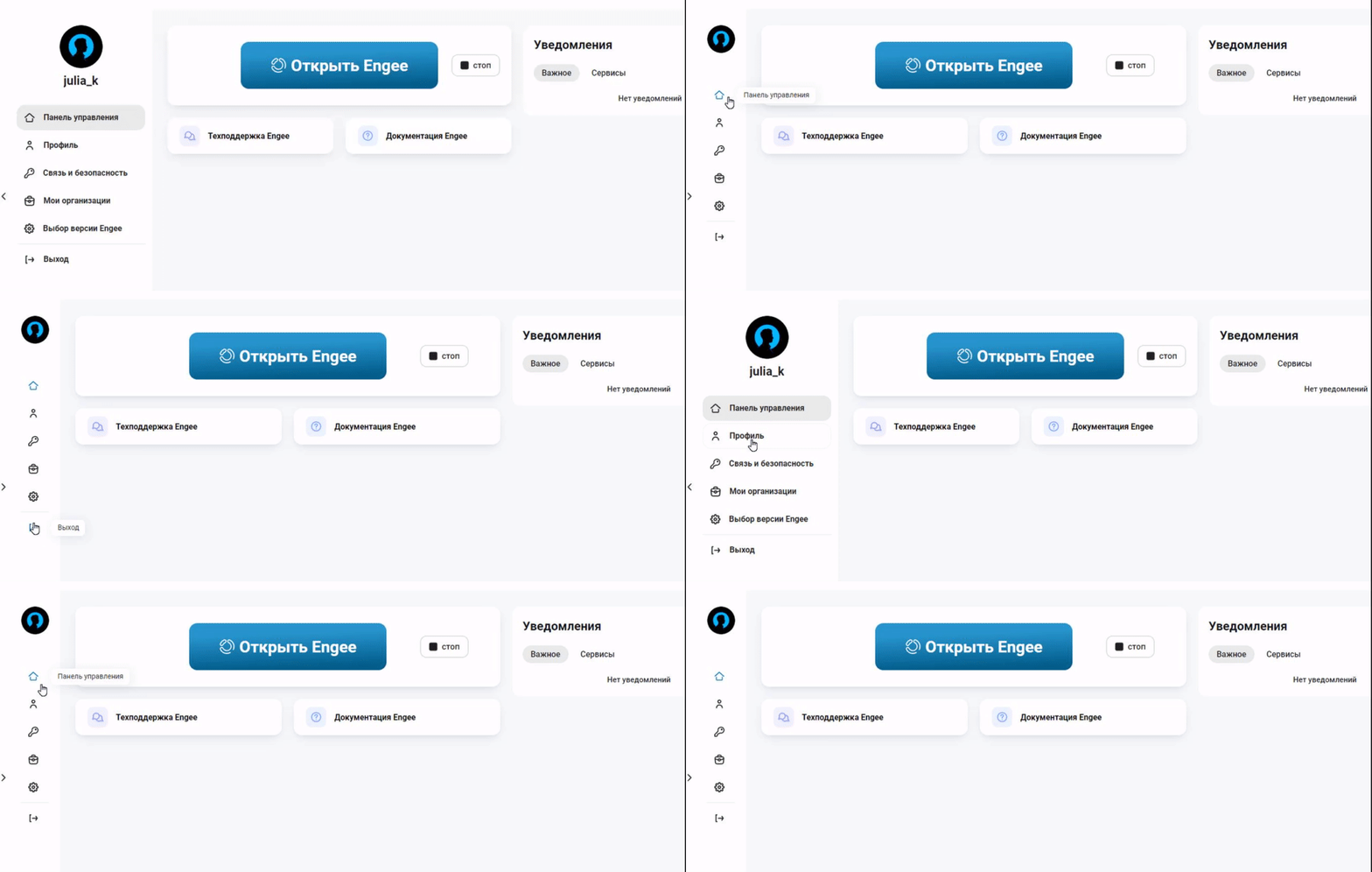
It is now possible to get more space by hiding the menu
If the side menu in your personal account is bothering you for some reason, you can now easily hide it.
A lot of small improvements in your personal account
-
Added hints for interface elements that don’t fit on the screen.
-
Julia code highlighting has been implemented in the Documentation.
-
A special ribbon has been added for notifications about technical support and other services.
-
Improved launch status indication Engee.
-
Dozens of other small design improvements for your convenience.
Register and log in to GitLab via Engee ID
We are continuing to work on Git integration and Engee. Now the entrance to git.engee.com will only be available by Engee ID. Other login methods will be disabled.
Error correction
-
Fixed the borderline case of the block Demux in the transformations of the Park, Clark.
-
Improved display of support tickets.