Artery USART RX
Receiving data via USART.
blockType: CFunction
|
Path in the library: |
Description
| To work with the block, install/update the support package. equipment. |
Block Artery USART RX used for receiving data via USART.
Configuring the AT32 Workbench
-
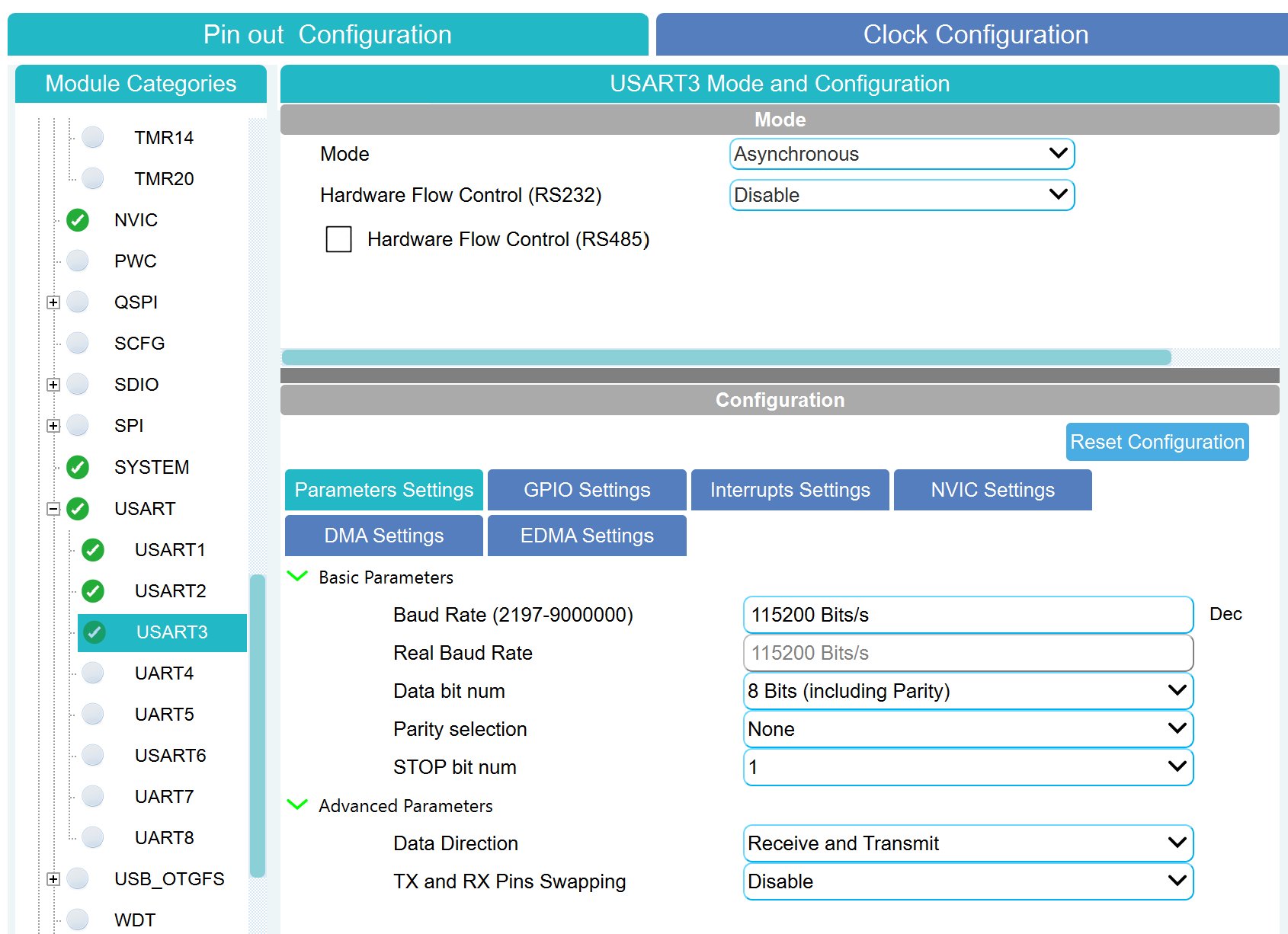
In AT32 Workbench enable the desired USART/UART module:
-
Configure the parameters in the same way as in the block Artery USART TX (Baud Rate, 8N1).
-
If necessary, reception with DMA:
-
Go to the DMA tab, click Add;
-
Add a DMA Request —
USARTx_RX; -
Set Mode to
Circular, Priority —High.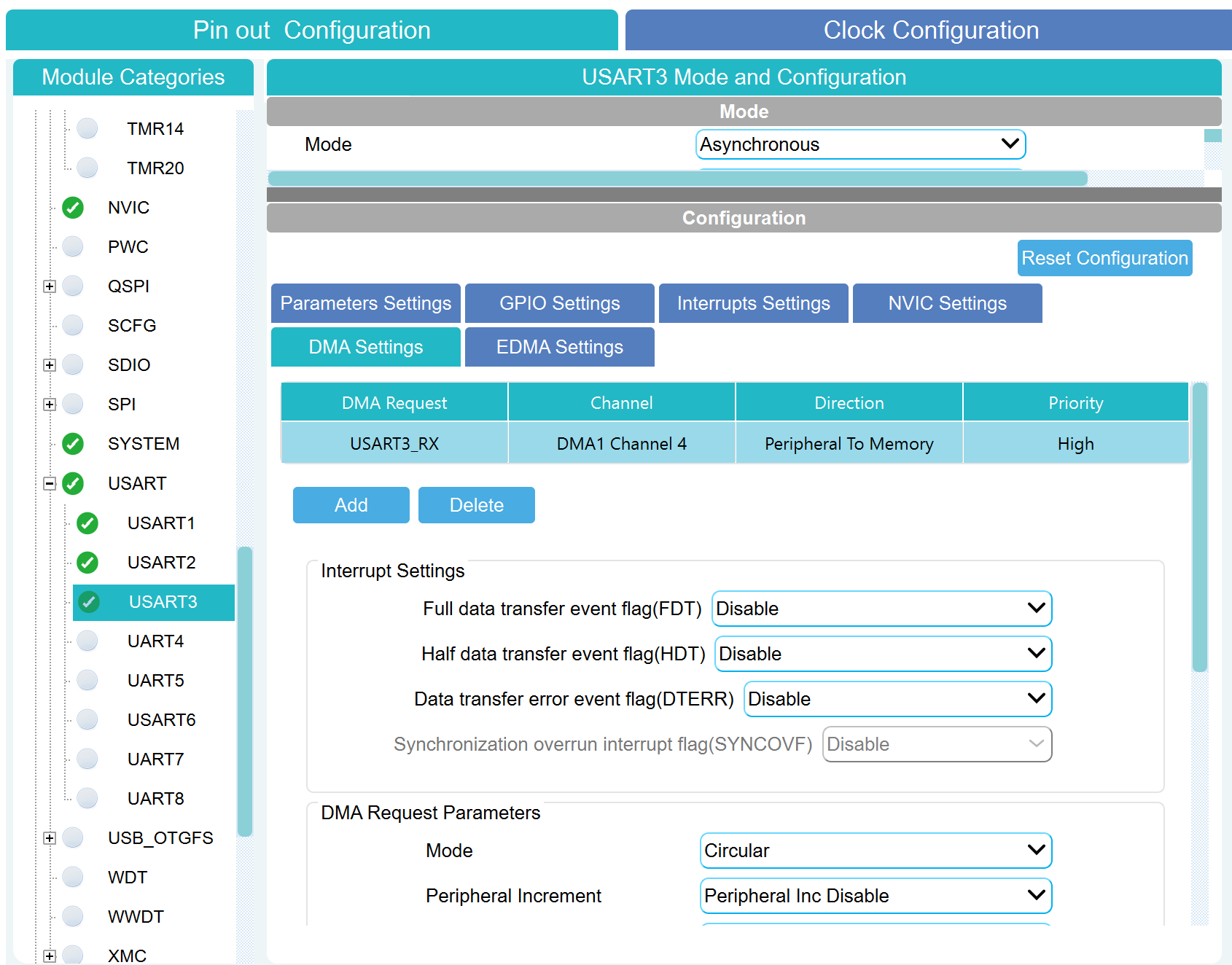
-
-
Generate the project (Generate Code).
Ports
Output
#
Data
—
accepted data
scalar | vector
Details
The vector of bytes received. The dimension is determined by the parameter Размер буфера на приём:.
| Data types |
|
| Complex numbers support |
No |
Parameters
Main group
#
Модуль: —
USART/UART module number
1 | 2 | 3 | 4 | 5 | 6 | 7 | 8
Details
| Values |
|
| Default value |
|
| Program usage name |
|
| Tunable |
No |
| Evaluatable |
Yes |
# Размер буфера на приём: — receive buffer size in bytes
Details
| Default value |
|
| Program usage name |
|
| Tunable |
No |
| Evaluatable |
Yes |
# Таймаут на приём, мс: — reception timeout in milliseconds
Details
| Default value |
|
| Program usage name |
|
| Tunable |
No |
| Evaluatable |
Yes |