Artery USART TX
Data transfer via USART.
blockType: CFunction
|
Path in the library: |
Description
| To work with the block, install/update the support package. equipment. |
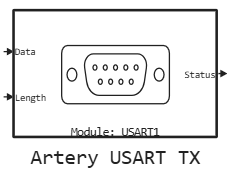
Block Artery USART TX used for data transfer via USART. Transmission of both scalar and vector data is supported.
Ports
Input
#
Data
—
data to transfer
scalar | vector
Details
A vector of bytes to transfer. The dimension is determined by the parameter Размер буфера на передачу:.
| Data types |
|
| Complex numbers support |
No |
#
Length
—
number of bytes to transfer
scalar
Details
| Data types |
|
| Complex numbers support |
No |
Output
#
Status
—
transfer status
scalar
Details
Transfer status:
-
0— transfer is successful (HAL_OK); -
1— transmission error.
| Data types |
|
| Complex numbers support |
No |
Parameters
Main group
#
Модуль: —
USART/UART module number
1 | 2 | 3 | 4 | 5 | 6 | 7 | 8
Details
| USART1–USART3 and USART6 are fully functional USART. UART4, UART5, UART7, UART8 are simplified UARTs (TX/RX only, without synchronous mode). |
| Values |
|
| Default value |
|
| Program usage name |
|
| Tunable |
No |
| Evaluatable |
Yes |
# Размер буфера на передачу: — transfer buffer size in bytes
Details
| Default value |
|
| Program usage name |
|
| Tunable |
No |
| Evaluatable |
Yes |
# Таймаут на передачу, мс: — transmission timeout in milliseconds
Details
| Default value |
|
| Program usage name |
|
| Tunable |
No |
| Evaluatable |
Yes |