File analysis of digital substation
File analysis of digital substation  — this app Engee, designed for visual analysis of configuration files of digital substations according to the IEC 61850 standard (formats: .icd, .cid, .iid, .scd, .xml, .ssd, .sed).
To open the app, go to application window Engee  and select «File analysis of digital substation ». The application works in a separate browser tab and by default looks like this:

Terms and abbreviations
General terms
| Reduction | Decoding | Description |
|---|---|---|
IED |
Intelligent Electronic Device |
Intelligent electronic device |
LD |
Logical device |
Logical device |
LN |
Logical node |
The logical node |
LLNO |
Logical node zero |
The zero logical node. A mandatory logical node in each LD. |
GOOSE |
Generic Object Oriented Substation Event |
A protocol designed to exchange event signals at a substation in digital form |
SV |
Sampled Values |
A protocol designed to transfer digitized values of analog signals such as current and voltage |
cbName |
Control Block Name |
The name of the control unit that sends GOOSE/SV messages |
DO |
Data Object |
The data object |
DA |
Data Attribute |
The data attribute |
termines of the network parameters of the table «Control unit parameters»
| Parameter | Meaning | Affiliation |
|---|---|---|
Control block reference |
The full name of the GOOSE control unit, in the format: IED + LD/LLN0$GO$Name. Defines a unique path to the control unit. |
GOOSE |
Destination MAC-Address |
The destination MAC address used to send messages in a multicast group. |
GOOSE/SV |
Application ID |
The application identifier (APPID), which defines the logical relationship between the sender and the recipient. |
GOOSE/SV |
GOOSE ID |
The GOOSE ID (goID). It is often used as the logical name of a publication. |
GOOSE |
noASDU |
The number of ASDUs (Application Service Data Unit) in one APDU (Application Protocol Data Unit), that is, the number of sets of reports transmitted in one SV package. |
SV |
MsvID |
Identifier of the measured value stream |
SV |
smpSynch |
A parameter that defines the time synchronization of reports (sampling synchronization) in the SV stream. |
SV |
SmpRate |
The sampling frequency (in Hertz) with which the measuring device generates reports and generates an SV stream |
SV |
DataSet reference |
A reference to the set of data transmitted by the selected control unit. |
GOOSE |
VLAN ID |
ID of the virtual local area network (VLAN) over which messages are being transmitted. |
GOOSE/SV |
VLAN priority |
Message priority when processed by the VLAN switch |
GOOSE/SV |
Configuration revision |
The version of the block configuration. It is used to control changes in the message structure. |
GOOSE/SV |
MinTime |
The minimum time interval (in seconds) after which the message is retransmitted. |
GOOSE |
MaxTime |
The maximum time interval (in seconds) after which the message is retransmitted. |
GOOSE |
numDatSetEntries |
The number of elements in the DataSet associated with the selected control unit. |
GOOSE |
Working with the app
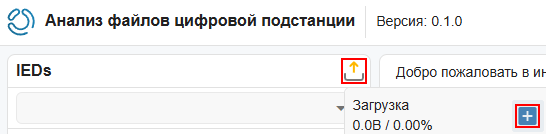
To work with the application, you need to import a supported file format (.icd, .cid, .iid, .scd, .xml, .ssd, .sed) using the button  Upload a file:
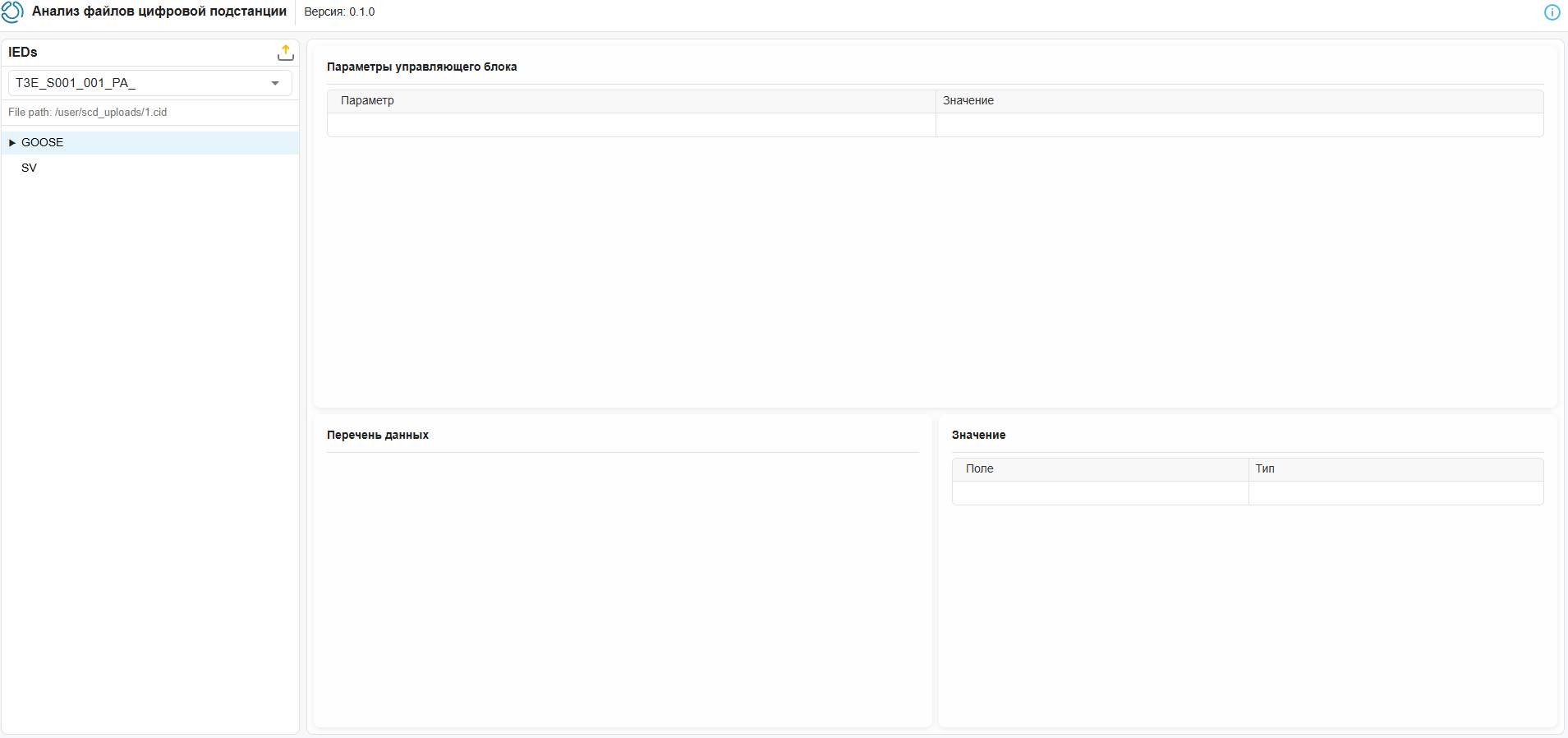
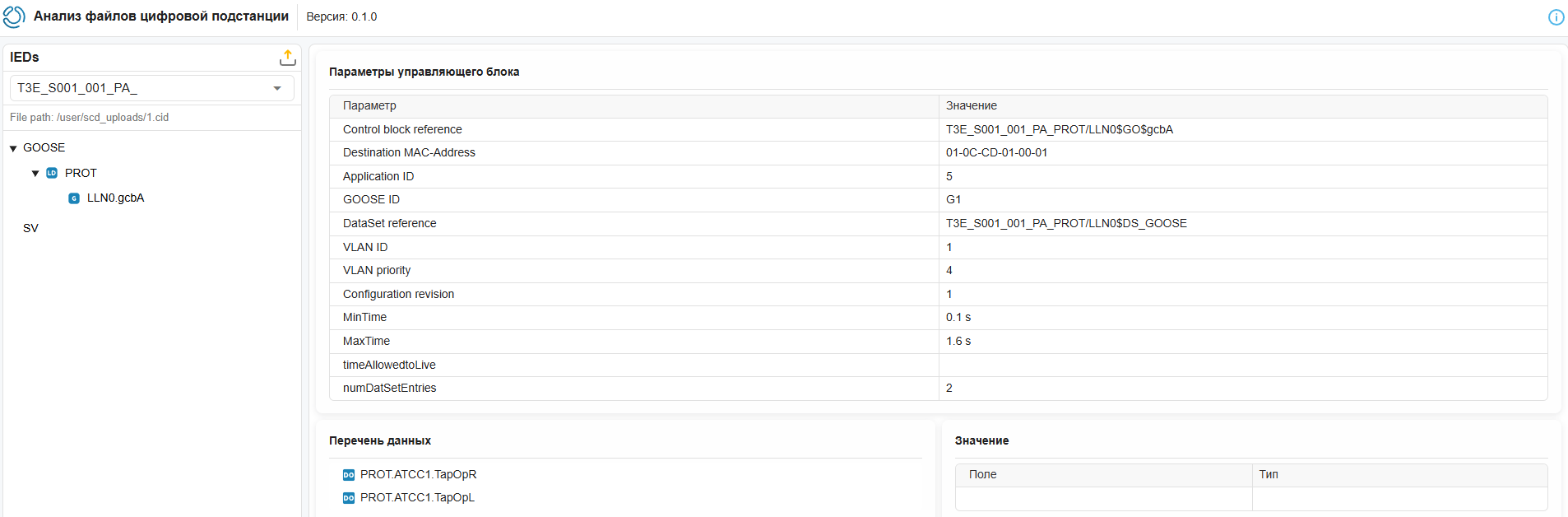
After successful file download, the application interface will automatically change.:
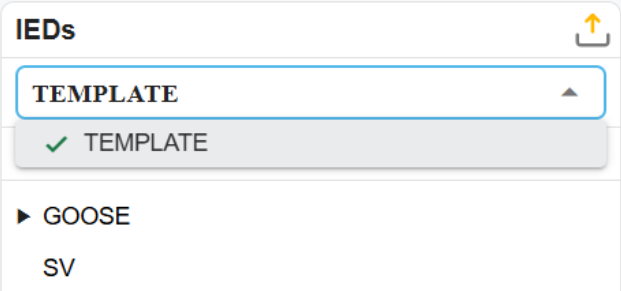
Next, select the desired device (IED) from the drop-down list:
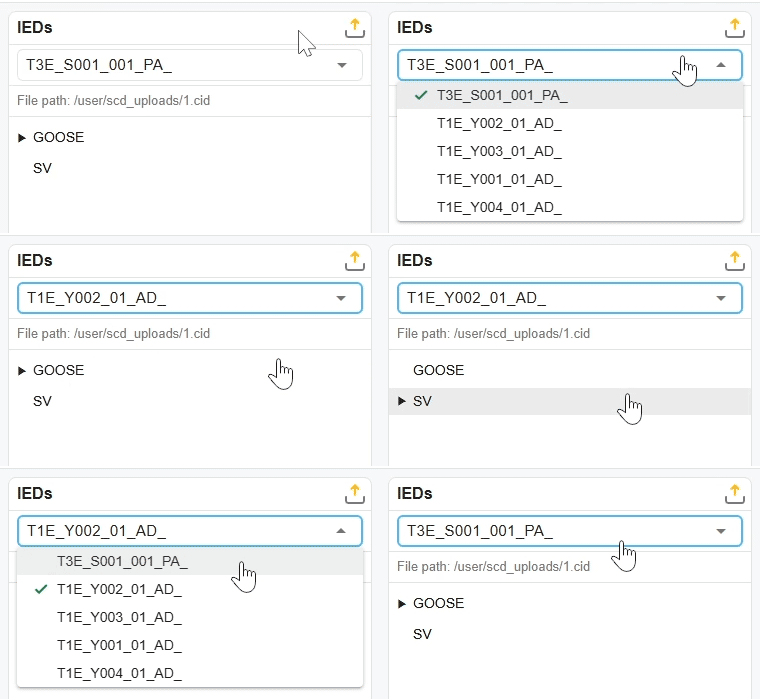
This will update GOOSE and SV messages corresponding to the selected IED.
GOOSE and SV message trees
Two trees are displayed in the left panel of the application.:
-
GOOSE messages
-
SV messages
Each tree is built according to the following three-level hierarchy:
[GOOSE] / [SV]
└── LD
└── LLN0.cbName-
The first level of the hierarchy shows which type of messages the selected device has (GOOSE or SV);
-
At the second level of the hierarchy, logical devices (LD) that generate messages are represented;
-
At the third level of the hierarchy, the logical node zero (LLN0) and the name of the control unit (cbName) of the message are represented.
Working with tables
When a control unit is selected, its parameters are displayed in the table «Control unit parameters», and the data objects are in the tree «List of data».
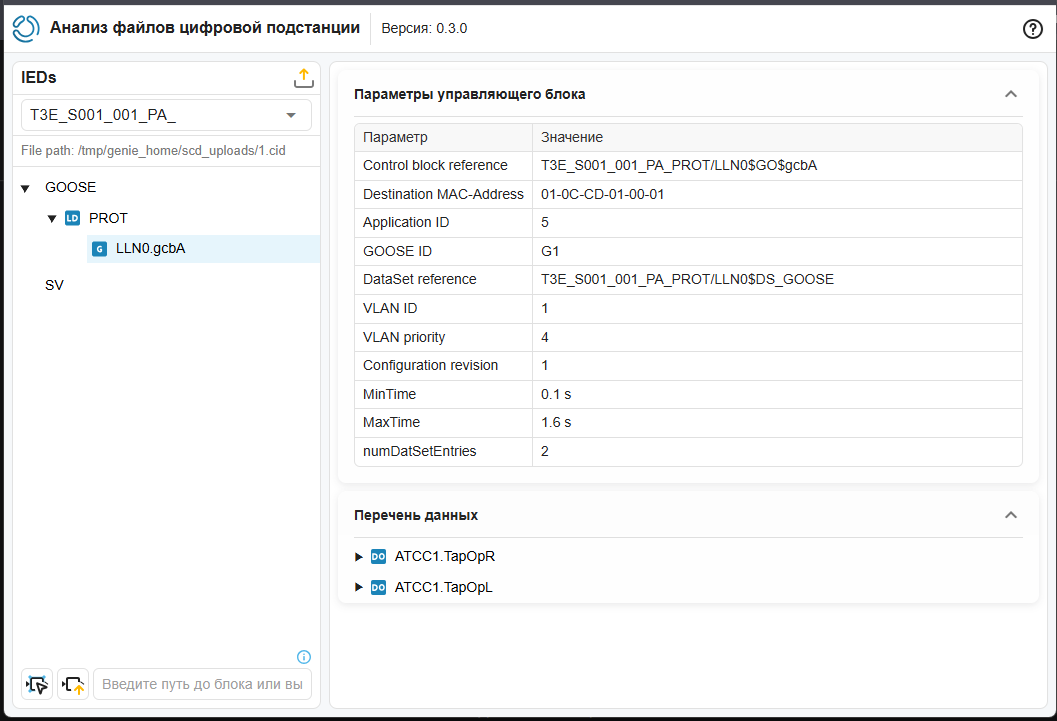
Tree «List of data» displays the contents of the DataSet transmitted as part of the selected GOOSE or SV message. When you hover the cursor over a tree node, additional information about this object/attribute pops up.:
-
the path of the current element in the IEC61850 information model;
-
element type; for DA, the base type is displayed in accordance with Table A2 of IEC61850-8-1, and for the DO element, the common data class is displayed.

Sending data to the block
To transfer the parameters of the control unit, select it by clicking on the LMB in the GOOSE message tree on the left. Then specify the path to the recipient block in the input field using one of the following methods:
-
On the canvas Engee select the desired block with the left mouse button, then click Select Block in the application
 . The path will be set automatically.
 -
Enter the path manually. You can view it in the block settings on the Information tab (the Path in the Model parameter).
When the control block is selected in the application window and the path to the block is entered Engee, then you can pass the parameters to the block Engee by clicking the button to send parameters to the block  :
:
The parameters are passed to the block according to the following logic:
The application field |
The block field |
Comment |
|---|---|---|
Control block reference |
gocbRef |
- |
Destination MAC-Address |
Destination MAC address |
- |
Application ID |
APPID |
- |
GOOSE ID |
goID |
- |
DataSet reference |
datSet |
- |
VLAN ID |
Enable VLAN |
If the VLAN ID is defined, it is set to true. |
VLAN ID |
VLAN ID (VID) |
- |
VLAN priority |
VLAN priority |
- |
Configuration revision |
confRev |
Transmitted to the confRev port by adding a block Constant with the parameter value |
MinTime |
Retransmission times after events, s |
In accordance with the Corporate Profile of IEC 61850 PJSC «FGC UES» Clause 9.2.2. The first interval with the minTime value, each subsequent interval is 2 times longer. |
MaxTime |
Retransmission time in stable conditions, s |
- |
- |
Retransmission counts |
In accordance with the Corporate Profile of IEC 61850 PJSC «FGC UES» Clause 9.2.2. The value is always passed: |
MsvID |
svID |
- |
smpSynch |
smpSynch |
It is transmitted to the confRev port by adding a block Constant with the parameter value |
An example of how the application works
After downloading the file, all the IEDs described in the file are displayed in the drop-down list (in this case, only TEMPLATE), the file path is specified, and GOOSE and SV message trees are formed. If the SV does not have a marker to disclose, it means that such messages are missing from the selected IED.
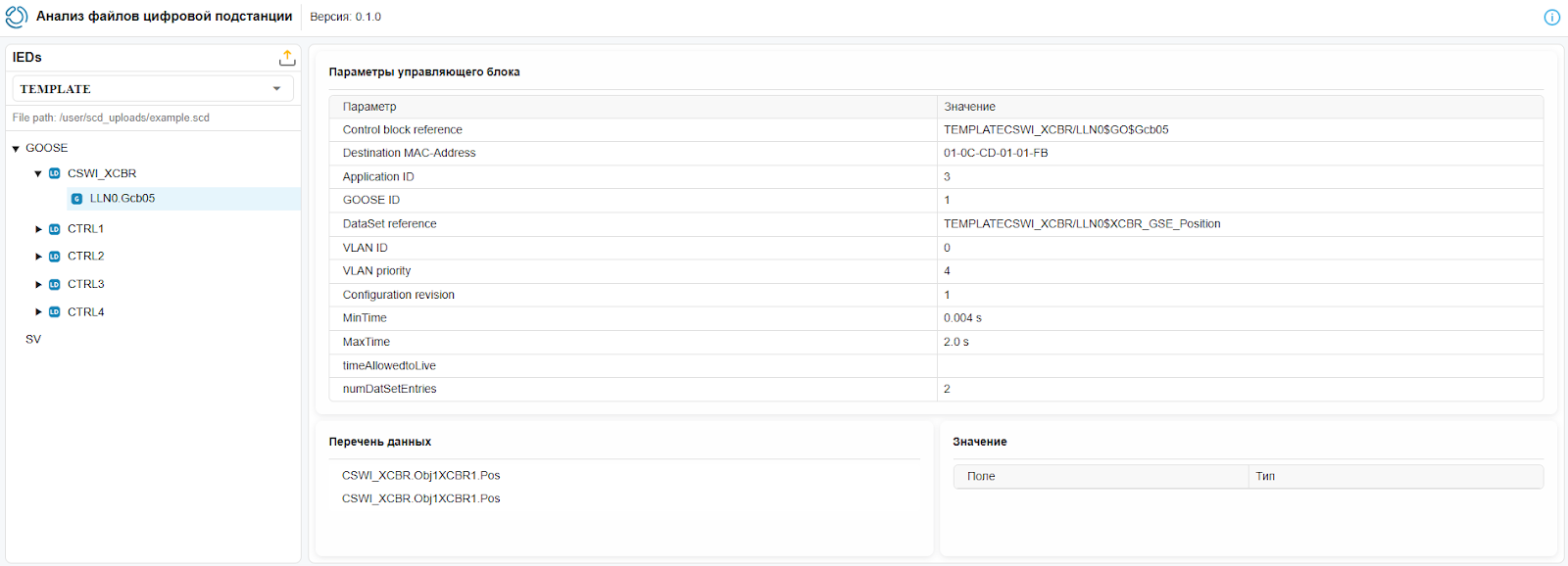
Next, go to the GOOSE protocol, expand ( ) the first logical device and select its GOOSE message. After that, the GOOSE parameters of the message with the name "Gcb05" are displayed:
The GOOSE message tree is formed based on the section <Communication> the file:
<Communication>
<SubNetwork name="net1">
  <ConnectedAP iedName="TEMPLATE" apName="P1">
    <Address>
    </Address>
    <GSE ldInst="CTRL1" cbName="Gcb01">
    </GSE>
    <GSE ldInst="CSWI_XCBR" cbName="Gcb05">
    </GSE>
    <GSE ldInst="CTRL2" cbName="Gcb02">
    </GSE>
    <GSE ldInst="CTRL3" cbName="Gcb03">
    </GSE>
    <GSE ldInst="CTRL4" cbName="Gcb04">
    </GSE>
    </ConnectedAP>
  </SubNetwork>
</Communication>-
Opening the line
<GSE ldInst="CSWI_XCBR" cbName="Gcb05">let’s find some of the parameters displayed in the table «Control unit parameters»:<GSE ldInst="CSWI_XCBR" cbName="Gcb05"> <Address> <P xsi:type="tP_VLAN-ID" type="VLAN-ID">000</P> <P xsi:type="tP_VLAN-PRIORITY" type="VLAN-PRIORITY">4</P> <P xsi:type="tP_MAC-Address" type="MAC-Address">01-0C-CD-01-01-FB</P> <P xsi:type="tP_APPID" type="APPID">0003</P> </Address> <MinTime unit="s" multiplier="m">4</MinTime> <MaxTime unit="s" multiplier="m">2000</MaxTime> </GSE> -
The remaining device parameters are derived from the section of the file that describes the "CSWI_XCBR" node:
<IED name="TEMPLATE" <LDevice inst="CSWI_XCBR" desc="GTNET XCBR CTRL">... </LDevice> </IED> -
«List of data» it is formed from the data set referenced by the control block of this GOOSE message, the address of this data set is displayed in «DataSet reference».
<LDevice inst="CSWI_XCBR" desc="GTNET XCBR CTRL">
  <LN0 lnType="GTNET/LLN0" lnClass="LLN0" inst="">
    <DataSet name="XCBR_GSE_Position">
        <FCDA prefix="Obj1" ldInst="CSWI_XCBR" lnClass="XCBR" lnInst="1" doName="Pos" daName="q" fc="ST"/>
        <FCDA prefix="Obj1" ldInst="CSWI_XCBR" lnClass="XCBR" lnInst="1" doName="Pos" daName="stVal" fc="ST"/>
    </DataSet>
  <LN0/>
<LDevice/>