轮廓,轮廓
|
该页面正在翻译中。 |
#
<无翻译>*麦琪轮廓,轮廓*-Function
contourf(xs, ys, zs; kwargs...)绘制高度信息的填充轮廓 zs 在水平网格位置 x 和垂直网格位置 ys.
绘图类型
绘图类型别名 轮廓,轮廓 功能是 轮廓,轮廓.
using CairoMakie
using DelimitedFiles


volcano = readdlm(Makie.assetpath("volcano.csv"), ',', Float64)

f = Figure()
Axis(f[1, 1])

co = contourf!(volcano, levels = 10)

Colorbar(f[1, 2], co)

f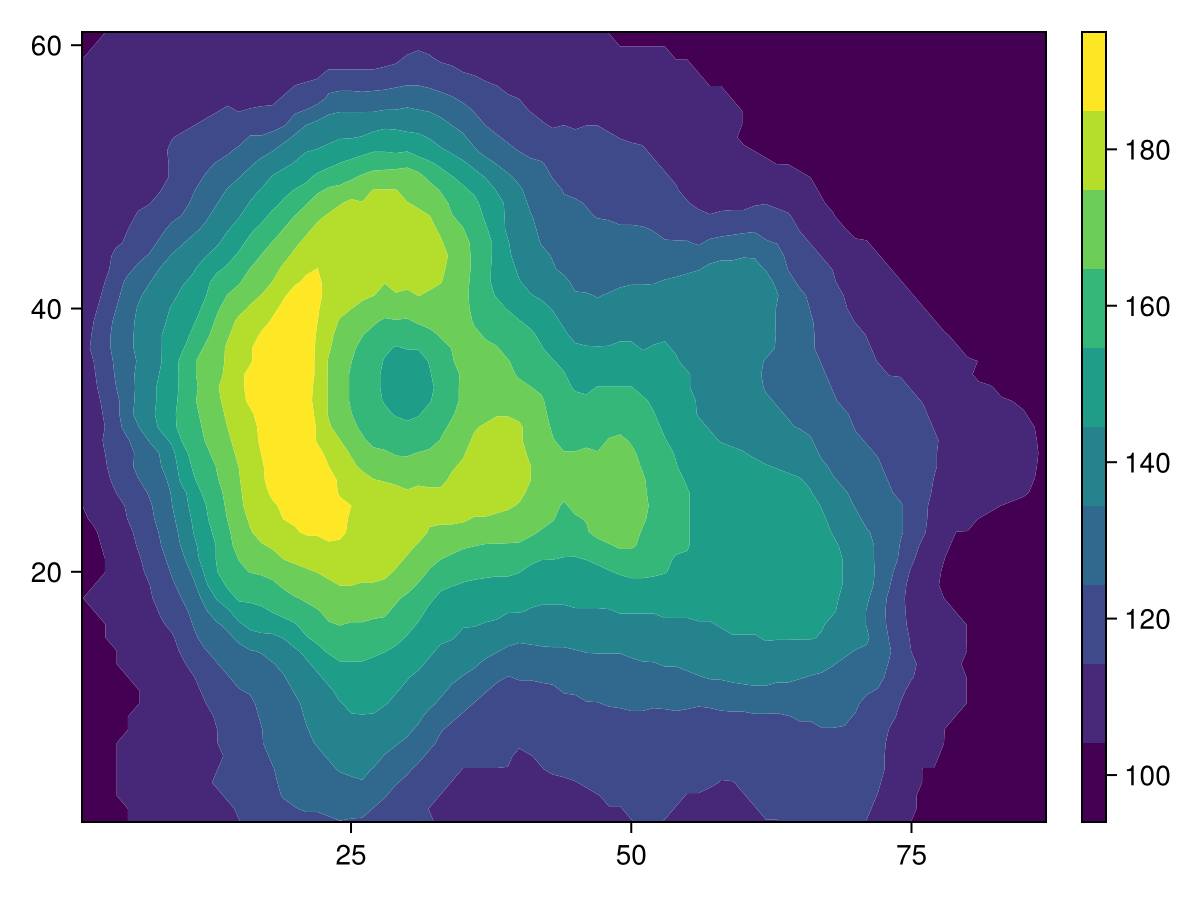
using CairoMakie
using DelimitedFiles


volcano = readdlm(Makie.assetpath("volcano.csv"), ',', Float64)

f = Figure()
ax = Axis(f[1, 1])

co = contourf!(volcano,
    levels = range(100, 180, length = 10),
    extendlow = :cyan, extendhigh = :magenta)

tightlimits!(ax)

Colorbar(f[1, 2], co)

f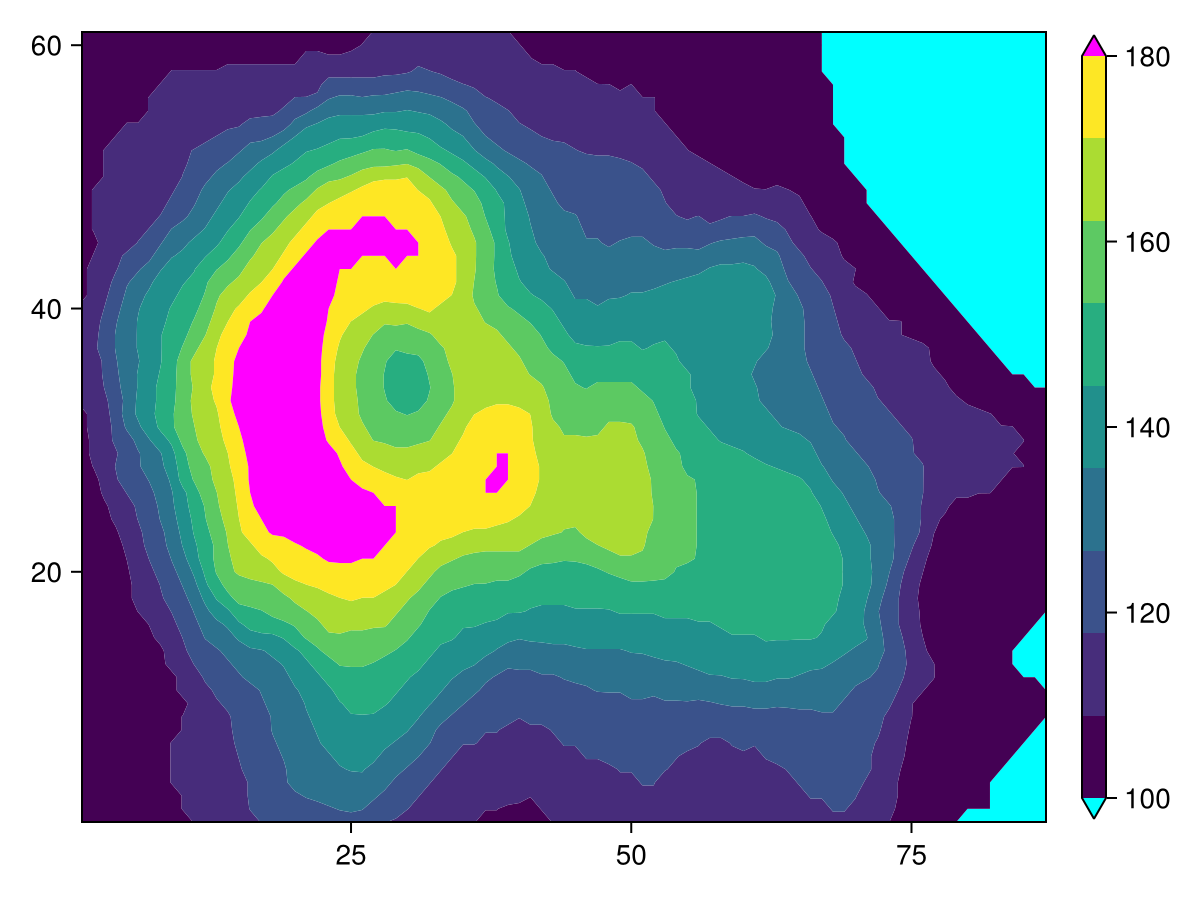
using CairoMakie
using DelimitedFiles


volcano = readdlm(Makie.assetpath("volcano.csv"), ',', Float64)

f = Figure()
ax = Axis(f[1, 1])

co = contourf!(volcano,
    levels = range(100, 180, length = 10),
    extendlow = :auto, extendhigh = :auto)

tightlimits!(ax)

Colorbar(f[1, 2], co)

f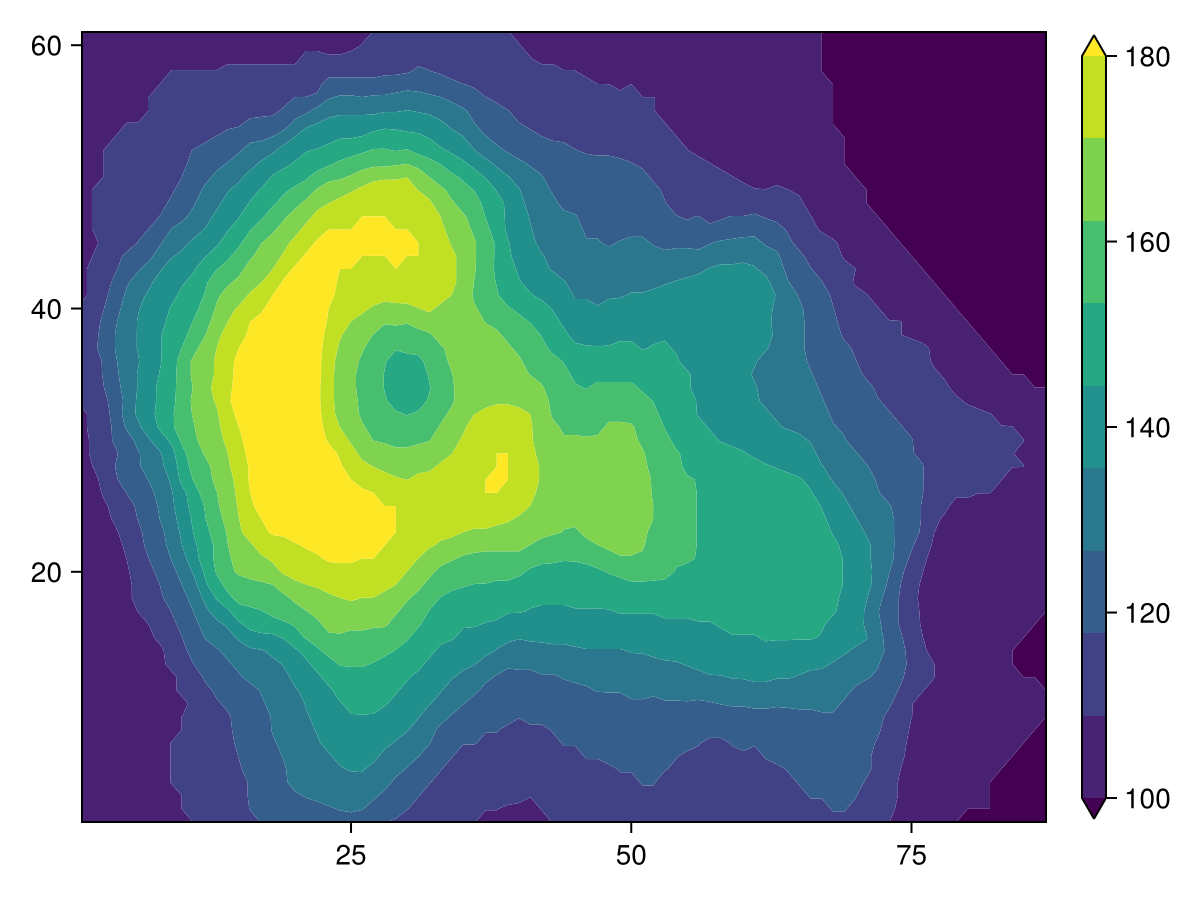
相对模式
using CairoMakie
using DelimitedFiles


volcano = readdlm(Makie.assetpath("volcano.csv"), ',', Float64)

f = Figure(size = (800, 400))

Axis(f[1, 1], title = "Relative mode, drop lowest 30%")
contourf!(volcano, levels = 0.3:0.1:1, mode = :relative)

Axis(f[1, 2], title = "Normal mode")
contourf!(volcano, levels = 10)

f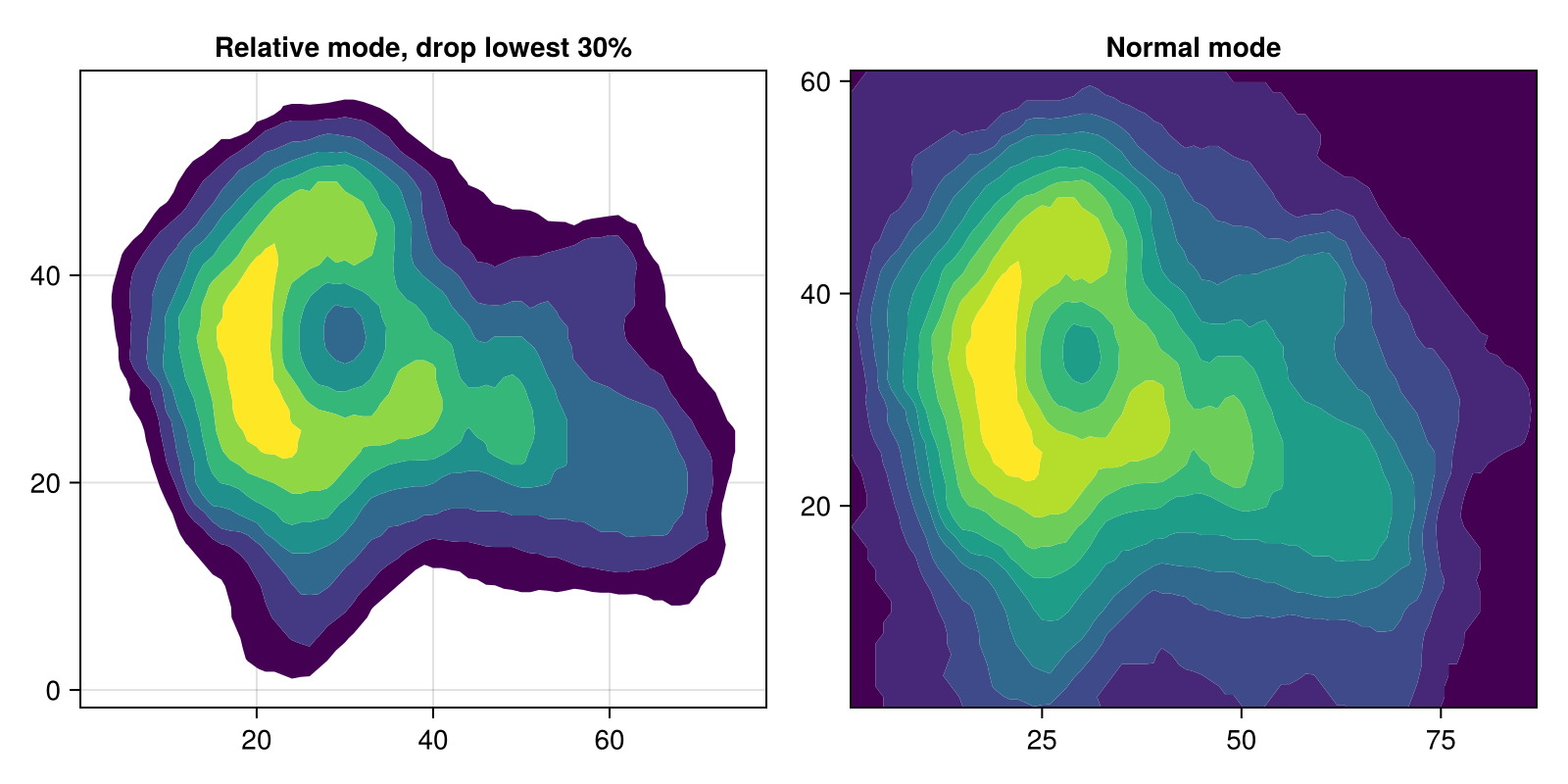
曲线网格
轮廓,轮廓 还支持_curvilinear_网格,其中 x 和 y 两个矩阵的大小都与 z. 这类似于输入 表面接受。
using CairoMakie
x = -10:10
y = -10:10
# The curvilinear grid:
xs = [x + 0.01y^3 for x in x, y in y]
ys = [y + 10cos(x/40) for x in x, y in y]
# Now, for simplicity, we calculate the `zs` values to be
# the radius from the center of the grid (0, 10).
zs = sqrt.(xs .^ 2 .+ (ys .- 10) .^ 2)
# We can use Makie's tick finders to get some nice looking contour levels:
levels = Makie.get_tickvalues(Makie.LinearTicks(7), extrema(zs)...)
# and now, we plot!
f = Figure()
ax1 = Axis(f[1, 1])
ctrf1 = contourf!(ax1, x, y, zs; levels = levels)
ax2 = Axis(f[1, 2])
ctrf2 = contourf!(ax2, xs, ys, zs; levels = levels)
f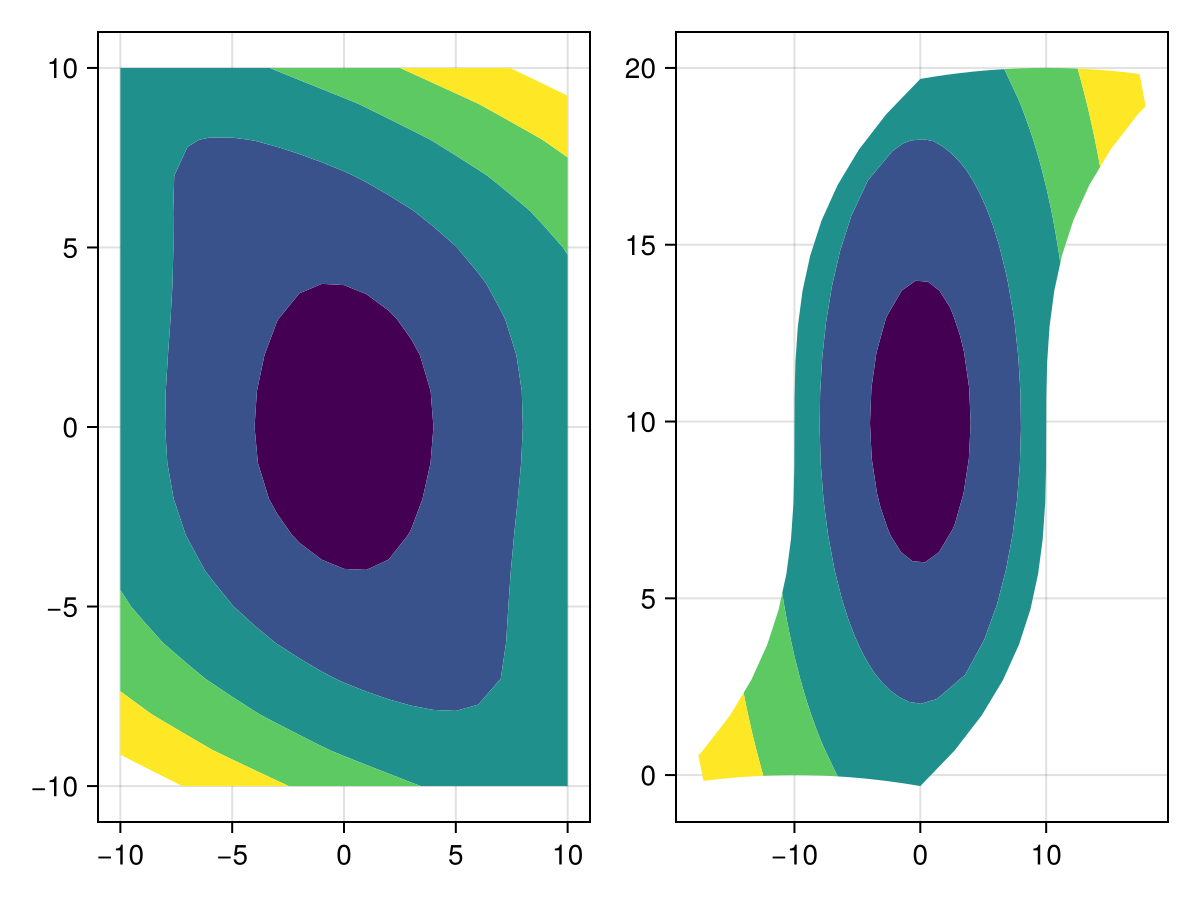
属性
夹式飞机
默认值为 自动的
剪辑平面提供了一种在3D空间中进行剪辑的方法。 您可以设置最多8个向量 平面3f 飞机在这里,后面的情节将被裁剪(即变得不可见)。 默认情况下,剪辑平面继承自父绘图或场景。 您可以删除父 夹式飞机 通过传递 平面3f[].
延伸,延伸
默认值为 什么都没有
在 :正常 模式,如果你想显示一个乐队从高边缘到 资讯,设置 延伸,延伸 到 :自动 为扩展名赋予与最后一个级别相同的颜色,或直接指定颜色(默认值 什么都没有 表示没有扩展频带)。
延伸,延伸
默认值为 什么都没有
在 :正常 模式,如果你想显示一个乐队从 -Inf 到低边,设置 延伸,延伸 到 :自动 为扩展名赋予与第一级相同的颜色,或直接指定颜色(默认值 什么都没有 表示没有扩展频带)。
水平
默认值为 10
可以是
-
一个
Int型产生n个同样宽的电平或带 -
一个
[医]文摘{<:Real}它列出了从低到高的n个连续边缘,从而产生n-1个电平或带
如果 水平 是一个 Int型,contourf图将是矩形的所有 zs 值将被复盖边缘到边缘. 这就是为什么 轴心,轴心 默认为此类contourf图的严格限制。 如果指定 水平 作为一个 [医]文摘{<:Real} 但是,请注意,轴限制包括默认边距,因为轮廓图可能具有不规则形状。 您可以使用 紧张!(斧头) 收紧类似于 Int型 行为。