派
|
该页面正在翻译中。 |
#
<无翻译>*麦琪派*-Function
pie(values; kwargs...)
pie(point, values; kwargs...)
pie(x, y, values; kwargs...)
从给定的创建饼图 价值.
绘图类型
绘图类型别名 派 功能是 派.
例子:
using CairoMakie
data   = [36, 12, 68, 5, 42, 27]
colors = [:yellow, :orange, :red, :blue, :purple, :green]

f, ax, plt = pie(data,
                 color = colors,
                 radius = 4,
                 inner_radius = 2,
                 strokecolor = :white,
                 strokewidth = 5,
                 axis = (autolimitaspect = 1, )
                )

f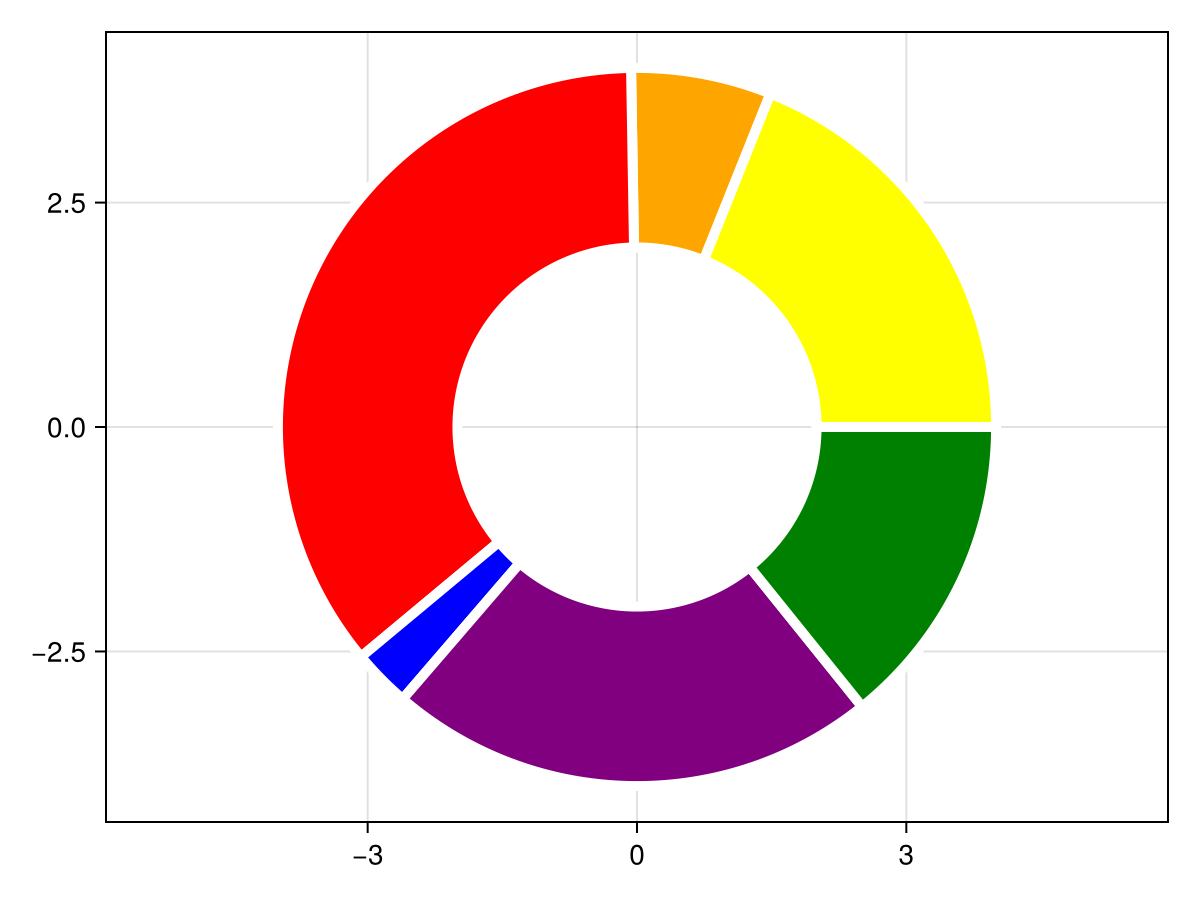
using CairoMakie
f, ax, plt = pie([π/2, 2π/3, π/4],
                normalize=false,
                offset = π/2,
                color = [:orange, :purple, :green],
                axis = (autolimitaspect = 1,)
                )

f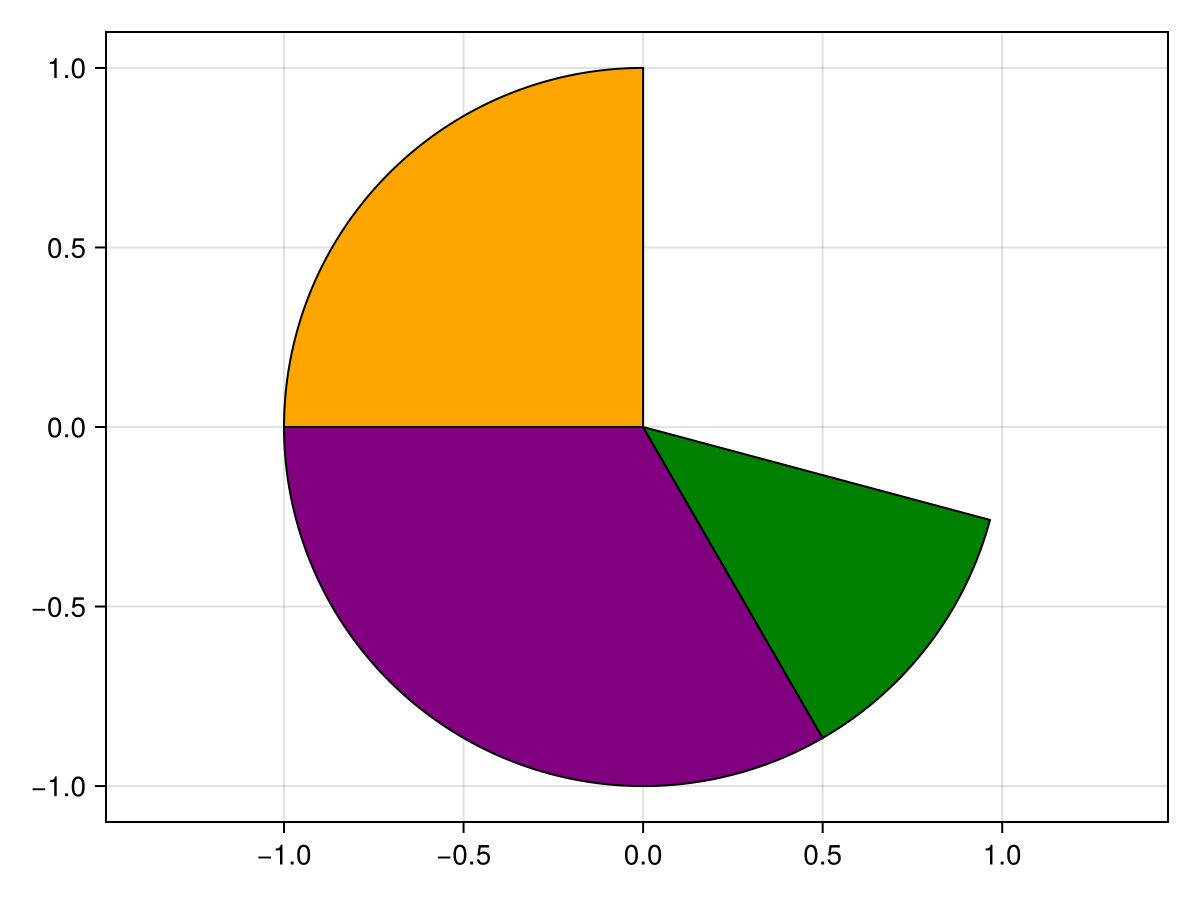
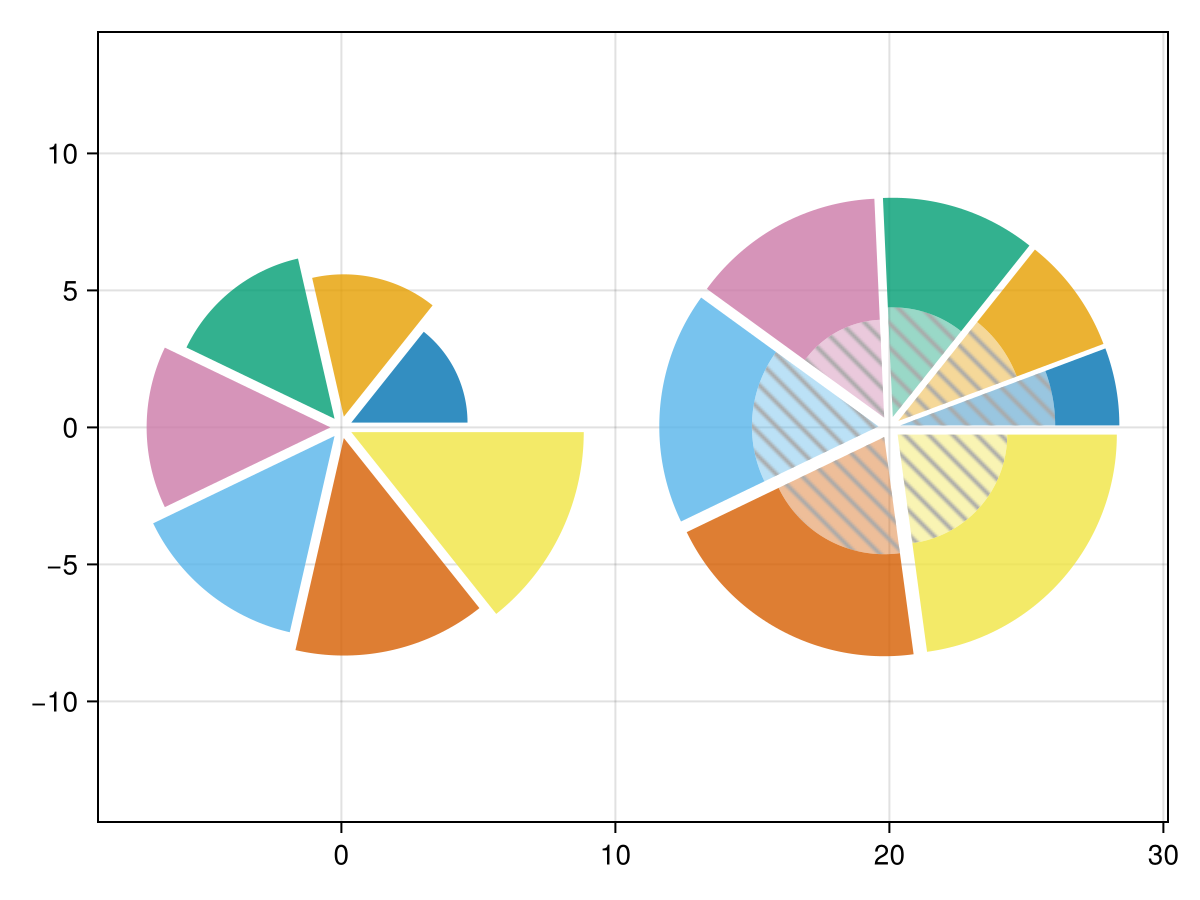
using CairoMakie
fig = Figure()
ax = Axis(fig[1, 1]; autolimitaspect=1)

kw = (; offset_radius=0.4, strokecolor=:transparent, strokewidth=0)
pie!(ax, ones(7); radius=sqrt.(2:8) * 3, kw..., color=Makie.wong_colors(0.8)[1:7])

vs = [2, 3, 4, 5, 6, 7, 8]
vs_inner = [1, 1, 1, 1, 2, 2, 2]
rs = 8
rs_inner = sqrt.(vs_inner ./ vs) * rs

lp = Makie.LinePattern(; direction=Makie.Vec2f(1, -1), width=2, tilesize=(12, 12), linecolor=:darkgrey, background_color=:transparent)
# draw the inner pie twice since `color` can not be vector of `LinePattern` currently
pie!(ax, 20, 0, vs; radius=rs_inner, inner_radius=0, kw..., color=Makie.wong_colors(0.4)[eachindex(vs)])
pie!(ax, 20, 0, vs; radius=rs_inner, inner_radius=0, kw..., color=lp)
pie!(ax, 20, 0, vs; radius=rs, inner_radius=rs_inner, kw..., color=Makie.wong_colors(0.8)[eachindex(vs)])

fig
┌ Warning: LinePattern(background_color = ...) has been deprecated in favor of LinePattern(backgroundcolor = ...)\n └ @ Makie ~/work/package/Makie.jl/src/patterns.jl:75
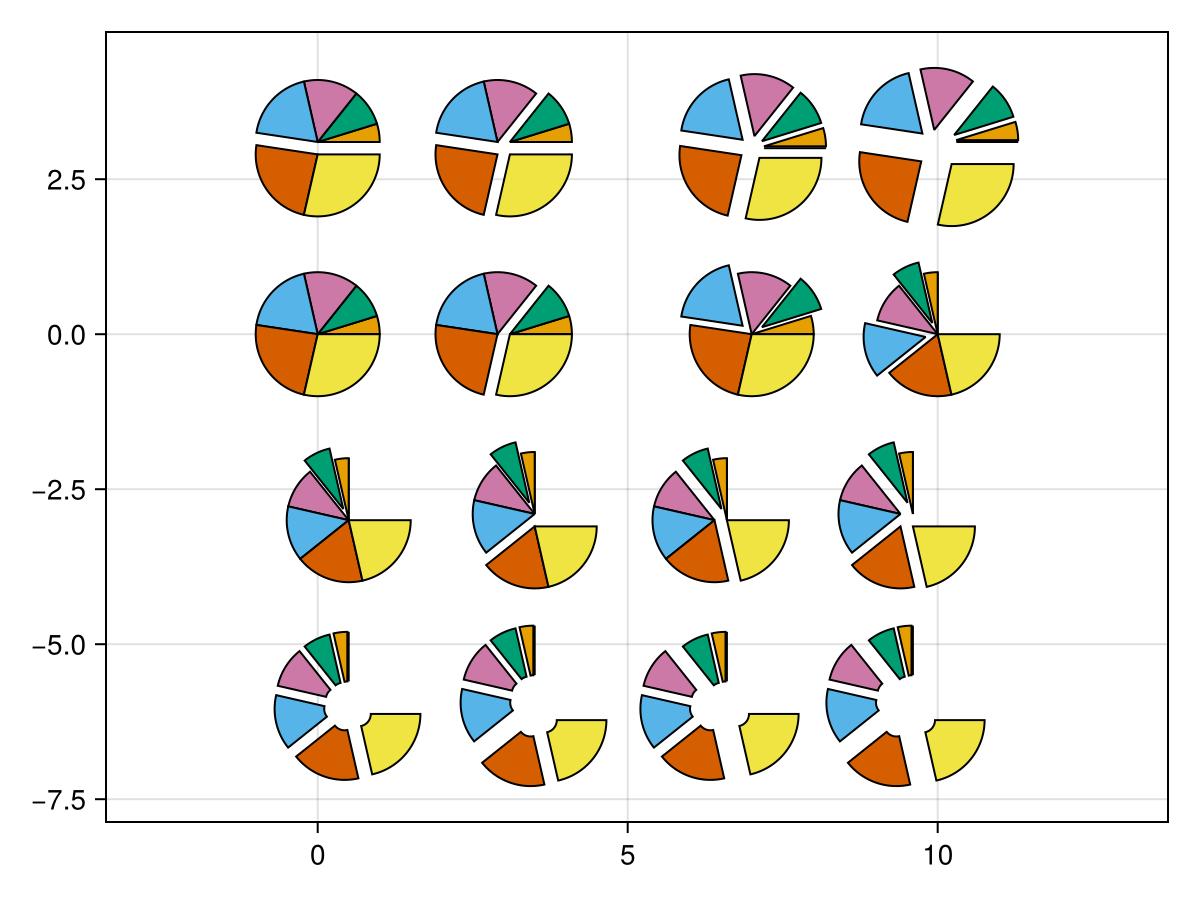
using CairoMakie
fig = Figure()
ax = Axis(fig[1, 1]; autolimitaspect=1)

vs = 0:6 |> Vector
vs_ = vs ./ sum(vs) .* (3/2*π)
cs = Makie.wong_colors()
Δx = [1, 1, 1, -1, -1, -1, 1] ./ 10
Δy = [1, 1, 1, 1, 1, -1, -1] ./ 10
Δr1 = [0, 0, 0.2, 0, 0.2, 0, 0]
Δr2 = [0, 0, 0.2, 0, 0, 0, 0]

pie!(ax, vs; color=cs)
pie!(ax, 3 .+ Δx, 0, vs; color=cs)
pie!(ax, 0, 3 .+ Δy, vs; color=cs)
pie!(ax, 3 .+ Δx, 3 .+ Δy, vs; color=cs)

pie!(ax, 7, 0, vs; color=cs, offset_radius=Δr1)
pie!(ax, 7, 3, vs; color=cs, offset_radius=0.2)
pie!(ax, 10 .+ Δx, 3 .+ Δy, vs; color=cs, offset_radius=0.2)
pie!(ax, 10, 0, vs_; color=cs, offset_radius=Δr1, normalize=false, offset=π/2)

派!(ax,Point2(0.5,-3),vs_;color=cs,offset_radius=Δr2,normalize=false,offset=π/2)
派!(ax,Point2.(3.5, -3 .+Δy),vs_;color=cs,offset_radius=Δr2,normalize=false,offset=π/2)
派!(ax,Point2.(6.5 .+Δx,-3),vs_;color=cs,offset_radius=Δr2,normalize=false,offset=π/2)
派!(ax,Point2.(9.5 .+Δx,-3.+Δy),vs_;color=cs,offset_radius=Δr2,normalize=false,offset=π/2)

派!(ax,0.5,-6,vs_;inner_radius=0.2,color=cs,offset_radius=0.2,normalize=false,offset=π/2)
派!(ax,3.5,-6.+Δy,vs_;inner_radius=0.2,color=cs,offset_radius=0.2,normalize=false,offset=π/2)
派!(ax,6.5。+Δx,-6,vs_;inner_radius=0.2,color=cs,offset_radius=0.2,normalize=false,offset=π/2)
派!(ax,9.5。+Δx,-6.+Δy,vs_;inner_radius=0.2,color=cs,offset_radius=0.2,normalize=false,offset=π/2)

无花果