triplot
|
The page is in the process of being translated. |
#
Makie.triplot — Function
triplot(x, y; kwargs...)
triplot(positions; kwargs...)
triplot(triangles::Triangulation; kwargs...)
Plots a triangulation based on the provided position or Triangulation from DelaunayTriangulation.jl.
Plot type
The plot type alias for the triplot function is Triplot.
Examples
A triplot plots a triangle mesh generated from an arbitrary set of points. The input data can either be point based (like scatter or lines) or a Triangulation from DelaunayTriangulation.jl.
using CairoMakie
using DelaunayTriangulation

using Random
Random.seed!(1234)

points = randn(Point2f, 50)
f, ax, tr = triplot(points, show_points = true, triangle_color = :lightblue)

tri = triangulate(points)
ax, tr = triplot(f[1, 2], tri, show_points = true)
f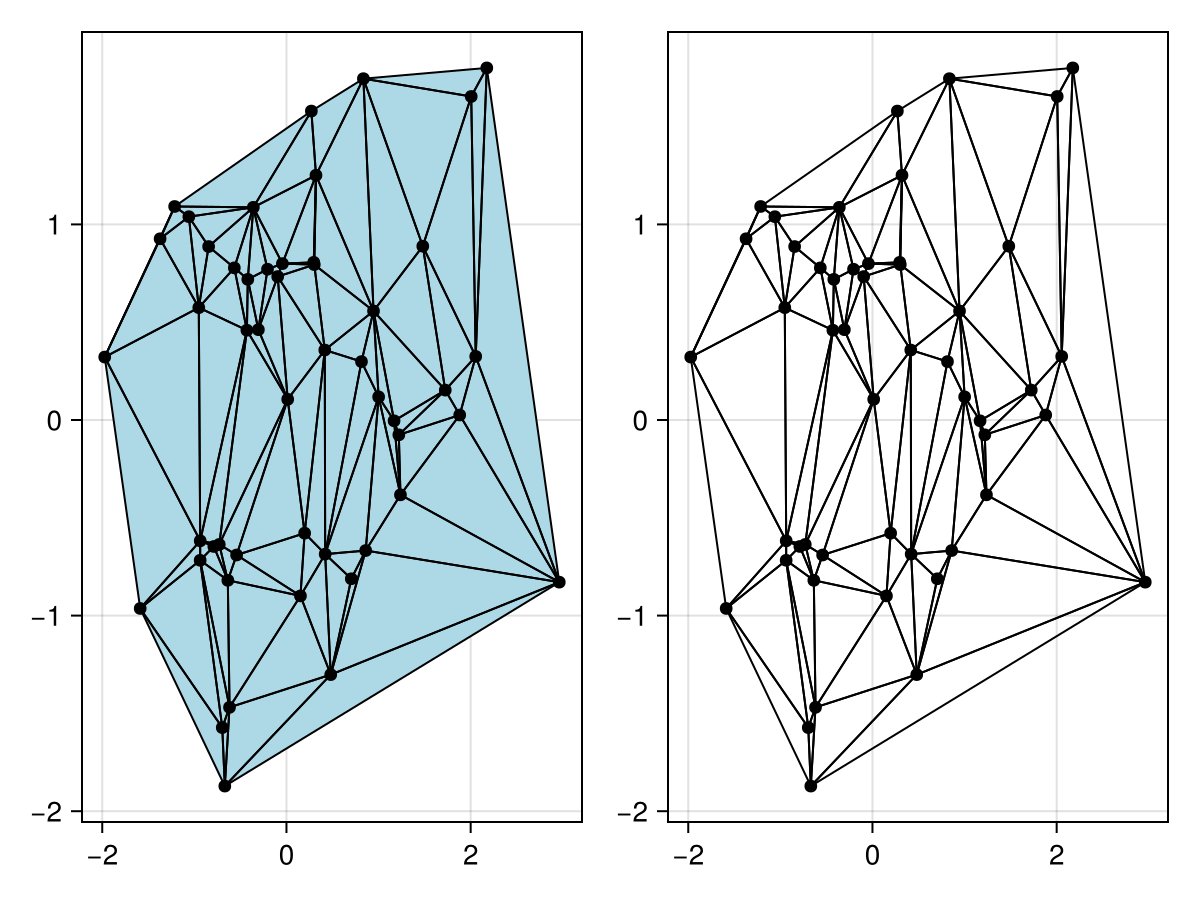
You can use triplot to visualise the ghost edges surrounding the boundary.
using CairoMakie
using DelaunayTriangulation

n = 20
angles = range(0, 2pi, length = n+1)[1:end-1]
x = [cos.(angles); 2 .* cos.(angles .+ pi/n)]
y = [sin.(angles); 2 .* sin.(angles .+ pi/n)]
inner = [n:-1:1; n] # clockwise inner
outer = [(n+1):(2n); n+1] # counter-clockwise outer
boundary_nodes = [[outer], [inner]]
points = [x'; y']
tri = triangulate(points; boundary_nodes = boundary_nodes)

f, ax, tr = triplot(tri; show_ghost_edges = true, show_points = true)
f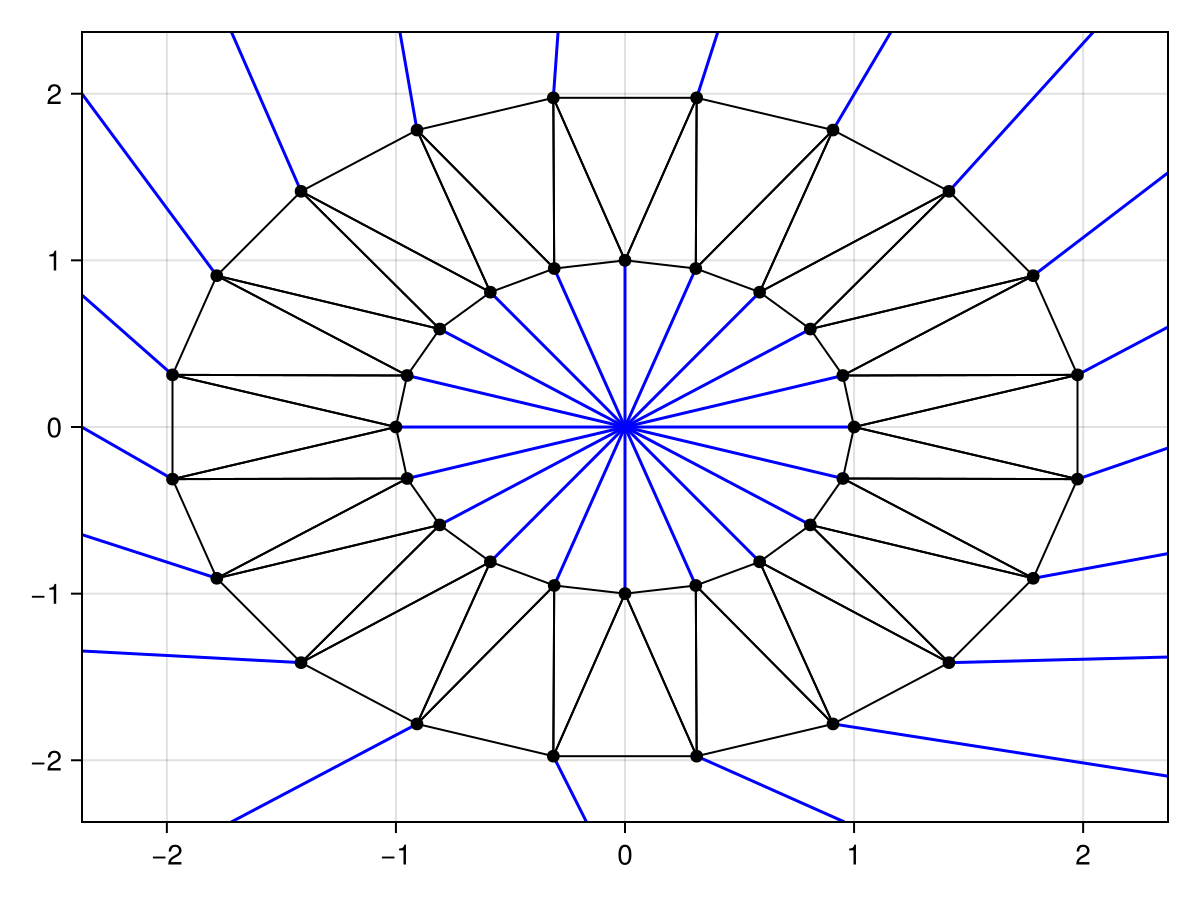
You can also highlight the constrained edges and display the convex hull, which is especially useful when the triangulation is no longer convex.
using CairoMakie
using DelaunayTriangulation

using Random
Random.seed!(1234)

outer = [
    (0.0,0.0),(2.0,1.0),(4.0,0.0),
    (6.0,2.0),(2.0,3.0),(3.0,4.0),
    (6.0,6.0),(0.0,6.0),(0.0,0.0)
]
inner = [
    (1.0,5.0),(2.0,4.0),(1.01,1.01),
    (1.0,1.0),(0.99,1.01),(1.0,5.0)
]
boundary_points = [[outer], [inner]]
boundary_nodes, points = convert_boundary_points_to_indices(boundary_points)
tri = triangulate(points; boundary_nodes = boundary_nodes)
refine!(tri; max_area=1e-3*get_area(tri))

f, ax, tr = triplot(tri, show_constrained_edges = true, constrained_edge_linewidth = 4, show_convex_hull = true)
f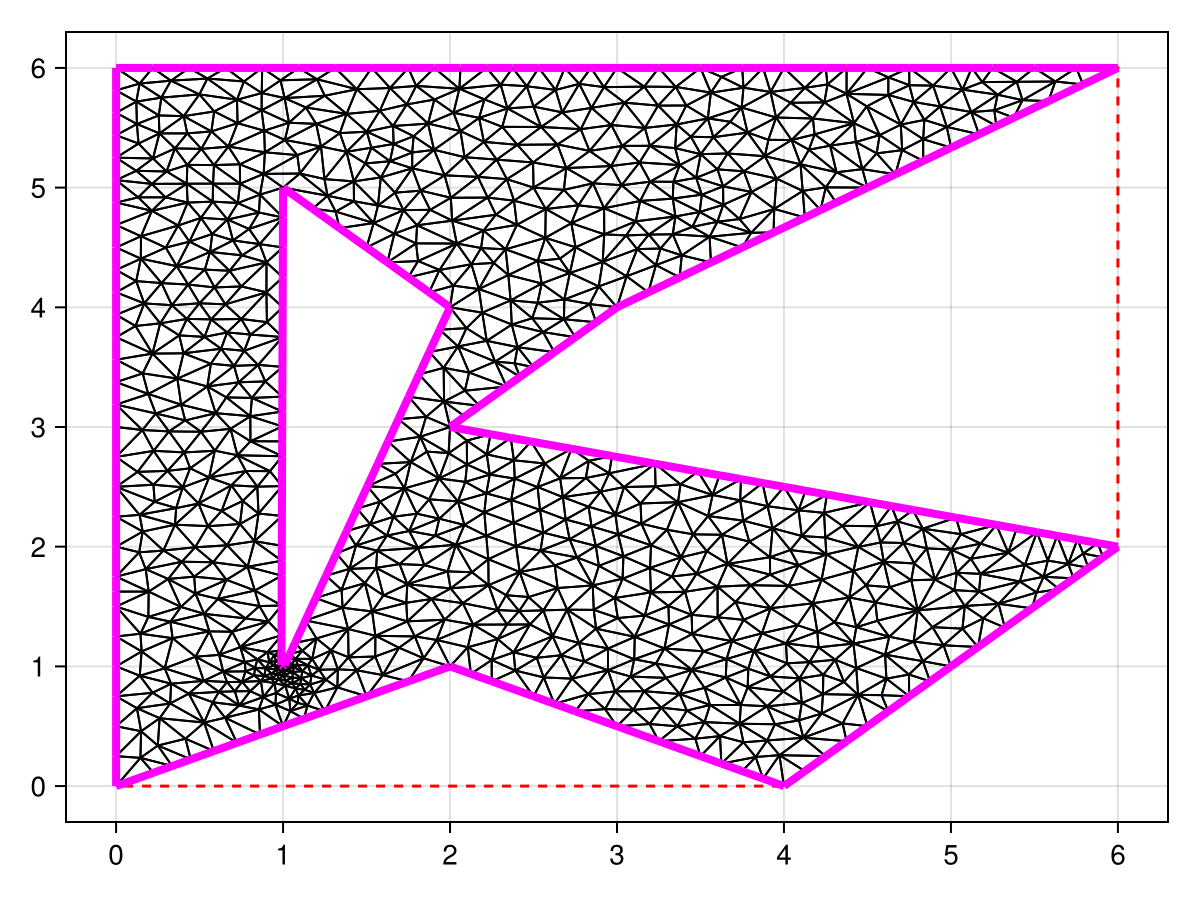
Attributes
bounding_box
Defaults to automatic
Sets the bounding box for truncating ghost edges which can be a Rect2 (or BBox) or a tuple of the form (xmin, xmax, ymin, ymax). By default, the rectangle will be given by [a - eΔx, b + eΔx] × [c - eΔy, d + eΔy] where e is the ghost_edge_extension_factor, Δx = b - a and Δy = d - c are the lengths of the sides of the rectangle, and [a, b] × [c, d] is the bounding box of the points in the triangulation.
constrained_edge_linestyle
Defaults to @inherit linestyle
Sets the linestyle of the constrained edges.
ghost_edge_extension_factor
Defaults to 0.1
Sets the extension factor for the rectangle that the exterior ghost edges are extended onto.
recompute_centers
Defaults to false
Determines whether to recompute the representative points for the ghost edge orientation. Note that this will mutate tri.representative_point_list directly.