volume
|
The page is in the process of being translated. |
#
MakieCore.volume — Function
volume(volume_data)
volume(x, y, z, volume_data)
Plots a volume, with optional physical dimensions x, y, z. Available algorithms are:
-
:iso=> IsoValue -
:absorption=> Absorption -
:mip=> MaximumIntensityProjection -
:absorptionrgba=> AbsorptionRGBA -
:additive=> AdditiveRGBA -
:indexedabsorption=> IndexedAbsorptionRGBA
Plot type
The plot type alias for the volume function is Volume.
Examples
Value based Algorithms (:absorption, :mip, :iso, counter)
using GLMakie
r = LinRange(-1, 1, 100)
cube = [(x.^2 + y.^2 + z.^2) for x = r, y = r, z = r]
contour(cube, alpha=0.5)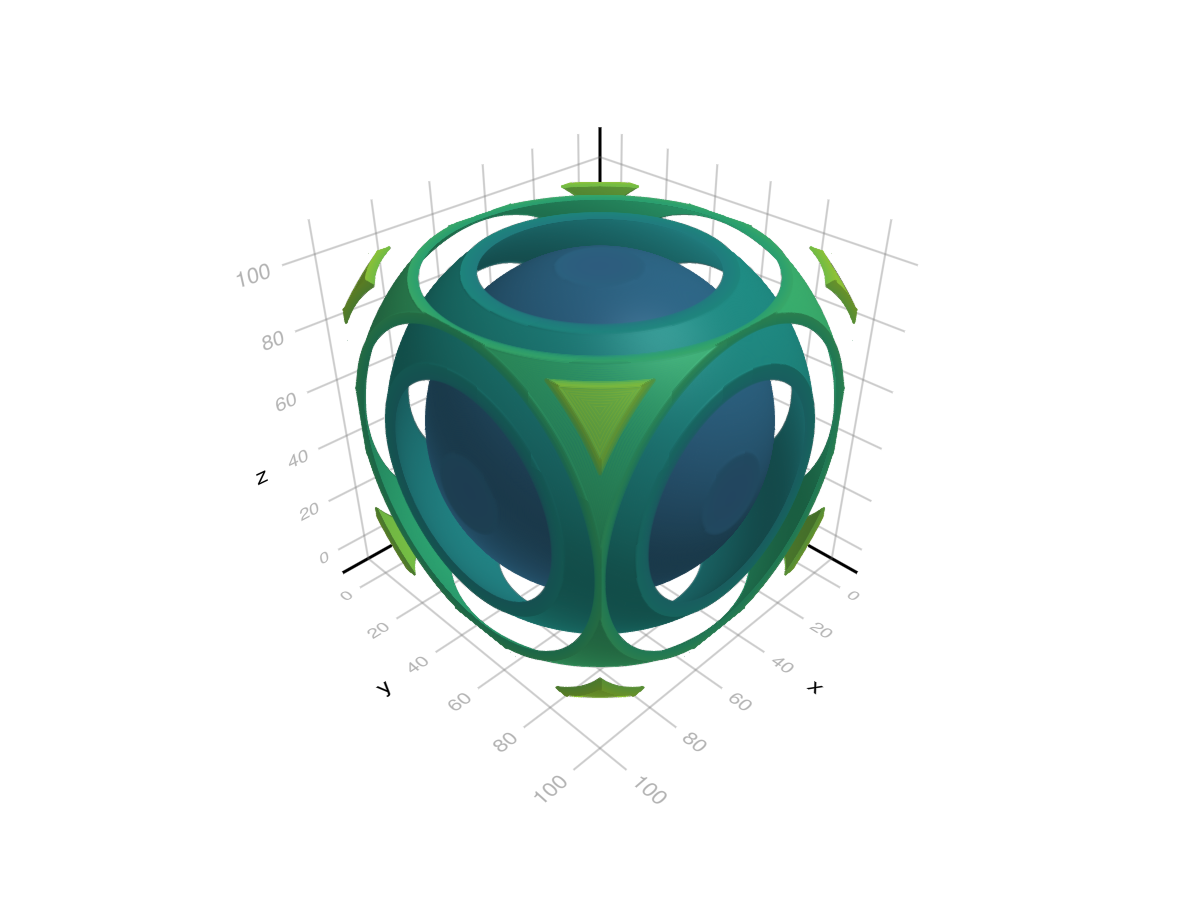
cube_with_holes = cube .* (cube .> 1.4)
volume(cube_with_holes, algorithm = :iso, isorange = 0.05, isovalue = 1.7)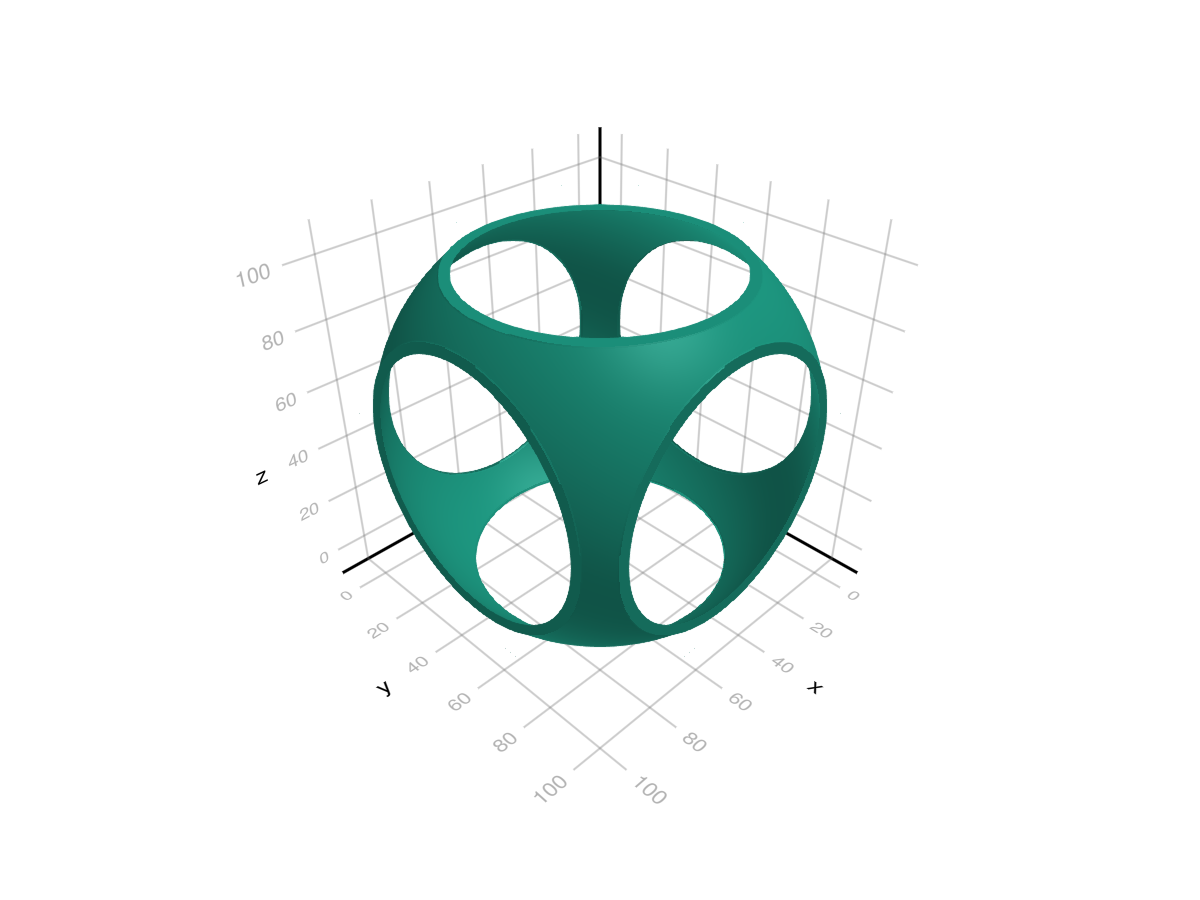
using GLMakie
using NIfTI
brain = niread(Makie.assetpath("brain.nii.gz")).raw
mini, maxi = extrema(brain)
normed = Float32.((brain .- mini) ./ (maxi - mini))

fig = Figure(size=(1000, 450))
# Make a colormap, with the first value being transparent
colormap = to_colormap(:plasma)
colormap[1] = RGBAf(0,0,0,0)
volume(fig[1, 1], normed, algorithm = :absorption, absorption=4f0, colormap=colormap, axis=(type=Axis3, title = "Absorption"))
volume(fig[1, 2], normed, algorithm = :mip, colormap=colormap, axis=(type=Axis3, title="Maximum Intensity Projection"))
fig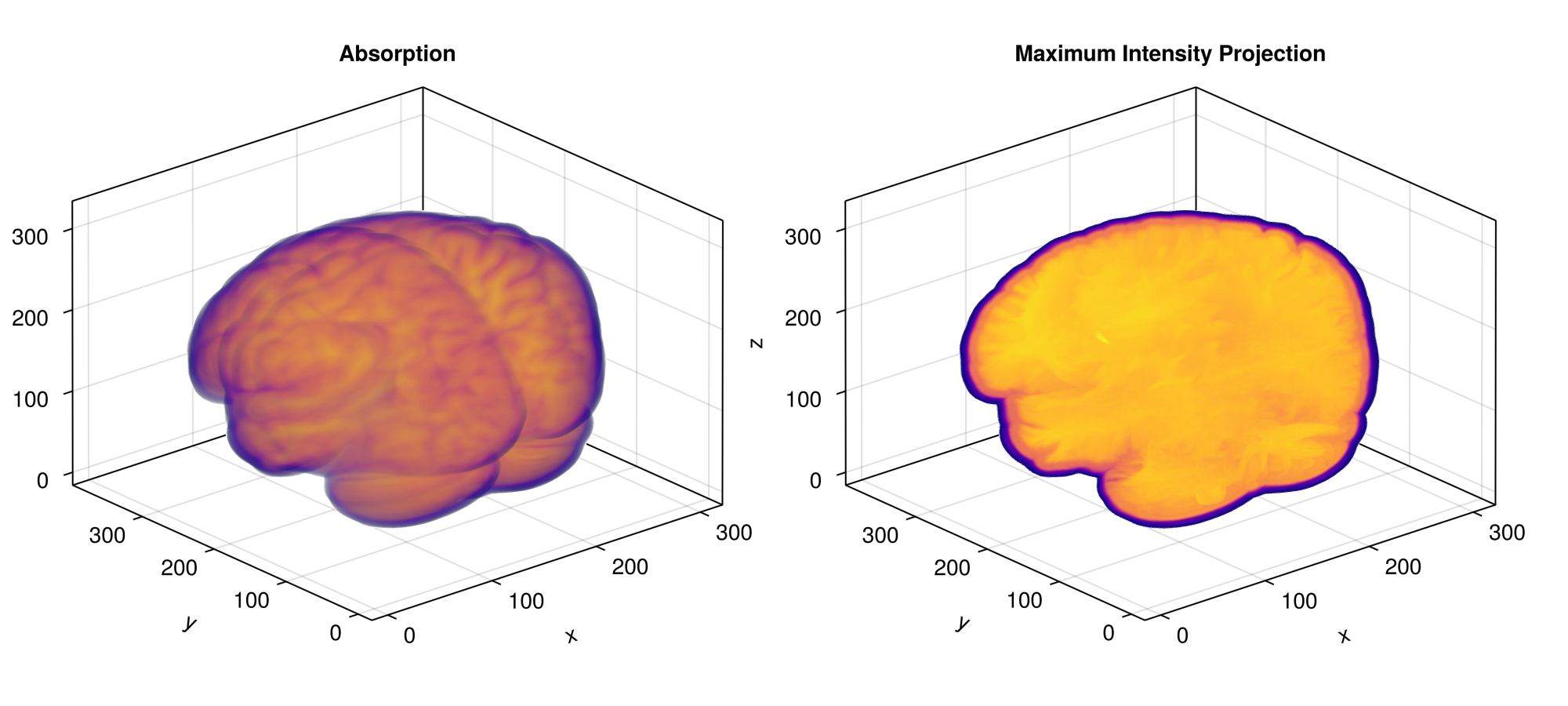
RGB(A) Algorithms (:absorptionrgba, :additive)
RGBA algorithms sample colors directly from the given volume data. If the data contains less than 4 dimensions the remaining dimensions are filled with 0 for the green and blue channel and 1 for the alpha channel.
using GLMakie
using LinearAlgebra
# Signed distance field for a chain Link (generates distance values from the
# surface of the shape with negative values being inside)
# based on https://iquilezles.org/articles/distfunctions/ "Link"
# (x,y,z) sample position, length between ends, shape radius, tube radius
function sdf(x, y, z, le, r1, r2)
    x, y, z = Vec3f(x, max(abs(y) - le, 0.0), z);
    return norm(Vec2f(sqrt(x*x + y*y) - r1, z)) - r2;
end

r = range(-5, 5, length=31)
data = map([(x,y,z) for x in r, y in r, z in r]) do (x,y,z)
    r = max(-sdf(x,y,z, 1.5, 2, 1), 0)
    g = max(-sdf(y,z,x, 1.5, 2, 1), 0)
    b = max(-sdf(z,x,y, 1.5, 2, 1), 0)
    # RGBAf(1+r, 1+g, 1+b, max(r, g, b) - 0.1)
    RGBAf(r, g, b, max(r, g, b))
end

f = Figure(backgroundcolor = :black, size = (700, 400))
volume(f[1, 1], data, algorithm = :absorptionrgba, absorption = 20)
volume(f[1, 2], data, algorithm = :additive)
f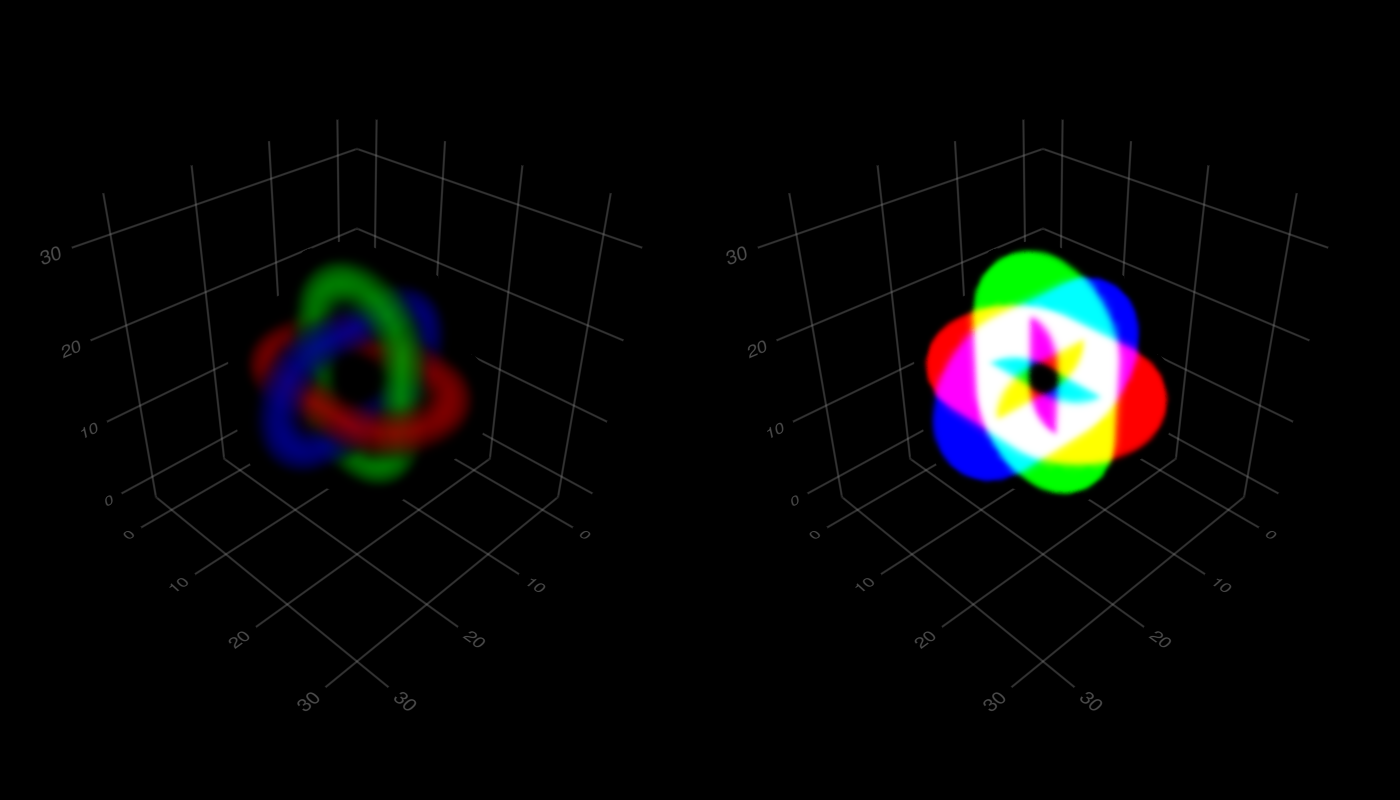
Indexing Algorithms (:indexedabsorption)
Indexing Algorithms interpret the value read from volume data as an index into the colormap. So effectively it reads idx = round(Int, get(data, sample_pos)) and uses colormap[idx] as the color of the sample. Note that you can still use float data here, and without interpolate = false it will be interpolated.
using GLMakie
r = -5:5
data = map([(x,y,z) for x in r, y in r, z in r]) do (x,y,z)
    1 + min(abs(x), abs(y), abs(z))
end
colormap = [:red, :transparent, :transparent, RGBAf(0,1,0,0.5), :transparent, :blue]
volume(data, algorithm = :indexedabsorption, colormap = colormap,
    interpolate = false, absorption = 5)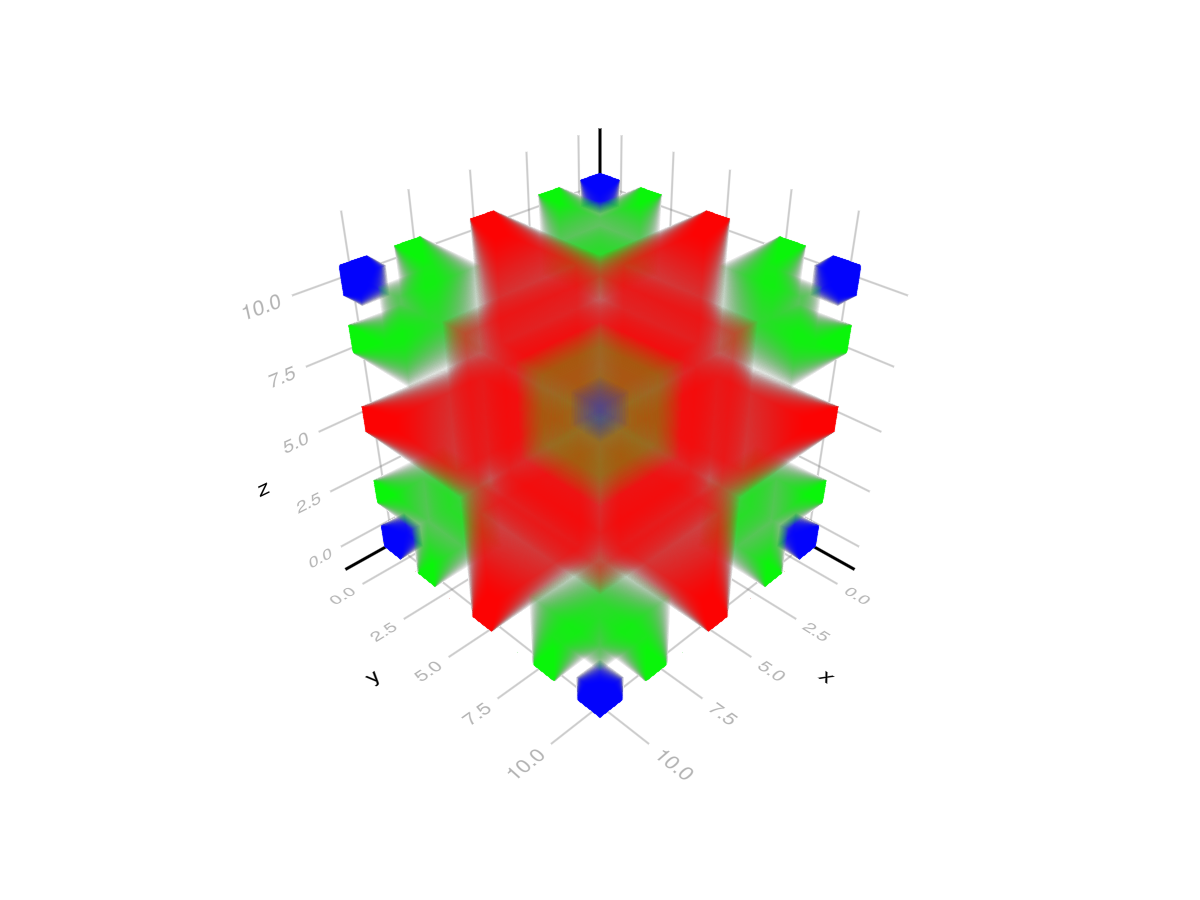
Attributes
absorption
Defaults to 1.0
Absorption multiplier for algorithm = :absorption, :absorptionrgba and :indexedabsorption. This changes how much light each voxel absorbs.
algorithm
Defaults to :mip
Sets the volume algorithm that is used. Available algorithms are:
-
:iso: Shows an isovalue surface within the given float data. For this only samples withinisovalue - isorange .. isovalue + isorangeare included in the final color of a pixel. -
:absorption: Accumulates color based on the float values sampled from volume data. At each ray step (starting from the front) a value is sampled from the volume data and then used to sample the colormap. The resulting color is weighted by the ray step size and blended the previously accumulated color. The weight of each step can be adjusted with the multiplicativeabsorptionattribute. -
:mip: Shows the maximum intensity projection of the given float data. This derives the color of a pixel from the largest value sampled from the respective ray. -
:absorptionrgba: This algorithm matches :absorption, but samples colors directly from RGBA volume data. For each ray step a color is sampled from the data, weighted by the ray step size and blended with the previously accumulated color. Also considersabsorption. -
:additive: Accumulates colors usingaccumulated_color = 1 - (1 - accumulated_color) * (1 - sampled_color)wheresampled_coloris a sample of volume data at the current ray step. -
:indexedabsorption: This algorithm acts the same as :absorption, but interprets the volume data as indices. They are used as direct indices to the colormap. Also considersabsorption.
alpha
Defaults to 1.0
The alpha value of the colormap or color attribute. Multiple alphas like in plot(alpha=0.2, color=(:red, 0.5), will get multiplied.
clip_planes
Defaults to automatic
Clip planes offer a way to do clipping in 3D space. You can set a Vector of up to 8 Plane3f planes here, behind which plots will be clipped (i.e. become invisible). By default clip planes are inherited from the parent plot or scene. You can remove parent clip_planes by passing Plane3f[].
colormap
Defaults to @inherit colormap :viridis
Sets the colormap that is sampled for numeric colors. PlotUtils.cgrad(...), Makie.Reverse(any_colormap) can be used as well, or any symbol from ColorBrewer or PlotUtils. To see all available color gradients, you can call Makie.available_gradients().
colorscale
Defaults to identity
The color transform function. Can be any function, but only works well together with Colorbar for identity, log, log2, log10, sqrt, logit, Makie.pseudolog10 and Makie.Symlog10.
depth_shift
Defaults to 0.0
adjusts the depth value of a plot after all other transformations, i.e. in clip space, where 0 <= depth <= 1. This only applies to GLMakie and WGLMakie and can be used to adjust render order (like a tunable overdraw).
diffuse
Defaults to 1.0
Sets how strongly the red, green and blue channel react to diffuse (scattered) light.
enable_depth
Defaults to true
Enables depth write for :iso so that volume correctly occludes other objects.
inspectable
Defaults to @inherit inspectable
Sets whether this plot should be seen by DataInspector. The default depends on the theme of the parent scene.
inspector_clear
Defaults to automatic
Sets a callback function (inspector, plot) -> ... for cleaning up custom indicators in DataInspector.
inspector_hover
Defaults to automatic
Sets a callback function (inspector, plot, index) -> ... which replaces the default show_data methods.
inspector_label
Defaults to automatic
Sets a callback function (plot, index, position) -> string which replaces the default label generated by DataInspector.
isorange
Defaults to 0.05
Sets the maximum accepted distance from the isovalue for the :iso algorithm. accepted = isovalue - isorange < value < isovalue + isorange
isovalue
Defaults to 0.5
Sets the target value for the :iso algorithm. accepted = isovalue - isorange < value < isovalue + isorange
material
Defaults to nothing
RPRMakie only attribute to set complex RadeonProRender materials. Warning, how to set an RPR material may change and other backends will ignore this attribute
model
Defaults to automatic
Sets a model matrix for the plot. This overrides adjustments made with translate!, rotate! and scale!.
overdraw
Defaults to false
Controls if the plot will draw over other plots. This specifically means ignoring depth checks in GL backends
shading
Defaults to automatic
Sets the lighting algorithm used. Options are NoShading (no lighting), FastShading (AmbientLight + PointLight) or MultiLightShading (Multiple lights, GLMakie only). Note that this does not affect RPRMakie.
space
Defaults to :data
sets the transformation space for box encompassing the plot. See Makie.spaces() for possible inputs.
specular
Defaults to 0.2
Sets how strongly the object reflects light in the red, green and blue channels.
ssao
Defaults to false
Adjusts whether the plot is rendered with ssao (screen space ambient occlusion). Note that this only makes sense in 3D plots and is only applicable with fxaa = true.