n.海克宾
|
该页面正在翻译中。 |
#
<无翻译>*麦琪n.海克宾*-Function
hexbin(xs, ys; kwargs...)为观测绘制具有六边形箱的热图 x 和 ys.
地块类型
绘图类型别名 n.海克宾 功能是 N.海克宾.
例子:
设置垃圾箱数量
using CairoMakie
using Random
Random.seed!(1234)

f = Figure(size = (800, 800))

x = rand(300)
y = rand(300)

for i in 2:5
    ax = Axis(f[fldmod1(i-1, 2)...], title = "bins = $i", aspect = DataAspect())
    hexbin!(ax, x, y, bins = i)
    wireframe!(ax, Rect2f(Point2f.(x, y)), color = :red)
    scatter!(ax, x, y, color = :red, markersize = 5)
end

f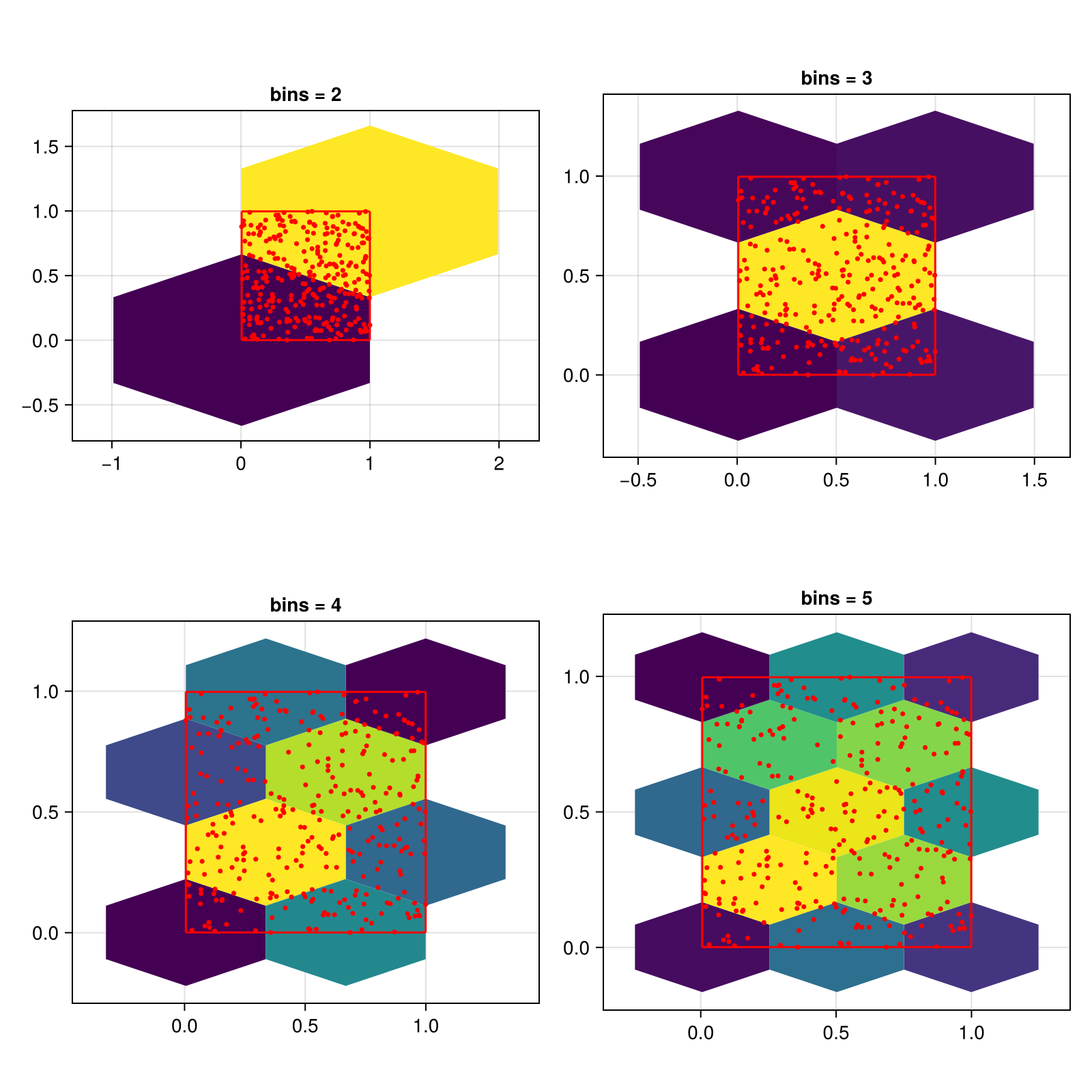
using CairoMakie
using Random
Random.seed!(1234)

f = Figure(size = (800, 800))

x = rand(300)
y = rand(300)

for i in 2:5
    ax = Axis(f[fldmod1(i-1, 2)...], title = "bins = (3, $i)", aspect = DataAspect())
    hexbin!(ax, x, y, bins = (3, i))
    wireframe!(ax, Rect2f(Point2f.(x, y)), color = :red)
    scatter!(ax, x, y, color = :red, markersize = 5)
end

f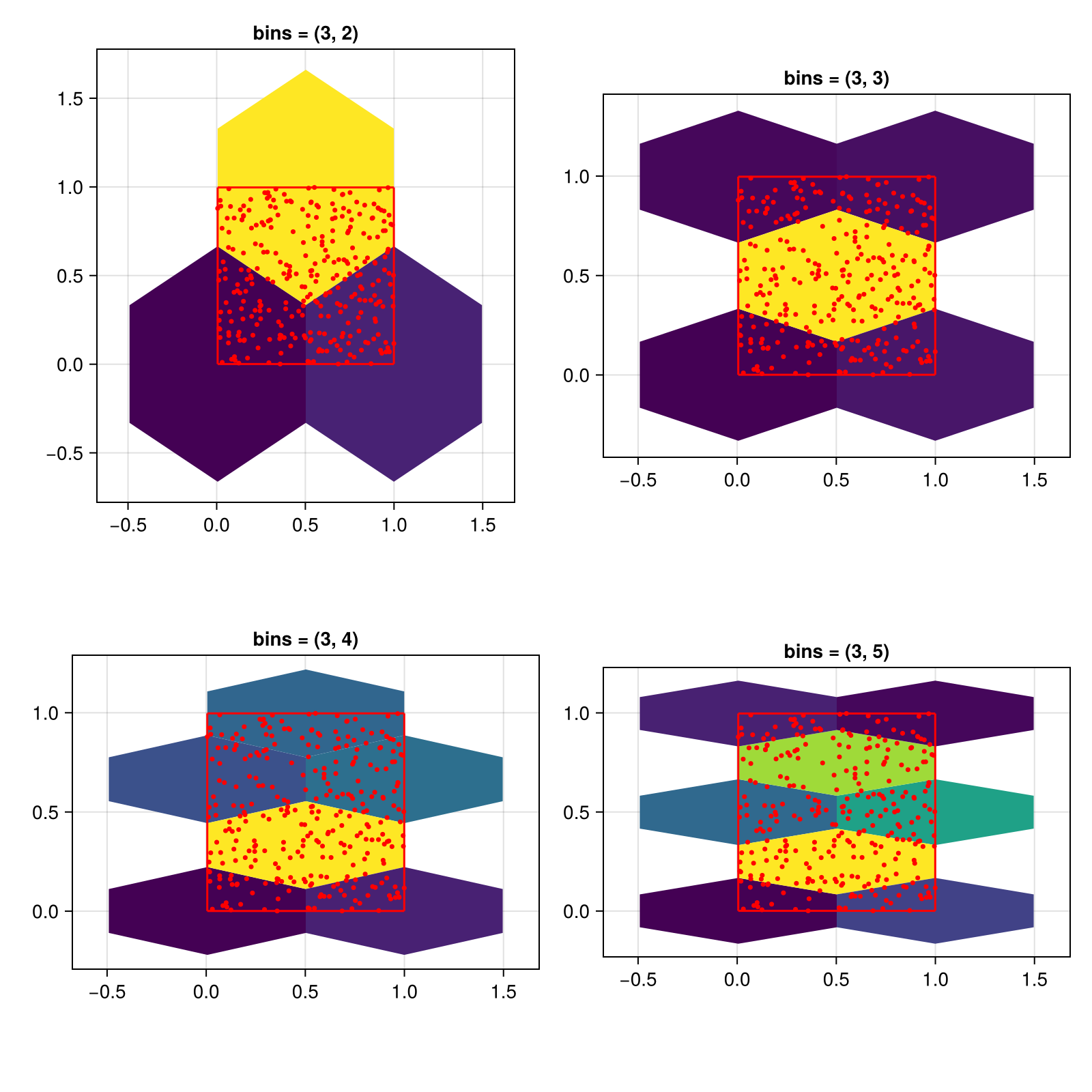
设置单元格的大小
您也可以通过设置直接控制单元格大小 细胞大小 关键字。 在这种情况下, 垃圾箱 置被忽略。
using CairoMakie
using Random
Random.seed!(1234)

f = Figure(size = (800, 800))

x = rand(300)
y = rand(300)

for (i, cellsize) in enumerate([0.1, 0.15, 0.2, 0.25])
    ax = Axis(f[fldmod1(i, 2)...], title = "cellsize = ($cellsize, $cellsize)", aspect = DataAspect())
    hexbin!(ax, x, y, cellsize = (cellsize, cellsize))
    wireframe!(ax, Rect2f(Point2f.(x, y)), color = :red)
    scatter!(ax, x, y, color = :red, markersize = 5)
end

f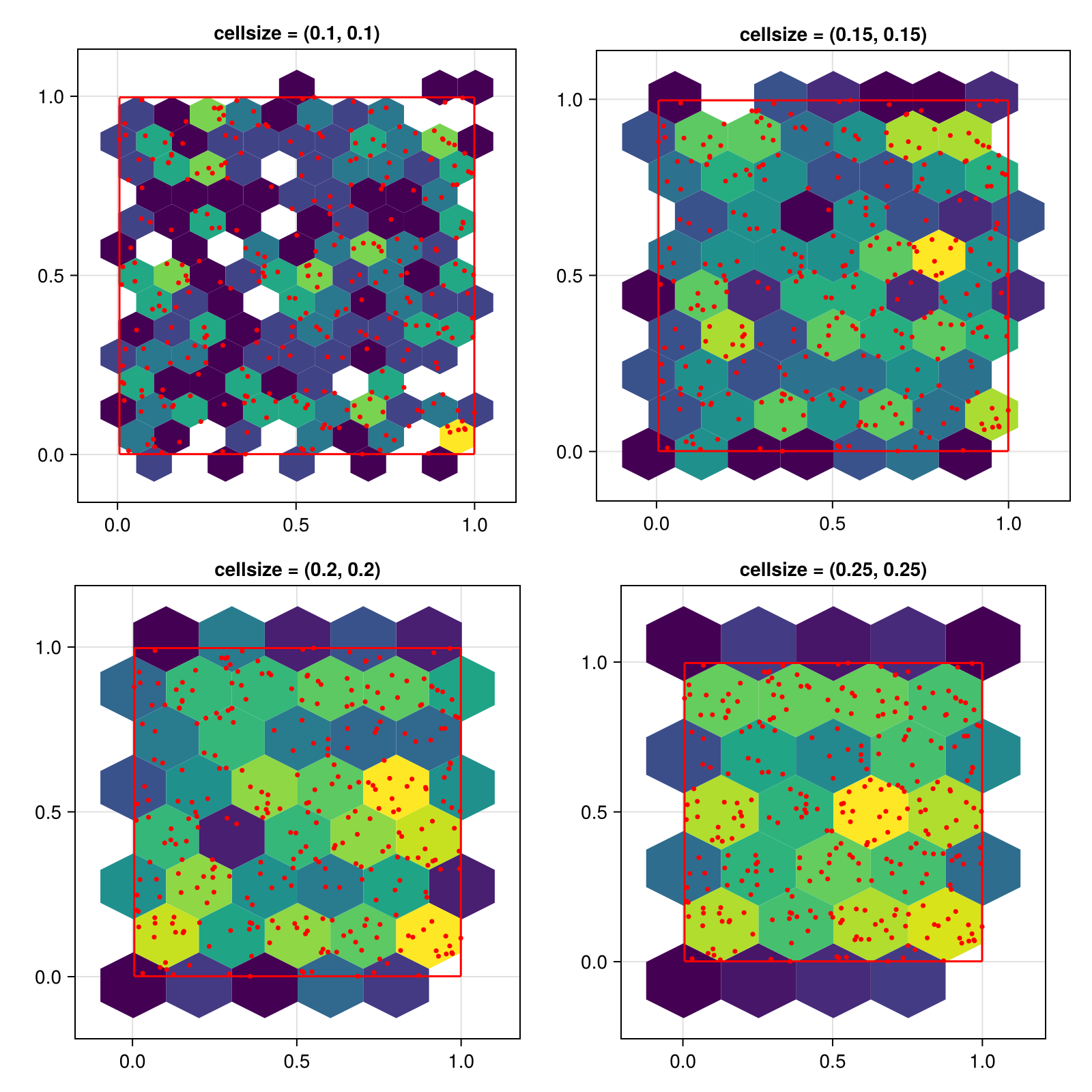
要获得均匀大小的六边形,请将单元格大小设置为单个数字。 这个数字定义了单元格的宽度,高度将计算为 2*step_x/sqrt(3). 请注意,六边形的视觉外观只有在x和y轴具有相同的缩放比例时才会出现,这就是为什么我们使用 方面=DataAspect() 在这些例子中。
</无翻译>
using CairoMakie
using Random
Random.seed!(1234)

f = Figure(size = (800, 800))

x = rand(300)
y = rand(300)

for (i, cellsize) in enumerate([0.1, 0.15, 0.2, 0.25])
    ax = Axis(f[fldmod1(i, 2)...], title = "cellsize = $cellsize", aspect = DataAspect())
    hexbin!(ax, x, y, cellsize = cellsize)
    wireframe!(ax, Rect2f(Point2f.(x, y)), color = :red)
    scatter!(ax, x, y, color = :red, markersize = 5)
end

f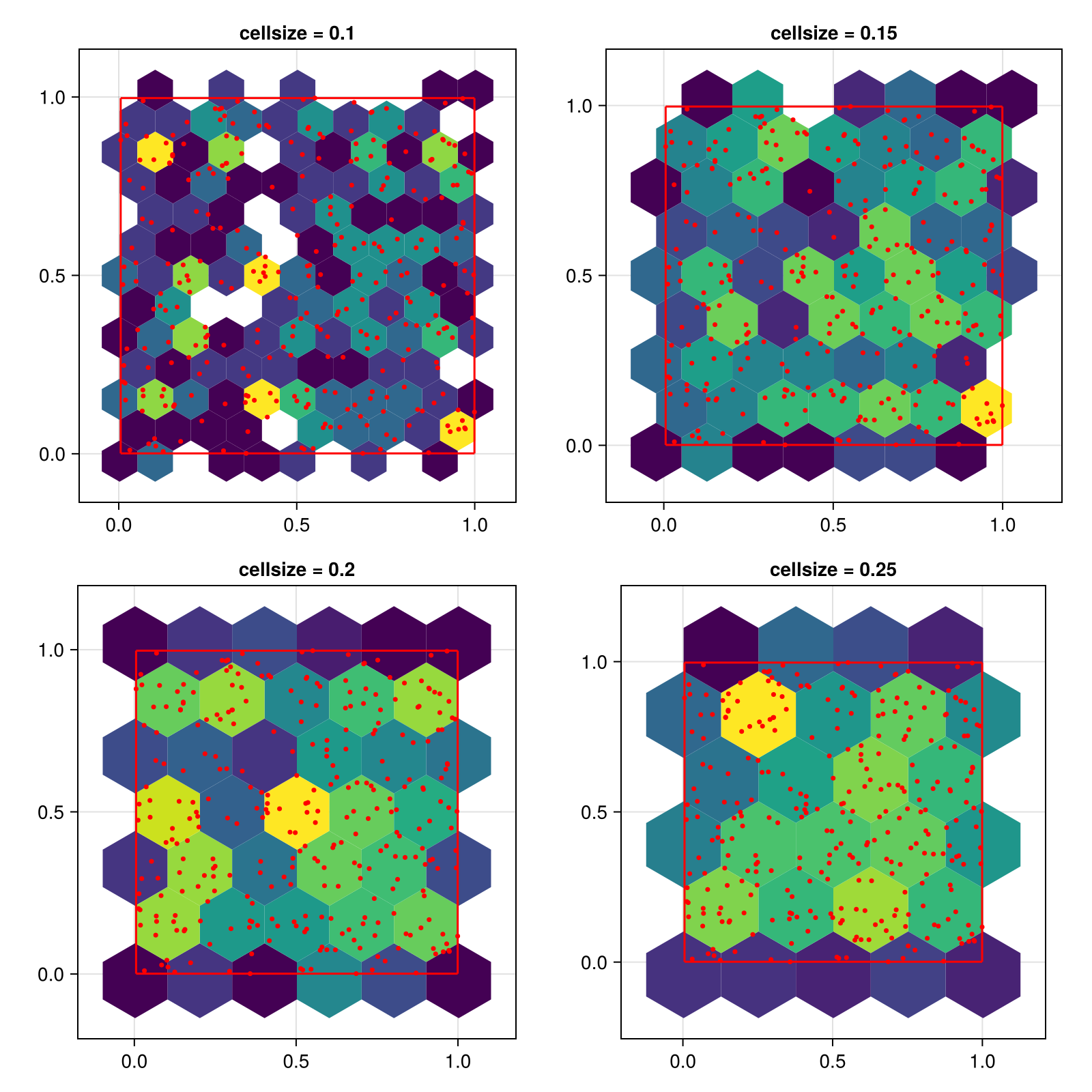
隐藏低计数的六边形
using CairoMakie
using Random
Random.seed!(1234)

f = Figure(size = (800, 800))

x = randn(100000)
y = randn(100000)

for (i, threshold) in enumerate([1, 10, 100, 500])
    ax = Axis(f[fldmod1(i, 2)...], title = "threshold = $threshold", aspect = DataAspect())
    hexbin!(ax, x, y, cellsize = 0.4, threshold = threshold)
end
f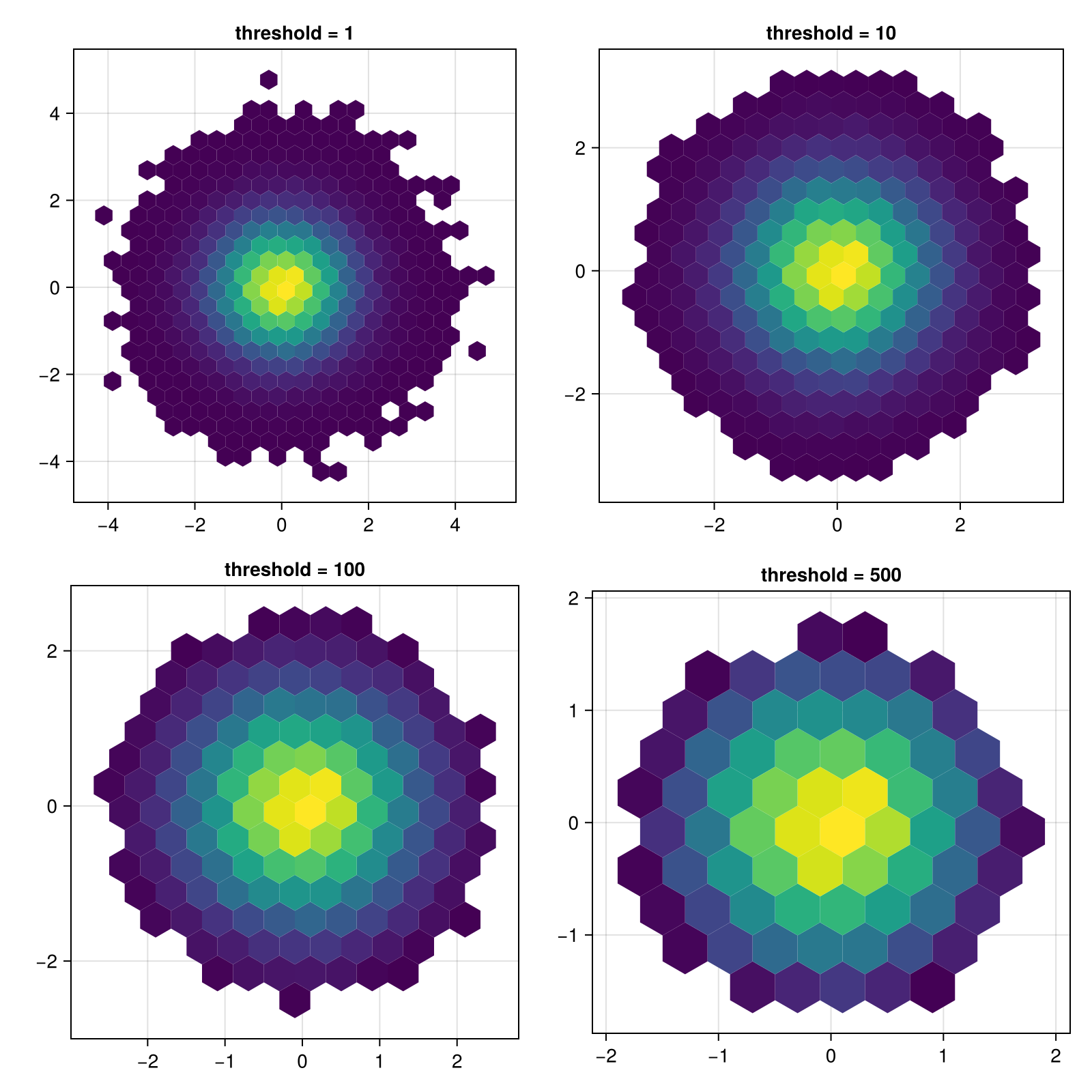
更改仓中观测值数的比例
using CairoMakie
using Random
Random.seed!(1234)

x = randn(100000)
y = randn(100000)

f = Figure()
hexbin(f[1, 1], x, y, bins = 40,
    axis = (aspect = DataAspect(), title = "colorscale = identity"))
hexbin(f[1, 2], x, y, bins = 40, colorscale=log10,
    axis = (aspect = DataAspect(), title = "colorscale = log10"))
f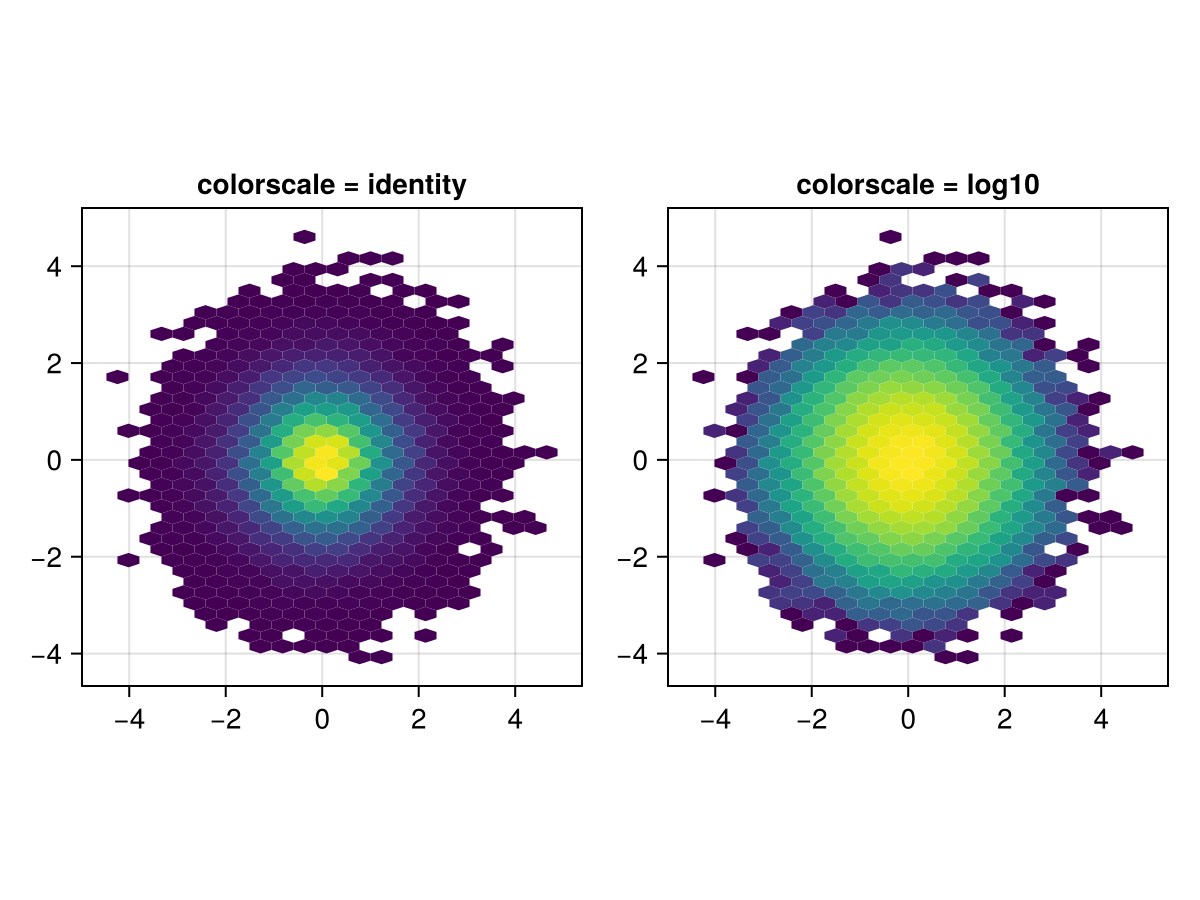
显示零计数六边形
using CairoMakie
using DelimitedFiles


a = map(Point2f, eachrow(readdlm(assetpath("airportlocations.csv"))))

f, ax, hb = hexbin(a,
    cellsize = 6,
    axis = (; aspect = DataAspect()),
    threshold = 0,
    colormap = [Makie.to_color(:transparent); Makie.to_colormap(:viridis)],
    strokewidth = 0.5,
    strokecolor = :gray50,
    colorscale = Makie.pseudolog10)

tightlimits!(ax)

Colorbar(f[1, 2], hb,
    label = "Number of airports",
    height = Relative(0.5)
)
f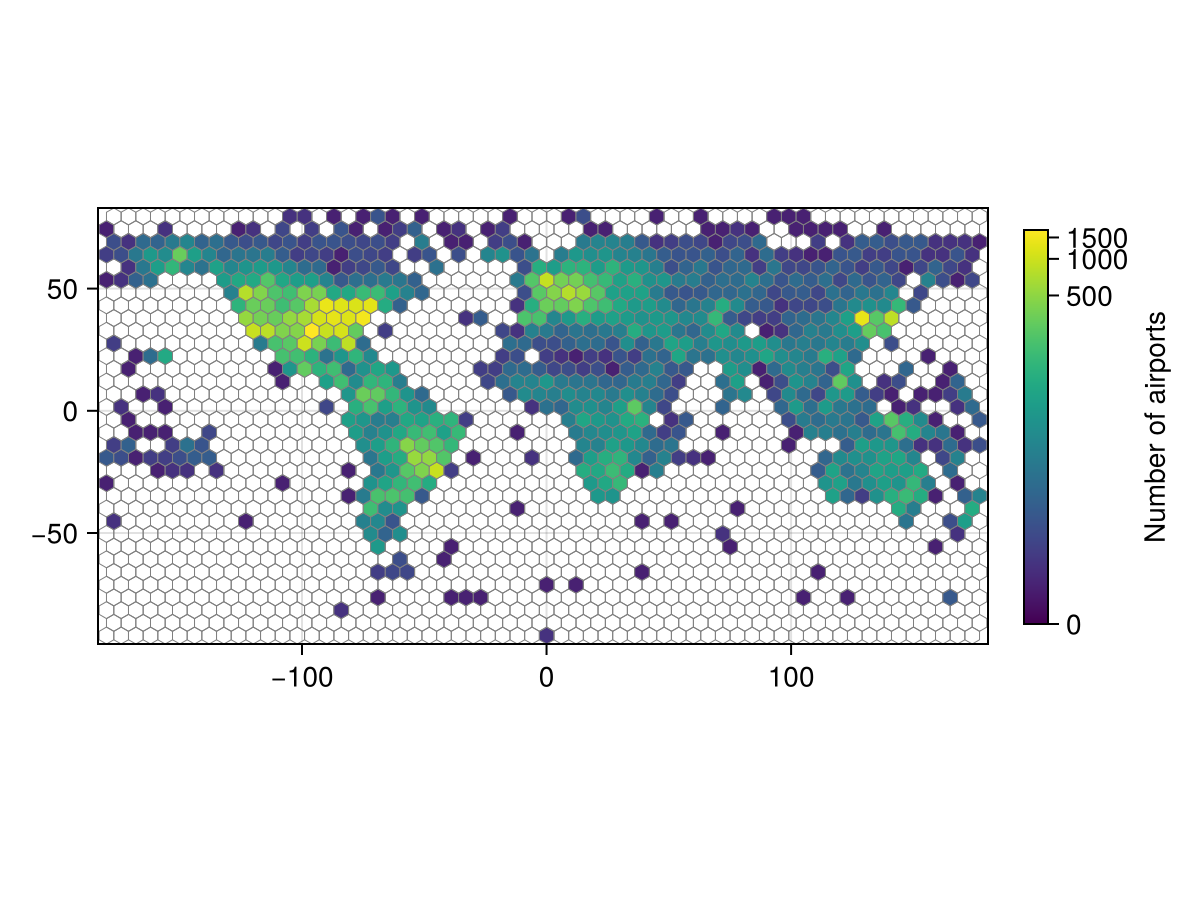
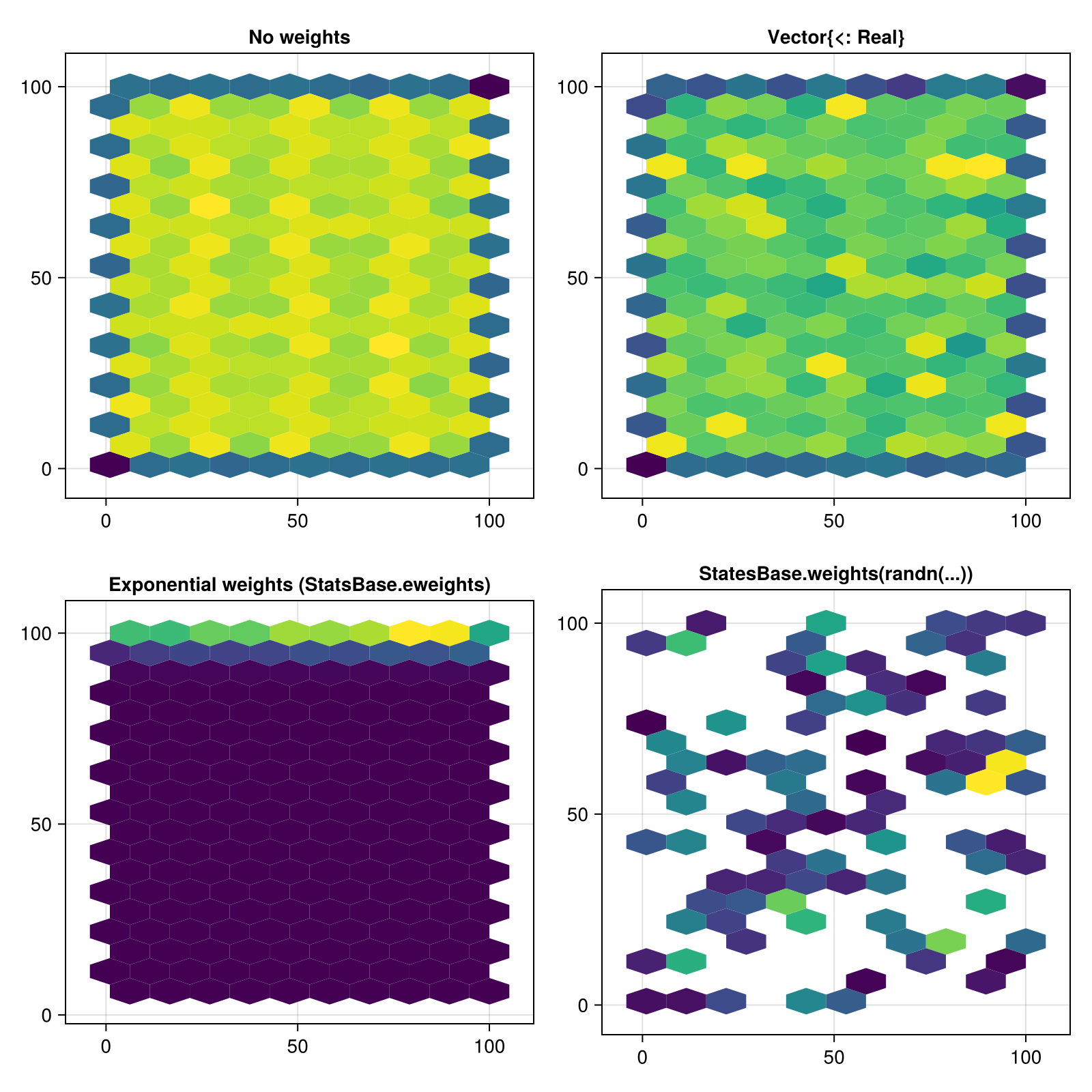
对观测值应用权重
using CairoMakie

using Random
Random.seed!(1234)

f = Figure(size = (800, 800))

x = 1:100
y = 1:100
points = vec(Point2f.(x, y'))

weights = [nothing, rand(length(points)), Makie.StatsBase.eweights(length(points), 0.005), Makie.StatsBase.weights(randn(length(points)))]
weight_labels = ["No weights", "Vector{<: Real}", "Exponential weights (StatsBase.eweights)", "StatesBase.weights(randn(...))"]

for (i, (weight, title)) in enumerate(zip(weights, weight_labels))
    ax = Axis(f[fldmod1(i, 2)...], title = title, aspect = DataAspect())
    hexbin!(ax, points; weights = weight)
    autolimits!(ax)
end

f