卷数
|
该页面正在翻译中。 |
#
<无翻译>*马基科。卷数*-Function
volume(volume_data)
volume(x, y, z, volume_data)
用可选的物理尺寸绘制体积 x,y,z. 可用的算法有:
-
:iso=>IsoValue -
:吸收=>吸收 -
:mip[医]最大值 -
:吸收率=>吸收rgba -
:添加剂=>AdditiveRGBA -
:索引吸收[医]索引
绘图类型
绘图类型别名 卷数 功能是 卷数.
例子:
基于值的算法(:吸收,:mip,:iso,计数器)
using GLMakie
r = LinRange(-1, 1, 100)
cube = [(x.^2 + y.^2 + z.^2) for x = r, y = r, z = r]
contour(cube, alpha=0.5)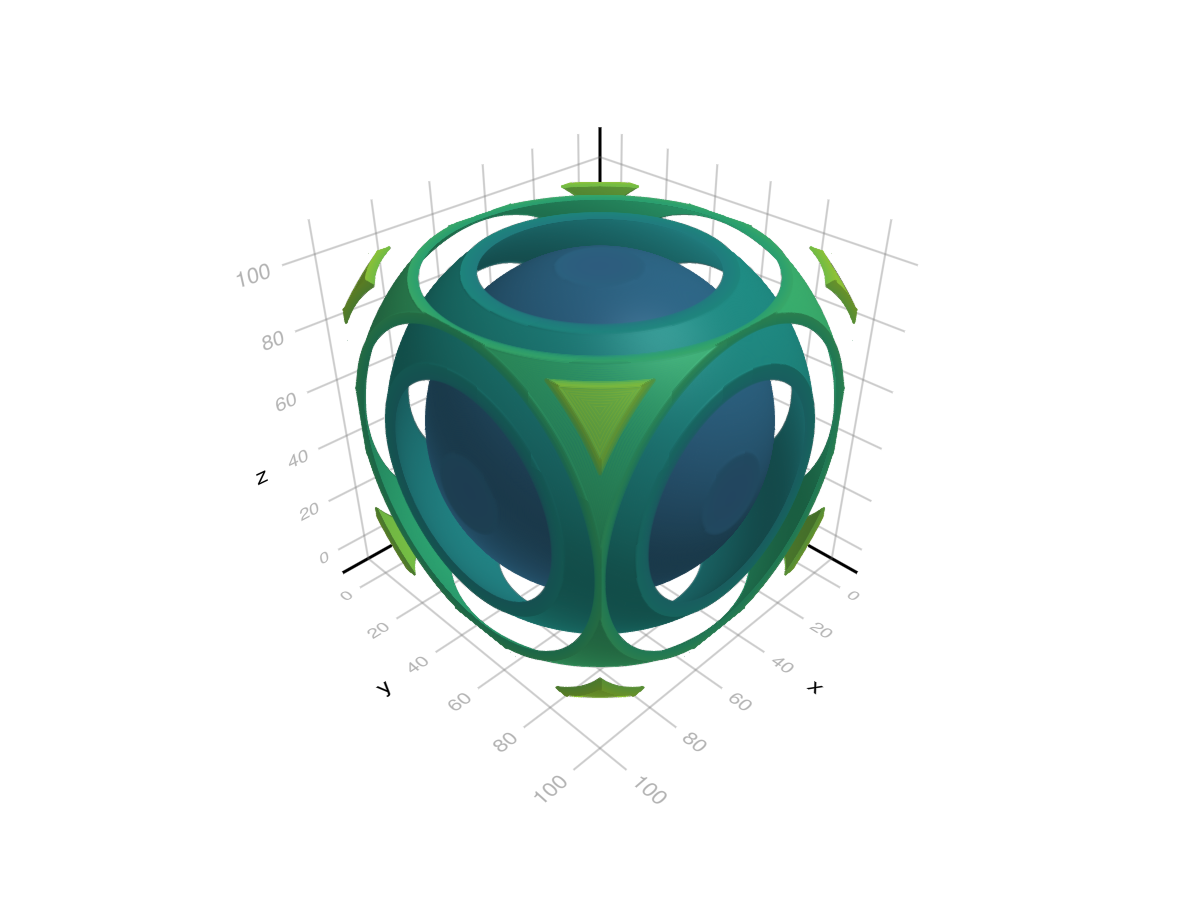
cube_with_holes = cube .* (cube .> 1.4)
volume(cube_with_holes, algorithm = :iso, isorange = 0.05, isovalue = 1.7)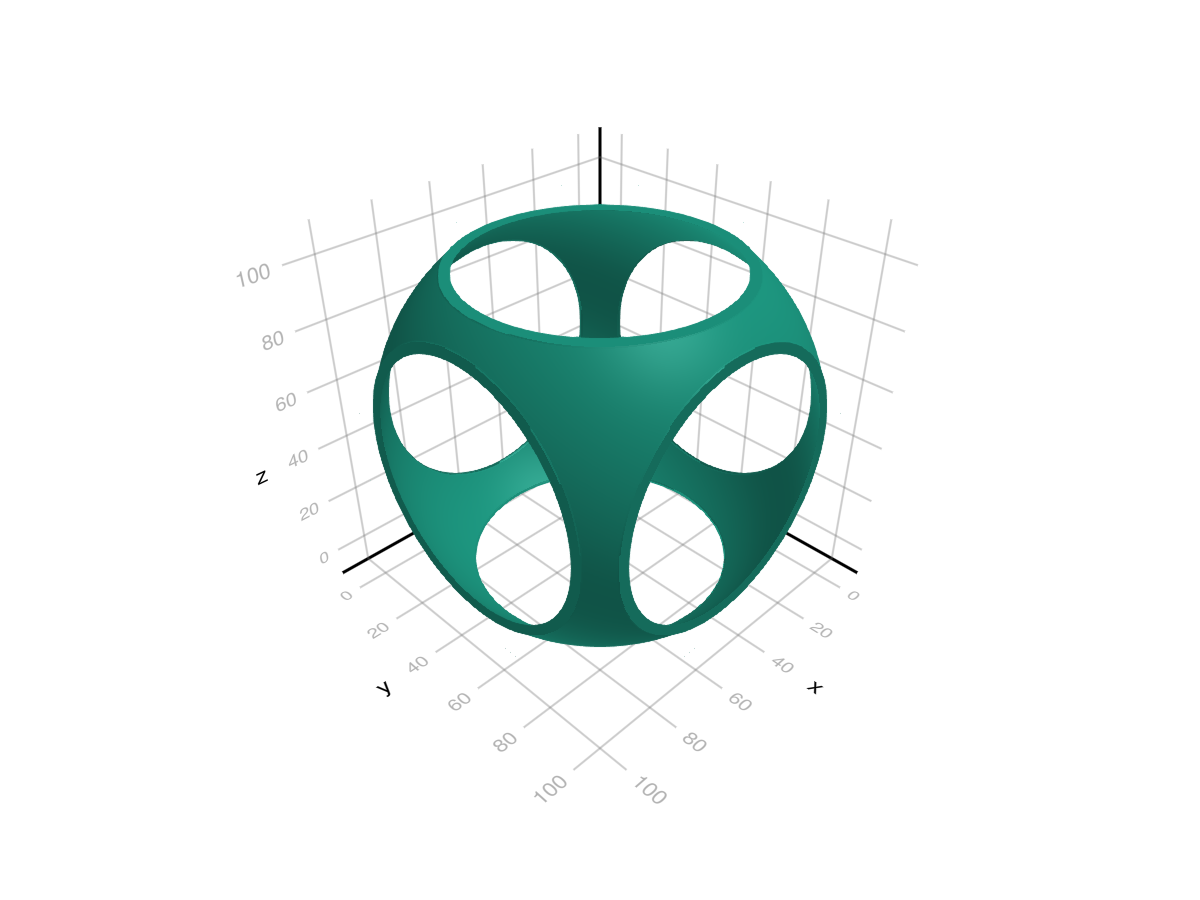
using GLMakie
using NIfTI
brain = niread(Makie.assetpath("brain.nii.gz")).raw
mini, maxi = extrema(brain)
normed = Float32.((brain .- mini) ./ (maxi - mini))

fig = Figure(size=(1000, 450))
# Make a colormap, with the first value being transparent
colormap = to_colormap(:plasma)
colormap[1] = RGBAf(0,0,0,0)
volume(fig[1, 1], normed, algorithm = :absorption, absorption=4f0, colormap=colormap, axis=(type=Axis3, title = "Absorption"))
volume(fig[1, 2], normed, algorithm = :mip, colormap=colormap, axis=(type=Axis3, title="Maximum Intensity Projection"))
fig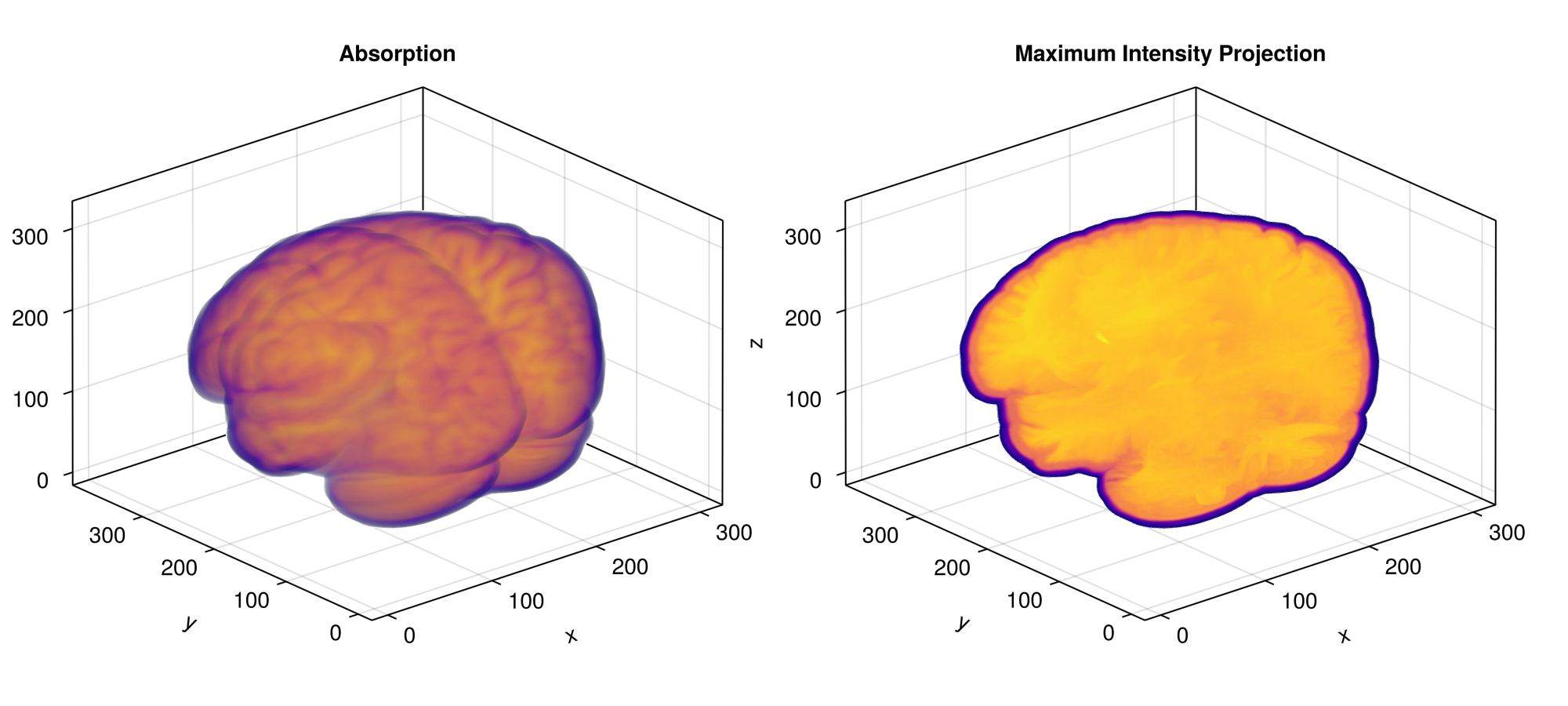
RGB(A)算法(:absorptionrgba,:additive)
using GLMakie
using LinearAlgebra
# Signed distance field for a chain Link (generates distance values from the
# surface of the shape with negative values being inside)
# based on https://iquilezles.org/articles/distfunctions/ "Link"
# (x,y,z) sample position, length between ends, shape radius, tube radius
function sdf(x, y, z, le, r1, r2)
    x, y, z = Vec3f(x, max(abs(y) - le, 0.0), z);
    return norm(Vec2f(sqrt(x*x + y*y) - r1, z)) - r2;
end

r = range(-5, 5, length=31)
data = map([(x,y,z) for x in r, y in r, z in r]) do (x,y,z)
    r = max(-sdf(x,y,z, 1.5, 2, 1), 0)
    g = max(-sdf(y,z,x, 1.5, 2, 1), 0)
    b = max(-sdf(z,x,y, 1.5, 2, 1), 0)
    # RGBAf(1+r, 1+g, 1+b, max(r, g, b) - 0.1)
    RGBAf(r, g, b, max(r, g, b))
end

f = Figure(backgroundcolor = :black, size = (700, 400))
volume(f[1, 1], data, algorithm = :absorptionrgba, absorption = 20)
volume(f[1, 2], data, algorithm = :additive)
f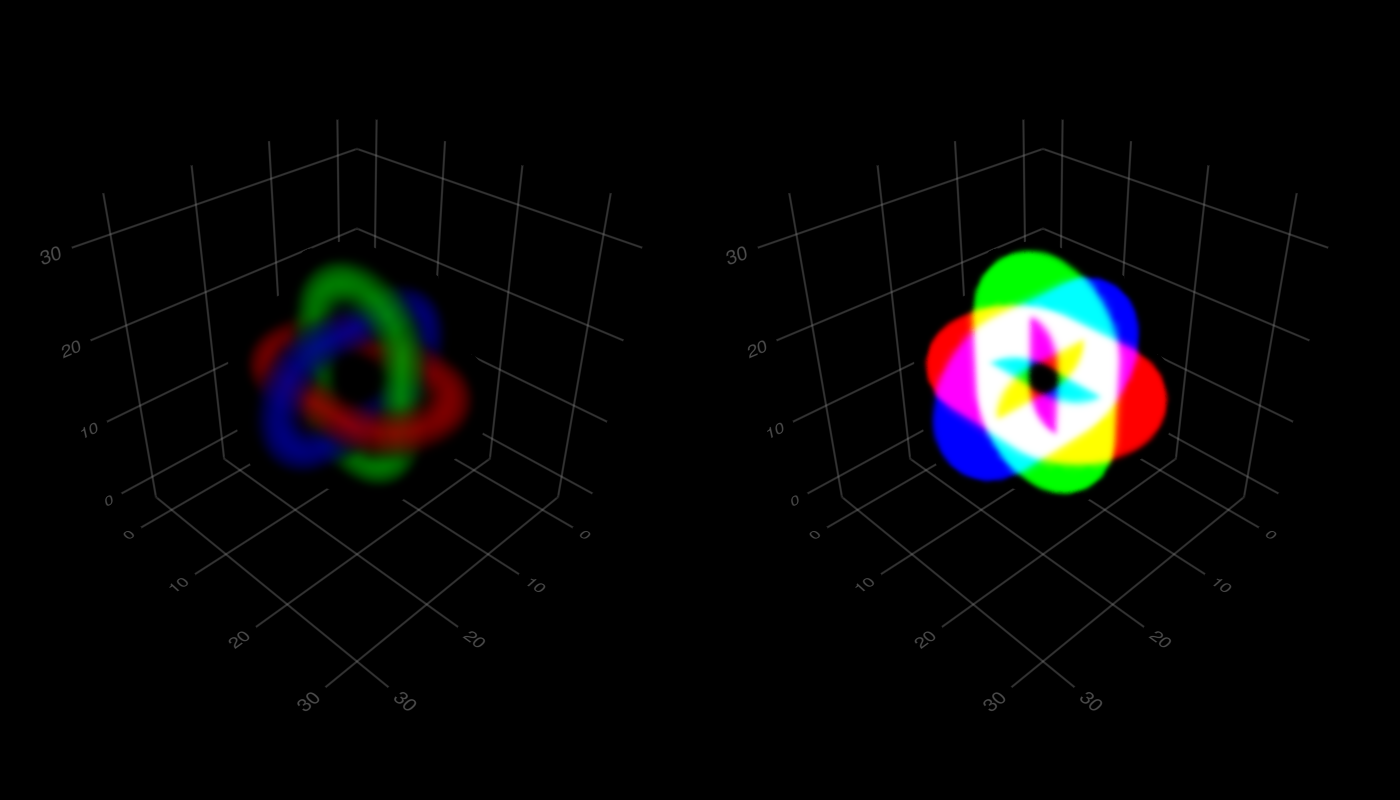
索引算法(:indexedabsorption)
索引算法将从卷数据读取的值解释为颜色表中的索引。 如此有效地读取 idx=round(Int,get(data,sample_pos)) 及用途 颜色表[idx] 作为样品的颜色。 请注意,您仍然可以在这里使用float数据,并且没有 插值=错误 它将被插值。
</无翻译>
using GLMakie
r = -5:5
data = map([(x,y,z) for x in r, y in r, z in r]) do (x,y,z)
    1 + min(abs(x), abs(y), abs(z))
end
colormap = [:red, :transparent, :transparent, RGBAf(0,1,0,0.5), :transparent, :blue]
volume(data, algorithm = :indexedabsorption, colormap = colormap,
    interpolate = false, absorption = 5)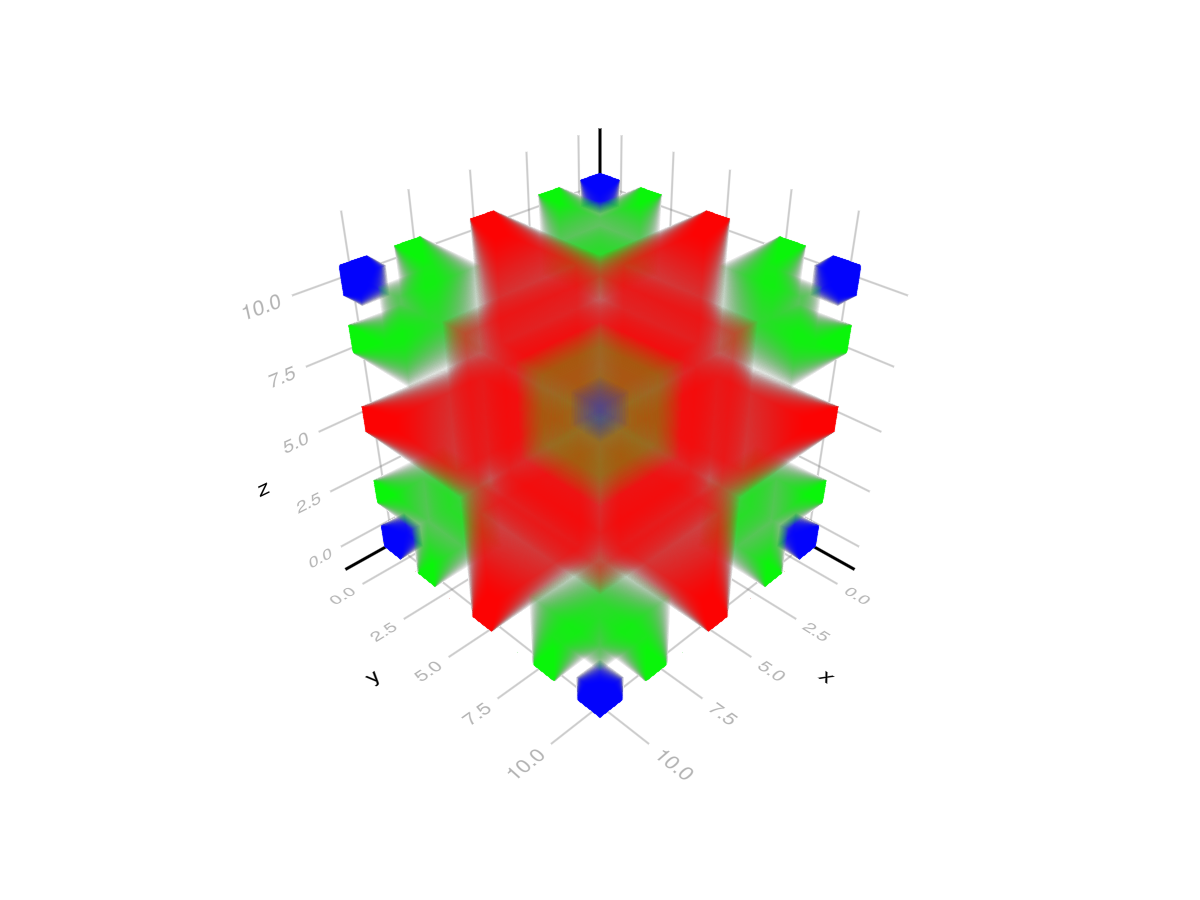
属性
算法
默认值为 :mip
设置所使用的音量算法。 可用的算法有:
-
:iso:显示给定浮点数据内的isovalue曲面。 对于这个只有样品内isovalue-isorange。. isovalue+isorange都包括在一个像素的最终颜色中。 -
:吸收:根据从体积数据中采样的浮点数值累积颜色。 在每个射线步骤(从正面开始),从体积数据中采样一个值,然后用于对颜色表进行采样。 所得到的颜色由射线步长加权并混合先前累积的颜色。 每个步骤的重量可以用乘法器调整吸收;吸收属性。 -
:mip:显示给定浮点数据的最大强度投影。 这从从各自射线采样的最大值导出像素的颜色。 -
:吸收率:此算法匹配:吸收,但直接从RGBA体积数据采样颜色。 对于每个射线步长,从数据中采样颜色,按射线步长加权并与先前累积的颜色混合。 还考虑吸收;吸收. -
:添加剂:累积颜色使用accumulated_color=1-(1-accumulated_color)*(1-sampled_color)哪里采样颜色是当前射线步骤处的体积数据的样本。 -
:索引吸收:此算法的作用与:吸收相同,但将体积数据解释为指数。 它们被用作颜色表的直接索引。 还考虑吸收;吸收.
夹式飞机
默认值为 自动的
剪辑平面提供了一种在3D空间中进行剪辑的方法。 您可以设置最多8个向量 平面3f 飞机在这里,后面的情节将被裁剪(即变得不可见)。 默认情况下,剪辑平面继承自父绘图或场景。 您可以删除父 夹式飞机 通过传递 平面3f[].
颜色表
默认值为 @继承colormap:viridis
设置为数字采样的颜色表 颜色s. PlotUtils.cgrad(。..), 麦琪反向(any_colormap) 也可以使用,或者来自ColorBrewer或PlotUtils的任何符号。 要查看所有可用的颜色渐变,您可以调用 麦琪可用_gradients().