文本
|
该页面正在翻译中。 |
#
<无翻译>*马基科。文本*-Function
text(positions; text, kwargs...)
text(x, y; text, kwargs...)
text(x, y, z; text, kwargs...)
绘制通过 文本 关键字。 文本 使用 以点为基础的 转换特性。
绘图类型
绘图类型别名 文本 功能是 文本.
标记空间像素
默认情况下,文本是用 markerspace=:像素,这意味着文本大小在像素空间中解释。 (文本位置的空间由 空间 属性代替。)
文本的boundingbox与 markerspace=:像素 将包括每个数据点或每个文本锚点,但不包括文本本身,因为它的范围取决于它所在的轴的当前投影。 这也意味着 autolimits! 可能会切断您的文本,因为字形在数据坐标中没有有意义的大小(大小与缩放级别无关),并且您必须小心手动放置文本或设置数据限制,以便它完全可见。
using CairoMakie
f = Figure()

Axis(f[1, 1], aspect = DataAspect(), backgroundcolor = :gray50)

scatter!(Point2f(0, 0))
text!(0, 0, text = "center", align = (:center, :center))

circlepoints = [(cos(a), sin(a)) for a in LinRange(0, 2pi, 16)[1:end-1]]
scatter!(circlepoints)
text!(
    circlepoints,
    text = "this is point " .* string.(1:15),
    rotation = LinRange(0, 2pi, 16)[1:end-1],
    align = (:right, :baseline),
    color = cgrad(:Spectral)[LinRange(0, 1, 15)]
)

f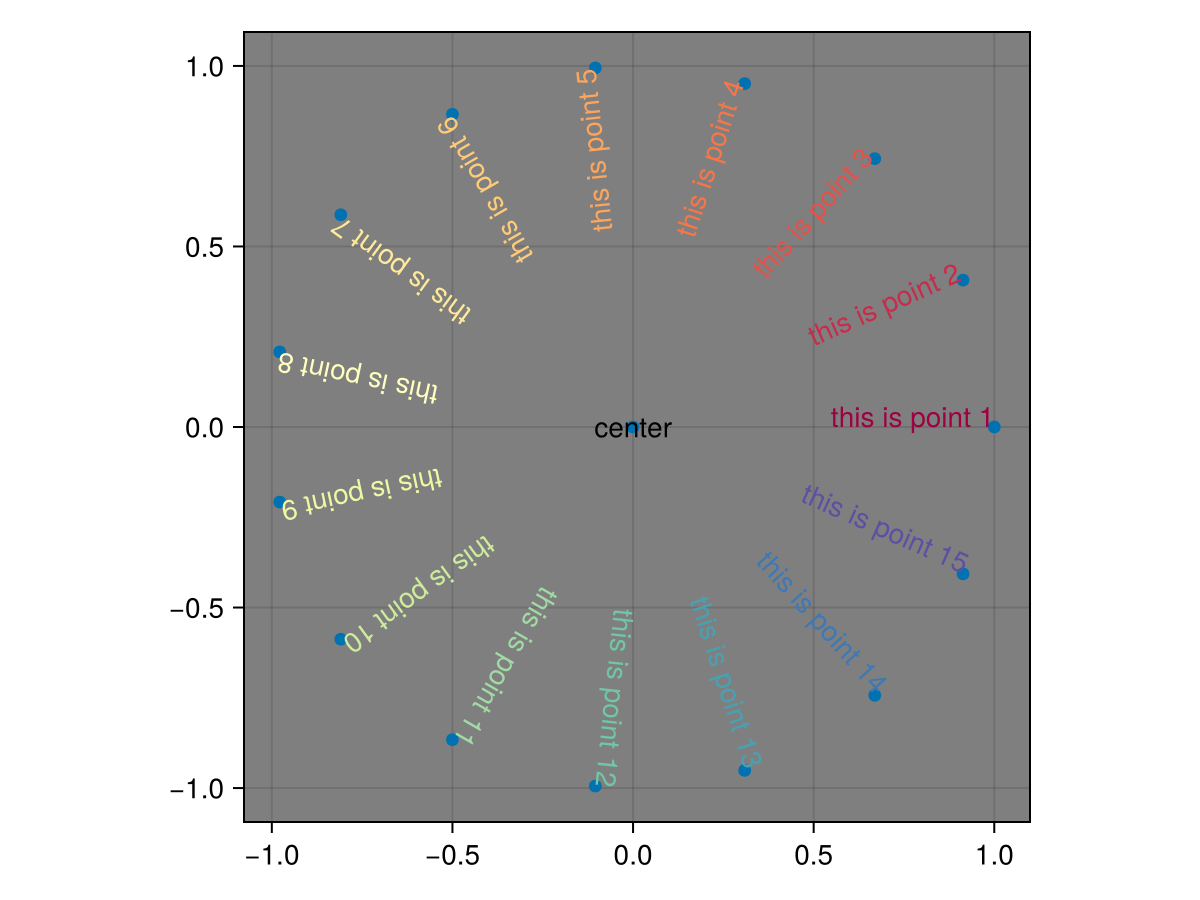
标记空间数据
using CairoMakie
f = Figure()
LScene(f[1, 1])

text!(
    [Point3f(0, 0, i/2) for i in 1:7],
    text = fill("Makie", 7),
    rotation = [i / 7 * 1.5pi for i in 1:7],
    color = [cgrad(:viridis)[x] for x in LinRange(0, 1, 7)],
    align = (:left, :baseline),
    fontsize = 1,
    markerspace = :data
)

f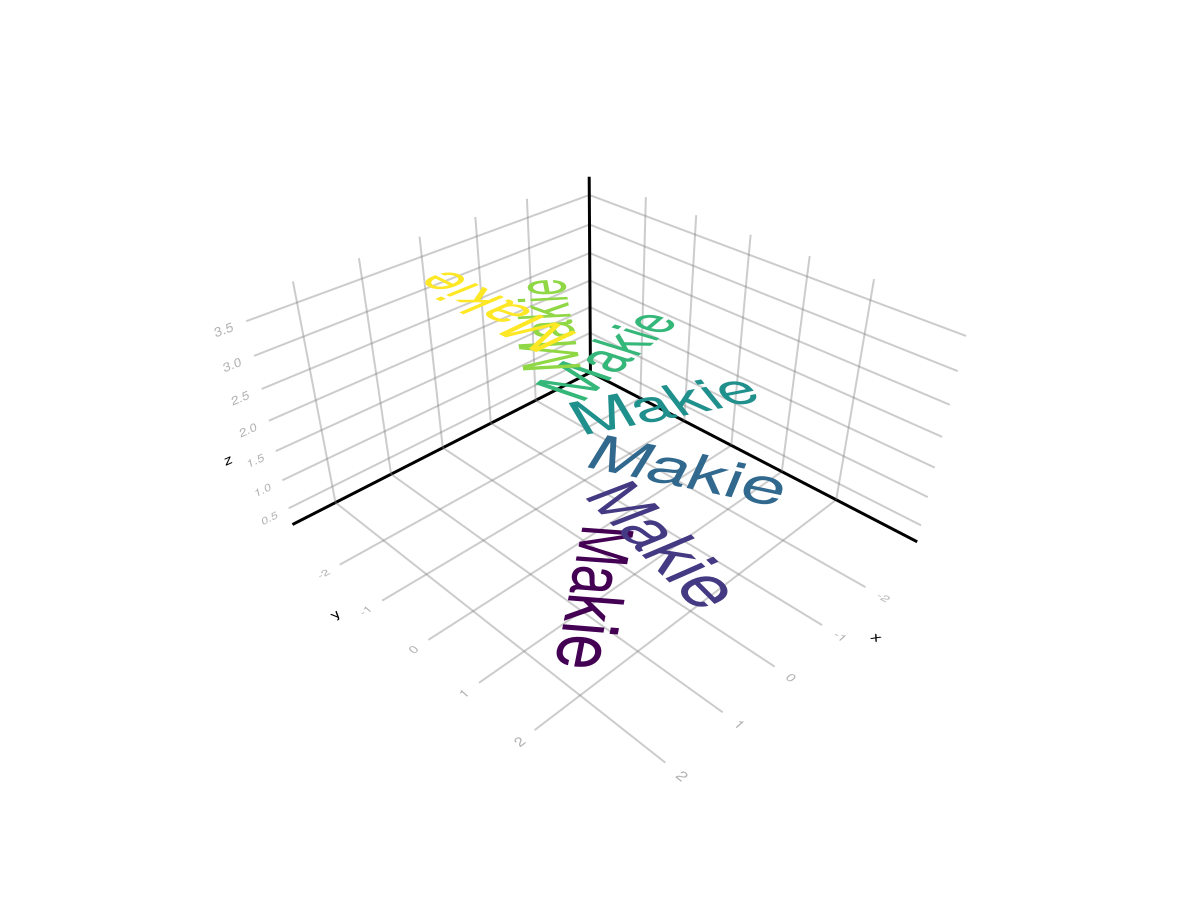
理由说明
using CairoMakie
scene = Scene(camera = campixel!, size = (800, 800))

点=[点(x,y)。*200为x在1:3为y在1:3]
散开!(scene,points,marker=:circle,markersize=10px)

符号=(:左,:中,:右)

for((justification,halign),point)in zip(Iterators.产品(符号,符号),点)

    t=文本!(场景,
        点,
        text="a\nshort\nparagraph",
        颜色=(:黑色,0.5),
        align=(halign,:center),
        理由=理由)

    bb=boundingbox(t,:像素)
    线框!(场景,bb,颜色=(:红色,0.2))
结束

for(p,al)in zip(points[3:3:end],(:left,:center,:right))
    文字!(场景,p。+(0,80),text="align:"*string(al),
        align=(:center,:baseline))
结束

for(p,al)in zip(points[7:9],(:left,:center,:right))
    文字!(场景,p。+(80,0),text="理由\n:"*字符串(al),
        align=(:center,:top),rotation=pi/2)
结束

场景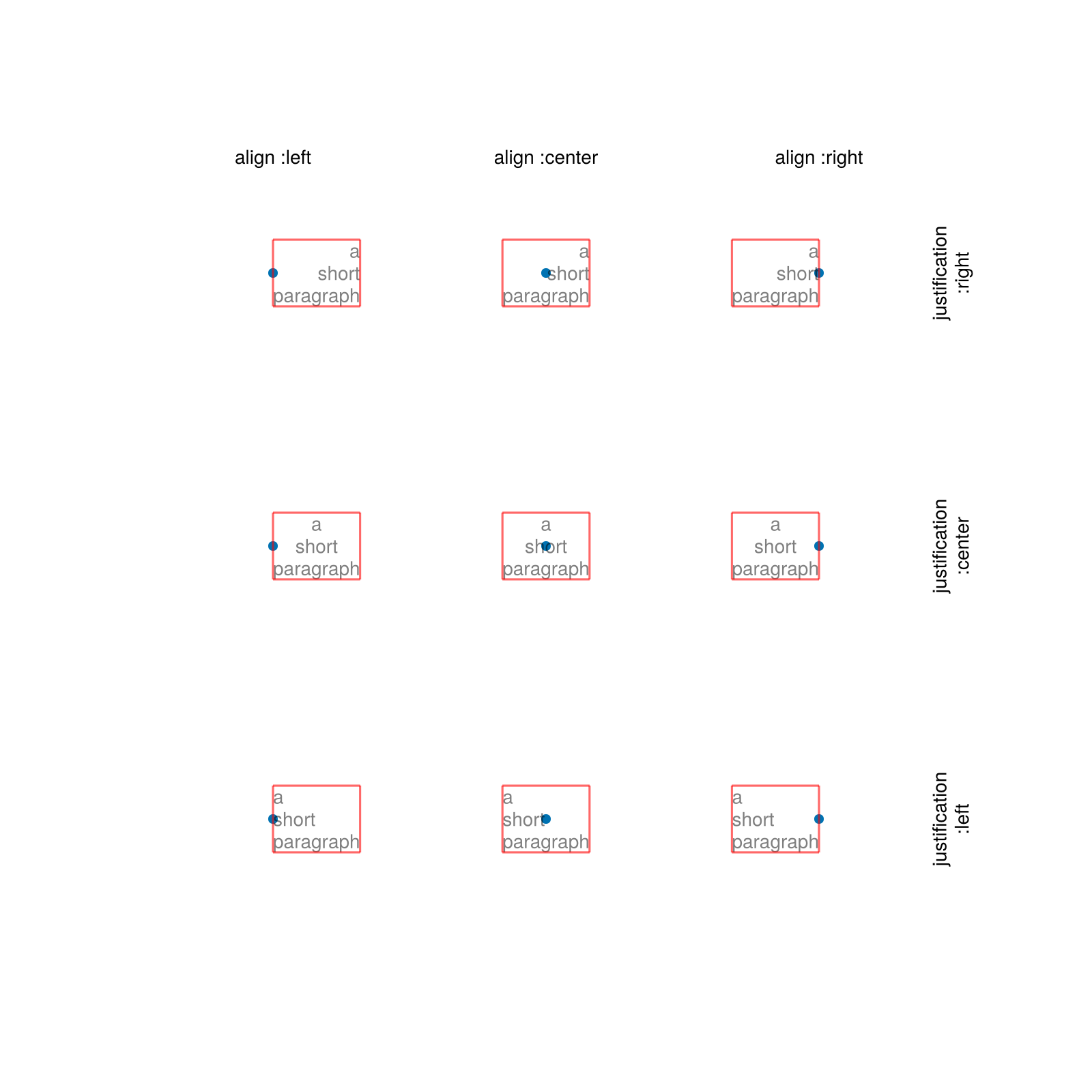
偏移量
using CairoMakie
f = Figure()

horsepower = [52, 78, 80, 112, 140]
cars = ["Kia", "Mini", "Honda", "Mercedes", "Ferrari"]

ax = Axis(f[1, 1], xlabel = "horse power")
tightlimits!(ax, Left())
hideydecorations!(ax)

barplot!(horsepower, direction = :x)
text!(Point.(horsepower, 1:5), text = cars, align = (:right, :center),
    offset = (-20, 0), color = :white)

f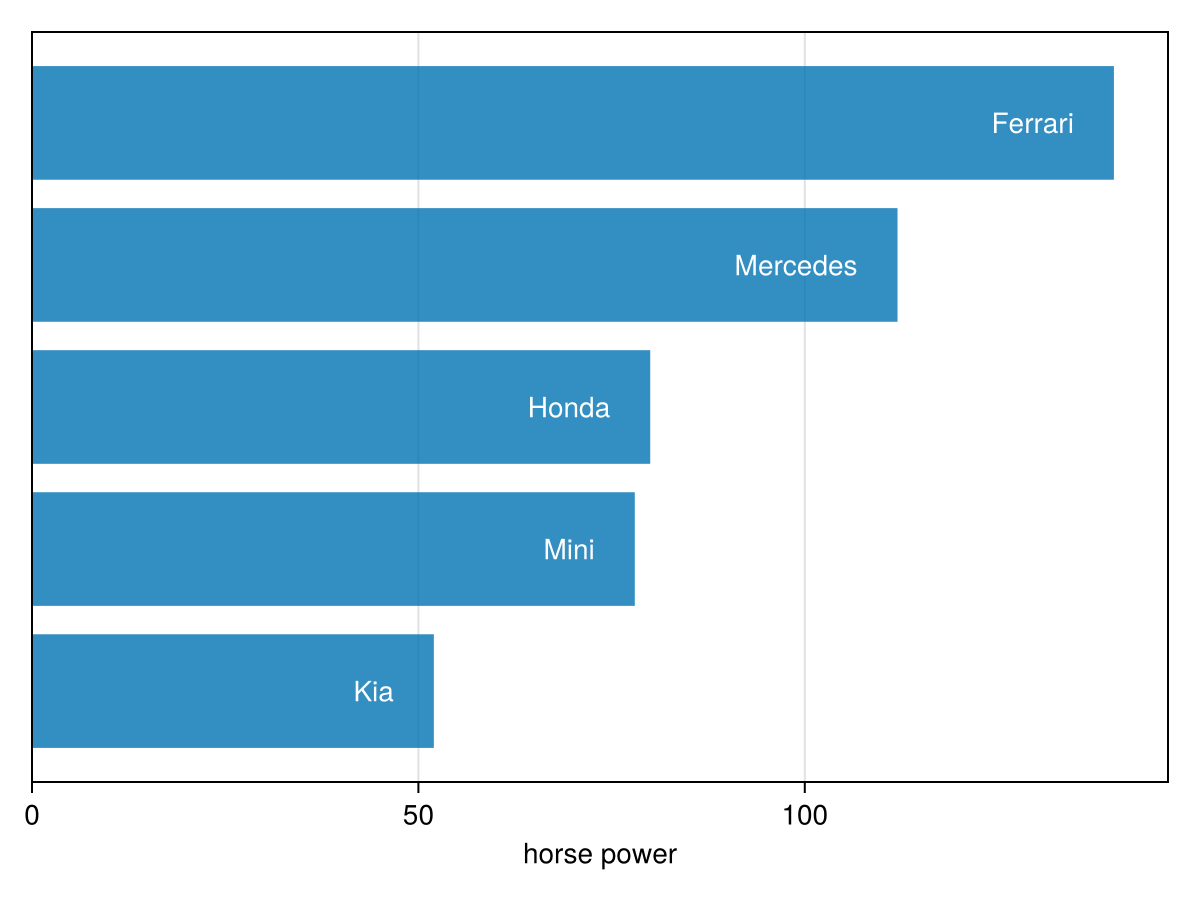
相对空间
的默认设置 文本 是 空间=:数据,这意味着最终位置取决于轴限制和缩放。 但是,相对于轴本身放置文本可能很有用,与缩放无关。 与 空间=:相对,位置 (0, 0) 指左下角和 (1, 1) 的右上方 场景 一个情节对象在(对于一个 轴心,轴心 这相当于绘图区域,它是使用一个 场景).
using CairoMakie
f = Figure()

ax1 = Axis(f[1, 1], limits = (1, 2, 3, 4))
ax2 = Axis(f[1, 2], width = 300, limits = (5, 6, 7, 8))
ax3 = Axis(f[2, 1:2], limits = (9, 10, 11, 12))

for (ax, label) in zip([ax1, ax2, ax3], ["A", "B", "C"])
    text!(
        ax, 0, 1,
        text = label,
        font = :bold,
        align = (:left, :top),
        offset = (4, -2),
        space = :relative,
        fontsize = 24
    )
end

f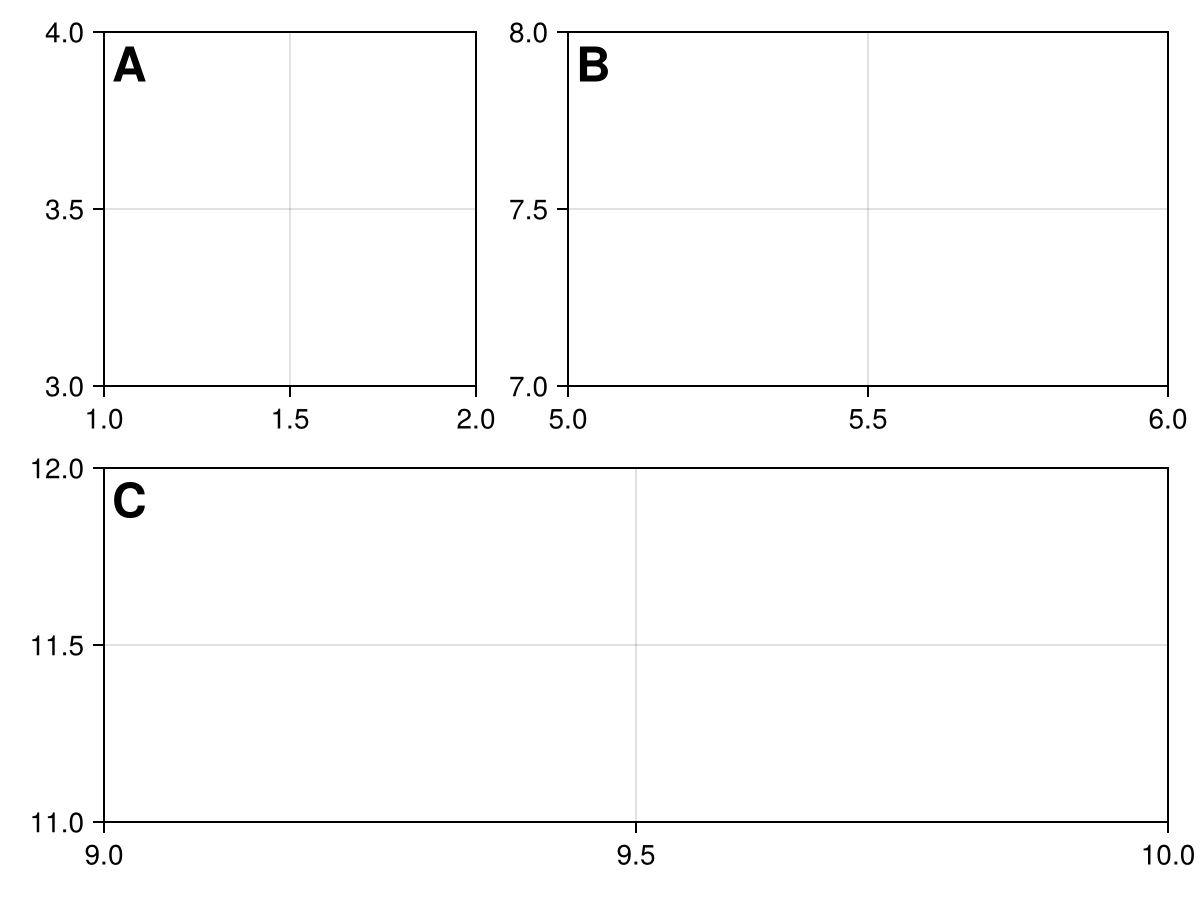
数学系
Makie可以从LaTeXStrings渲染LaTeX字符串。jl包使用https://github.com/Kolaru/MathTeXEngine.jl/[MathTeXEngine.jl]。 </无翻译>
using CairoMakie
lines(0.5..20, x -> sin(x) / sqrt(x), color = :black)
text!(7, 0.38, text = L"\frac{\sin(x)}{\sqrt{x}}", color = :black)
current_figure()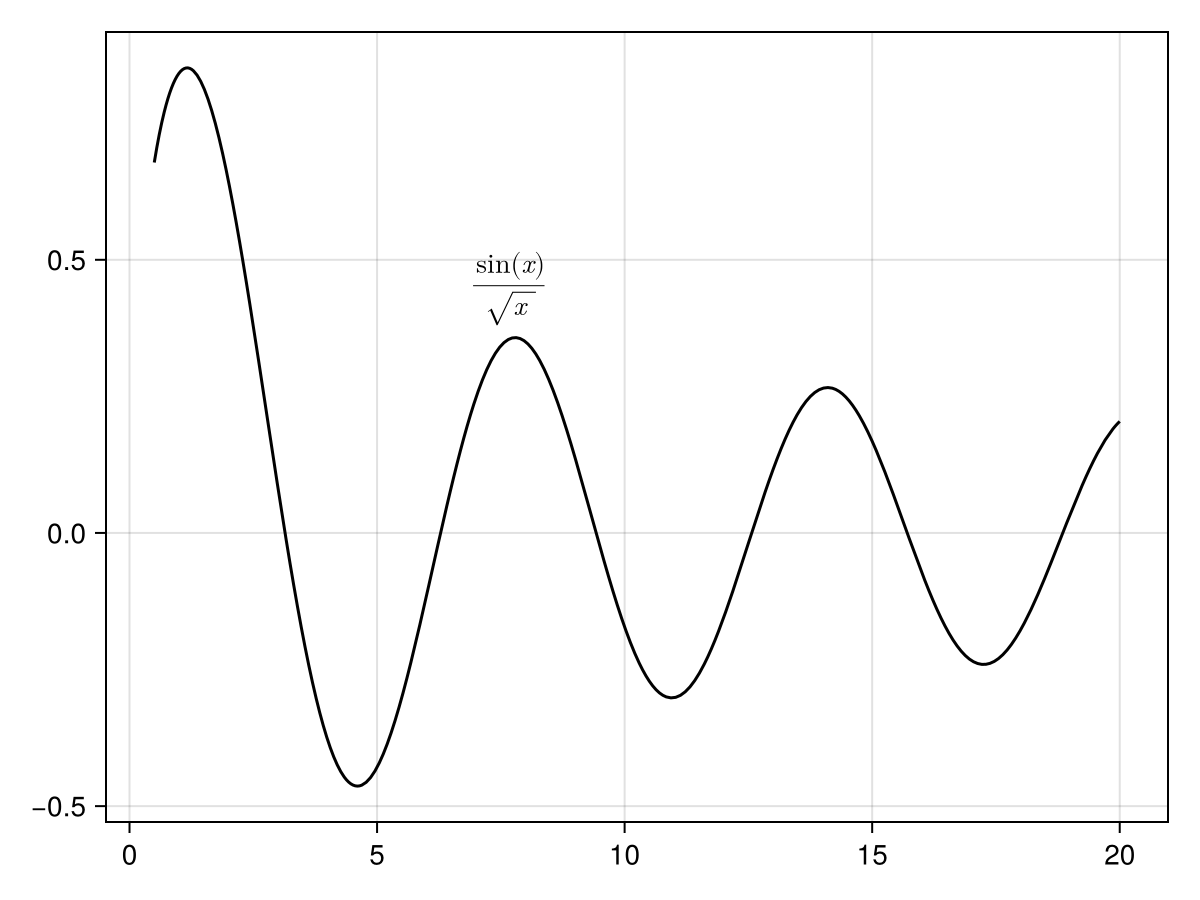
using CairoMakie
f = Figure()
ax = Axis(f[1, 1])

lines!(0..10, x -> sin(3x) / (cos(x) + 2),
    label = L"\frac{\sin(3x)}{\cos(x) + 2}")
lines!(0..10, x -> sin(x^2) / (cos(sqrt(x)) + 2),
    label = L"\frac{\sin(x^2)}{\cos(\sqrt{x}) + 2}")

图例(f[1,2],ax)

f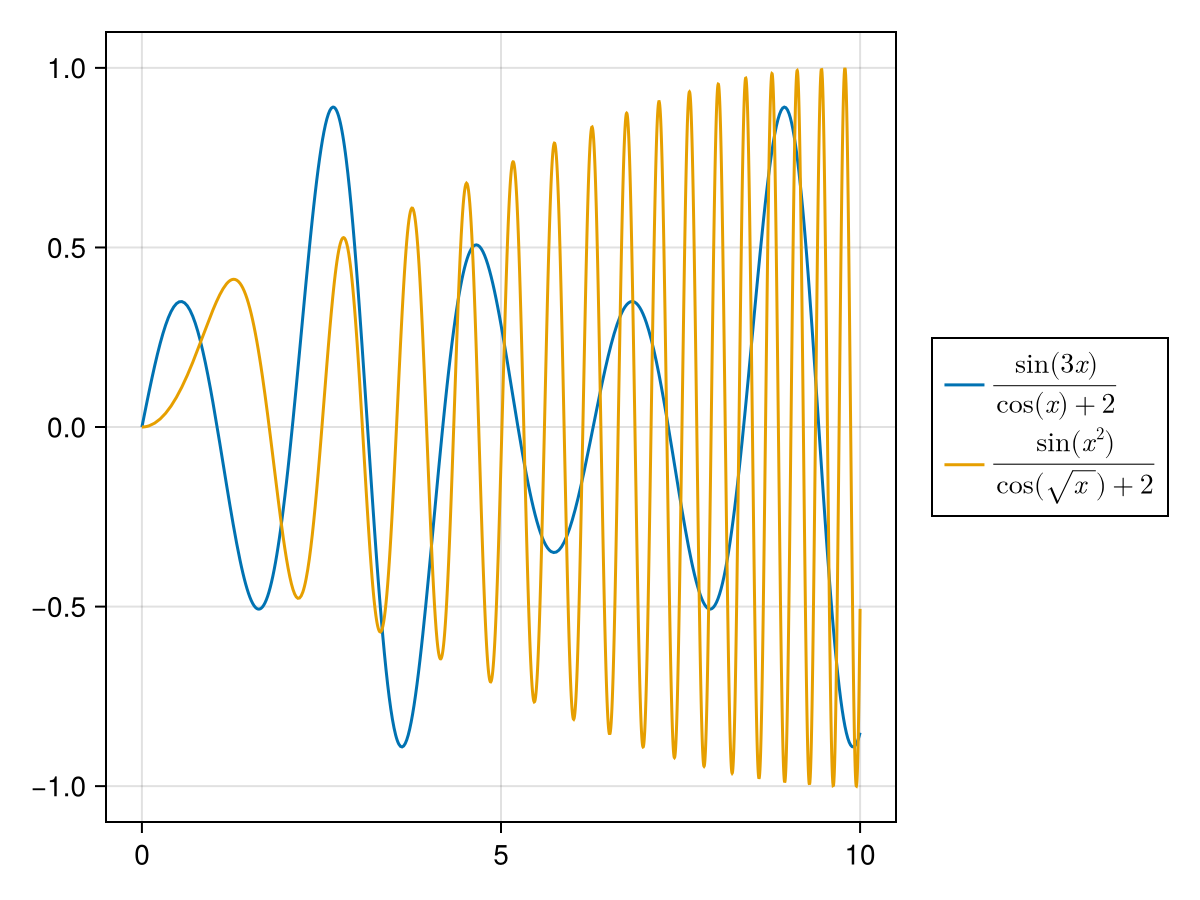
富文本
使用富文本,您可以方便地绘制部分具有不同颜色或字体的文本,并且可以将部分定位为下标和上标。 您可以使用这些函数创建这样的富文本对象 富有, 上标, 下标, 子计划 和 左_subsup,所有这些都创造了 RichText 物体。
这些函数中的每一个都采用可变数量的参数(除了 子计划 和 左_subsup 其中正好有两个参数),每个参数都可以是 字符串 或 RichText. 每个也可以接受关键字参数,例如 颜色 或 字体,来为给定部件设置这些属性。 字体,颜色等的顶级设置。 取自 文本 属性像往常一样。
</无翻译>
using CairoMakie
f = Figure(fontsize = 30)
Label(
    f[1, 1],
    rich(
        "H", subscript("2"), "O is the formula for ",
        rich("water", color = :cornflowerblue, font = :italic)
    )
)

str = "A BEAUTIFUL RAINBOW"
rainbow = cgrad(:rainbow, length(str), categorical = true)
fontsizes = 30 .+ 10 .* sin.(range(0, 3pi, length = length(str)))

rainbow_chars = map(enumerate(str)) do (i, c)
    rich("$c", color = rainbow[i], fontsize = fontsizes[i])
end

Label(f[2, 1], rich(rainbow_chars...), font = :bold)

Label(f[3, 1], rich("Chemists use notations like ", left_subsup("92", "238"), "U or PO", subsup("4", "3−")))

f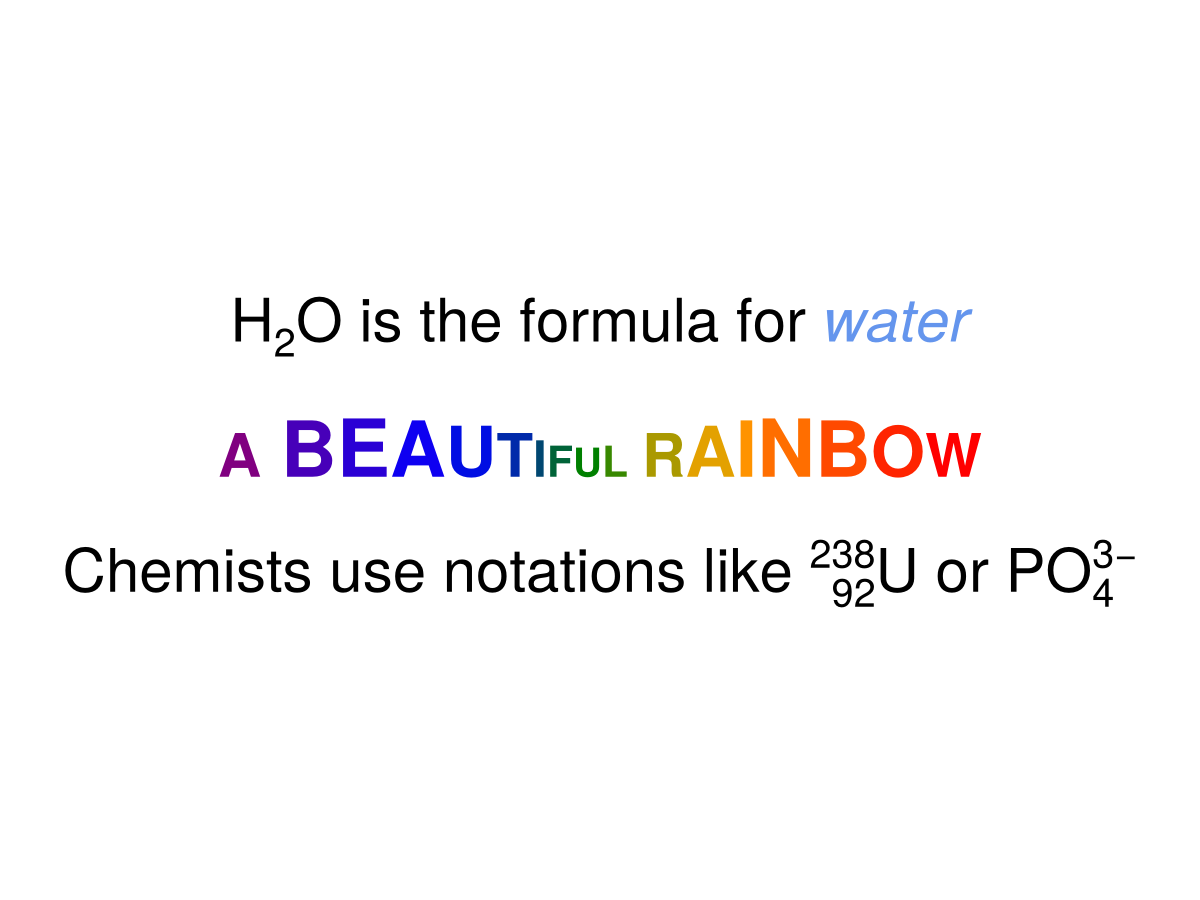
属性
夹式飞机
默认值为 自动的
剪辑平面提供了一种在3D空间中进行剪辑的方法。 您可以设置最多8个向量 平面3f 飞机在这里,后面的情节将被裁剪(即变得不可见)。 默认情况下,剪辑平面继承自父绘图或场景。 您可以删除父 夹式飞机 通过传递 平面3f[].
颜色
默认值为 @继承textcolor
设置文本的颜色。 你可以通过传递一个字形来设置一个颜色 向量资料{<:Colorant},或整个文本的一种着色剂。 如果颜色是数字的向量,则使用colormap args将数字映射到颜色。
颜色表
默认值为 @继承colormap:viridis
设置为数字采样的颜色表 颜色s. PlotUtils.cgrad(。..), 麦琪反向(any_colormap) 也可以使用,或者来自ColorBrewer或PlotUtils的任何符号。 要查看所有可用的颜色渐变,您可以调用 麦琪可用_gradients().