小提琴
|
该页面正在翻译中。 |
例子:
using CairoMakie
categories = rand(1:3, 1000)
values = randn(1000)

violin(categories, values)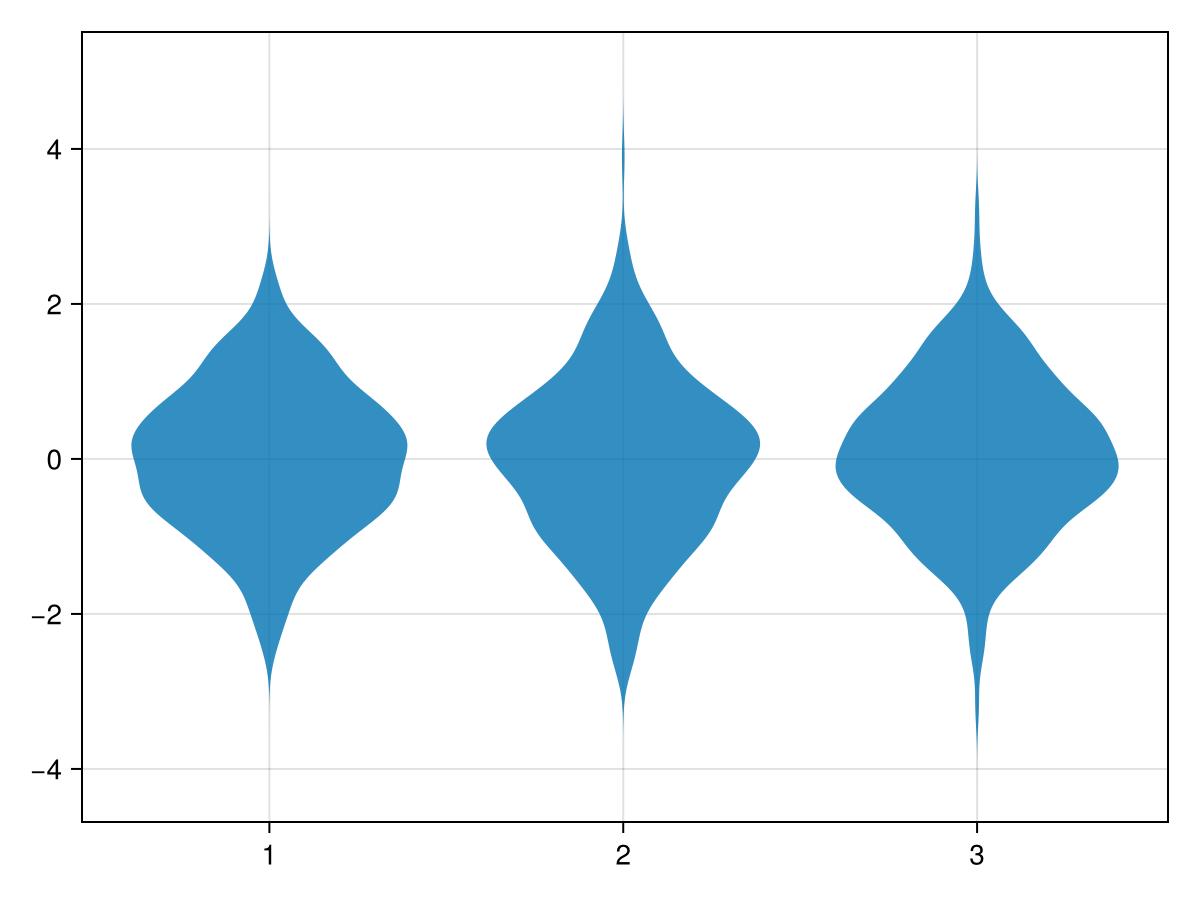
using CairoMakie
fig = Figure()
xs = vcat([fill(i, i * 1000) for i in 1:4]...)
ys = vcat(randn(6000), randn(4000) * 2)
for (i, scale) in enumerate([:area, :count, :width])
    ax = Axis(fig[i, 1])
    violin!(ax, xs, ys; scale, show_median=true)
    Makie.xlims!(0.2, 4.8)
    ax.title = "scale=:$(scale)"
end
fig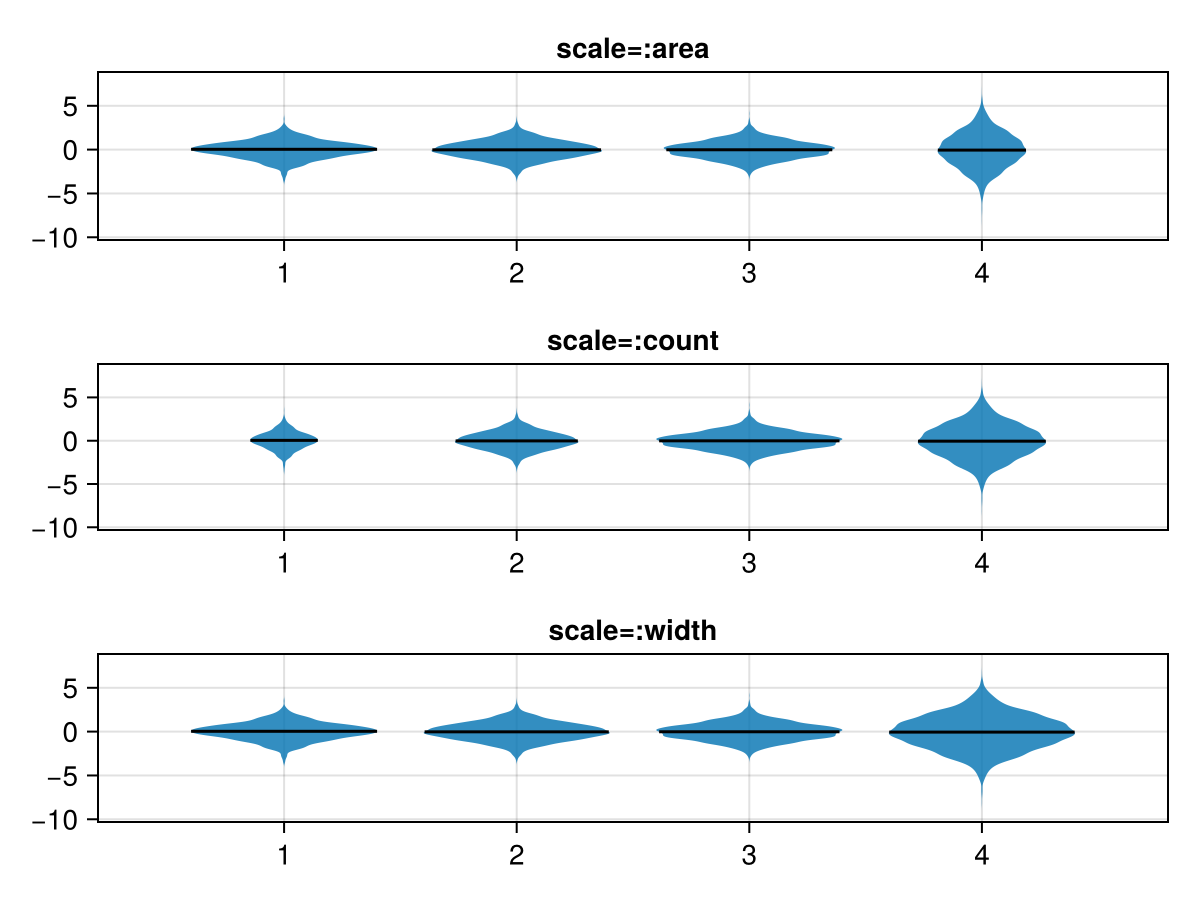
using CairoMakie
categories = rand(1:3, 1000)
values = map(categories) do x
    return x == 1 ? randn() : x == 2 ? 0.5 * randn() : 5 * rand()
end

violin(categories, values, datalimits = extrema)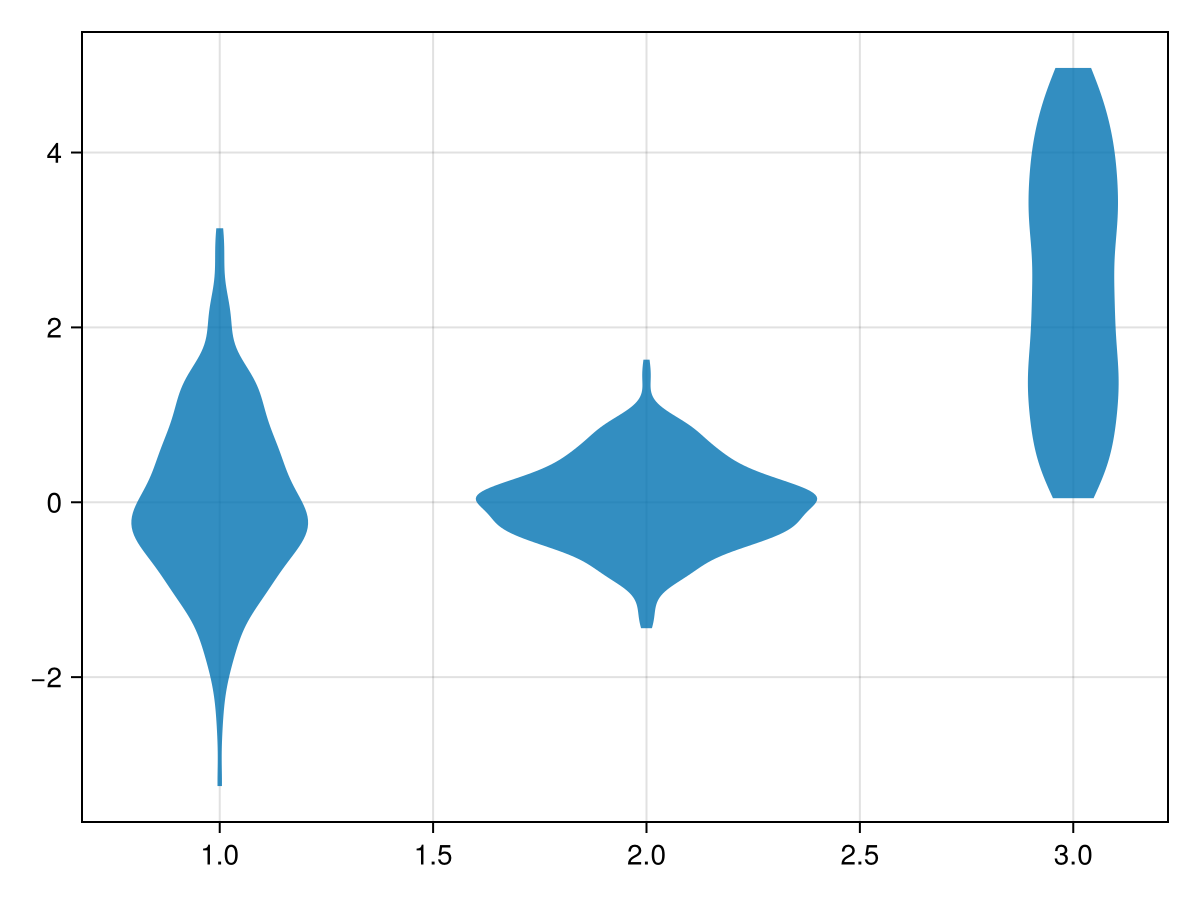
using CairoMakie
N = 1000
categories = rand(1:3, N)
dodge = rand(1:2, N)
side = rand([:left, :right], N)
color = @. ifelse(side === :left, :orange, :teal)
values = map(side) do s
    return s === :left ? randn() : rand()
end

violin(categories, values, dodge = dodge, side = side, color = color)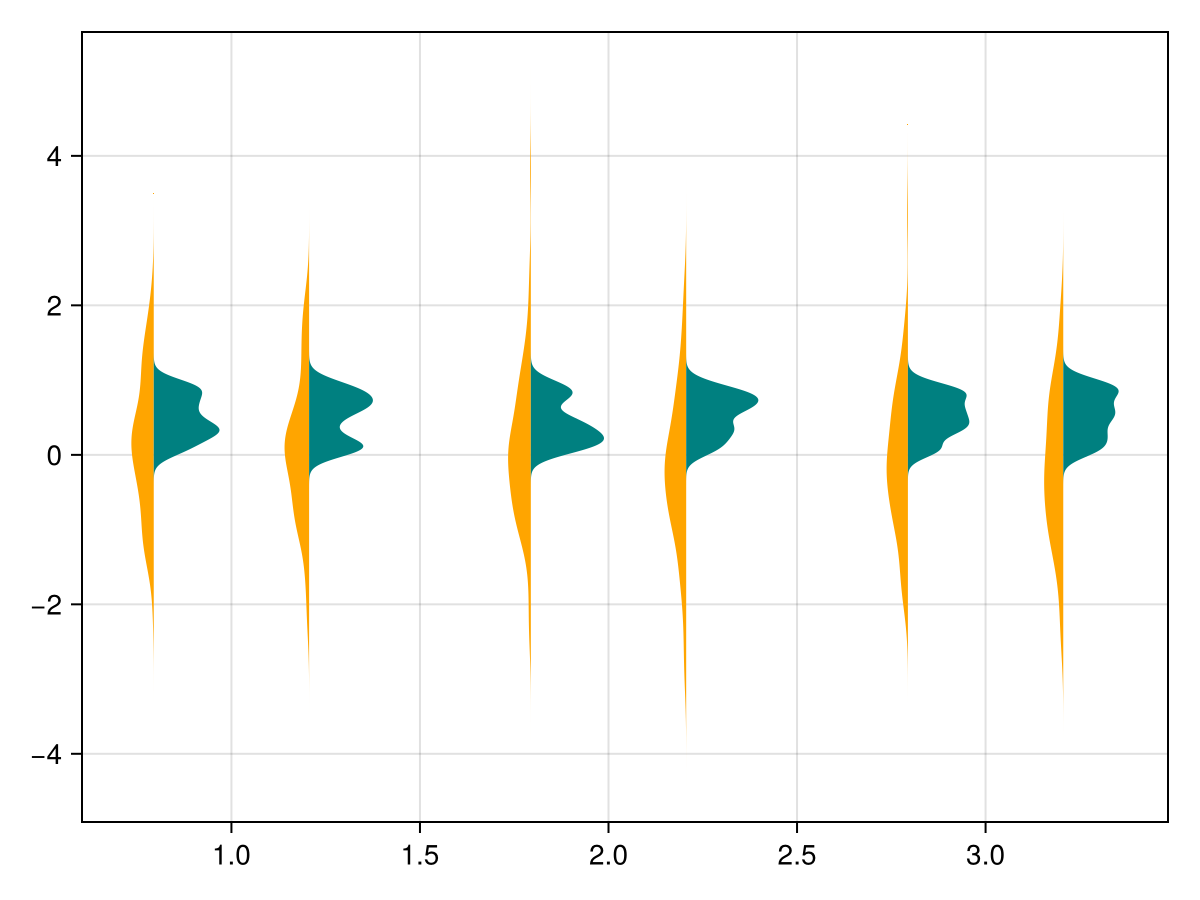
using CairoMakie
N = 1000
categories = rand(1:3, N)
side = rand([:left, :right], N)
color = map(categories, side) do x, s
    colors = s === :left ? [:red, :orange, :yellow] : [:blue, :teal, :cyan]
    return colors[x]
end
values = map(side) do s
    return s === :left ? randn() : rand()
end

violin(categories, values, side = side, color = color)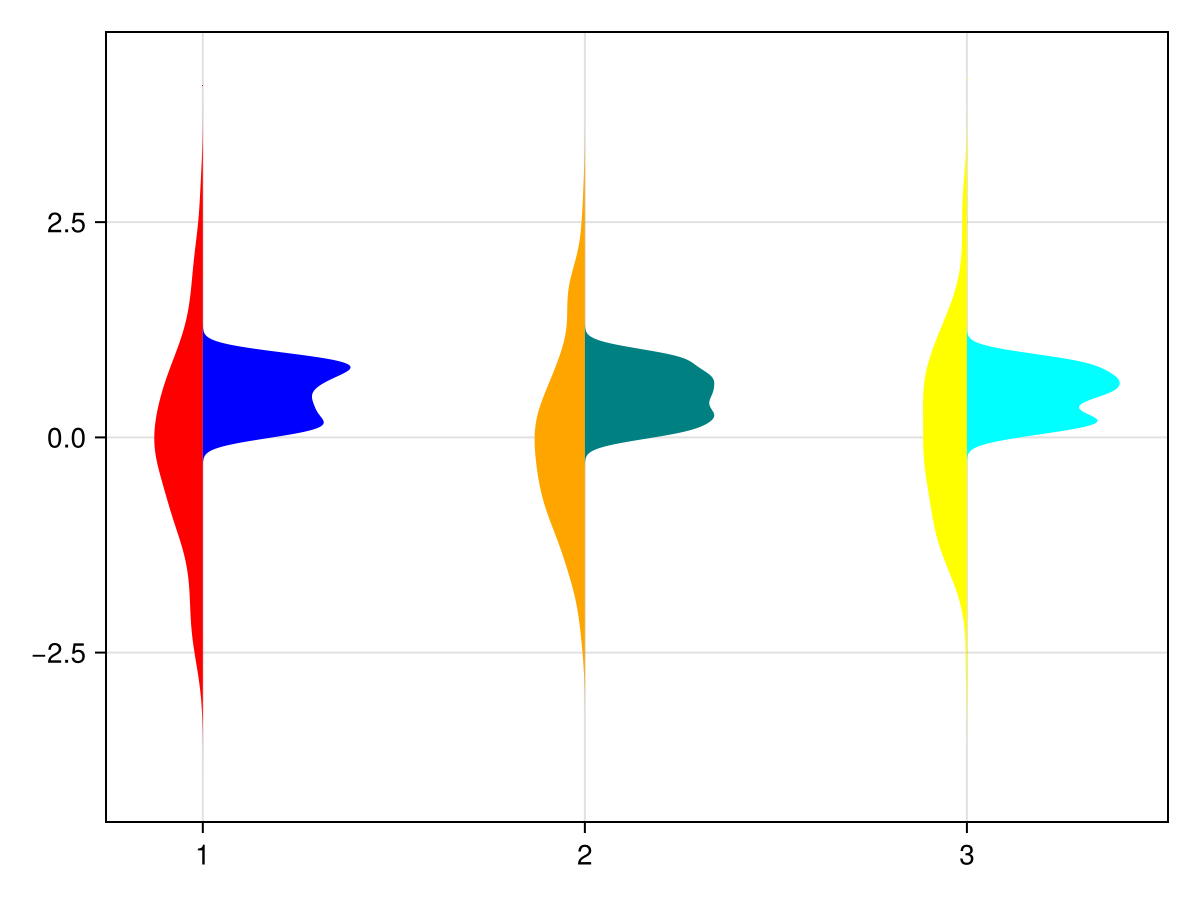
使用统计权重
using CairoMakie
using Distributions

N = 100_000
categories = rand(1:3, N)
values = rand(Uniform(-1, 5), N)

w = pdf.(Normal(), categories .- values)

fig = Figure()

violin(fig[1,1], categories, values)
violin(fig[1,2], categories, values, weights = w)

fig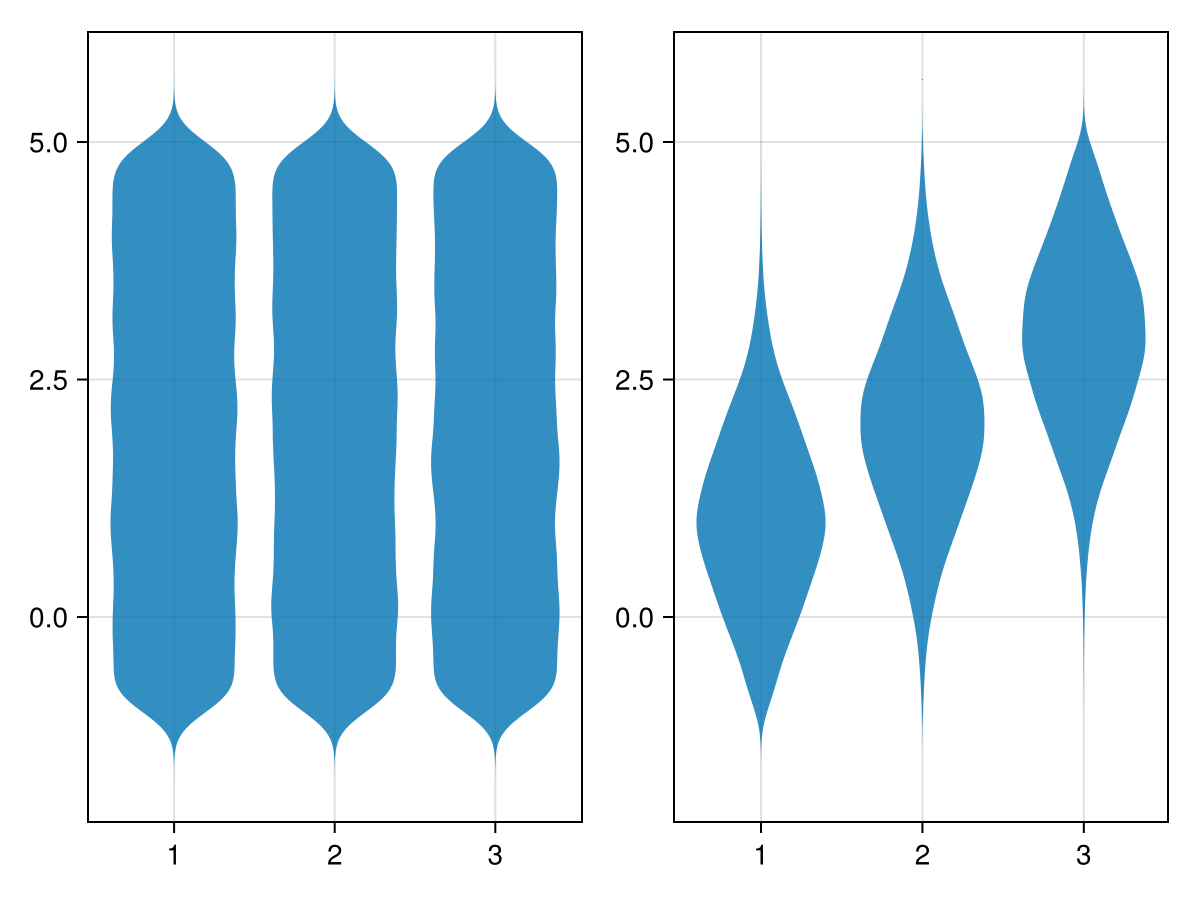
水平轴
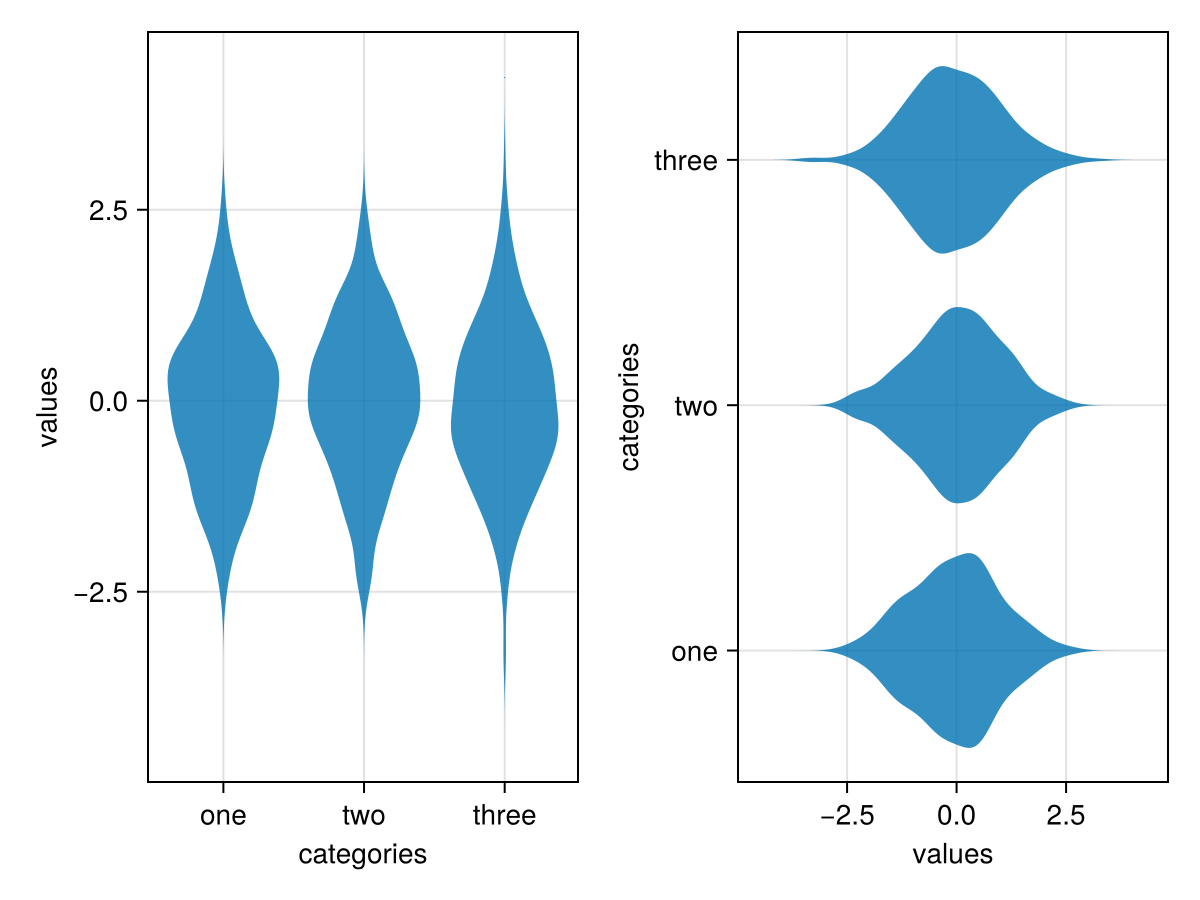
using CairoMakie
fig = Figure()

categories = rand(1:3, 1000)
values = randn(1000)

ax_vert = Axis(fig[1,1];
    xlabel = "categories",
    ylabel = "values",
    xticks = (1:3, ["one", "two", "three"])
)
ax_horiz = Axis(fig[1,2];
    xlabel="values", # note that x/y still correspond to horizontal/vertical axes respectively
    ylabel="categories",
    yticks=(1:3, ["one", "two", "three"])
)

# Note: same order of category/value, despite different axes
violin!(ax_vert, categories, values) # `orientation=:vertical` is default
violin!(ax_horiz, categories, values; orientation=:horizontal)

fig