Control of a manipulator imported from CAD
In this project, we imported a robot arm model from CAD and adjusted the control of the mechanism according to the cyclogram set in Engee.
In the same way, you can organize the management of a mechanism assembled from any STEP files with parts or assemblies of any complexity.
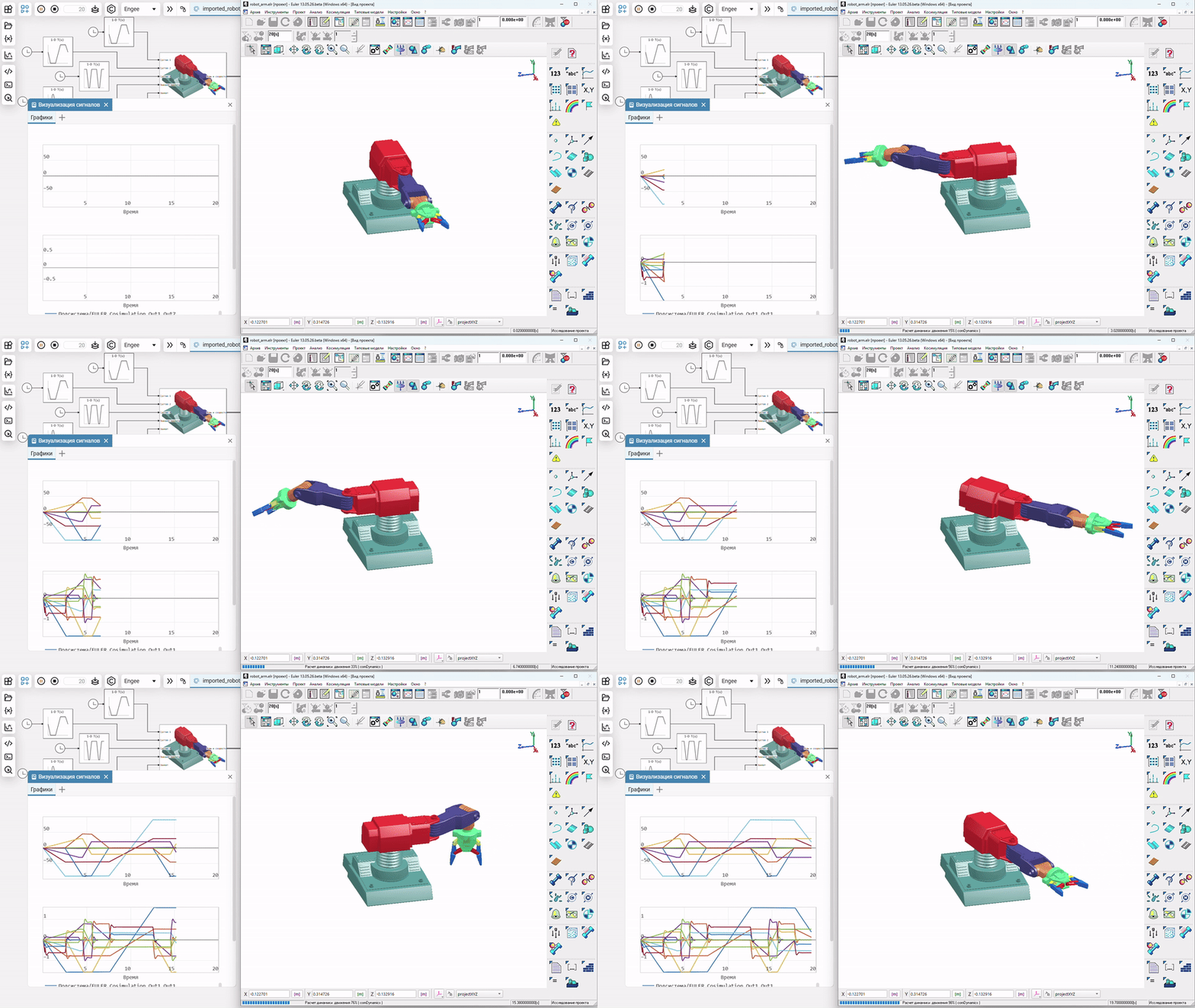
Description of the model
We present the manipulator model imported into the Euler software package (<https://www.euler.ru />), where a multi-link geometric and kinematic model is calculated, while control signals come from Engee through the Engee client program.Integration.
From the Engee side, the model looks like this.
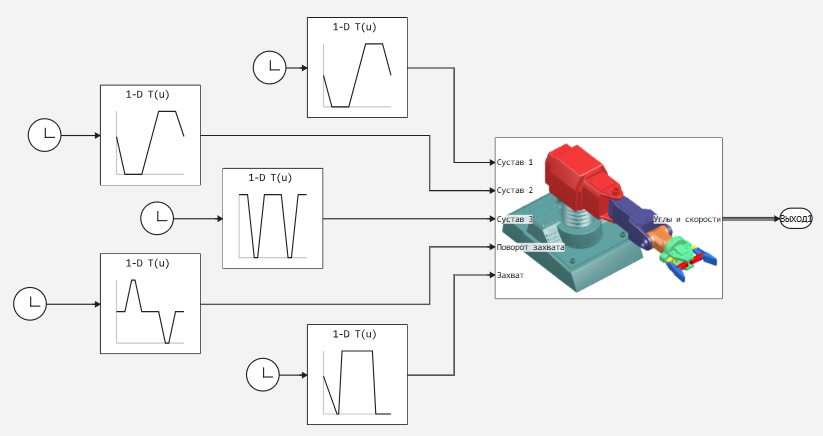
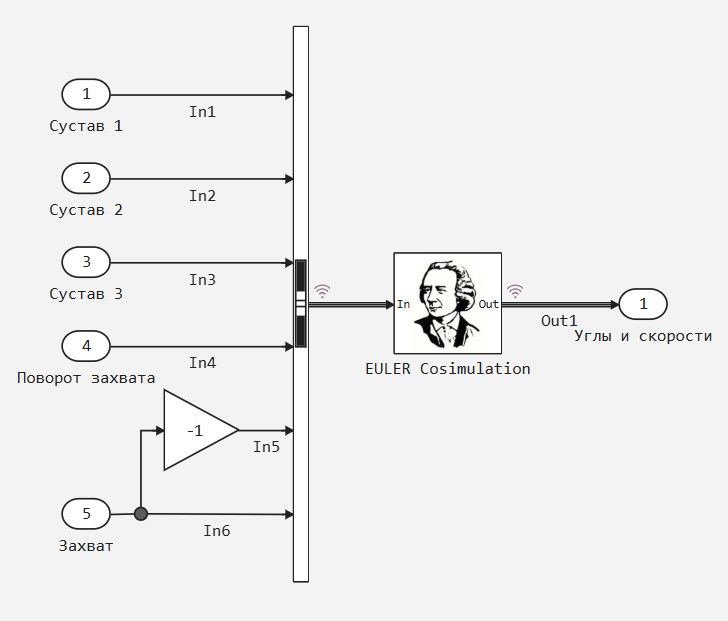
After studying the model on the Euler PC side, you can learn how to import files in STEP format, mass-inertia characteristics, and link the model to Engee through simulation blocks. There is a block inside the Engee manipulator model EULER Cosimulation, which is responsible for sending data to the local computer where the Euler platform is running.
Running the model in simulation mode
To prepare the environment, you can download the folder robot_arm with all the source files and extract it to the C disk:\ or to any convenient folder. The following points can also be considered preparatory actions:
1. Open the project robot_arm.elr in PC Euler.
2. Start the Engee service.Integration, for example, by executing the following cell.
engee.package.start("Engee-Device-Manager")
3. Run the program engee-device-manager and give her the port forwarding address you received from the previous command. Click "Connect".
Now we are ready to run both models for execution.:
4. Run the model in Engee. Wait for the invitation in the Engee client program.Integration.
5. Run the model in the Euler PC.
Both models will be launched for calculation, the Euler and Engee platforms will exchange data for joint calculation of models.
Conclusion
The assembly and calculation of a multi-link system in the Euler software package allows us not to independently program geometric transformations and kinematic relationships of parts, leaving this problem on the CAD side, where models of parts and devices are created, and focus on modeling the electronic part, motors, pneumatics and control systems of such mechanisms.