What’s new in 25.11
_ Release Date: November 2025_
 User experience
 L-Card 502 Support Package
We have fully completed the development of the L-Card L-502 module support package. The support package ensures operation Engee with the L-502 ADC/DAC module using the L-CARD L-502 library blocks. The package runs on top of the subsystem Engee.Integrations and provides access to the analog and digital inputs/outputs of the L-Card modules.
For more information, follow the link: L-Card L-502 Module Support Package.

 The modeling environment
 Steady-state support for Load Flow Source
Steady-state option for the block Load Flow Source makes it possible to spend in Engee calculation of the electric power regime in dynamic models. The user can configure the roles of sources and loads implemented by the Load Flow Source blocks in the model when operating in the steady-state mode of the electric power grid. In this case solver Engee automatically calculates the operating mode of the circuit and starts the model from this mode without transients at the initial time.
In addition, we have significantly improved the reliability of the algorithm for calculating the non-sinusoidal steady-state for all physical models.

 Unsaved changes in the mask editor
Now Engee it will visually (with an asterisk) show if in xref:guide/masks-main.adocThere are unsaved changes in the block mask editor. No more anxiety: you know exactly when to save your job!

Hide or show the name of individual model blocks
They made it possible to individually customize the display of the name for each block. This will allow you to customize the appearance of the model even more flexibly and will be useful when debugging models.

Behavior of graphs when models are closed
Improved the behavior of charts when closing and opening models. Previously, by default in the window signal visualization  An empty chart was always opened, even if it was deleted. Now, if the chart in the model was deliberately closed, then it will not reopen when it is reopened.

 New blocks and updates
.svg)

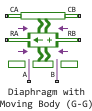
Communication Systems
Mechanical

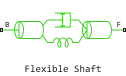
Mixed-Signal
Electrical
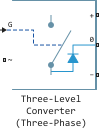
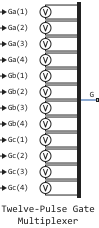
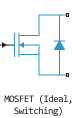


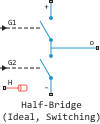
Thermal Liquid
.svg)
Isothermal Liquid


 Library updates and fixes
Signal processing
System objects:
Functions:
-
unshiftdata
-
shiftdata
-
phasedelay
-
invfreqs
-
poly2ac
-
rlevinson
-
yulewalk
-
isallpass
-
isstable
-
ismaxphase
-
sos2zp
-
residuez
-
ss2zp
-
sos2ctf
-
rc2ac
-
sos2cell
-
tf2latc
-
ss2tf
-
levinson
-
ac2poly
-
ac2rc
-
arburg
-
arcov
-
armcov
-
aryule
-
ss2sos
-
isminphase
-
lpc
-
lsf2poly
-
sos2ss
RF components
 Code generation
Support for models with implicitly specified sampling rates
Models can contain blocks operating at different sampling frequencies (with different calculation steps). If these frequencies are not multiples, then an additional, implicit sampling frequency is introduced into the model. It represents the largest common divider of the sampling frequencies present in the model. Now the code generator supports such models and correctly generates the base sampling rate (minimum calculation step) for the model.
Support for mask parameters for code generation
Now the masked blocks containing the mask parameters are supported by the code generator. The behavior of the code generator will vary depending on the selected setting. «Default parameter behavior» (Built-in or Configurable).
Additional information is available in the documentation.: Parameters of masked blocks.
Improved automatic naming of variables in code
Now the names of model elements such as subsystems, signals, blocks, block parameters, and block mask parameters are generated with more logical and consistent names. This helps to improve the readability of the code and eliminate possible collisions of variable names in the generated code.
Additional information is available in the documentation.: Rules for naming variables in the generated code.
Enabled Subsystem support for Verilog generation
Now the block Enabled Subsystem is supported for Verilog code generation. In the block documentation, we talked in more detail about the aspects of generating Verilog code from the Enabled Subsystem.: Verilog Generation.
 Hardware support, interfaces, and external integrations
Functions for working with sockets on the client program side
Now in the subsystem Engee.Integrations A support package for sockets is available. This allows you to work more flexibly with raw sockets than with existing support packages for TCP/IP and UDP.
Additional information in the documentation: Sockets Support Package.
Updates and fixes in the block library «Equipment»
We regularly update and improve the blocks in the category «Hardware». Install an up-to-date support package to enjoy the latest features.: Hardware connection.
 Running models on RITM
Block support «RITM Spectrum»
A block has appeared in the RITM block library that allows you to visualize the signal spectrum. This expands the visualization capabilities on the KPM RITM screen.
Updates and fixes in the block library «RITM»
We regularly update and improve the blocks in the category «RITM». Install an up-to-date support package to enjoy the latest features.: RITM KPM Support Package.
